In a previous post I described the use of the Canon 8-15mm as a zoom fisheye using the Kenko Teleplus HDpro teleconverted.
I had the opportunity to try this set up in Malpelo although in a situation that was not ideal for it.
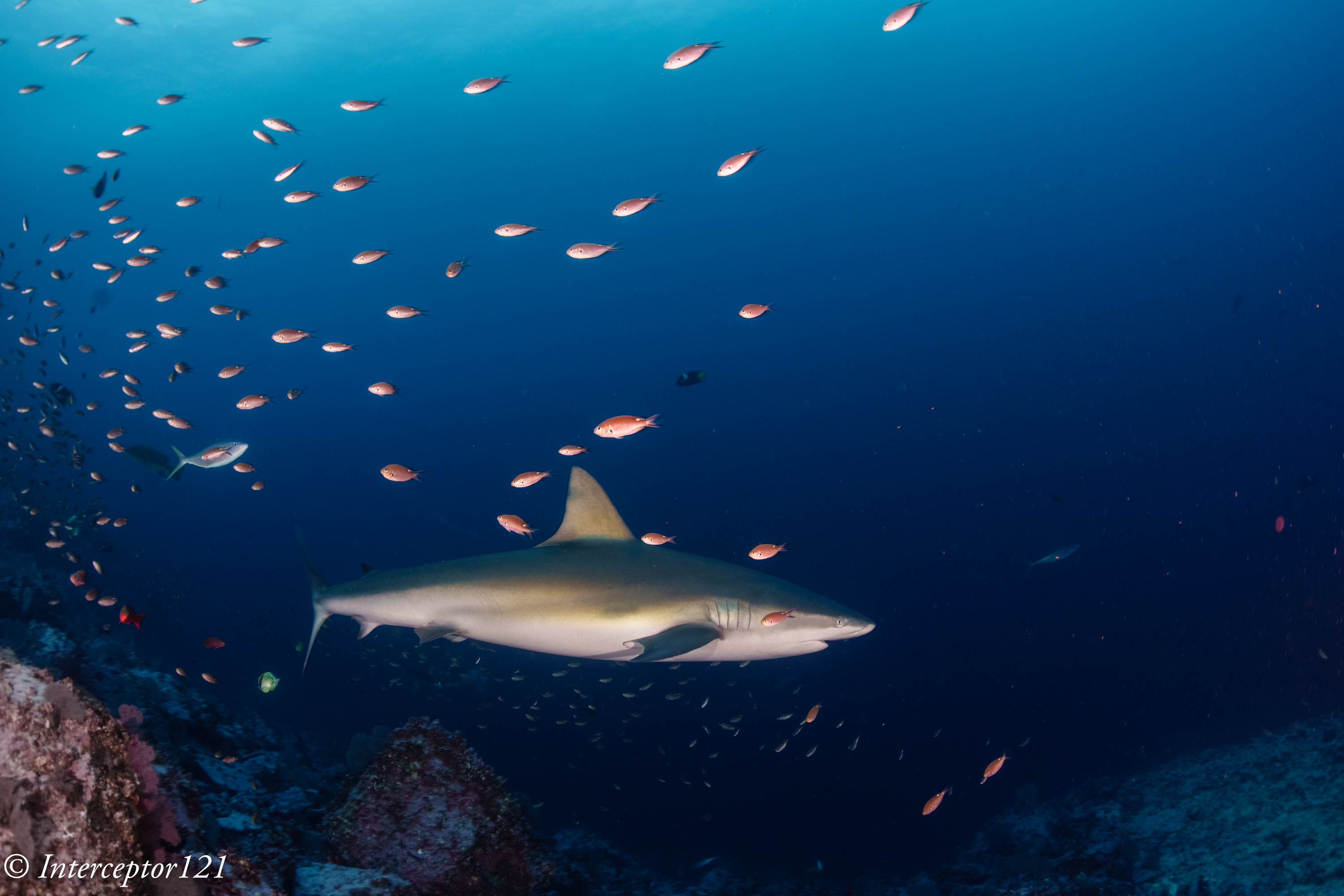
I put this lens on expecting some wide angle school shots and instead it ended up being a dive with Galapagos sharks coming fairly close.
With the imminent launch of the Nauticam Fisheye Conversion Port many users will ask if they shoud invest in that or they can get decent quality at more affordable cost spending less then £800 for a teleconverter set up. I assume any Sony full frame E-mount shooters own both the Canon 8-15mm and the Sony 28-60mm.
Edit 9 March 2024
Studio Shots
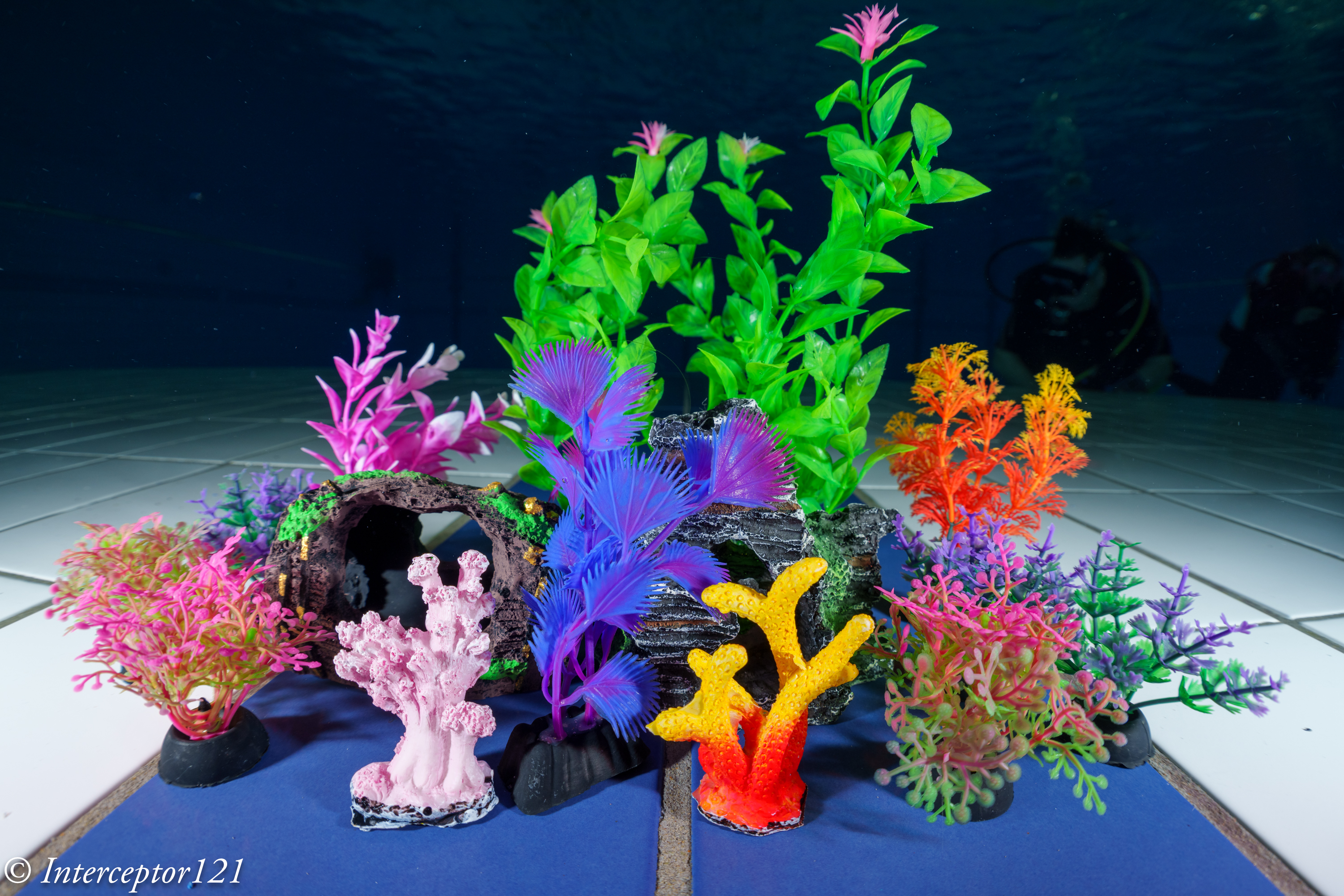
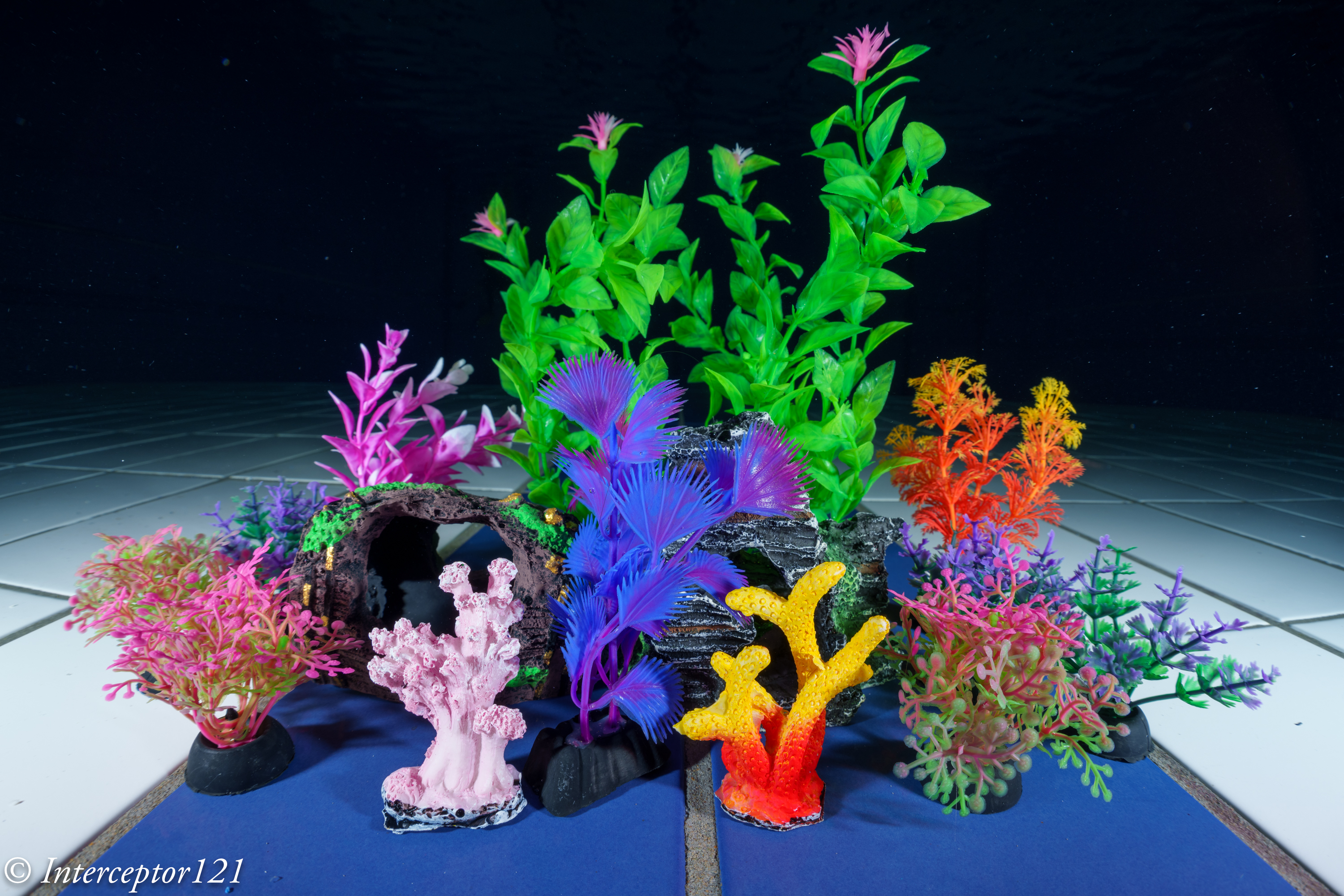
I found some time to do some tests at f/16 distance 25cm which is typical of wide angle in a dome.
As you can see the kenko 1.4 TC does not loose any quality compared to the bare lens and looks more magnified at same focal lenght in the centre.
Canon 8-15 15mm f/16Canon 8-15 1.4 15mm f16
Why is the quality the same? Probably the Canon 8-15mm is a better lens at 10.7mm that it is at 15mm and therefore even with the teleconverters result match. This corroborates my in water results.
Malpelo Shots Analysis
The dive was early in the morning and topside overcast resulting in a fairly dark dive.
The sharks came fairly close however as soon as the strobe fired they turned on their back. My impression was that this was more due to the noise of the strobe firing then the actual light.
All my shark shots are at f/8 1/30 ISO 500. As the shutter speed is quite low you have situations where the subject is sharp but some of the fish at the edges has some motion blur this is unrelated to the lens.
Profile
If you open the above image on a separate tab and zoom 100% you will see that the shark is pin sharp and so are the small fish on the same focal plane and the one behind. The reef on the left bottom corner is soft.
This has to be expected as the focal point is further back from the shark so the camera is out of depth of field on that corner.
The situation repeats in other shots like this one where the shark is even closer however the edge improves due to the reduced distance gap with the reef.
Checking inTurn back
Again shot after shot the fact I was focussing on the shark that was deeper in the frame resulted in the left edge being soft, this has to be expected and there is nothing wrong with the set up the dome or else.
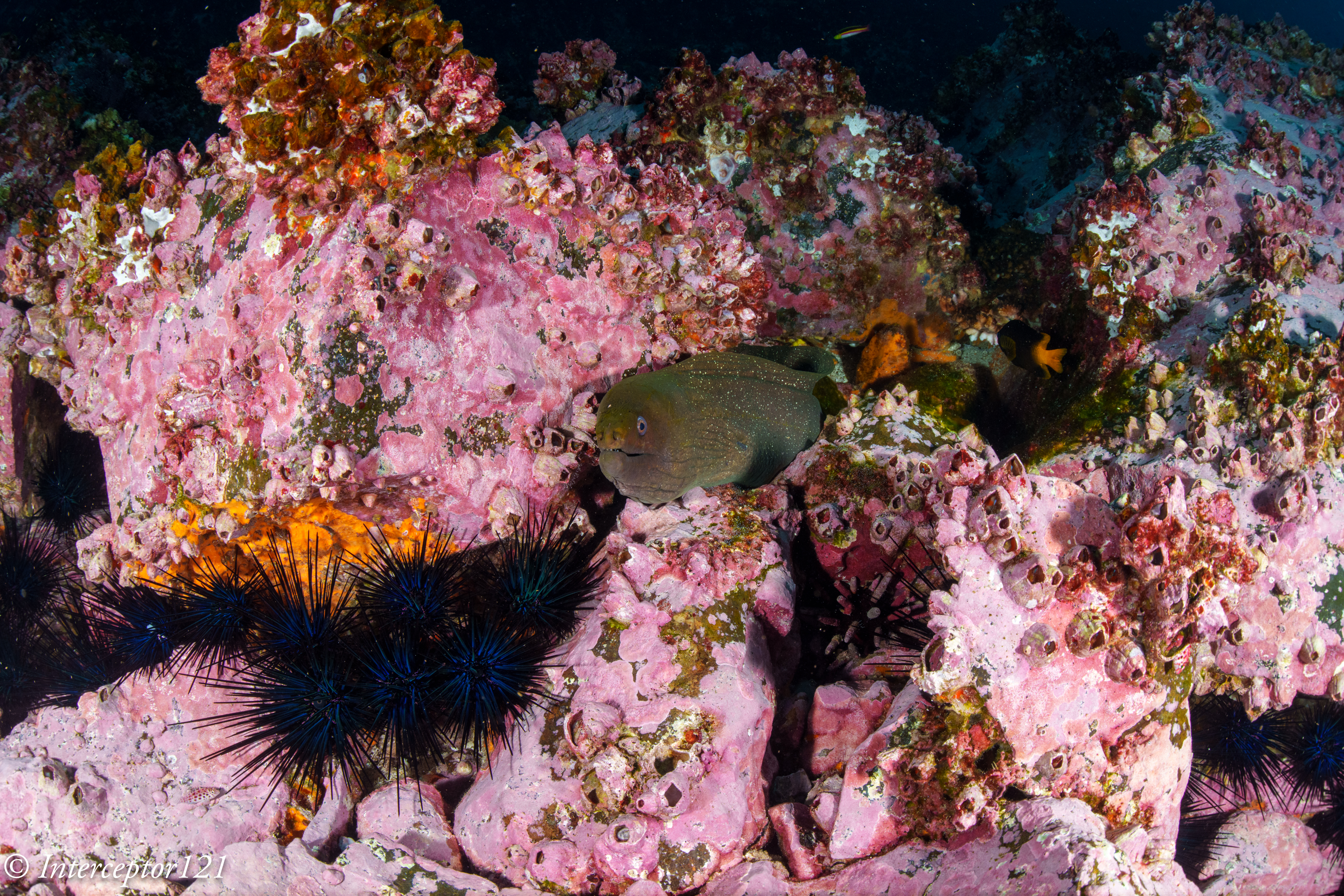
I took some shots really close on the reef at f/16 to make the point here the muray eel is sticking out of the reef so the edges look much better.
This other shot has an hawkfish in the edge you can still see the coloration and the eyeball of the fish.
Conclusion
In general terms shooting f/8 on full frame is not an example of small aperture in fact this is a setting for distant subjects almost and wide angle scenes. In the environmental situation I was in I could have increased the ISO to achive higher shutter speed and smaller aperture however this would have resulted in more noise and loss of resolution across the whole frame. My view is that for general wide angle where there is no clear subject you can try to focus closer to have the edges sharper however this is not always a possibility with sharks and things moving and furthermore there is rarely anything of interest in the edges.
This was my second time with this combination and I remain of the opinion that the teleconverter does not take anything away in the center of the frame and deteriorates the edges only just slightly and is therefore a worth addition. The nauticam FCP is not yet released and combined with the 28-60mm will for sure produce a more flexible set up because of the increased zoom range compared to the teleconverter however if this produces better image quality on the overlapping range remains to be seen. I expect it will cost considerably more than the £800 required to add the teleconverter to your Canon 8-15mm.
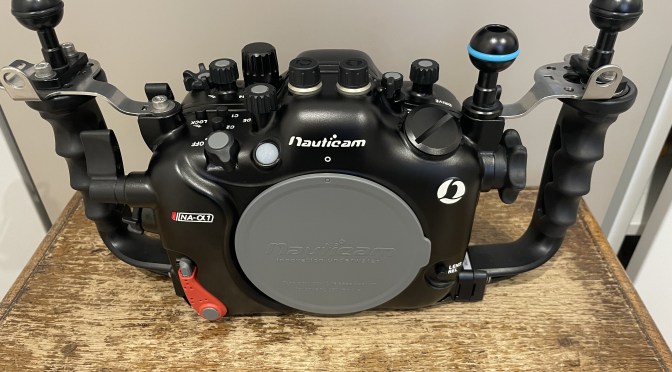
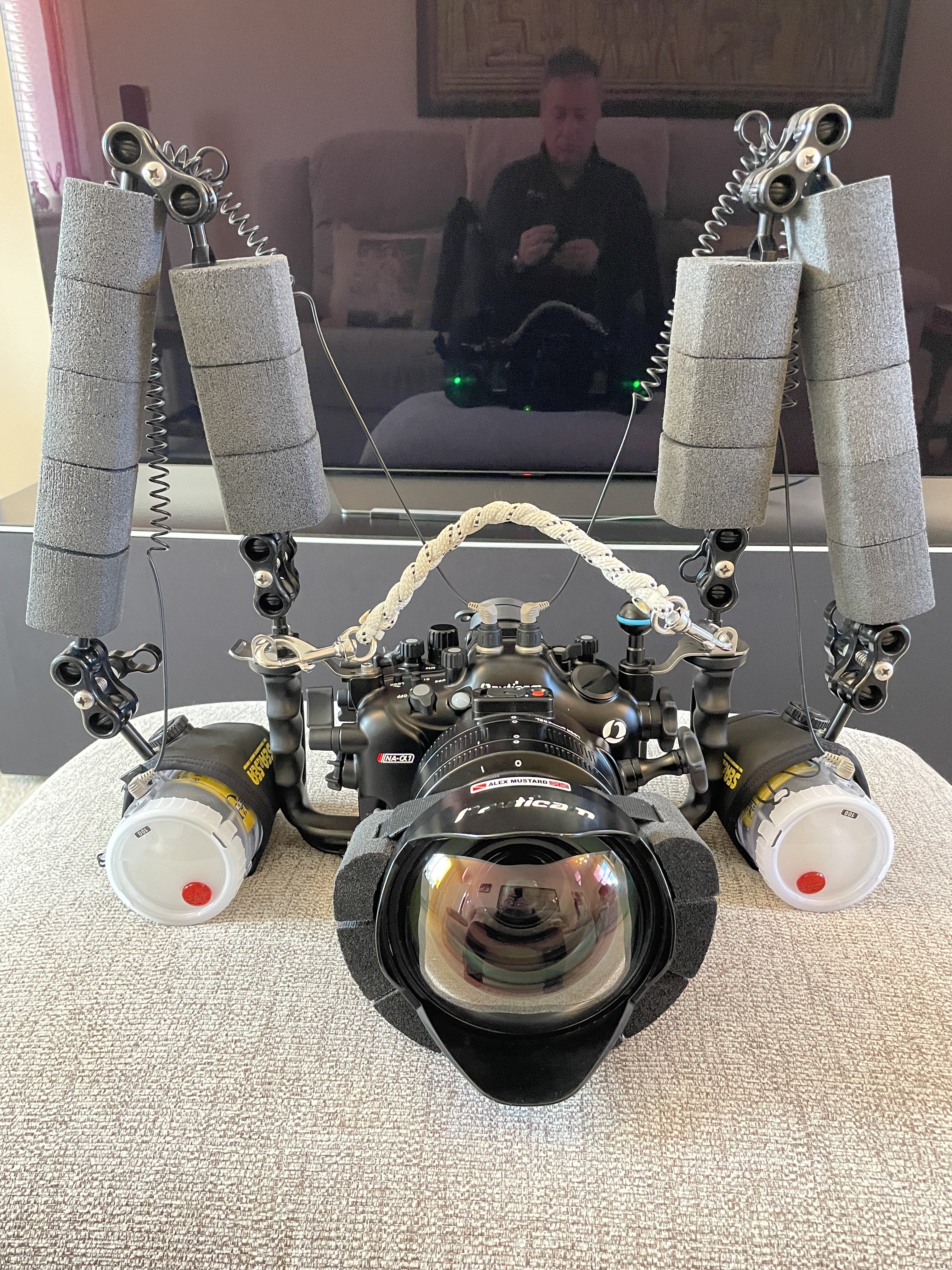
I guess lookig at the title image you may spot two small differences.
Those parts are installed.
Required Parts
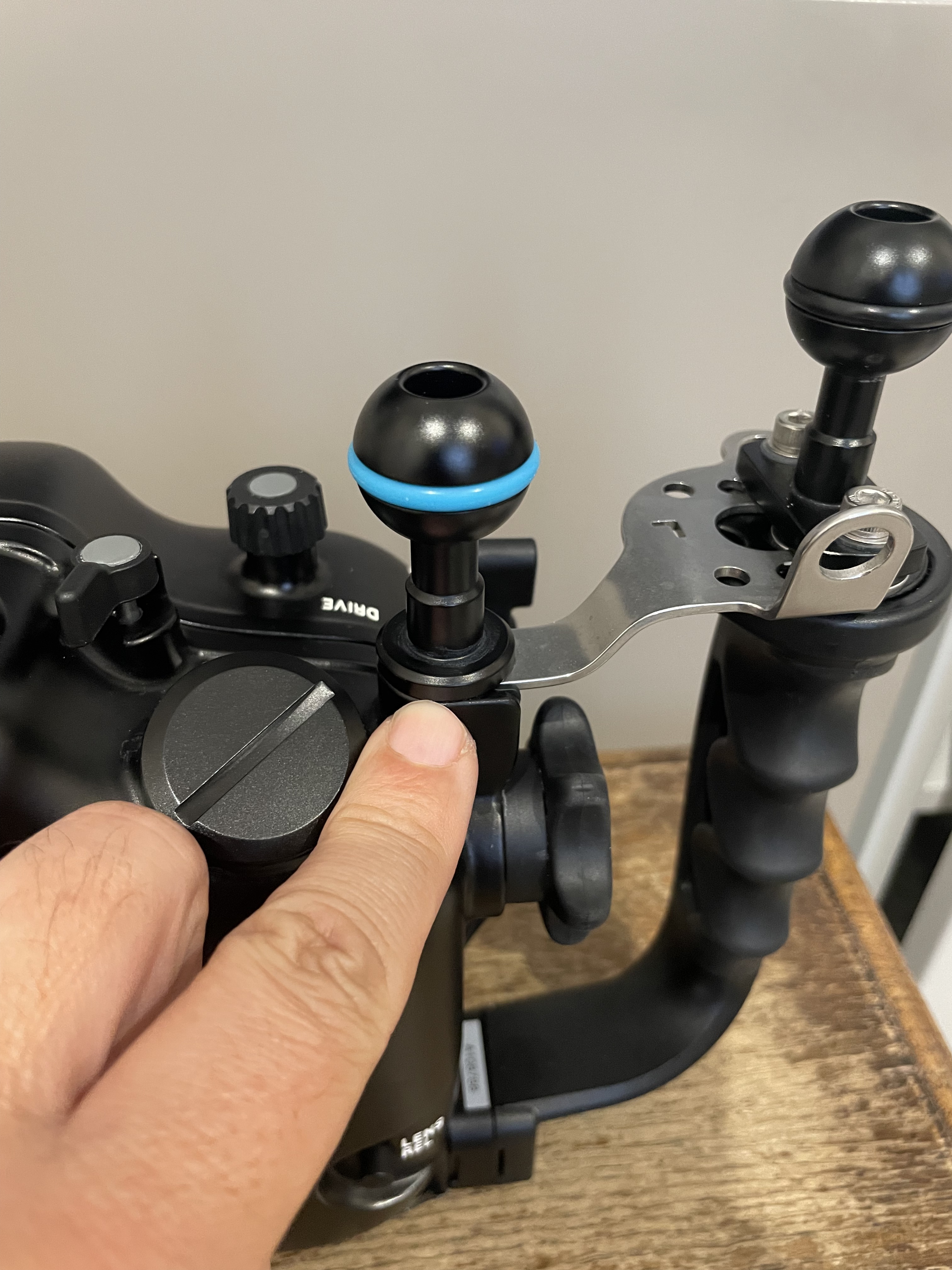
You will have noticed that your housing does not have a screw hole to mount a ball to put your monitor or focus light.
What you need to do is to remove one of those from the handle plates.
Allen bolt to be removed
You can then install the M5 ball so that you can use it to put the accessory you need.
M5 Ball installed
I am left eye dominant so I want to have free space in front of my right eye while my left is on the viewfinder so I put my ball on the left however you can do as you see fit.
You can also take the rubber assembly out of the socket and put an M10 ball mount which is more sturdy however you will be screwing metal on metal and I do not recommend that.
The other thing that you have noticed is that my housing has almost equal distance between the handle ball mounts and the centre.
Overview
However the housing as it comes out of the factory has a shorter distance between the left handle and the center than the right handle as consequence of the camera lens mount being on the left.
This is ok for topside but for underwater as soon as you are taking very close images with two strobes you will realise you have lights uneven and more shadow on your side.
Installing a single spacer into the handles give you this.
Spacer installed
Now your strobes or lights are simmetric however the housing fits a bit more snug into the travel case if you use that. You may need to remove it for travel if you pack case in case as I do.
Hopefully this was useful subscribe to my channels on for more tips and/or to this blog to get updates. And feel free to donate using the button on the left hand of the menu.
Few days ago Alex Mustard popped in to drop his WWL-DRY aka WACP-C prototype so that I could conduct some experiments for the enjoyment of the entire underwater community on Sony E-mount.
This lens is not the same of the current WACP-C but it is very similar. It does not have a float collar, a bit like the original WWL-1 dimensionally appears a few mm different from the WACP-C specs.
The lens seems a bit shorter.
140 mm length instead of 145 mm of current production version
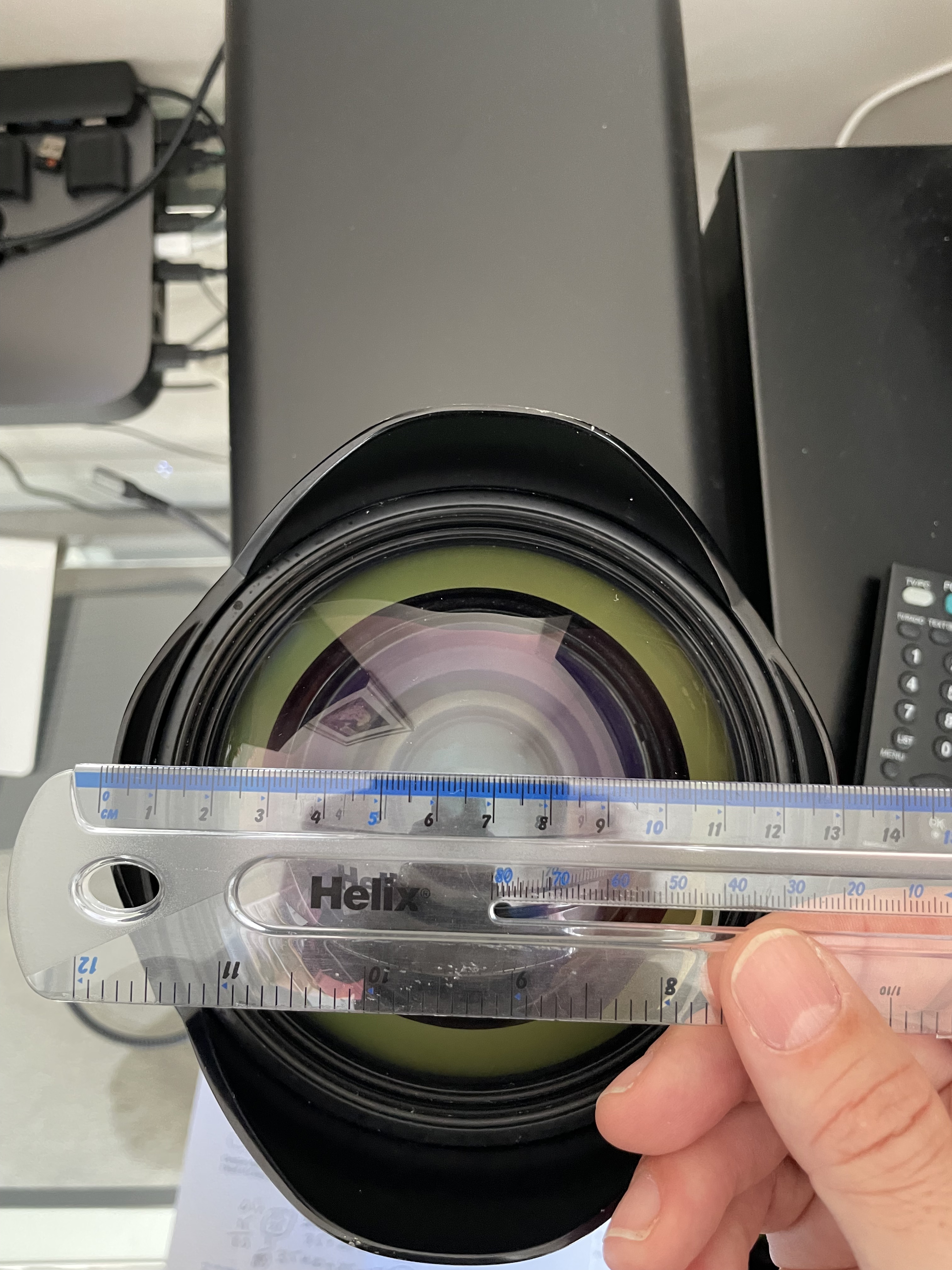
The dome diameter is identical somewhere in the region of 130mm.
Dome port perspective masks the real diameter of 130mm
The lens is very heavy in water so I needed some floatation.
Stix float belt carved to fit a dome
I rented a Tamron 28-75mm G2 from lenspimp only to discover it would not fit any of my extensions. Alex Tattersal has sent me an adapter on loan but it did not make it for my pool session.
I therefore decided to use my Tamron 17-28mm although the extension was 5mm too long I got no vignetting at 26mm.
Ready to dive
I exchanged notes with Alex who told me he tried all sorts of optics with his Nikon only to use a 1990 lens now discotinued as all modern fast lenses would refuse to work properly. I was determined to try anyway confident I would get good results.
Pool Tests
Arrived in Luton for a short one hour session last night I took my usual props. The first set of tests show already some interesting results.
I always start as close I can get to the props to fill the frame.
CFWA f/5.6 T28
At f/5.6 the centre is very sharp however I noted the background and were not particularly crisp while the centre was but not in the background. There is an issue of depth of field so I started stopping down the lens.
CFWA f/8 T28
By f/8 results were already very good considering the shooting distance. Consider that a shot like tha requires f/16 on a fisheye or rectilinear to have sufficient depth of field.
By f/11 we are in a really good place.
CFWA f/11 T28
The depth of field is not quite enough for the plant in the back but the edges are sharp.
To show that this is a genuine depth of field issue look at this shot at 17mm in APSC.
17mm APSC f/5.6
It looks very much identical although this is even wider at 25.5mm equivament.
The second step is to look at edge sharpness the pool provides a nice tiled wall for this purpose. Here am shooting at around 1.5 meters.
You can see immediately that the frame is sharp throughout at f/5.6
wall f/5.6
Moving to f/8 improves edges
wall f/8
f/11 brings better edges but in my opinion not the best centre.
wall f/11
This reflects very much the nature of the master lens which is outstanding in the centre at f/5.6 with so so edges but very good on both accounts at f/8. F/11 starts showing an overall resolution loss.
I then moved to test field of curvature.
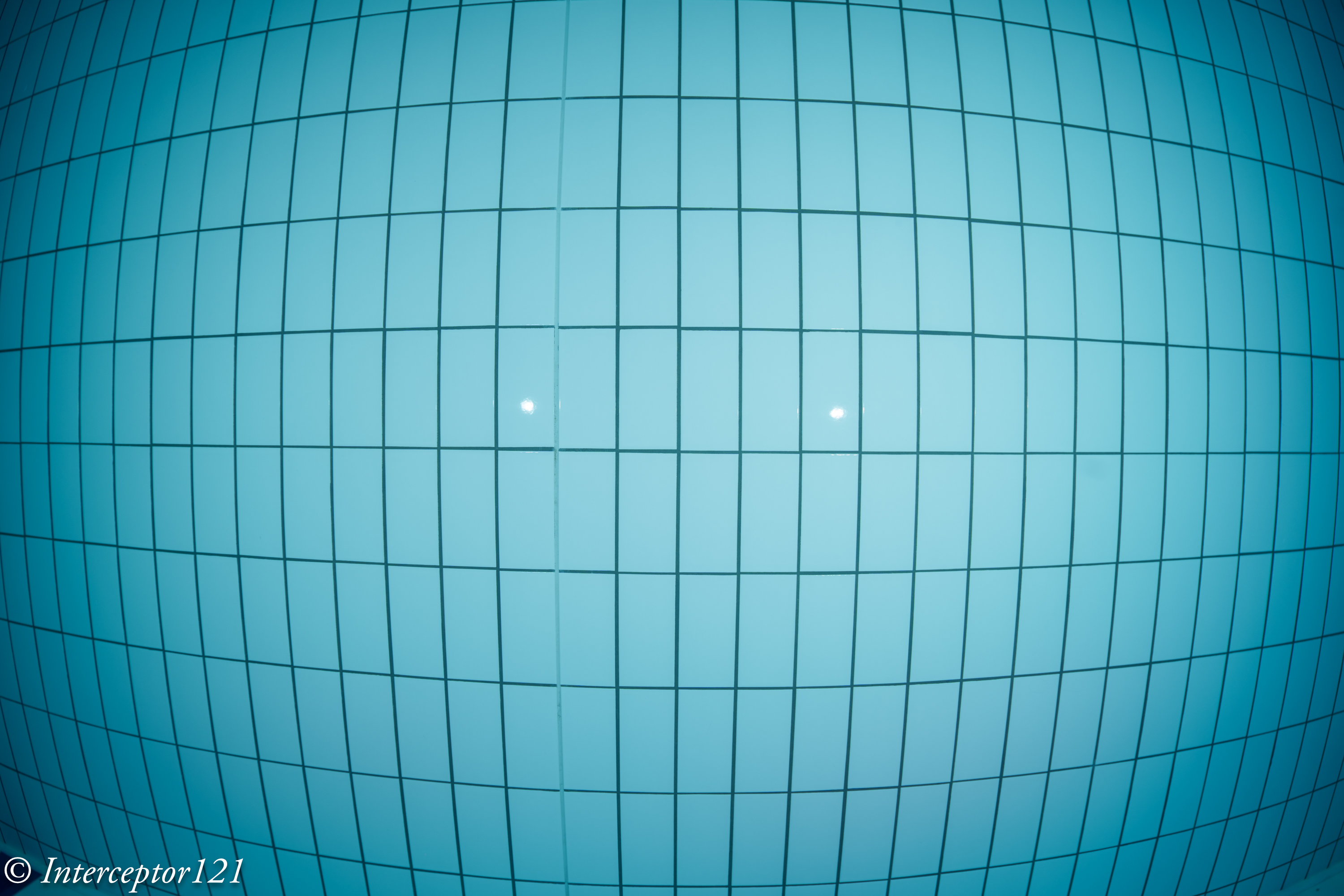
grid f/5.6
The lens has virtually no field of curvature and the edges are good already at f/5.6.
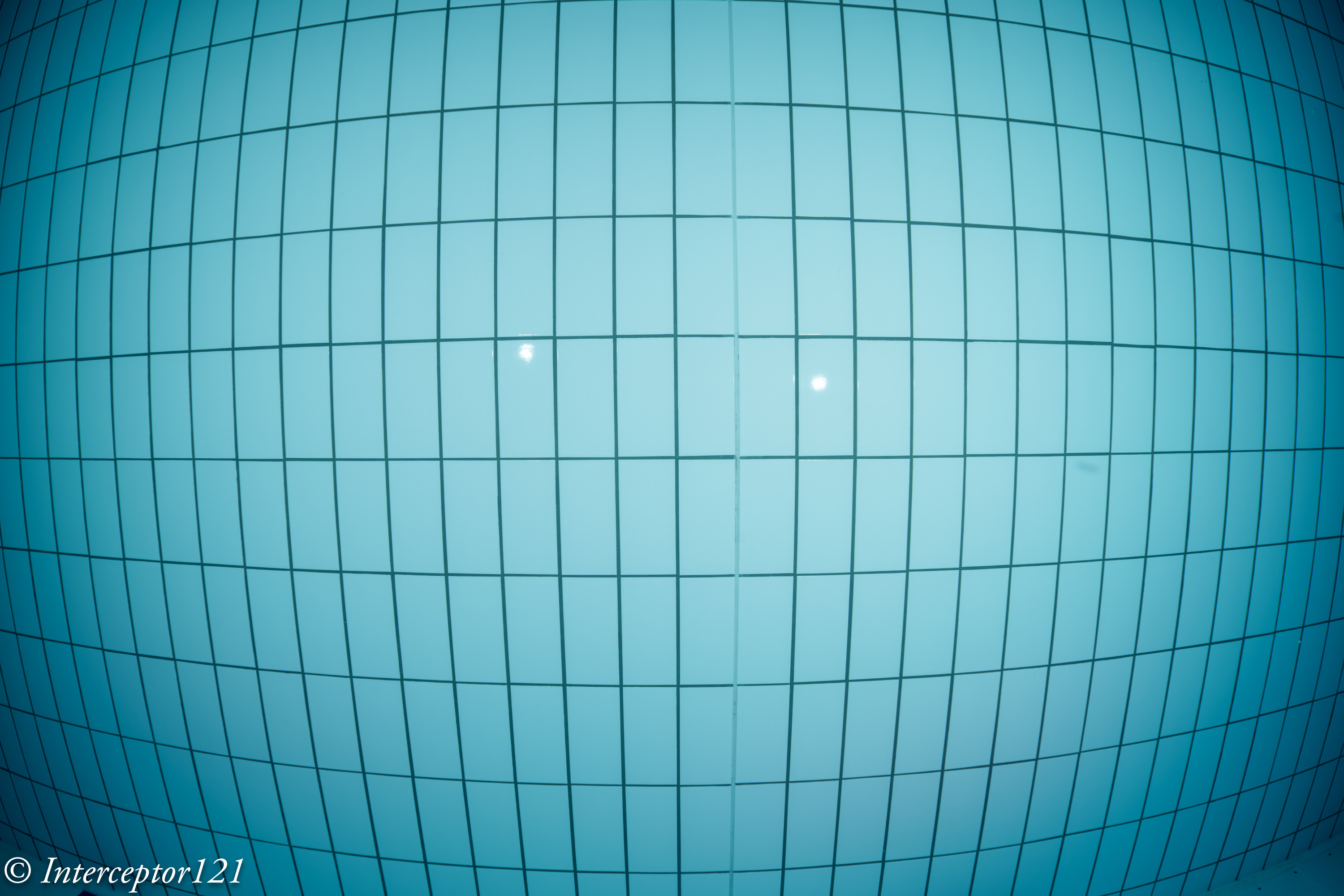
grid f/8
By f/8 the result is excellent.
grid f/11
At f/11 better edges but slightly worse centre.
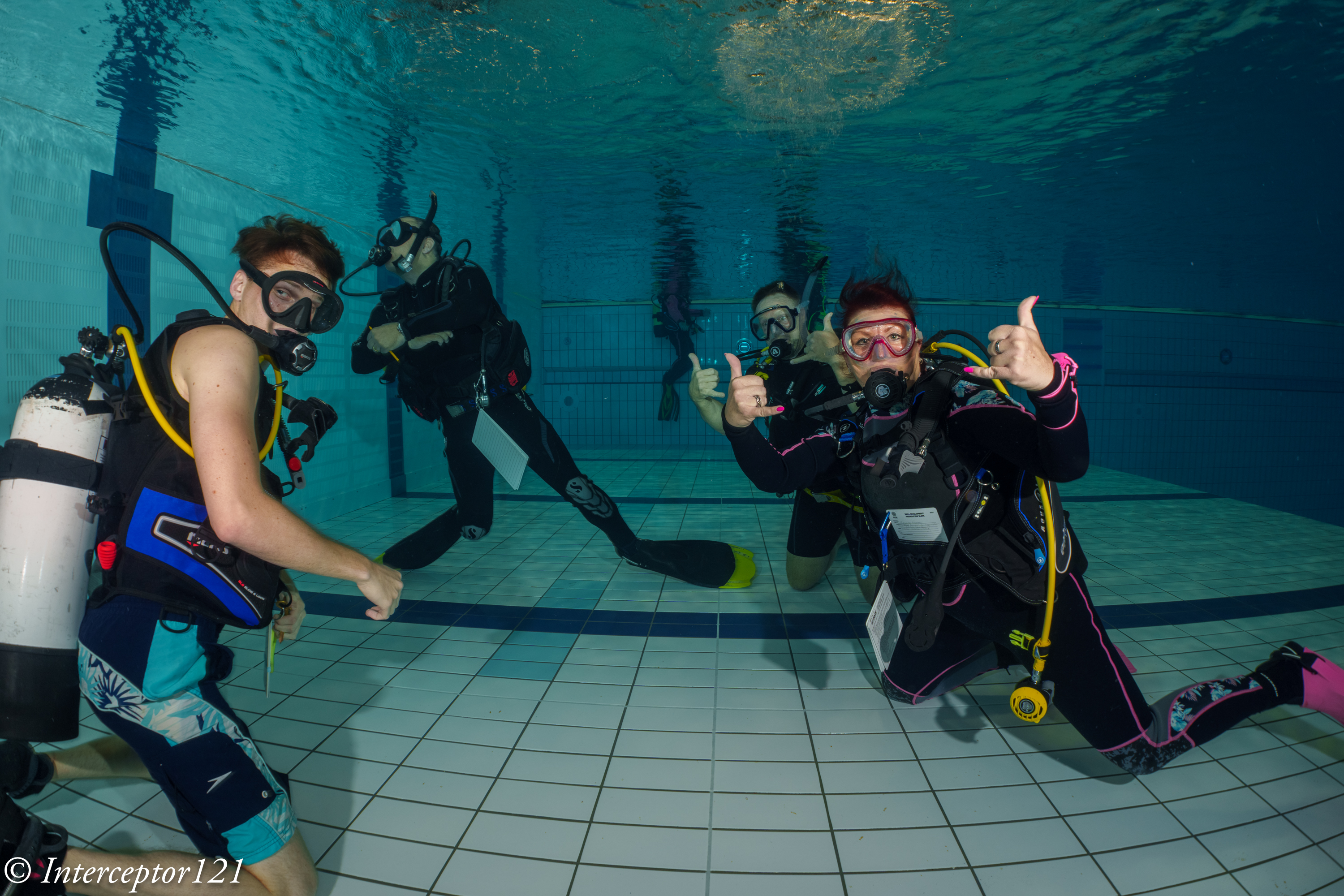
Having completed the lab tests it was time to shoot some divers however I was coming to the end of the hour and they had started surfacing!
group f/5.6
Shots at distance with f/5.6 look great.
surface 3 f/5.6
Consider the shutter speed is low as I was trying to get some ambient light and the subject far so there is some motion blur.
surface f/5.6
f/8 is probably the sweet spot for underwater use.
Wide f/8 T28group f/8
F/11 is really not needed unless you have a close up shot.
Self Potrait f/11 T28
Conclusion
There are some obvious strengths to the Tamron 17-28mm which in my view performs at 28mm way better than the Sony 28-60mm even with a too long extension.
Upon reflection I have decided not to invest on the Tamron 28-75mm as I already have thr Sony 24-70mm GM2 and there is an overlap topside.
Edit 8 April: I received today the adapter ring I needed for the 28-75mm G2 and unfortunately there is vignette at 28mm ruling this lens out entirely for the WACP-C.
If you want to use the Tamron 17-28mm with the WACP-C you need an N120 to N100 25mm adaptor ring, in addition to the zoom gear (not necessarily unless you want to shoot also APSC) and the 35.5mm N100 to N120 port adapter.
The Tamron 17-28mm costs $799 on Amazon.com and it is the best rectilinear wide angle for underwater for the e-mount and we now discovered also compatible with WACP-C.
I will try other lenses in due course but the lesson learnt is that if you do your homework you will find something.
Thanks to Alex for the loan and bear with me a little longer!
I must admit Macro photography is not exactly my favourite genre both underwater and topside however I do enjoy a bit of critter hunting.
I was sure that the A1 would be an absolute beast for topside wildlife and underwater wide angle, however I did not feel comfortable at all with the performance of the Sony 90mm Macro lens.
It has a reputation for hunting and a lot of focus breathing that make it hard to use for topside focus stacking.
I have been playing with the lens topside and I did see examples of both so I was somewhat skeptical taking it underwater.
Camera Settings
I was perhaps over worried so I set up the camera for the worst case scenarios:
Focus limiter set to 0.3 – 0.5 meter
CAF priority set to Focus
Aperture drive – Focus priority
I went in with autofocus set to tracking flexible spot.
Port and Focus Gear
I have always mixed feelings for focus gears and mostly I use it to make sure I am hitting the minimum working distance and therefore maximu magnification.
Nauticam 37147 SE90-F focus gear for Sony 90m f/2.8
The focus gear for this lens is a large item and does not allow to operate the focus clutch. The operation is quite easy as the focus ring does not have an excessive long run.
I already own the 45 Flat Port that I use for the Sony 28-60mm and also have the 35.5 N120 to N120 port adapter so I thought how do I make this 105mm long?
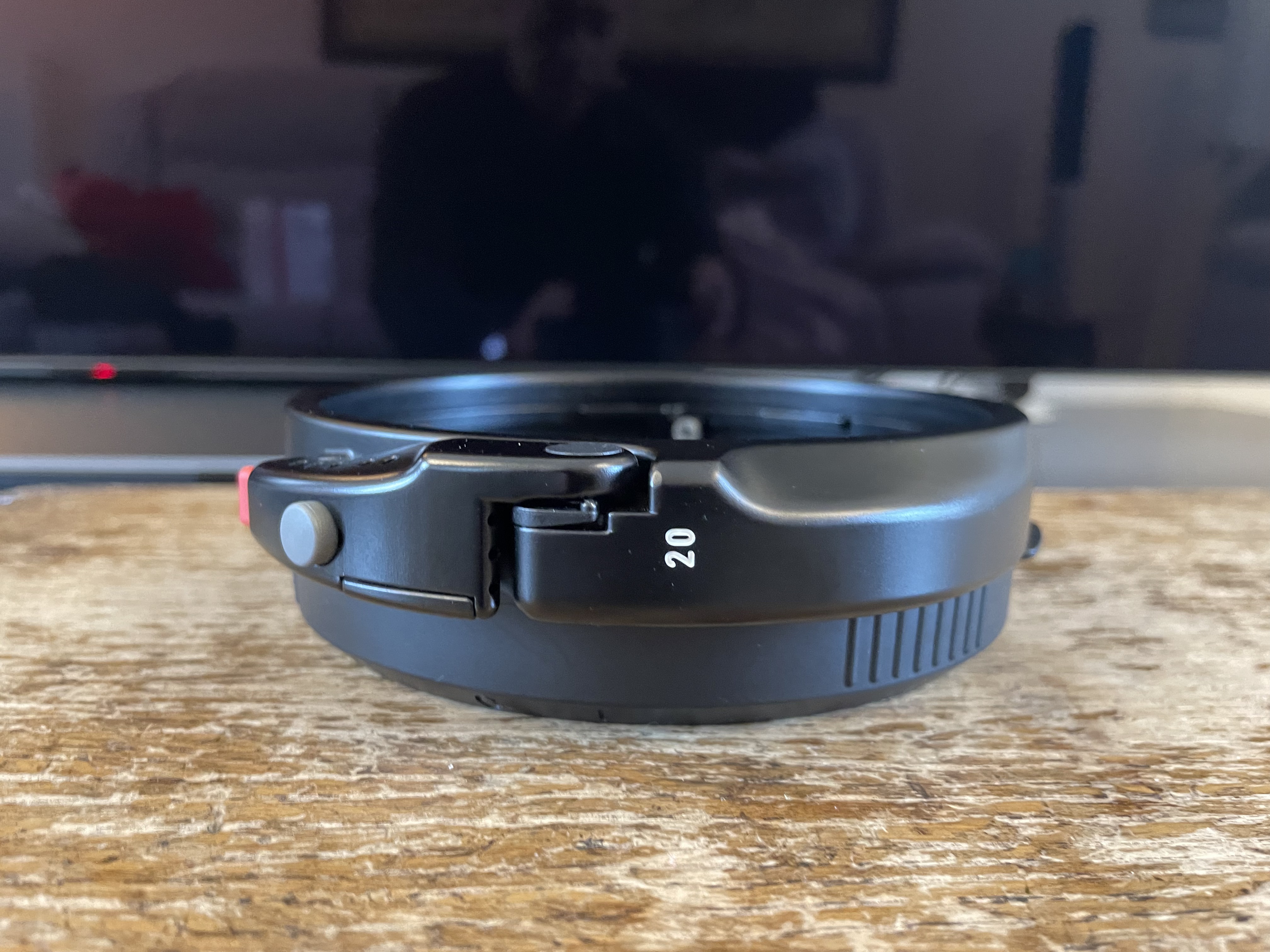
Nauticam 21325 N120 to N100 25mm port adaptor
Nauticam makes convenient adaptor rings of various length to go from N120 to N100 port size. I got the 25mm that resulted in a saving of £441-260=£181 which I used to buy another part.
The rig as assembled looks like this. In effect even the 110 port starts wider and gets narrower.
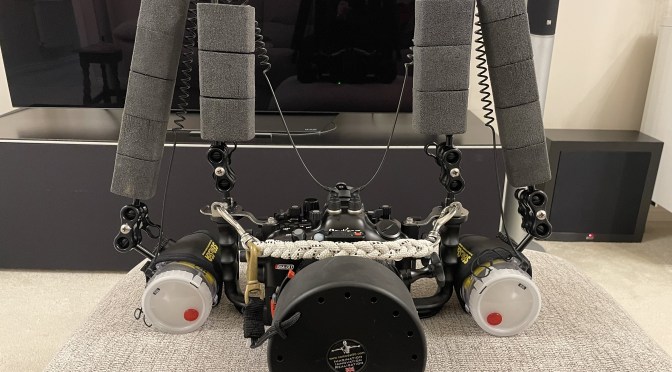
Sony A1 Nauticam Macro Rig
Before going to the pool I realised the housing does not have an M10 mounting point but you can adapt one of the points that go to the bars connecting the angle. Will be done at some point. So I went in without focus light in a very very very dark pool.
Pool Session
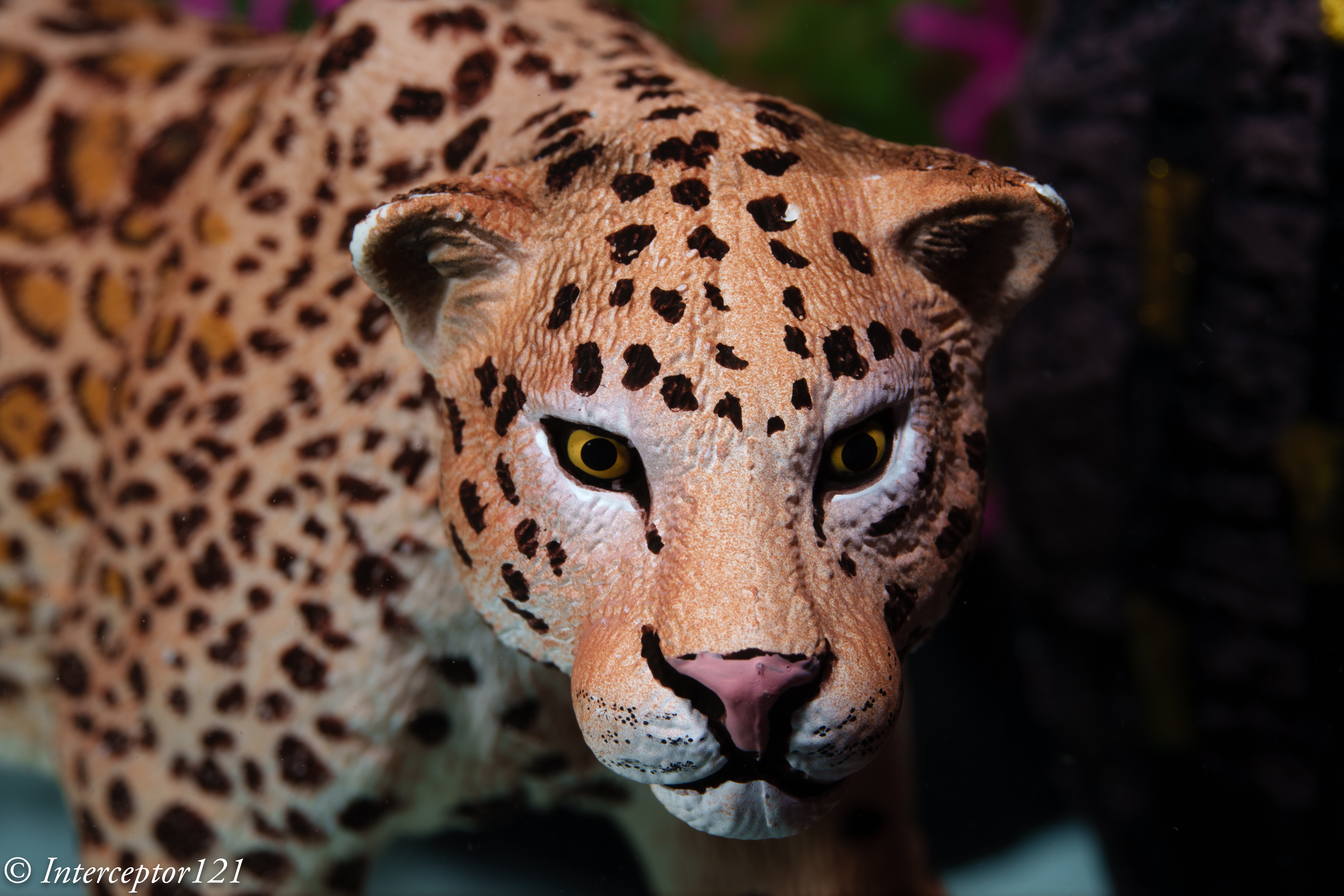
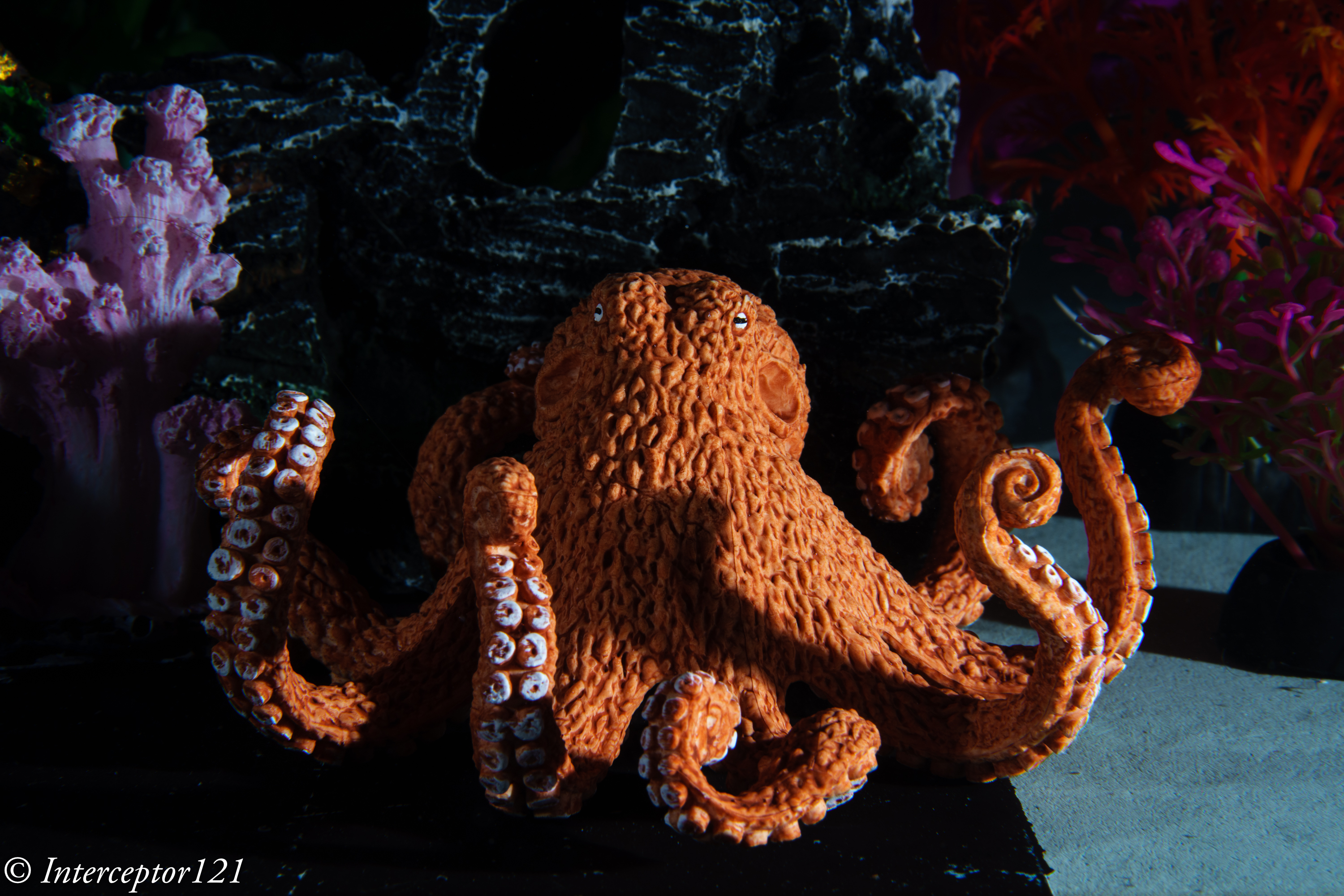
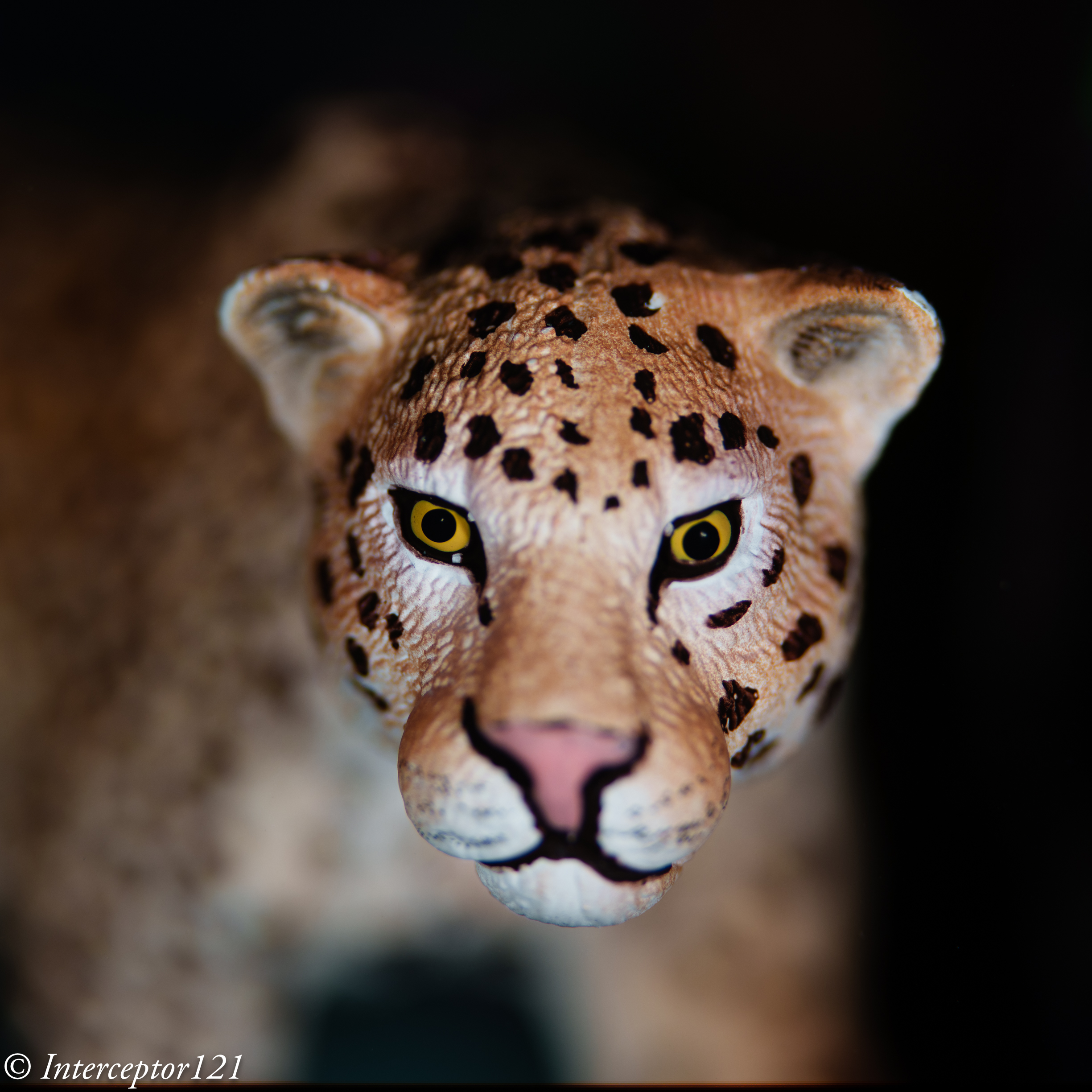
As I packed my props I realised I did not really have any good macro target however a friend came to the rescue. An instructor of a diving center that uses the same pool brought a small leopard and octopus that sank and were perfect targets.
As you probably know I am obsessed by obtaining the absolute maximum performance from each lens. And this for a macro lens means shooting at the best aperture, for this lens f/4-5.6 and stacking. However this is not available underwater. You need to pull your shot from a single image and this means the lens won’t be at the best performance.
I started at f/11 which gives a respectable MTF50 and to be honest I am impressed!
Octopus f/11 angleTiger coming f/11
I then pushed the lens to f/16 I could see resolution dropping as depth of field was going up.
Octopus front f/16Tiger side f/16
In order to get depth of field of an overall scene with the octopus I had to go all the way to f/22 diffraction zone.
Tiger f/22 sideOctopus wide f/22
Yes with the high resolution of the sensor those images are still ok or at least so they seem to me.
Tiger Bokeh f/2.8
I think this lens wide open makes an amazing bokeh that will probably be still there at f/4 so something to check.
Field Impression and Ergonomics
First of all I did not regret setting the lens to close range using the focus limiter. This will give you a frame 19 cm wide if you feel that is too small and you are just trying to get some fish portraits perhaps leaving this to full is a better idea. Likewise if your targets are bigger.
I did not get any hunting despite the dark conditions and I am not sure if this was due to this setting or if this helped.
CAF worked in all situations the A1 can practically see in the dark however in order to get focs tracking and eye detection working (it detected the eye of the leopard) I needed to switch on the focus light of the strobes.
I believe tracking and detection requires a level of scene brightness higher as the camera is effectively in video mode. When you half press the aperture drive meant it would focus thought it had not tracked anything. I got 2 shots not focussed on the subject because I moved.
The focus gear I believe is not required unless you want to do super macro or to make sure you are as close as you can get but I do not regret having it as the run is pretty short with the focus limiter is on.
Conclusion
Alex Mustard tried the 90mm with the A1 for blackwater and said it was better than the Nikon D850 with the 60mm which is a well known blackwater combination. My tests confirm this combination is very very powerful even in the dark and with a little bit of light it will focus on anything. If the lens goes back and forth is because you are close or over 1:1 reproduction ratio.
Overall my concerns apperad not justified and this combination is a solid performer. Probably next steps are getting an SMC magnifier to push this even further.
Since many years Canon and Nikon full frame users are able to use their respective 8-15mm with a teleconverter underwater, however this is not a very popular configuration.
In this article I will look at the Canon 8-15mm with the Kenko Teleconverter 1.4x for Sony full frame cameras.
First and foremost a teleconverter is not cropping the image it has optical elements. Cropping means reducing the resolution at sensor level while a teleconverter induces a deterioration of the image and possible defect but does not affect the sensor resolution. Generally 1.4x TC is much better than 1.4 crop. If you find yourself cropping a lot your fisheye shots or even using the 8-15mm in APSC mode the teleconverter may add some real value to you so read along.
Parts Required
In addition to the set up required to use the Canon 8-15mm you need 3 additional items:
Kenko Teleplus HD Pro 1.4 DGX
Kenko 1.4 Teleconverter
Canon 8-15+TC zoom gear
Extension ring N120 20mm
N120 Extension ring 20Canon 8-15mm with Tc and gear
The benefits of this set up are clear:
Unique field of view
Smaller additional bulk
Relatively low cost
Some readers have emailed asking if the Kenko is compatible with the Sigma MC-11. I do not recommend using the Sigma MC-11 with the Canon 8-15mm because it only supports single AF and it is unclear if the Kenko will work or not and how well. I have tested with the Metabones smart adapter and this is the one I recommend.
Field of view
The 8-15mm lens with teleconverter will give you access to a zoom fisheye 15-21mm with field of view between 175 and 124 degrees. This is a range not available with any other lens of water contact optic that stop normally at 130 or 140 degrees.
Additional Bulk
The additional items add circa 370 grams to the rig without teleconverter and make is 20mm longer due to the additional extension. The additional fresh water weight is circa 110 grams.
Cost
The latest version of the Kenko Teleplus 1.4X HD DGX can be found in UK for £149.
The 20mm extension ring II is £297 and the C815-Z+1.4 Zoom gear is £218. Note this is in addition to the 30mm extension required for the 8-15.
With a total cost of £664 you are able to obtain the entire set up.
The rig looks identical to the fisheye except is a bit longer. You have a choice of 140mm glass dome or 4.33″ acrylic dome see previous article.
Additional extension ring on otherwise identical rig
With the rig assembled I made my way to the pool with the local diving club.
Pool Session
The 8-15mm with teleconverter was my first pool session with the A1 on the 3rd of February I was very much looking forward to this but at the same time I had not practiced with the A1 underwater previously and did not have my new test props. I think the images that follow will give a good idea anyway.
15mm Tests
At 15mm (zoom position somewhere between 10 and 11 mm on the lens) the image is excellent quality in the centre and I find very difficult to tell this apart from the lens without TC except for the color rendering. I believe the Kenko takes a bit away from the Canon original color rendering.
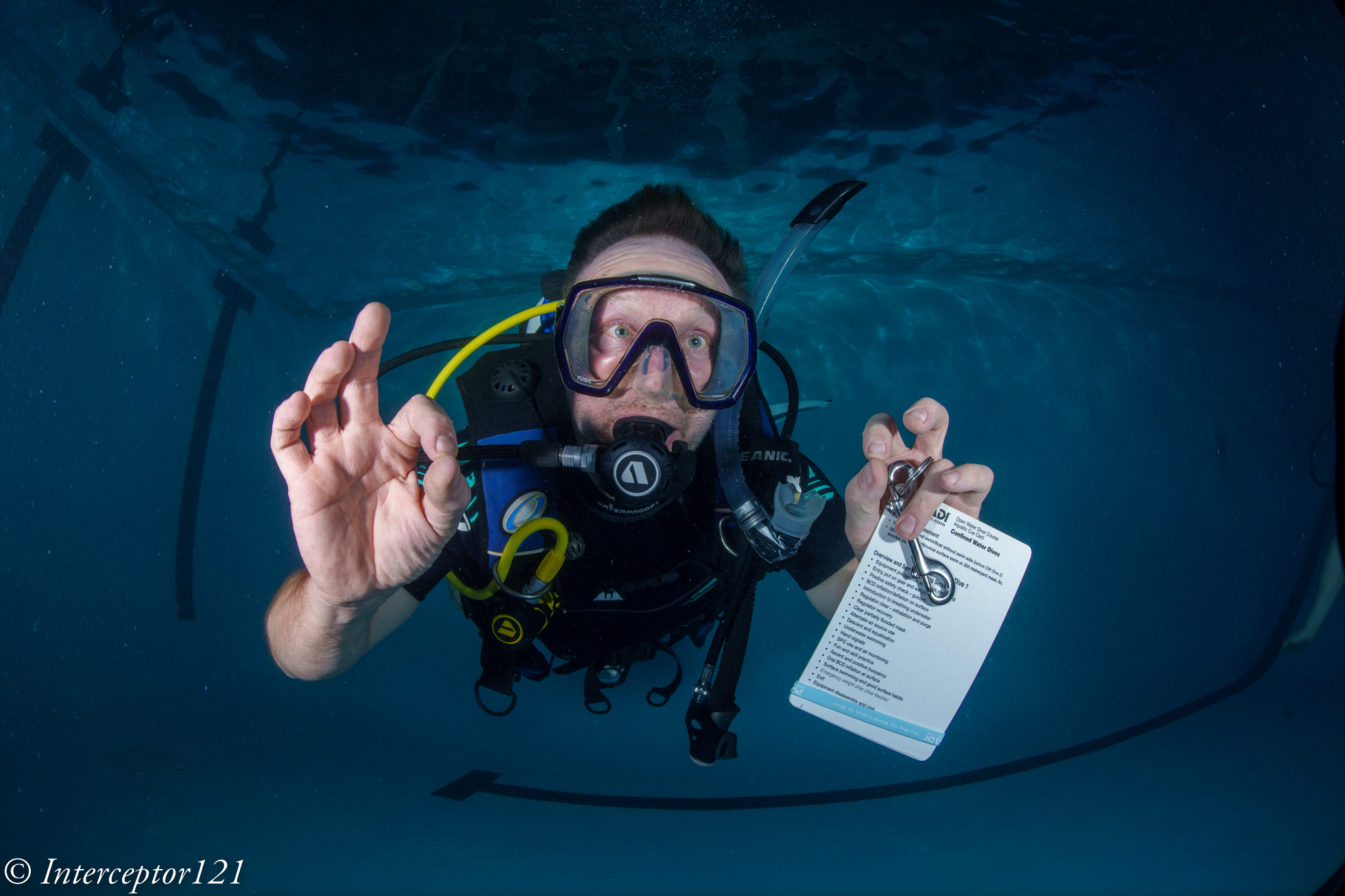
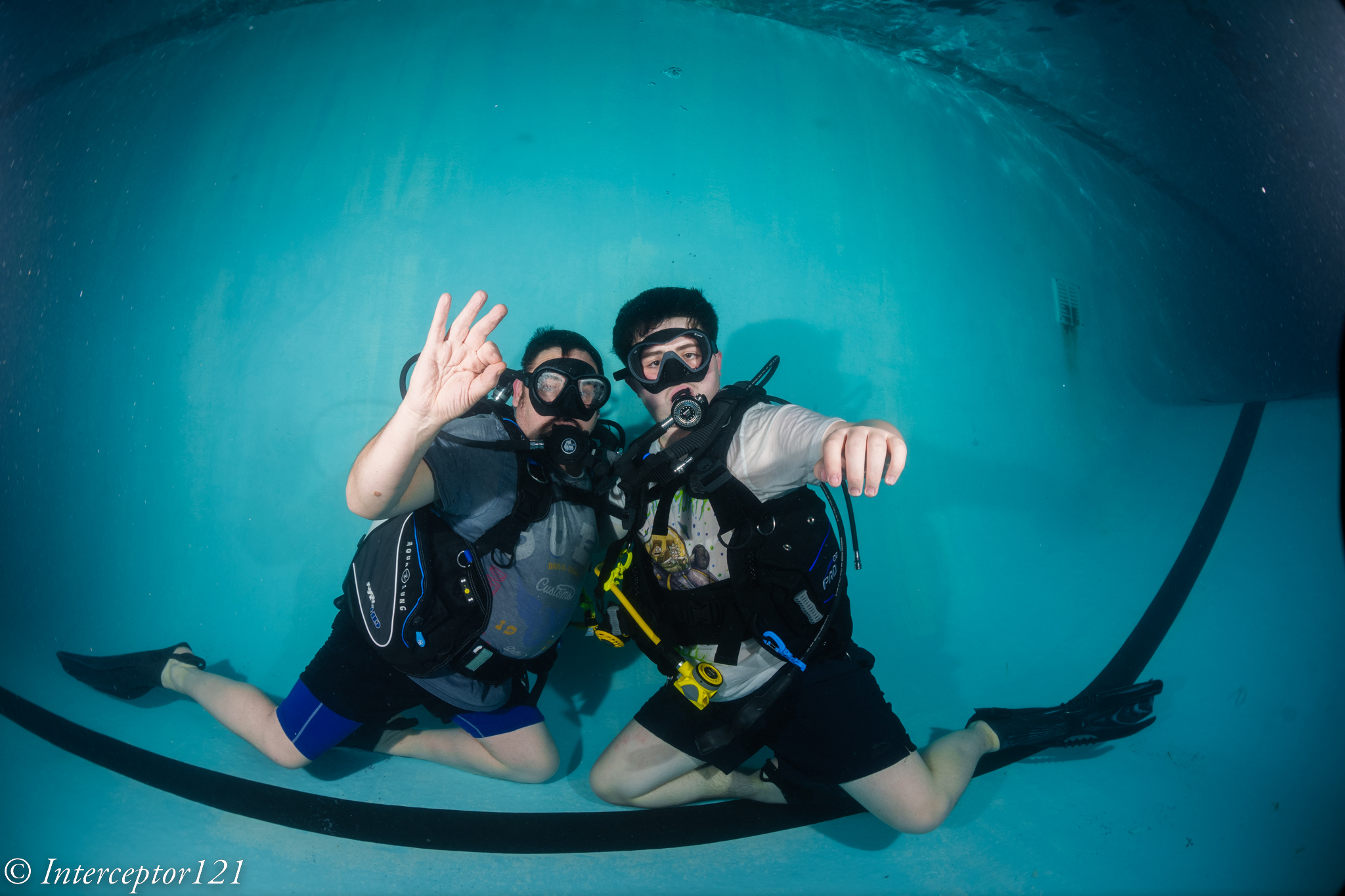
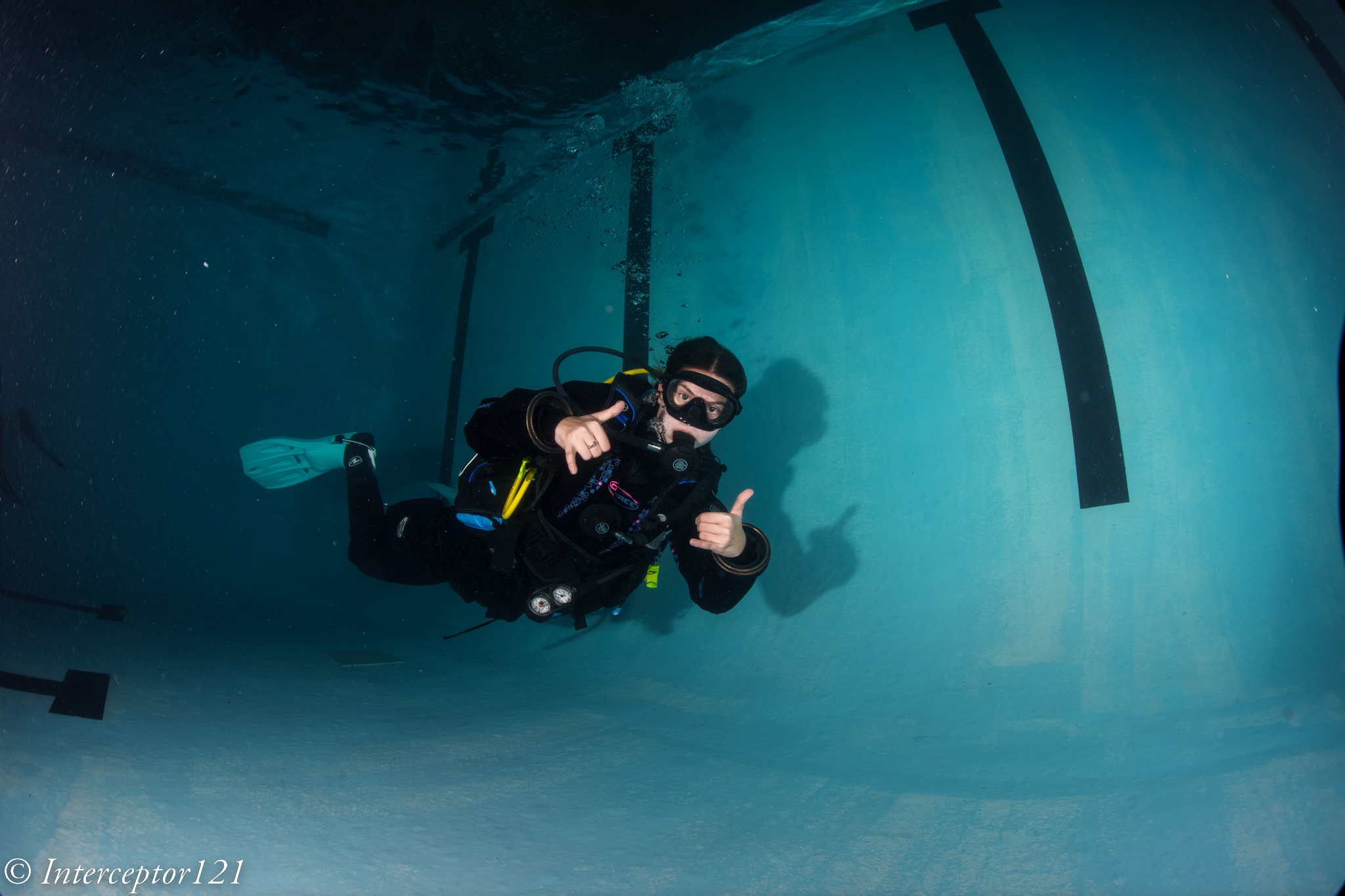
Peter at 15mm f/11Dad and Son 15mm f/8Diver girl f/11
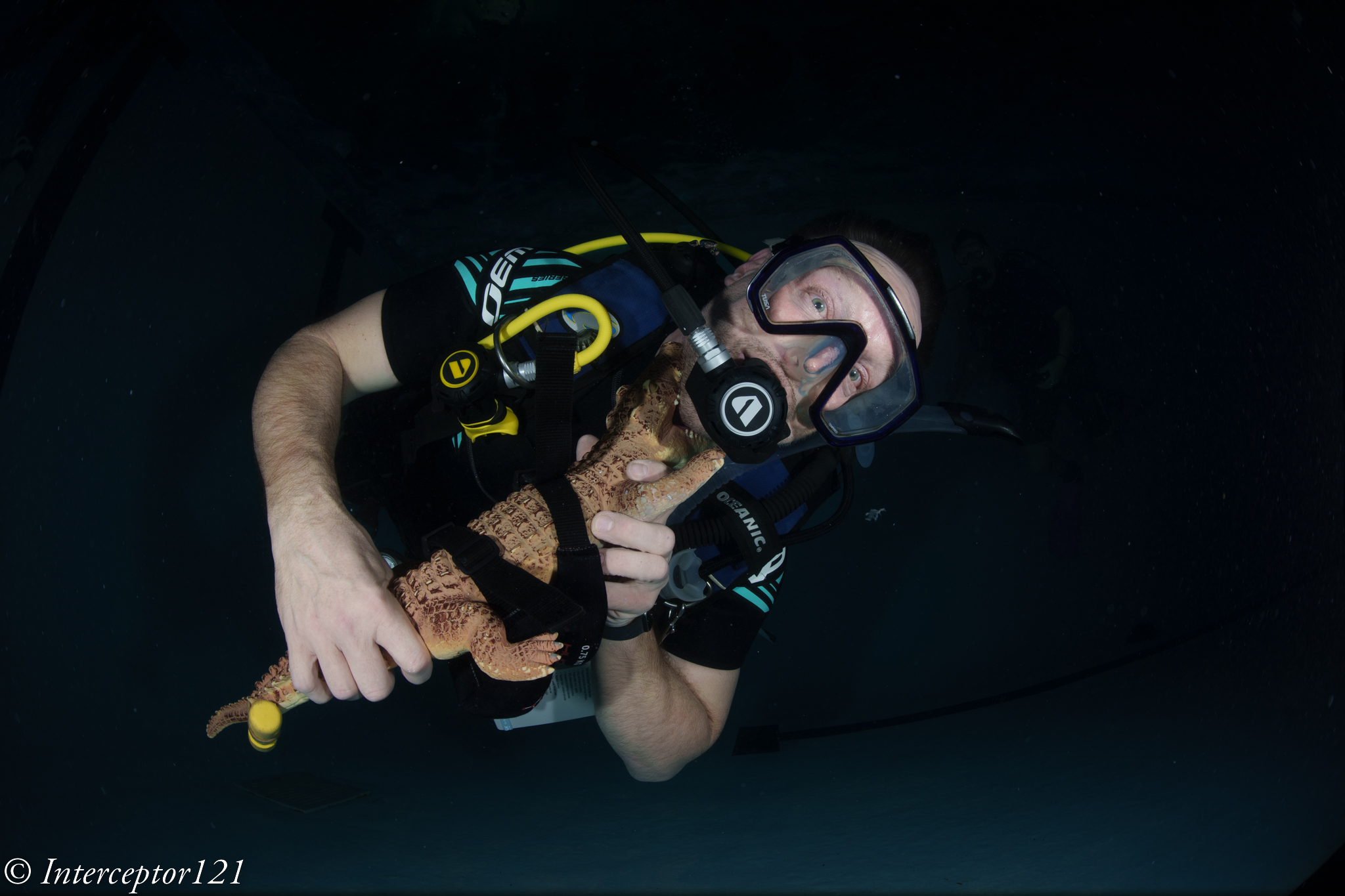
At close range you get the usual depth of field issues depending on where you focus but this is not a teleconverter issue.
CFWA 15mm f/8Peter and croc
For comparison a 15mm image without TC.
VideoDiver
Zooming In
Obviously what is interesting it that you can zoom in here a set of shots at 16, 18, 21 mm.
16mm f/818mm f/821mm f/8
Finishing up with the required selfie.
21mm f/8
Conclusion
I enjoyed the teleconverter with the Canon 8-15mm and in my opinion in the overlapping focal length this set up provides better image quality of the WWL-1. I shot for most at f/8 as I was not very close and this actually shows the TC does not really degrade the image much.
You need to ask yourself when you will need 124 to 175 degrees diagonal and the answer is close up shots of mantas and whalesharks where a fisheye may be too much and 130 degrees may be too little. The set up also works if you want to do close up work and zoom in however I reserve the right to assess more in detail using my new in water props when I have some time.
Since the very first release I was told by Nauticam that the WWL-1 had been tested on Sony full frame with the 28mm f/2 lens and since then more lenses have been added to the compatibility list and the WWL-1 itself has had a redesign called WWL-1B, this lens has an integrated float collar and I do not know if there is any difference in the optics but I assume there is none.
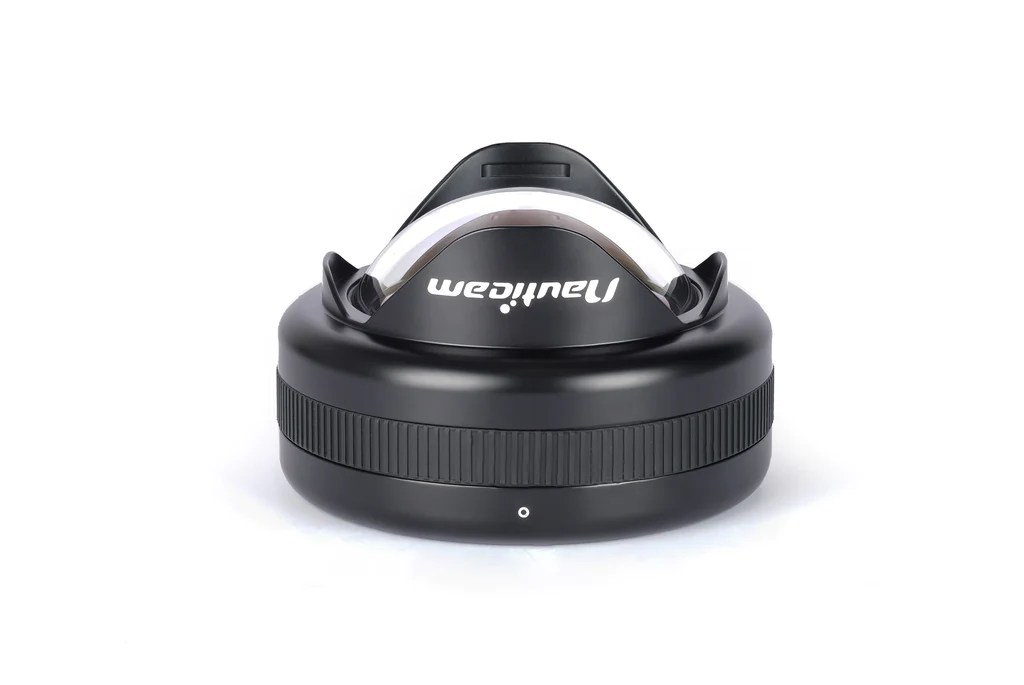
Nauticam WWL-1B
Nauticam has since released a number of other water contact optics with dry mount and today you have a choice of at least 3 flavours for your Sony full frame camera that provide the 130 degrees diagonal field of view.
Model
Price (€)
Weight (kg)
Diameter (mm)
Depth (mm)
Max Filter size (mm)
WWL-1
1424
1.35
156
97
52
WACP-C
2930
2.24
170
145.5
72
WACP-1
4604
3.90
194
176
82
Summary Table Nauticam 0.36x Water Contact Optics
The three lenses provide the same field of view but they are different in size and mount. A useful way to see is that as the lens physical size grows you require a larger underwater optic.
The Sony E-Mount is still the only full frame format compatible with the WWL-1 in virtue of some really small and compact lenses. As you can see from the table above the WWL-1 rear element is large enough for 28mm lenses that have a maximum filter size of 52mm.
Two E-mount full frame lenses the 28/2mm prime and the 28-60mm zoom are compatible with the WWL-1.
As you move towards the WACP-C you can also use the 28-70mm lens which is one of the worst kit lenses on the market but will give you a longer tele end and finally the WACP-1 gives access to the Tamron 28-75mm and Sigma 24-70mm two lenses that have much higher quality than the smaller Sony lenses but have some restriction in terms of zoom range.
Underwater Performance Context
There are quite long discussions about which water contact optic to get for your Sony full frame once you have the 28-60mm zoom and some comparison in terms of sharpness.
In simple terms you can think of the following equation:
Underwater Performance = Land performance X Port Factor
Port Factor is always less than 1 which means a lens will never do in water as well than it does on land. Looking at my analysis of the 28-60mm corroborated by other test you know before buying any water contact lens that the lens has its own limitations and no matter how good is the port performance will only go down. However this may still be a better option compared to a standard dome port.
I do not have access (yet) to the other two water contact optics however I have a good idea of how the WWL-1 perform and how the Sony 28-60mm performs topside. If you want a refresh look at this article.
To understand how a water contact optic works you can go back all the way to the Inon UWL-100.
The idea of this lens designed for compact cameras is to demagnify the camera master lens to enlarge the field of view. You could then get an optional dome that will enable the lens to expand the underwater field of view from 100 to 131 degrees.
Back in 2015 I compared the Inon UWL-H100 with dome with the WWL-1 and concluded that the WWL-1 was giving better results when used on the same camera. It is now time to see if the WWL-1 can be used also on a full frame system.
Sony A1 WWL-1 Rig
The WWL-1 requires the flat port 45 to be used on a Sony full frame underwater housing. The lens will be attached using the same bayonet adapter that has been available for several years now.
Nauticam Bayonet Mount for WWL-1
I have removed the focus knob from the port as I found it inconvenient. The focus knob may be useful with the flat port but for the WWL-1 that is afocal is definitely not required.
WWL-1 topside view
Once you add the flat port the overall length is very much the same of the WACP-C but this will require an extension ring resulting in overall 30mm additional length.
Overall the rig is very similar in weight to the Canon 8-15mm with the Acrylic Dome Port 5.5″.
WWL-1 front side view
Pool Tests
With the rig assembled I went for a pool session with the objective of finding out what was the overall performance of the system.
What follows are a series of test shots of divers.
David f/8Kid f/8f/11 side shot
WWL-1 selfie 28mmDiver f/10
In general I found the lens to be sharper in the centre at f/8 but closing down to f/11 was required if there was something in the corners.
Edge Sharpness
I was intrigued by a number of discussions on edge sharpness and after several exchanges with Shane Smith he was clear that the lens needs to be stopped down to f/11 for best results.
After the session in the pool I would agree with Shane however I was curious if this was an issue of the WWL-1 or the 28-60mm lens itself.
This image quite simple has something at the edges and has focus in the centre at f/8.
Closeup f/8
You will notice that the part of the frame closer to the camera is fairly blurry.
So I did another experiment placing the slate on the edge.
Fuzzy f/8
The edges were quite fuzzy. I wanted to exclude this was an issue of depth of field so I focussed right on the corner.
f/8 focus on corner
This is the resulting image and is still soft on the edge.
fuzzy f8 focus
I then took the same shot at f/11 with focus on centre.
Closeup f/11
The image at the edges is better. Then moved the slate to the edge.
edge f/11
The image improved overall regardless of the focus point indicating this is not a depth of field issue but some other defect of the lens, most likely as the lens meridional and sagittal resolution are different we have an example of astigmatism.
Edge 100% crop f/11Blurry f/8 edge focussed on edge
The sharpness improves closing down the lens regardless of where the lens is focussing consistent to the MTF charts.
Looking back at land test shots we can see something very similar.
Edge at f/11 topsideEdge at f/8 top side
In conclusion it is not about the WWL-1 but about the lens itself.
Comparison to Rectilinear lenses
While the WWL-1 can offer a diagonal feld of view of 130 degrees the image is distorted and the lens can only offer 107 degrees horizontally and 70 vertically. Is like saying that the horizontal field of view is similar to a 13mm rectilinear lens while the vertical is is more like 17mm. A fair comparison is probably a 14mm rectilinear lens but as the WWL-1 is a fisheye like optic a direct comparison is not entirely possible. In my opinion as the image is distorted is more appropriate to compare the WWL-1 with a fisheye with teleconverter and when I look at what the canon 8-15mm with kenko 1.4 tc can produce for me the results are very similar, I would say the Canon has in fact an edge however the field of view are not comparable except when the WWL-1 is at the widest and the canon with the tc at the maximum zoom. I would go as far as to say that the canon + TC at f/8 is as good as the WWL-1 at f/11.
Canon 8-15mm with TC at 21mm f/8
Conclusion
If you have the WWL-1 from your previous rig it makes absolutely sense to get the Sony 28-60mm and flat port. This combination will give you decent (but not sensational) shots and work very well for 4K video at reduced resolution. I do not believe that this lens can resolve the full 50 or 60 megapixels of the A1 or A7R4 or A7R5 even topside.
If you are starting from scratch I would recommend to think careful at your intended use case. If you want angles wider than 130 degrees and already have the Canon 8-15mm you may want to check the kenko telecovenverter before you buy a new port as all you need is a 20mm extension ring and a zoom gear.
If you really like the field of view range of 69-130 degrees you need to consider which water contact optic you need.
I am still looking for a test WACP-C but until then my general guidance would be to consider simply if you prefer a dry or wet mount.
A dry mount has the benefit of being ready to go as you hit the water, without the need to remove bubbles between the wet lens and the port. As photographer a dry mount may be the best way forward.
If you intend to use your camera for video and insert filters between the lens and the flat port or you require the lens to be removed in water then go for the WWL-1.
Rigorous comparisons between WACP-C and WWL-1 are not yet available but the first indications are that the difference in image quality is very small therefore I would not loose my sleep there and look more at overall ergonomics.
The final consideration is should you get the WACP-1 instead? Based on my assessment of the Sony 28-60mm I would think this is not particularly wise even if this choice is very popular. Personally I always believe that the master lens needs to be good enough to justify the cost of the water optic so I would like to see how the Tamron 28-75mm performs however no test images are available so I am not in a position to conclude.
In my case having seen what the Sony 28-60mm lens can do I am not planning to invest in a WACP-C but I would be very interested in testing one.
The WWL-1 gets my approval also on full frame but it is not going to give me the same resolution than the Canon 8-15mm or the Sony 90mm macro will give. I look forward to testing some rectilinear lenses to see how those compare and this will happen in a week from now so stay tuned.
Costs to get one for your Sony full frame excluding lens:
WWL-1B €1,424
Bayonet adapter €102
N100 45 flat port €494
Total €2,020 vs WACP-C + N100 Extension Ring 30 €3,333
Many things have changed since Helen housed her Canon Ixus65 in a polycarbonate housing.
Compact cameras are practically extinct and those left have either a port system as the lens is too long or a shorter 24-70mm equivalent lens which is not useful.
Nauticam developed the N85 port system for Sony APSC (also small form factor) and Micro Four Thirds and since mid 2010s those are the prevaling systems for interchangeable lens system underwater.
APSC in the mirrorless Sony format and today Fuji has lacked native fisheye lenses and been plagued by slow flash sync speed and challenges of battery life.
When it comes to DSLR there is no significant size difference between APSC and full frame when you look at the body but moving into lenses there is a substantial difference with the Tokina 10-17mm being the lens of choice for a compact set up for both Nikon and Canon shooters.
Moving to full frame DSLR has meant historically larger ports bigger lenses and a lot more weight especially if you consider larger domes or the newer water contact optics all in excess of 2Kg and frequently more.
When you look at mirrorless the newer Nikon and Canon systems all use the N120 port system so there is no size difference between DSLR and Mirrorless.
In addition if you are already using N120 dome ports like I am you will soon find out that depending on your housing the weight benefit is not entirely there even for Sony camera whose housing are lighter and use the N100 port system. However housing are in general lighter up to 800 grams less.
Today if you want to have a portable ILC camera for photography you are really only looking at the Olympus/ OM Systems range.
If you have made the choice to get larger N120 ports or you have a Panasonic GH series your housing is already pretty big and moving to full frame will impact only when it comes to certain ports.
Let’s dive into this topic.
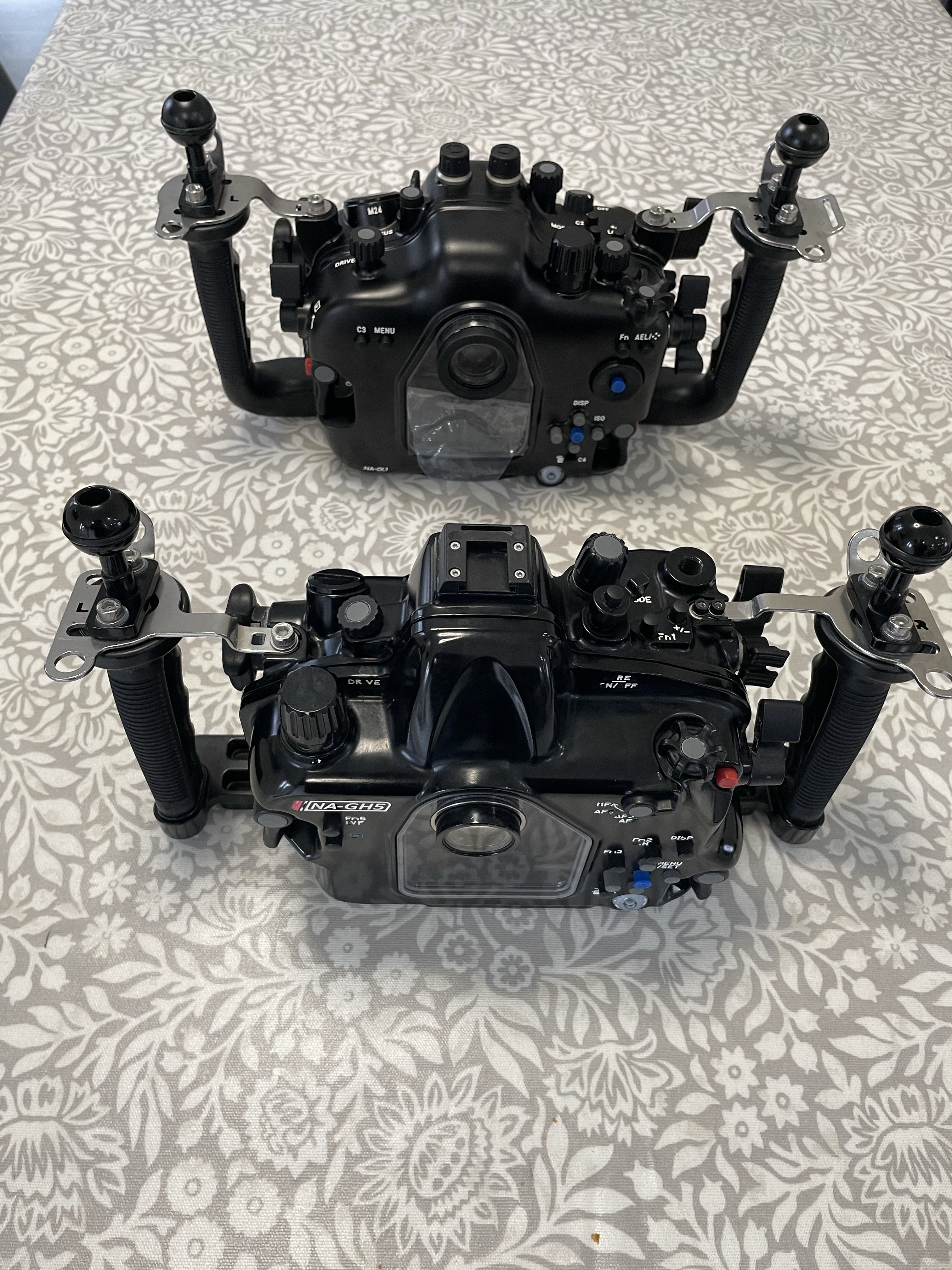
Here a first perspective of the A1 housing vs the GH5 housing.
GH5 vs A1 front view
Rear side view
Rear view note how the Sony has joystick controls
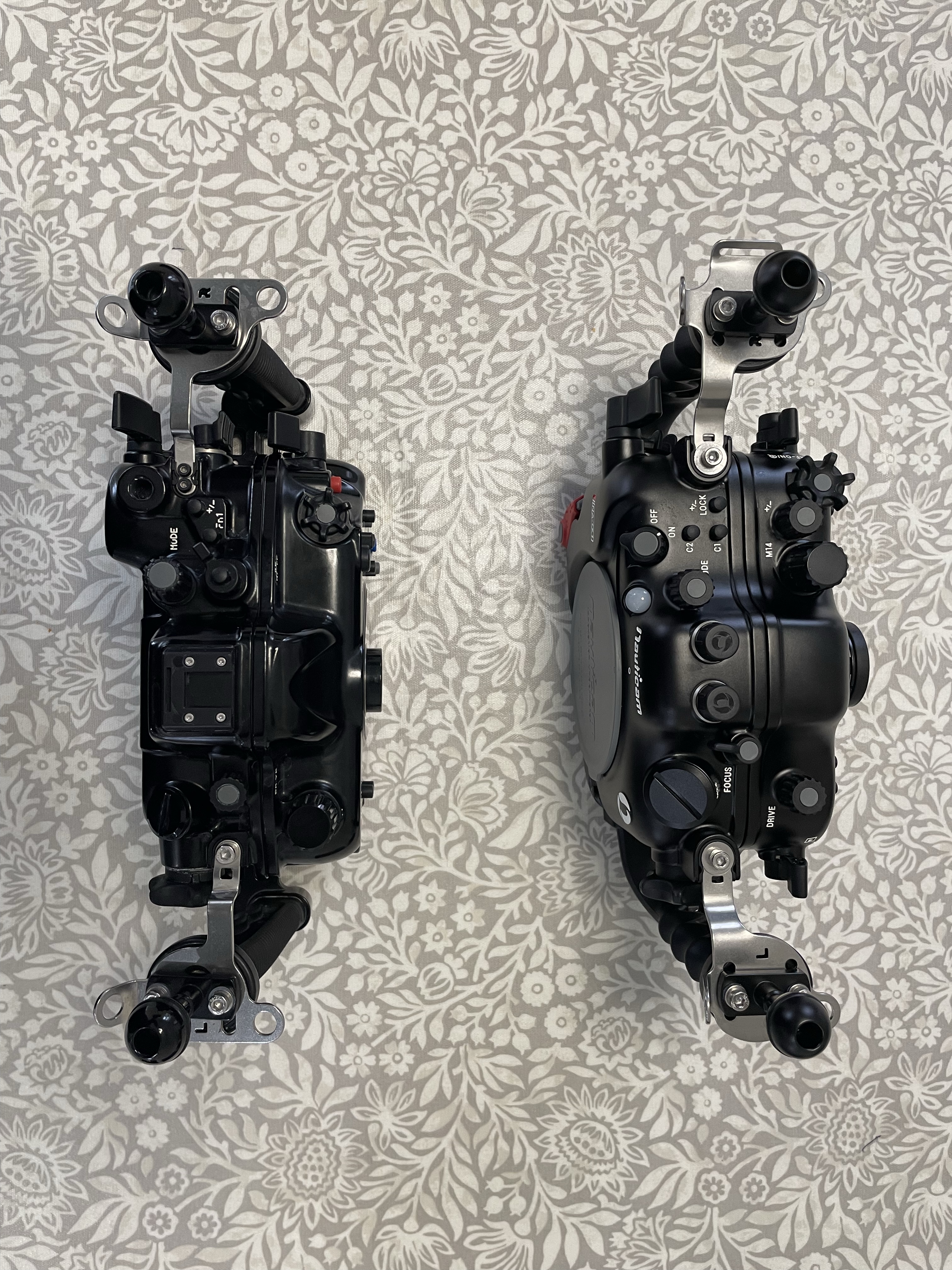
And finally top view
Head to Head
You can see that the A1 housing is a bit thicker a bit wider but not a great deal and the GH5 is taller.
Dimensions
340mm × 169mm (H) × 125mm (D)
A1 Dimensions
Dimensions
331mm × 184mm (H) × 110mm (D)
GH5 Dimensions
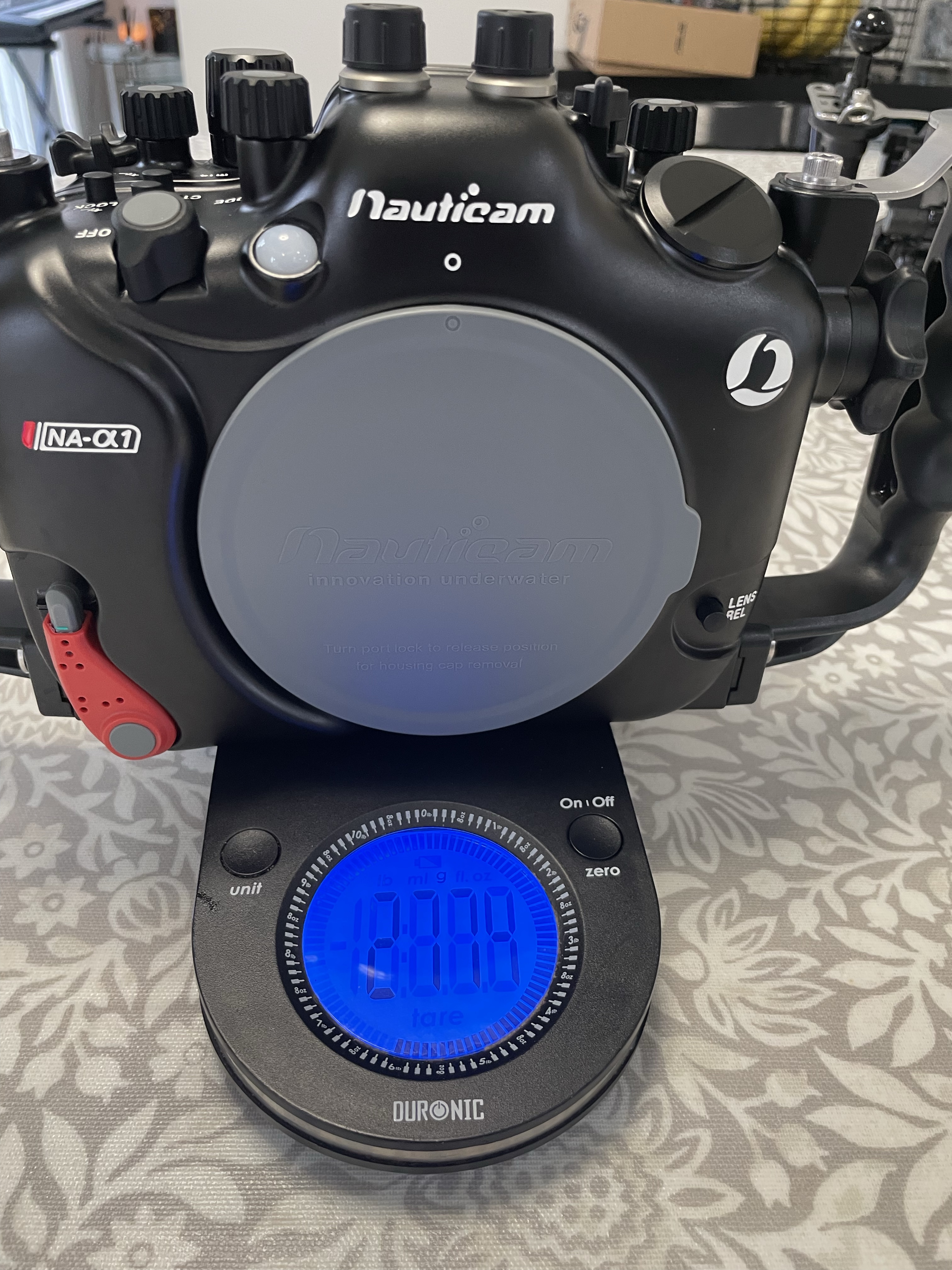
Looking at the weight on the scale
NA-GH5 2454 gramsNA-A1 Weight
Difference is 320 grams the weigtht are higher than reported as there is a vacuum valve installed.
This means that as the GH5 system was already heavy due to the clam shell housing the difference in weight will come from the lenses and ports.
As I use the N120 system for wide angle already the difference in that use case would come from larger adapter weight or larger ports.
For flat ports on the N85 system there will be instead a weight disadvantage due to the different diameter but this is less than the delta between N85 and N120.
In my future posts I will show my port system for the Sony A1 that has the objective of:
Reducing bulk without totally compromising image quality
Use as much as possible ports I already had
Reduce the overall number of parts and adapters
Offer complete focal range coverage for wide angle
As you will see my macro choices will not go into a direction of reducing weight or bulk but there is a reason for that. You could argue that by using the GH5 and the N120 system I had already killed portability and that is true however unless you want to shoot native lenses on Olympus system there are no real better options to keep image quality and still be relatively light.
Stay tuned for the next articles that will introduce my choices for:
Index of articles with my choice of lenses and ports (continuosly updated):
The lens is nothin special mostly plastic but it is weather sealed. It has only 7 aperture blades so this is a lens for snapping around happily topside but not exactly a top of the range device.
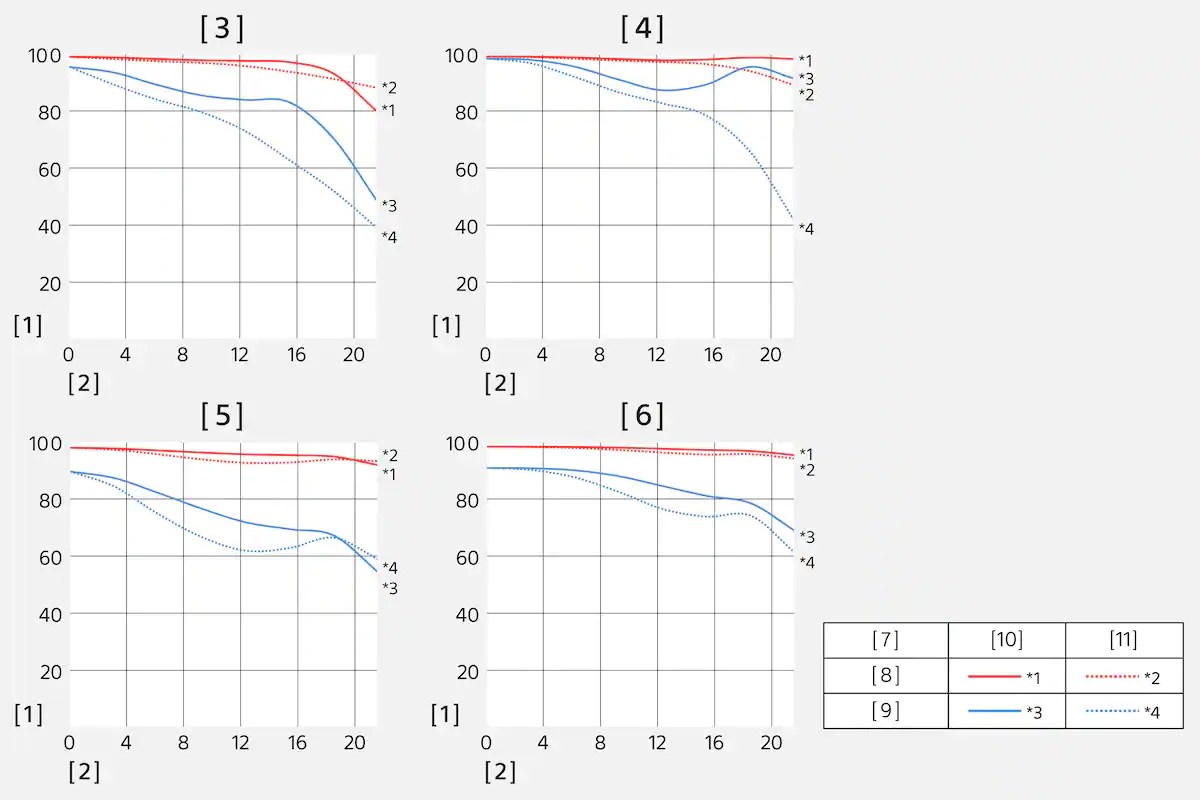
The construction comprises 8 elements in 7 groups. Sony publishes the MFT resolution chart for this lens on their website.
Sony has some strange nomenclature however for reference images [3] is at 28mm f/4 and [4] 28mm at f/8.
[5] and [6] are at 60mm less interesting for underwater purposes.
The red lines indicate a resolution of 10 lp/mm which is a really low value (the A1 sensor resolves up to 120 lp/mm). The blue lines indicate 30 lp/mm, The [10] indicates Sagittal and [11] meridional lines.
Read this excellent article from Nikon on MTF to understand how to read the graph.
What graphic [3] is telling us is that as we move away from the centre of the frame both sagittal and meridional lines drop in contrast.
Graph [4] shows that at f/8 the deterioration as we move towards the edge of the frame is more contained neverthless meriodional lines drop considerably.
While we cannot conclude how this lens will compare to other lenses what we see from the MFT is that the 28-60mm as tested performs better at f/8 than it does at f/4 when used at 28mm. In fairness it seems to be the same situation at 60mm but the gap between f/4 and f/8 is much less.
I found a good test here aligned to what you will read here to a good extent.
Practical Home Made Test
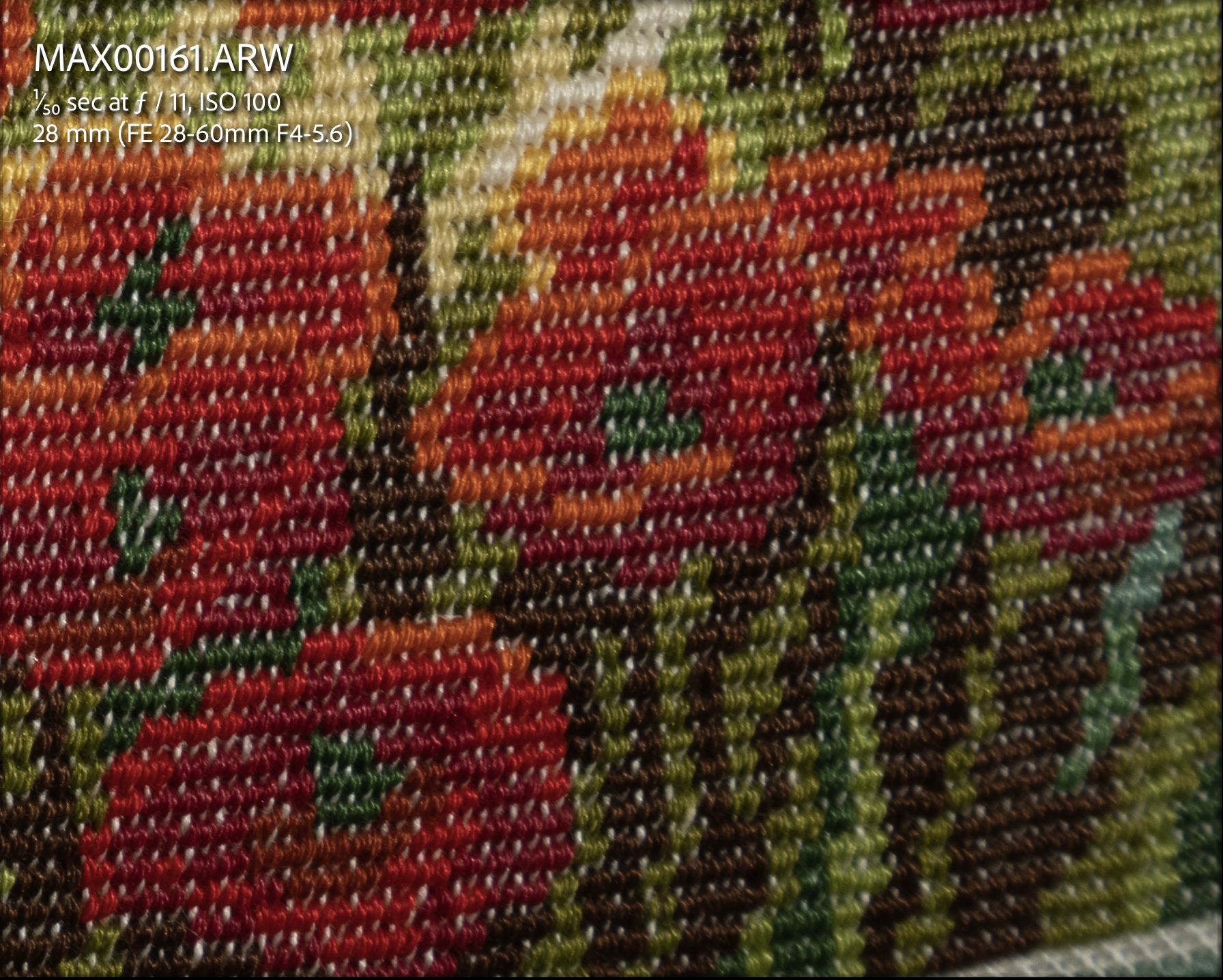
I sourced a cushion with a complex embroided decoration.
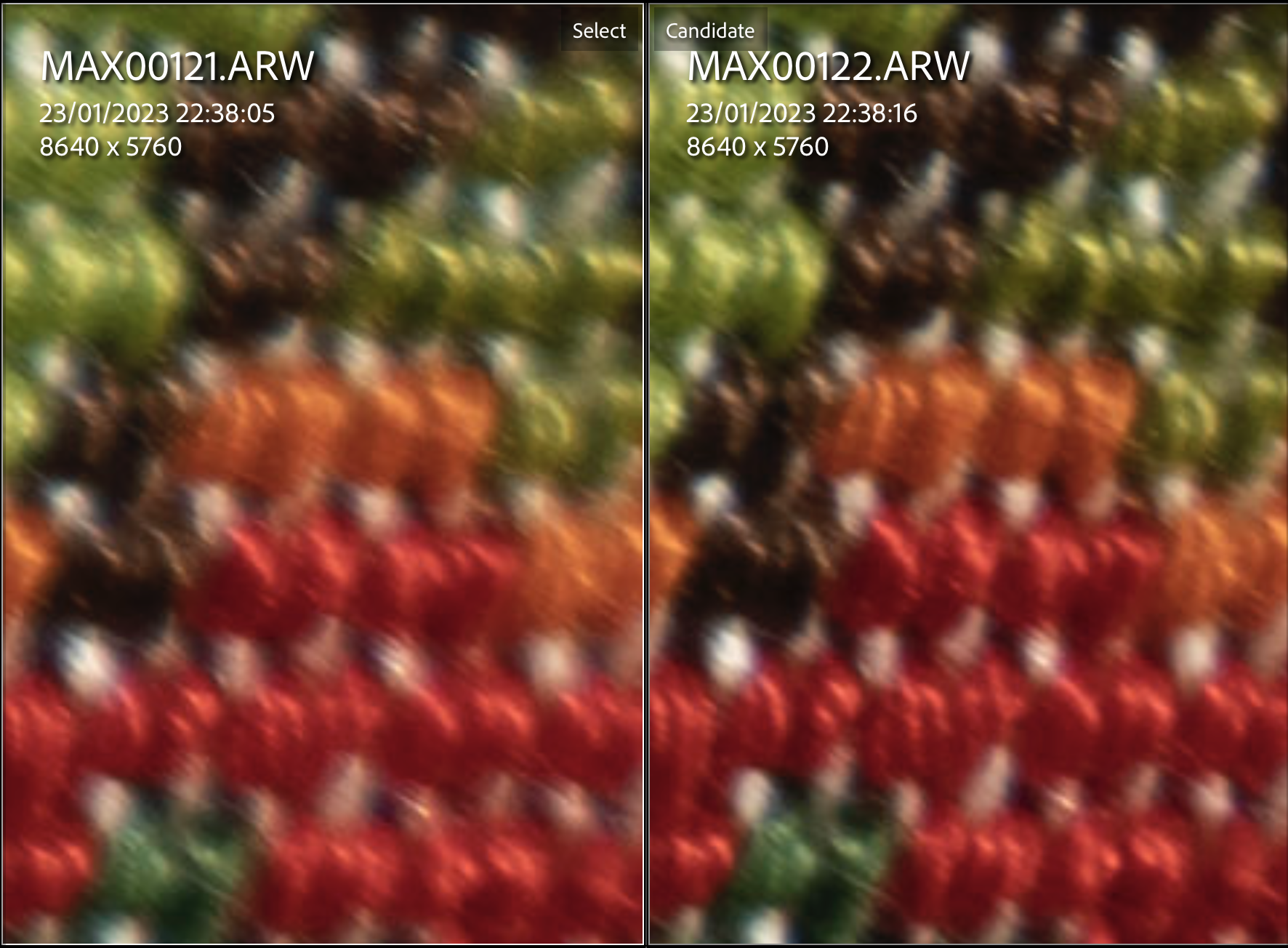
With the camera on a tripod a remote release and one off camera strobe I took shots at f/4 f/5.6 f/8 and f/11. I run tests with the camera poiting at the centre with field of curvature and off centre with the centre of the cushion at the edges.
Here are my findings.
Centre Performance
800% center crop
Left f/4 Right f/5.6
As anticipated the lens is not sharper in the center when wide open.
800% center crop
Left f/5.6 Right f/8
At f/5.6 the difference with f/8 is minimal
800% center crop
Left f/8 Right f/11
Stopping down to f/11 gives a mild deterioration.
Looking at centre I would say f/5.6 to f/8 is the way to go.
Edge Performance
Let’s see the situation at the edges.
400% edge crop
Left f/4 Right f/5.6
f/4 was not better in the centre and is pretty bad at the edge.
400% edge crop
Left f/5.6 Right f/8
Stopping down to f/8 sees an improvement the situation is not great though.
400% edge crop
Left 8 Right f/11
At f/11 the edges are ok.
So looking at edge performance I would use this lens between f/8 and f/11.
Looking at the lens in isolation I would think the starting point is f/8 with one stop up or down depending on the situation. This lens is not good wide open and beyond f/11 resolution starts to drop.
Alex Mustard has taken some comparison shots between the WACP-1 and the WWL-1 and his conclusion is that the performance of the WACP-1 at f/4 is similar to the WWL-1 at f/6.3. Based on my tests I would frankly not bother shooting this lens at f/4 the quality is just not there. The starting point would be f/8 and f/11 does not deteriorate edge performance that much but of course needs more light. Wider aperture like f/5.6 may be good for blue water shots.
My opinion is that this lens will not offer amazing sharpness no matter which adapter you use and is likely to stop at 26-28 megapixel in reality if not less depending on conditions, assuming your starting point is a camera with more than 40 megapixels.
it would be interesting to compare the water contact options at the aperture of f/8 and f/11 but we can safely conclude that the 28-60mm is not going to be a champion for ambient light shots in low light because the performance wide open is not great.
If I had to invest into the best image quality I would be looking at a different master lens and a larger water contact optic such as the WACP-1.
Additional Information
I have created some stir on the fact that this lens is quite weak but it actually is.
I took the same shots with my 24-70mm GMII and I can say that there are 3 stops difference at the edges between those lenses
The 24-70 at 28mm at f/4 is the same of the 28-60mm at f/11
This is a 200% crop of the edges
Left 24-70 GM at 28mm f/4
Right 28-60mm at 28mm f/11
The A1 and A7S3 share the same codecs and format for (4K) video. The cameras have been around a few years however I could not find a proper analysis of the codecs. You can find the usual YouTube doing some qualitative analysis mostly lacking rigour and based on static charts which is not really sufficient.
I did this analysis on my A1 but the results hold for the A7S3.
So I decided to give it my own attention and you will get my findings in this post. I do not shoot 8K and for this format the choices are limited anyway to XAVC HS so not much to go about.
XAVC Basics
Sony has like many other brands their own codec for in camera video recording and their version is called XAVC.
You can find some more detailed information on Sony Pro Site.
Take into account that the documentation does not consider the newest XAVC HS based on HEVC coding.
In general terms you have two options:
Intra frame -> each frame is self contained and does not depend on other frames, the clip is a collection of compressed images
Group of Pictures (GOP) -> frames are a combination of 1 reference intraframe for each group of pictures and multiple P and B frames which means respectively Predicted and Bi-directional predicted.
GOP video is temporally compressed and more efficient in terms of space however it takes more computing effort to decode and encode.
Depending on the number of reference Intra frame inside a GOP you can have more or less prediction errors which manifest as noise or artifacts. So if you want to make sure that you don’t get motion artifacts you need to use an intraframe which means using more space.
A1 Codec Options
As mentioned XAVC gives you both options and the A1/A7S3 can record Intra video up to 240,250,300,600 Mbps depending on the frame rate Sony approach is 10mbps per frame.
GOP is more compressed and has 140,200,280 Mbps respectively for 24/25/30, 50/60, 100/120 frames per second. Please note higher frame rate of 100/120 fps is only supported on GOP formats as it would otherwise reach 1.2 Gbps.
Higher compression does not mean at all lower quality, analysing all codecs using ffprobe you can see that the individual Intra frames within a GOP structure are larger than the Intra frames of an All-Intra clip at higher bit rate. However due to the nature of GOP there will be potentially motion prediction errors and more noise.
A1 Sample Video
I ran some tests of a music box both static and in motion using Slog3. I warmly recommend using Slog3 for all your video as it the log compression achieves less bit utilisation and makes the video compression even more efficient.
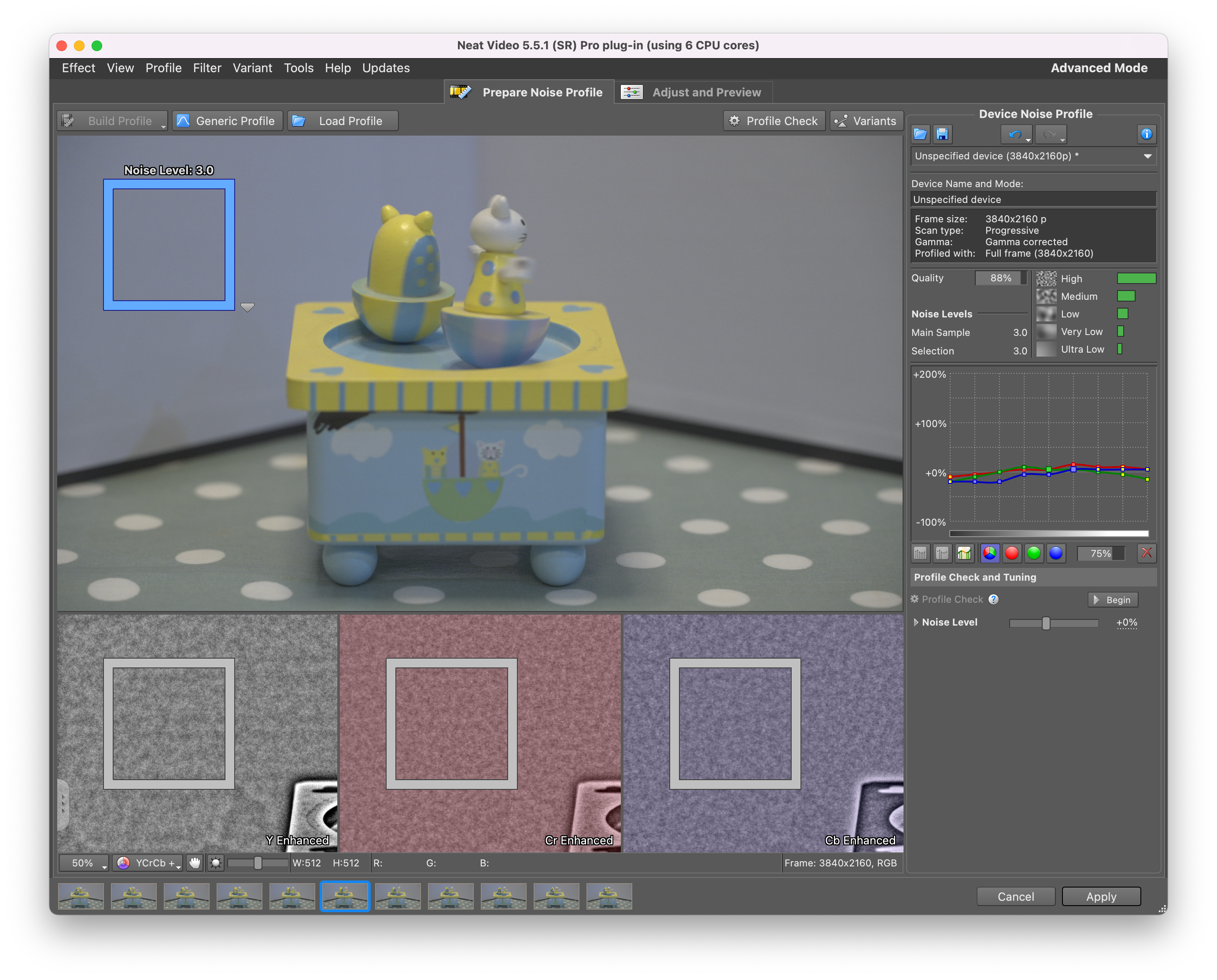
From what I can see (there is a small focus error on the XAVC S moving part) there are minimal difference in motion handling and minimal differences on noise.
I checked each clip with Neat video using the same reference area. XAVC S and HS return the same amount of noise.
XAVC SXAVC HS
While All intra for some reason has less noise. I believe this is because the prediction introduce some small error themselves.
XAVC S-I
Considering those shots are taken at ISO 4000 there is not much to complain. ISO 4000 in Slog3 is the point where dual conversion gain goes into High gain. If you use a standard profile this would be 500. I do not recommend shooting the A1 or A7S3 in any other picture profile than slog3.
Visual Differences between Codecs
I frankly cannot see much of a difference between those codecs, I have also shot a few sequences in APSC in equivalence so at ISO 2000 and f/3.2 instead of f/4.5 and I could not see much difference except APSC has a bit more noise as expected.
Analysis
The following table shows some key data points and my observation based on a series of 50 fps video test shots with the A1.
Sony A1/A7S3 Codecs
You can see that the key difference between the codecs is the bitrate, the edit effort (how taxing is on your machine) and the noise.
What codec you will use depends mostly on practical considerations as the difference in image quality are intangible.
The HS format which is based on HEVC has a single reference frame each second which means this codec is really for static scenes as most frame are predicted. XAVC HS biggest limitation is the lack of 25/30 fps options it is a good choice for 24 fps and it does not completely stall your machine in the editing.
The S variation is good in terms of space saving as well as generally being effective for motion however it is the hardest one to edit. If space is a problem and you are happy to convert or edit natively XAVC S is a good option. If you need something that can go on for long and manages almost all situations the XAVC S should be your choice however unless you have a workstation that supports accelerated H264 10 bits 422 (and there are not many at all) you will need to convert to an intermediate codec spending more time in post processing.
Finally the S-I All intra is the one that has the least noise and is more demanding on your memory card but is the easiest one to edit and play despite the higher bit rate. If you shoot wildlife, actions, or use gimbals and your default is 50/60 frames per second, the All intra codec XAVC S-I is the best option but it does not support higher frame rate so you would need to switch to another codec for those situations and this should be the XAVC S as it manages motion better.
I have not done a test with a gimbal but those scenario where a lot of pixel move in the frame is much more taking than my music box test.
Conclusion
Although the choice of codecs is not as rich as Panasonic cameras and there are no formats other than 16:9 there are no quality issues with the A1 and A7S3 codecs as long as you shoot in Slog3.
Obviously there are options for external recording although this is not the best option for run and gun and that would give you ProRes 422 HQ or ProRes RAW with huge files easier to edit. In the future I will do a comparison between the internal intra codec and ProRes 422 as well as ProRes 422 HQ so stay tuned.
If you have any question leave a comment and I will follow up.
When you buy a new camera some time after the initial release date you are lucky to find all sorts of videos of other geeks like you that have been testing.
I was referred to this video that shows quite a few quirks of the Sony A1. Gerald has since confirmed the A1 video is binned not line skipped.
You can’t always rely on third party so here are a number of geek tests.
The first question was do you need to shoot ASPC or full frame. APSC is scaled while full frame is binned which means the first may look better than the second but will have more noise.
Pixel Binning
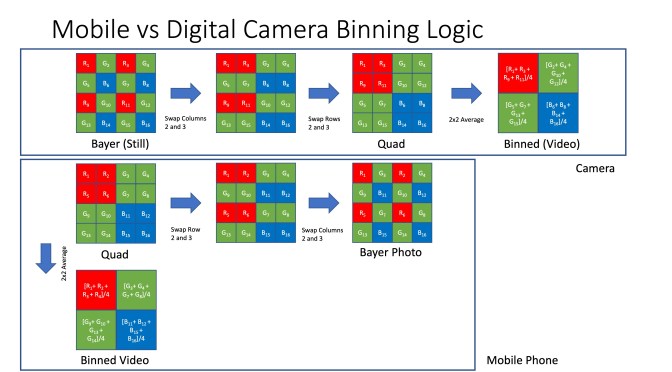
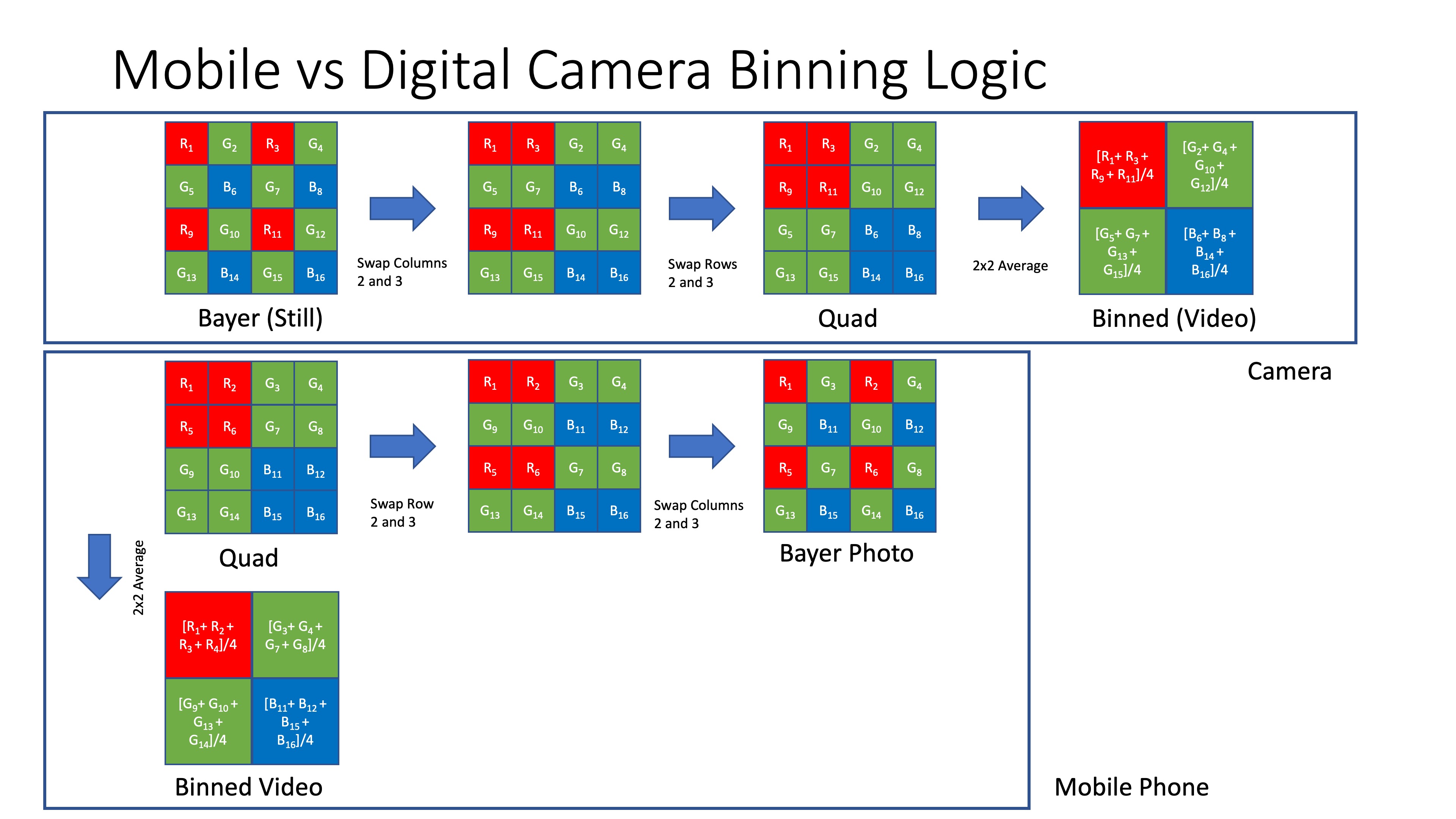
As usual there is no official documentation of the camera inner workings but this diagram should help explain a few things.
On the upstream the potential flow for a classic bayer filter camera to accomplish binning (it is a guess). On the bottom what a mobile phone may be doing.
In the first case binning results in a reduction of resolution and potential artifacts. In the second only a reduction of resolution.
Now one of the question is what if we just crop the sensor in APSC and then scale down will it look better?
I have done exactly this test and the answer seems to be no.
UHD binned vs APSC scaled
In theory the binning should look much worse but what I have seen is that moire kicks off for both at around 2x the focal length of the other. So if APSC gives moire at 50mm full frame will give it at 100mm. The full frame moire is more severe when it occurs but in most cases you cannot tell the APSC and binned UHD apart in conditions of good light.
other side by side of a dpreview sample shot cropped again there is moire in their situation on the full frame but in effect the image quality is identical.
So personally am not going to bother with APSC unless I need more magnification and I am not in low light. For all the rest I will use full frame binned.
ProRes RAW
The A1 also provides its pixel binning mode in ProRes RAW and it is identical to the internal recording when the lens corrections are off. ProRes RAW does not have a concept of lens profile so you get all the lovely defect of your lens. To my horror e-mount leses have many defects, all are distorted and have significant amount of CA.
ProRes RAW vs Internal
In short unless you have a DSLR adapted lens with zero defects those aberrations are troublesome so with native glass am skipping ProRes RAW altogether.
4K with External Recorders
If you have a Ninja consistent to what Gerald Undone says you can get a scaled down version of 8K setting your HDMI output to Auto or 2160. Auto generates 4k60fps while 2160 gives you the same frame rate of your 8K.
Interestingly if you do not record to card the HDMI output goes back to what you get in internal recording. So in short you need to record 8K to card which means eventually overheating. It is unclear what subsampling is being output howeverthe image does look a bit cleaner.
8K vs 4K
There is no doubt that the 8K mode although only available up to 30 fps is superior however editing the 580 mbps HEVC files is not that easy.
I personally shoot in 4K so I am set on the full frame binned 4K but if you have the hardware to process and the screen to watch 8K is the way forward. Gerald Undone trick of the HDMI 4K while shooting also works but be careful with overheating.
Coming Soon
Next article will break down the codecs available with the A1.































 × 169mm (H) × 125mm (D)









 Interceptor121 Photography & Video Workshops