Category Archives: Full Frame

Nauticam WWL-1 on Sony Full Frame what to expect

It has been almost 9 years since my first review of the Nauticam WWL-1 and five years ago I revisited this lens on micro four thirds.

Since the very first release I was told by Nauticam that the WWL-1 had been tested on Sony full frame with the 28mm f/2 lens and since then more lenses have been added to the compatibility list and the WWL-1 itself has had a redesign called WWL-1B, this lens has an integrated float collar and I do not know if there is any difference in the optics but I assume there is none.
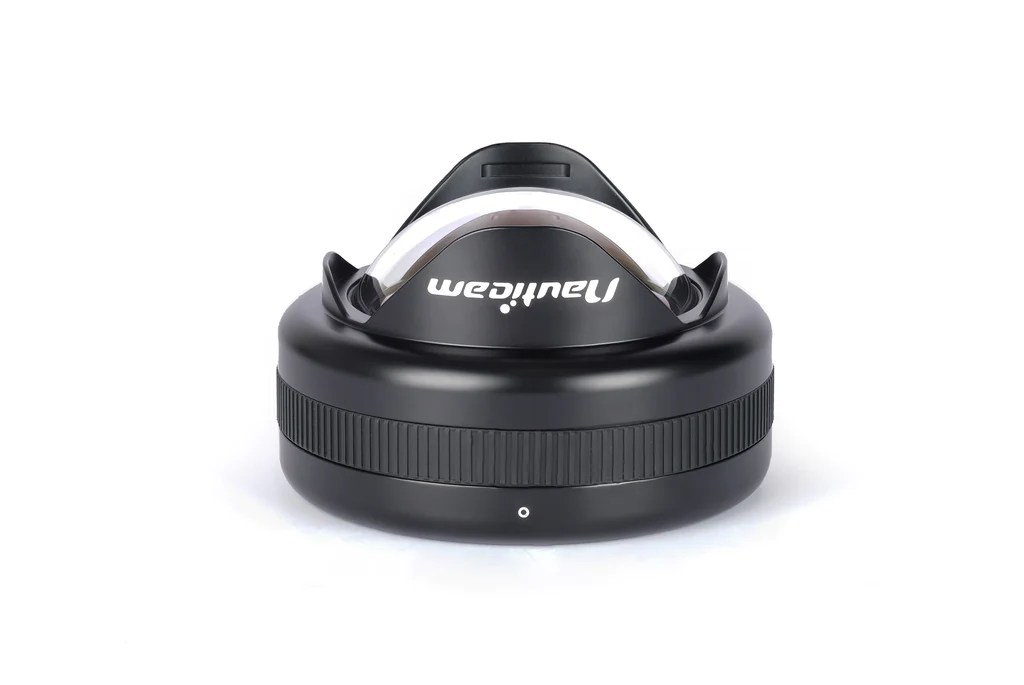
Nauticam WWL-1B

Nauticam has since released a number of other water contact optics with dry mount and today you have a choice of at least 3 flavours for your Sony full frame camera that provide the 130 degrees diagonal field of view.

ModelPrice (€)Weight (kg)Diameter (mm)Depth (mm)Max Filter size (mm)
WWL-114241.351569752
WACP-C29302.24170145.572
WACP-146043.9019417682
Summary Table Nauticam 0.36x Water Contact Optics

The three lenses provide the same field of view but they are different in size and mount. A useful way to see is that as the lens physical size grows you require a larger underwater optic.

The Sony E-Mount is still the only full frame format compatible with the WWL-1 in virtue of some really small and compact lenses. As you can see from the table above the WWL-1 rear element is large enough for 28mm lenses that have a maximum filter size of 52mm.

Two E-mount full frame lenses the 28/2mm prime and the 28-60mm zoom are compatible with the WWL-1.

As you move towards the WACP-C you can also use the 28-70mm lens which is one of the worst kit lenses on the market but will give you a longer tele end and finally the WACP-1 gives access to the Tamron 28-75mm and Sigma 24-70mm two lenses that have much higher quality than the smaller Sony lenses but have some restriction in terms of zoom range.

Underwater Performance Context

There are quite long discussions about which water contact optic to get for your Sony full frame once you have the 28-60mm zoom and some comparison in terms of sharpness.

In simple terms you can think of the following equation:

Underwater Performance = Land performance X Port Factor

Port Factor is always less than 1 which means a lens will never do in water as well than it does on land. Looking at my analysis of the 28-60mm corroborated by other test you know before buying any water contact lens that the lens has its own limitations and no matter how good is the port performance will only go down. However this may still be a better option compared to a standard dome port.

I do not have access (yet) to the other two water contact optics however I have a good idea of how the WWL-1 perform and how the Sony 28-60mm performs topside. If you want a refresh look at this article.

To understand how a water contact optic works you can go back all the way to the Inon UWL-100.

The idea of this lens designed for compact cameras is to demagnify the camera master lens to enlarge the field of view. You could then get an optional dome that will enable the lens to expand the underwater field of view from 100 to 131 degrees.

Back in 2015 I compared the Inon UWL-H100 with dome with the WWL-1 and concluded that the WWL-1 was giving better results when used on the same camera. It is now time to see if the WWL-1 can be used also on a full frame system.

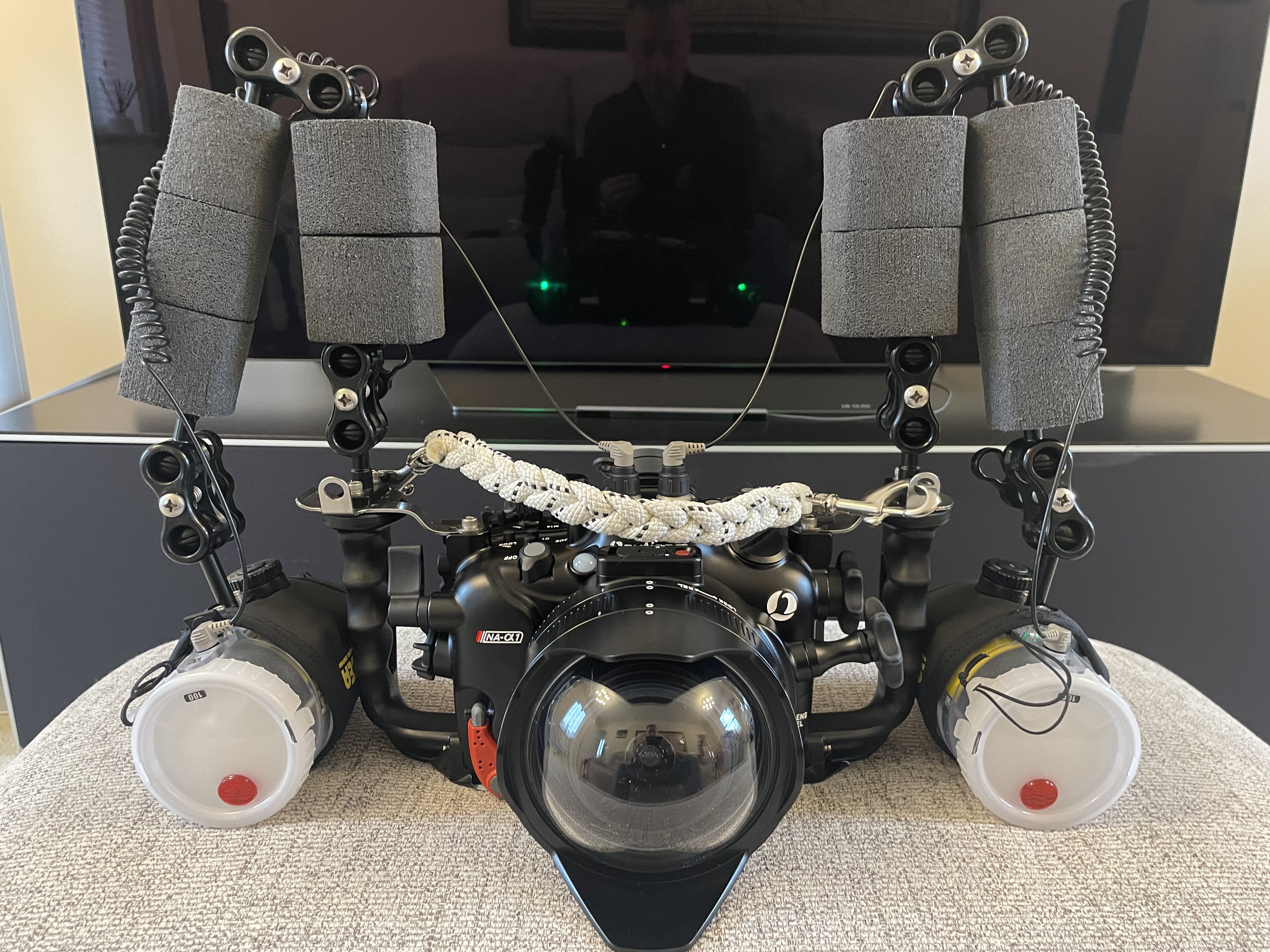
Sony A1 WWL-1 Rig

The WWL-1 requires the flat port 45 to be used on a Sony full frame underwater housing. The lens will be attached using the same bayonet adapter that has been available for several years now.

Nauticam Bayonet Mount for WWL-1

I have removed the focus knob from the port as I found it inconvenient. The focus knob may be useful with the flat port but for the WWL-1 that is afocal is definitely not required.

WWL-1 topside view

Once you add the flat port the overall length is very much the same of the WACP-C but this will require an extension ring resulting in overall 30mm additional length.

Overall the rig is very similar in weight to the Canon 8-15mm with the Acrylic Dome Port 5.5″.

WWL-1 front side view

Pool Tests

With the rig assembled I went for a pool session with the objective of finding out what was the overall performance of the system.

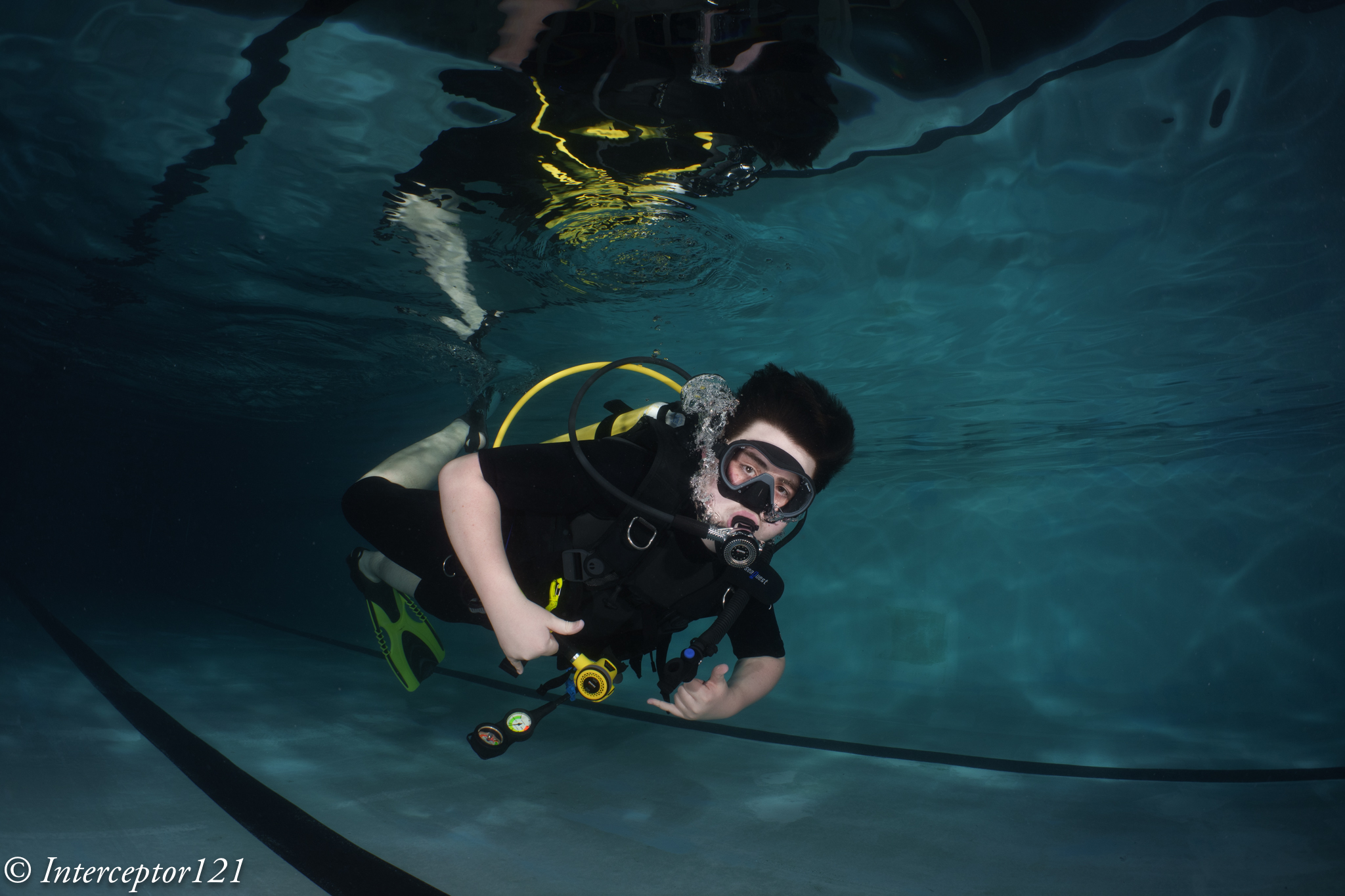
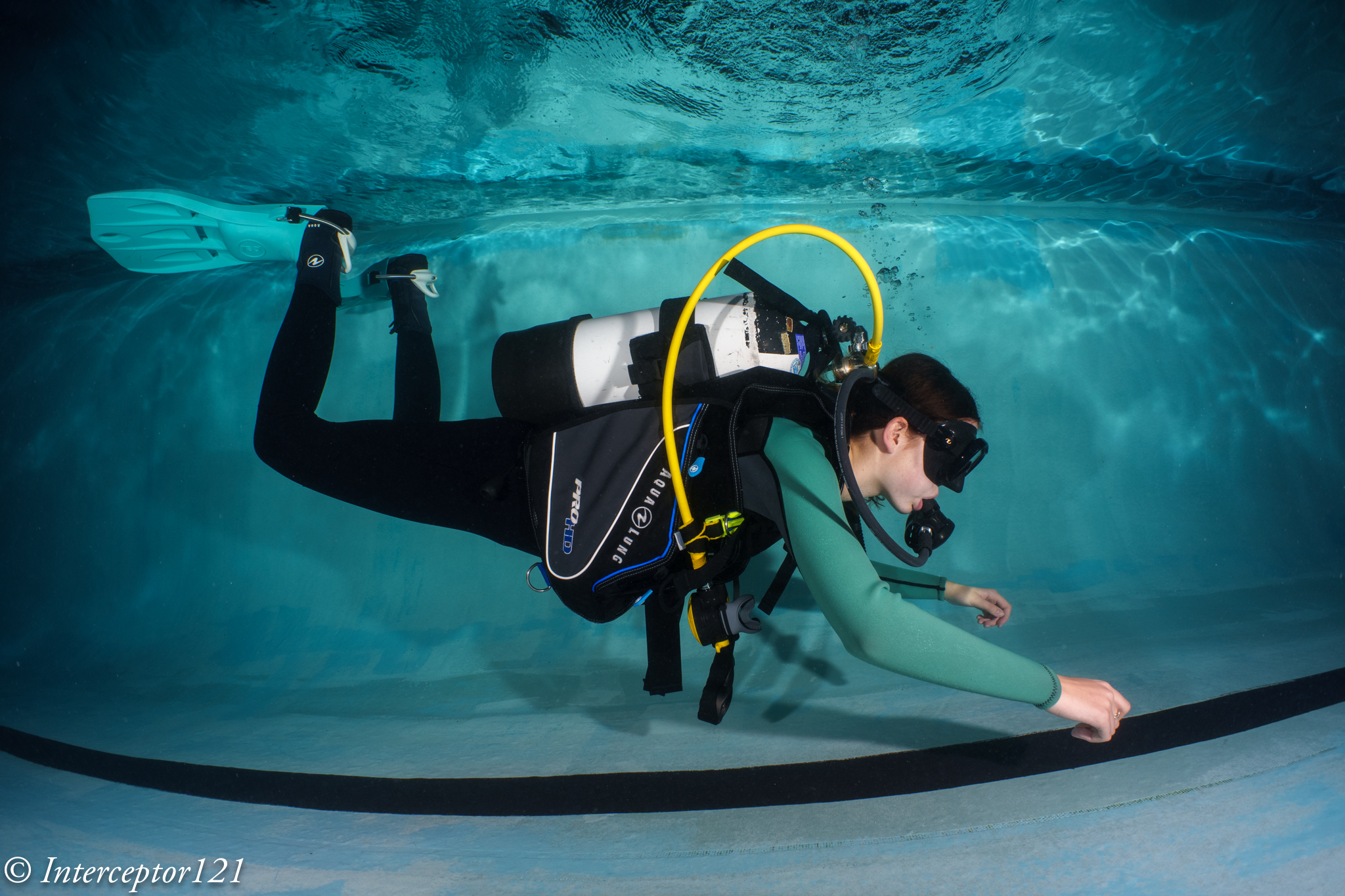
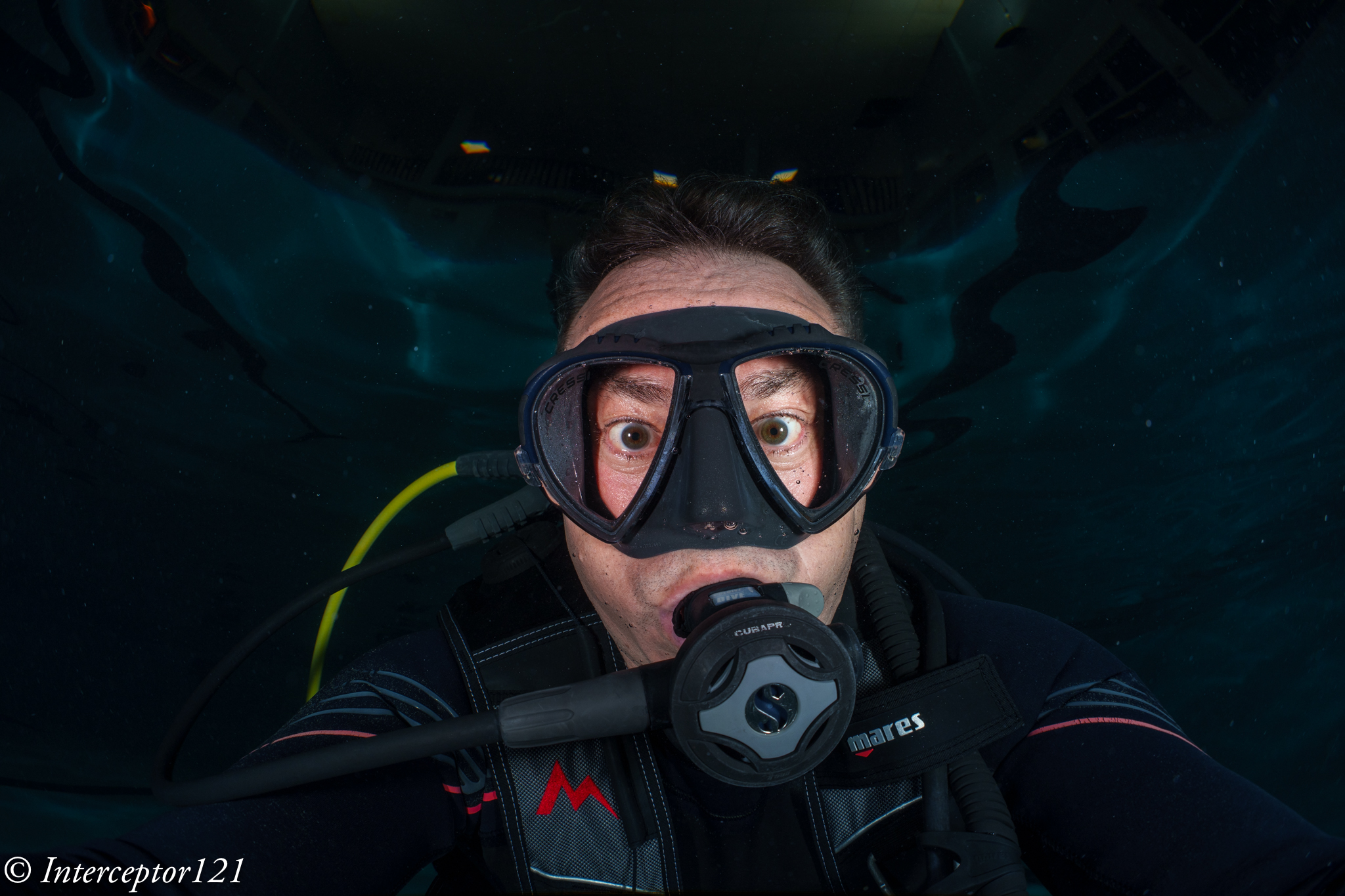
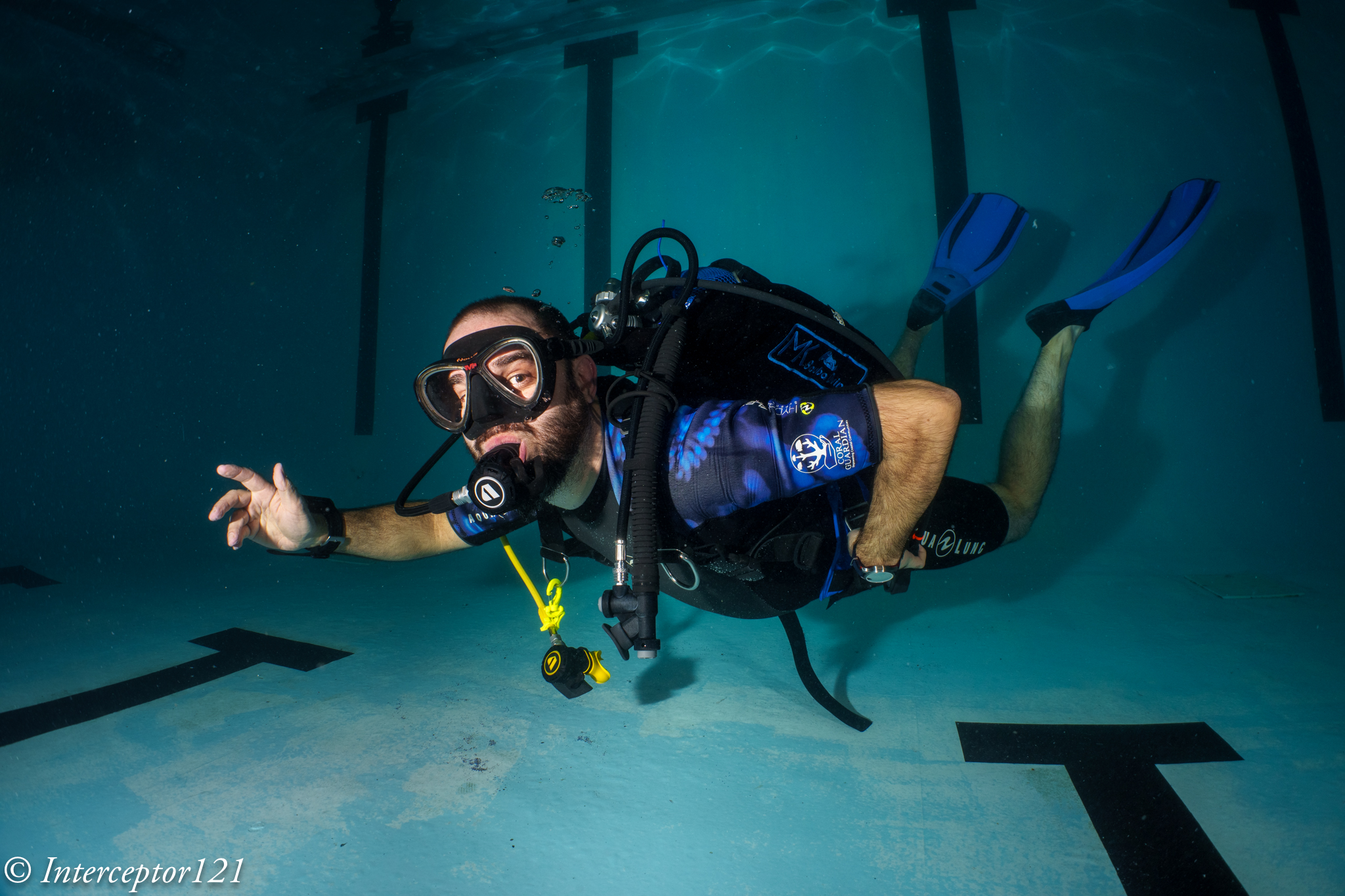
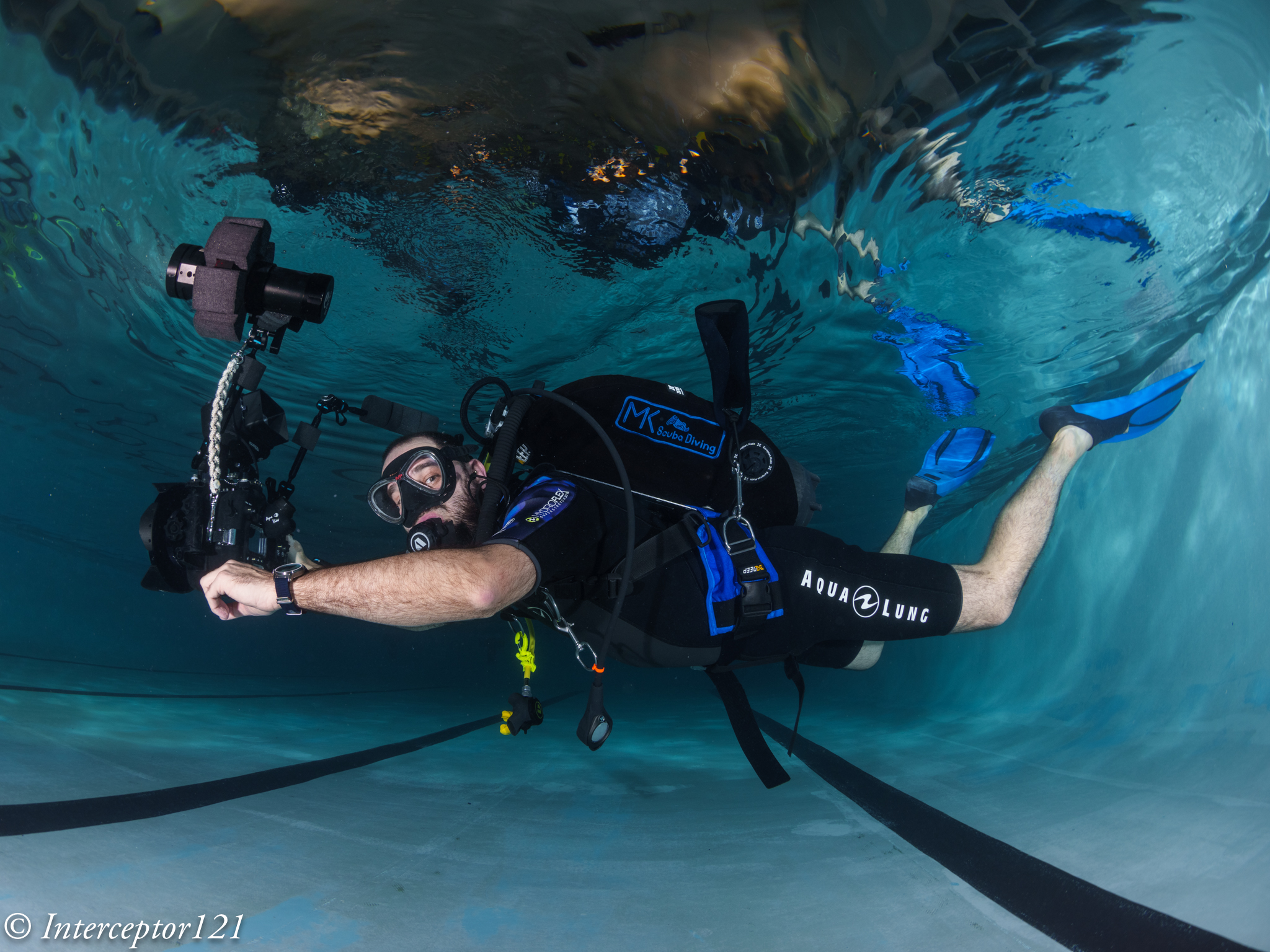
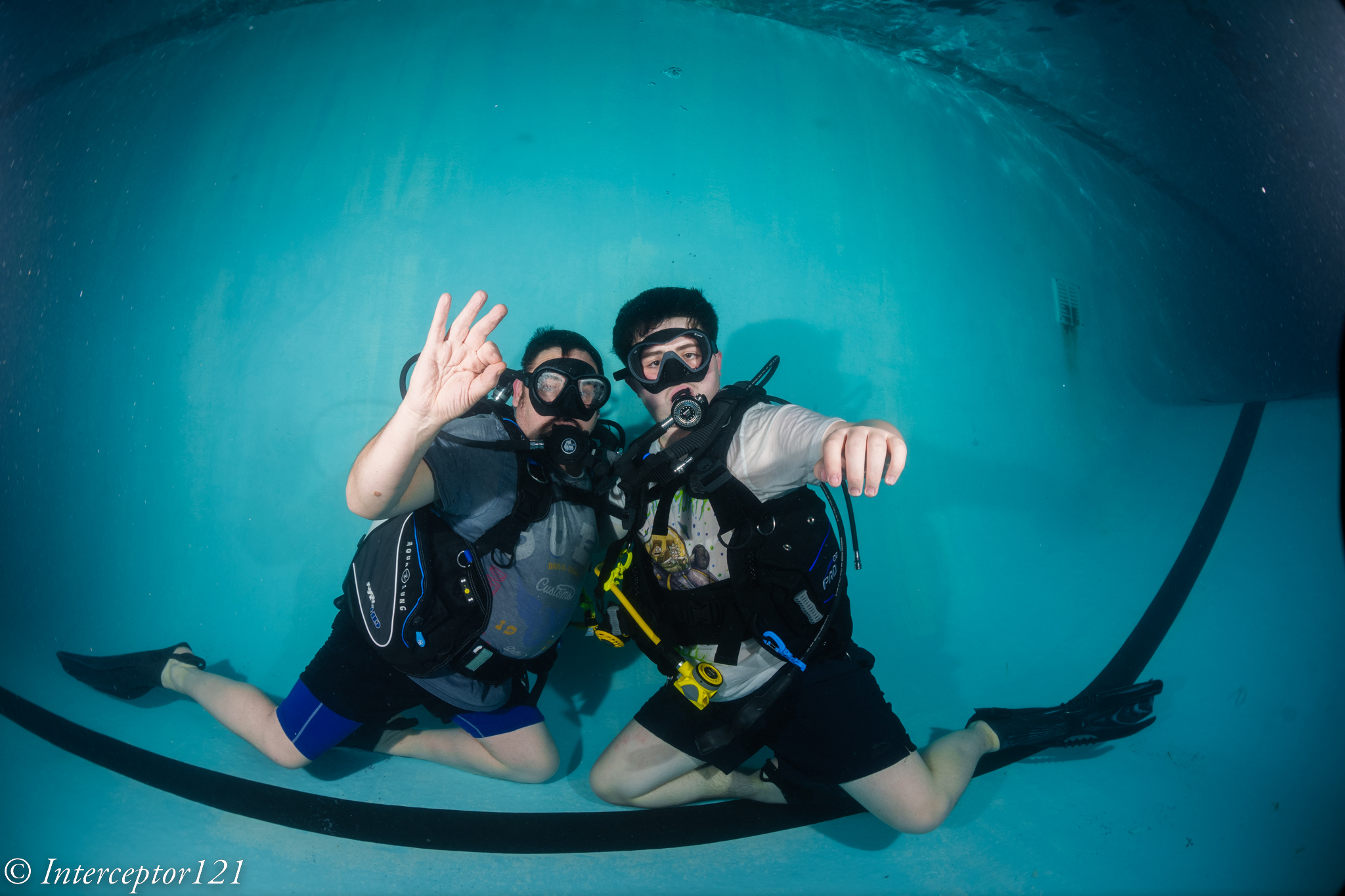
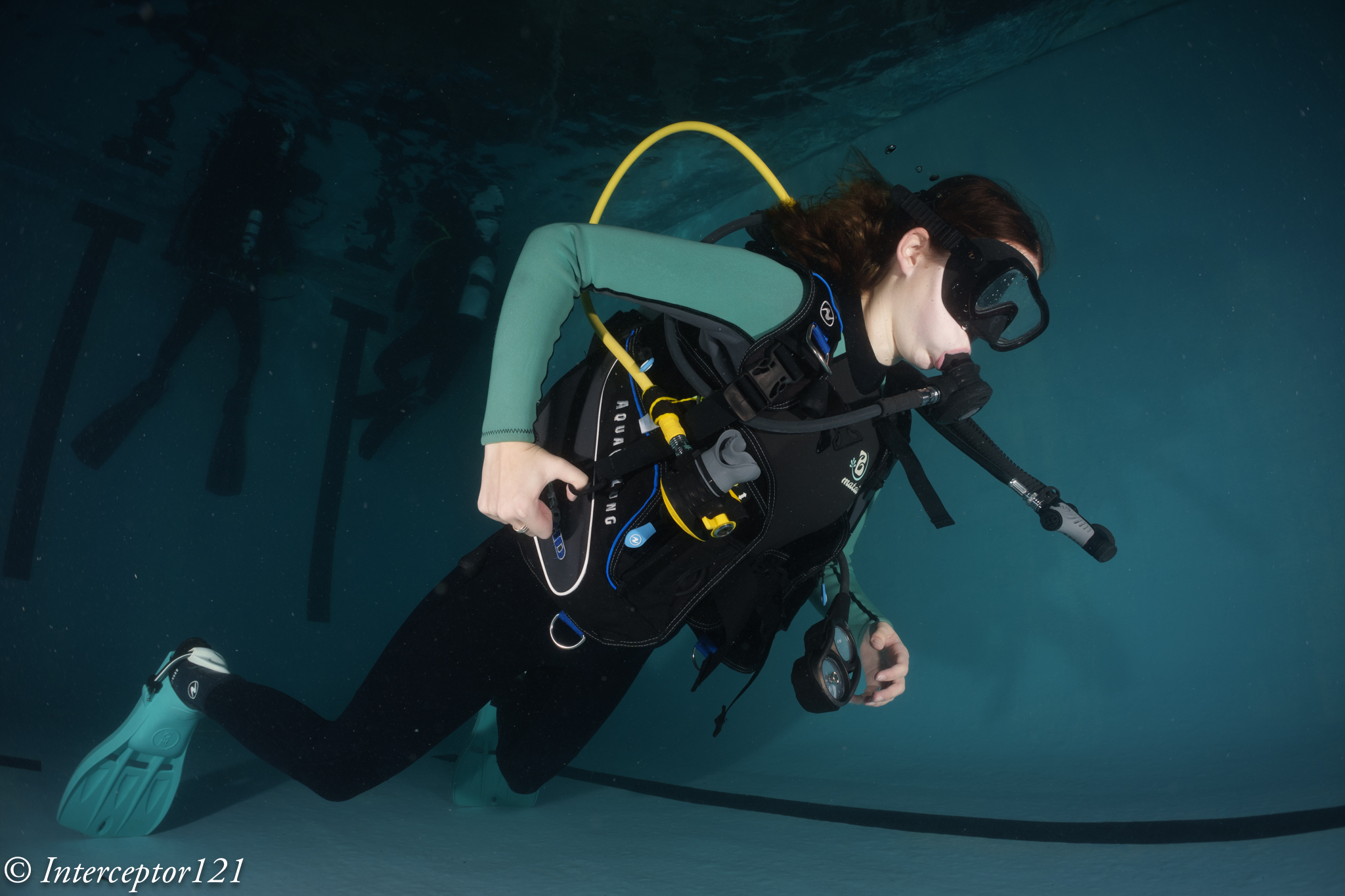
What follows are a series of test shots of divers.

David f/8
Kid f/8
f/11 side shot
WWL-1 selfie 28mm
Diver f/10

In general I found the lens to be sharper in the centre at f/8 but closing down to f/11 was required if there was something in the corners.

Edge Sharpness

I was intrigued by a number of discussions on edge sharpness and after several exchanges with Shane Smith he was clear that the lens needs to be stopped down to f/11 for best results.

After the session in the pool I would agree with Shane however I was curious if this was an issue of the WWL-1 or the 28-60mm lens itself.

This image quite simple has something at the edges and has focus in the centre at f/8.

Closeup f/8

You will notice that the part of the frame closer to the camera is fairly blurry.

So I did another experiment placing the slate on the edge.
Fuzzy f/8

The edges were quite fuzzy. I wanted to exclude this was an issue of depth of field so I focussed right on the corner.

f/8 focus on corner

This is the resulting image and is still soft on the edge.

fuzzy f8 focus

I then took the same shot at f/11 with focus on centre.

Closeup f/11

The image at the edges is better. Then moved the slate to the edge.

edge f/11

The image improved overall regardless of the focus point indicating this is not a depth of field issue but some other defect of the lens, most likely as the lens meridional and sagittal resolution are different we have an example of astigmatism.
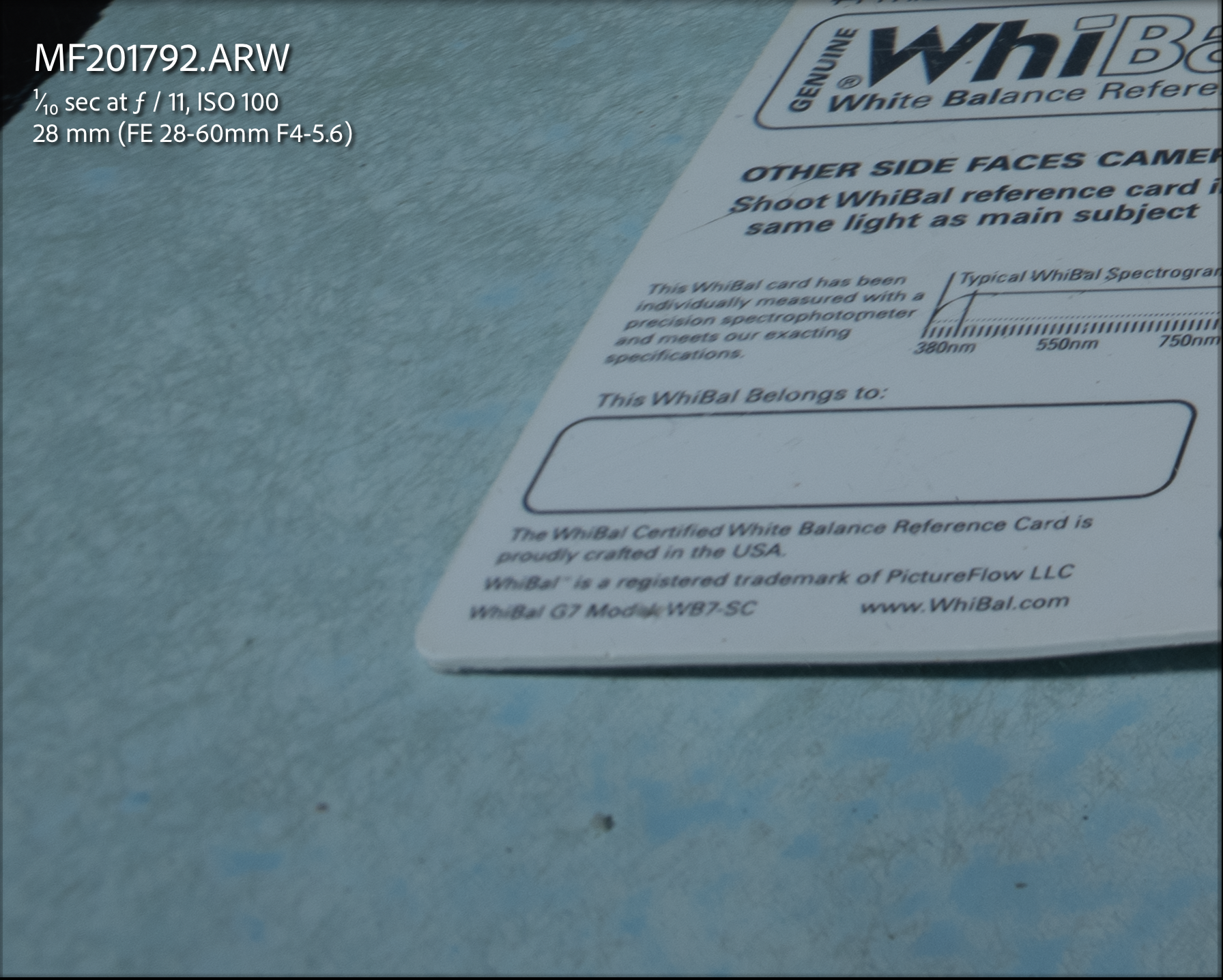
Edge 100% crop f/11
Blurry f/8 edge focussed on edge

The sharpness improves closing down the lens regardless of where the lens is focussing consistent to the MTF charts.

Looking back at land test shots we can see something very similar.
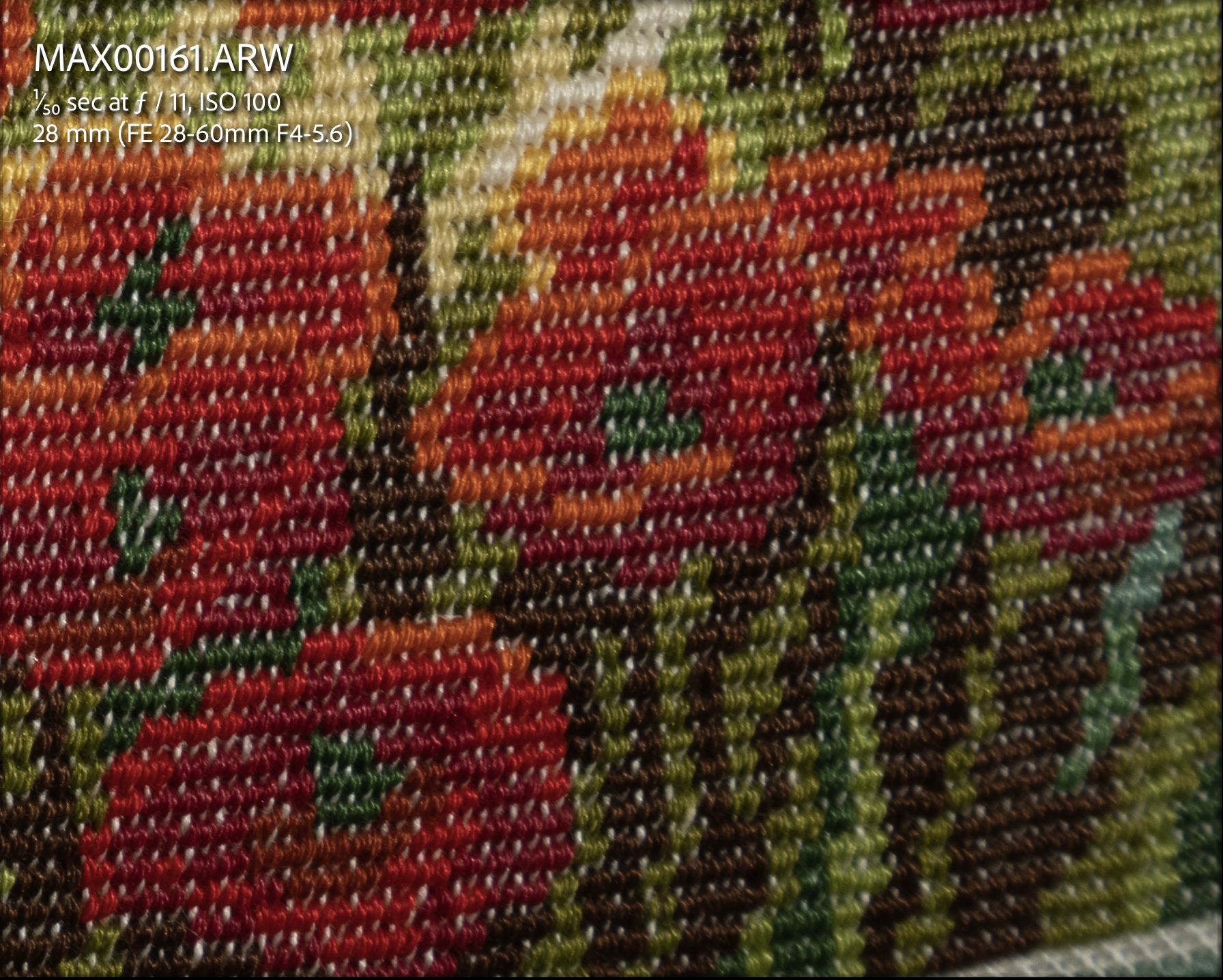
Edge at f/11 topside
Edge at f/8 top side

In conclusion it is not about the WWL-1 but about the lens itself.

Comparison to Rectilinear lenses

While the WWL-1 can offer a diagonal feld of view of 130 degrees the image is distorted and the lens can only offer 107 degrees horizontally and 70 vertically. Is like saying that the horizontal field of view is similar to a 13mm rectilinear lens while the vertical is is more like 17mm. A fair comparison is probably a 14mm rectilinear lens but as the WWL-1 is a fisheye like optic a direct comparison is not entirely possible. In my opinion as the image is distorted is more appropriate to compare the WWL-1 with a fisheye with teleconverter and when I look at what the canon 8-15mm with kenko 1.4 tc can produce for me the results are very similar, I would say the Canon has in fact an edge however the field of view are not comparable except when the WWL-1 is at the widest and the canon with the tc at the maximum zoom. I would go as far as to say that the canon + TC at f/8 is as good as the WWL-1 at f/11.

Canon 8-15mm with TC at 21mm f/8

Conclusion

If you have the WWL-1 from your previous rig it makes absolutely sense to get the Sony 28-60mm and flat port. This combination will give you decent (but not sensational) shots and work very well for 4K video at reduced resolution. I do not believe that this lens can resolve the full 50 or 60 megapixels of the A1 or A7R4 or A7R5 even topside.

If you are starting from scratch I would recommend to think careful at your intended use case. If you want angles wider than 130 degrees and already have the Canon 8-15mm you may want to check the kenko telecovenverter before you buy a new port as all you need is a 20mm extension ring and a zoom gear.

If you really like the field of view range of 69-130 degrees you need to consider which water contact optic you need.

I am still looking for a test WACP-C but until then my general guidance would be to consider simply if you prefer a dry or wet mount.

A dry mount has the benefit of being ready to go as you hit the water, without the need to remove bubbles between the wet lens and the port. As photographer a dry mount may be the best way forward.

If you intend to use your camera for video and insert filters between the lens and the flat port or you require the lens to be removed in water then go for the WWL-1.

Rigorous comparisons between WACP-C and WWL-1 are not yet available but the first indications are that the difference in image quality is very small therefore I would not loose my sleep there and look more at overall ergonomics.

The final consideration is should you get the WACP-1 instead? Based on my assessment of the Sony 28-60mm I would think this is not particularly wise even if this choice is very popular. Personally I always believe that the master lens needs to be good enough to justify the cost of the water optic so I would like to see how the Tamron 28-75mm performs however no test images are available so I am not in a position to conclude.

In my case having seen what the Sony 28-60mm lens can do I am not planning to invest in a WACP-C but I would be very interested in testing one.

The WWL-1 gets my approval also on full frame but it is not going to give me the same resolution than the Canon 8-15mm or the Sony 90mm macro will give. I look forward to testing some rectilinear lenses to see how those compare and this will happen in a week from now so stay tuned.

Costs to get one for your Sony full frame excluding lens:

  • WWL-1B €1,424
  • Bayonet adapter €102
  • N100 45 flat port €494

Total €2,020 vs WACP-C + N100 Extension Ring 30 €3,333

Canon 8-15mm with 4.33″ Acrylic Dome for Sony A1

Following from a previous article about not increasing bulk I have considered a few options for the Canon 8-15mm fisheye.

The 8-15mm is not a small lens and due to the different flange distance between Canon EF mount for DSLR (44mm) and Sony E-Mount (18mm) we have a chunky 35.5mm N100 to N120 adapter port that makes the whole set up not that compact.

Dome Options 140mm vs 4.33″

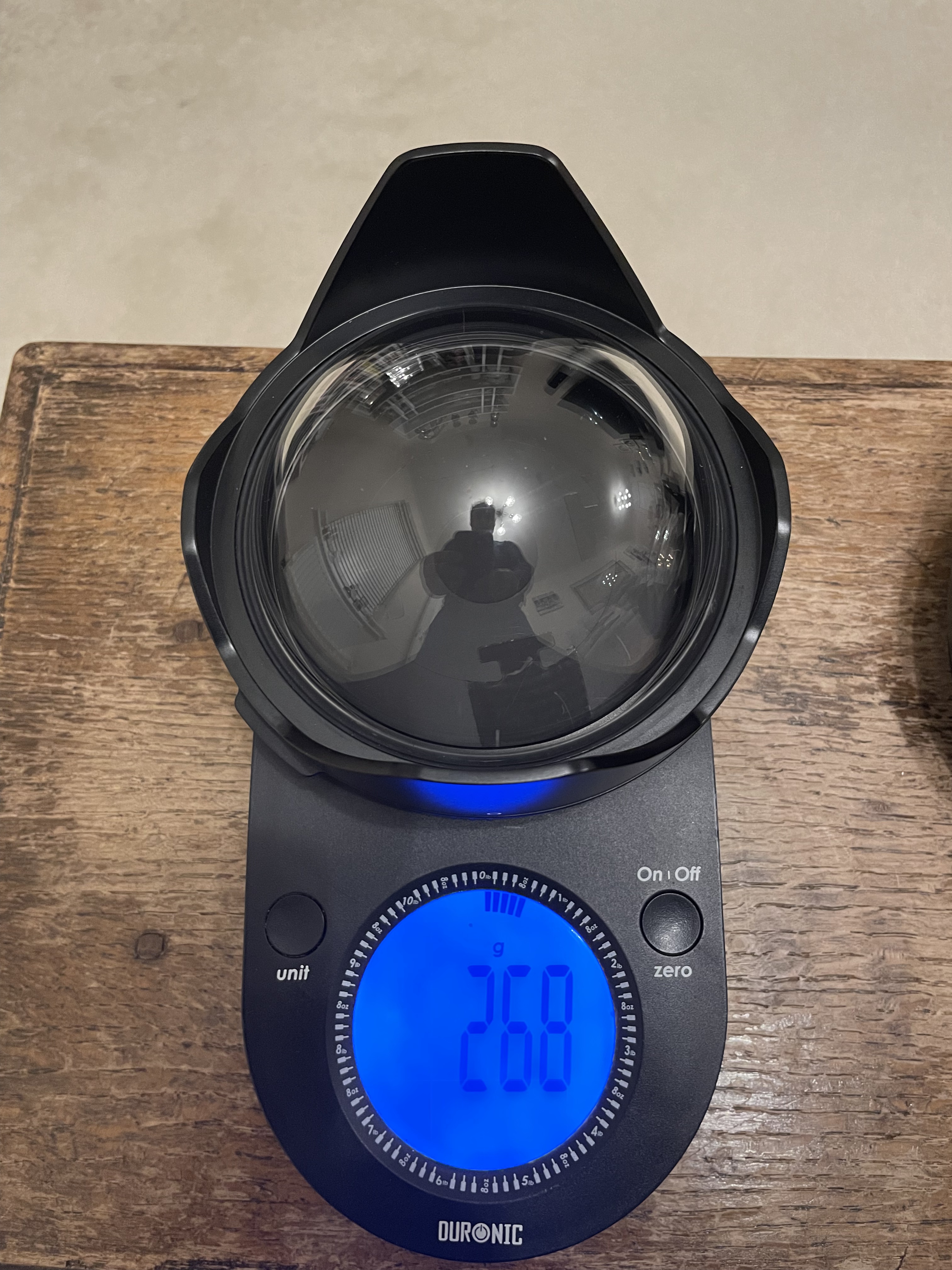
The Nauticam port chart recommends the 140mm glass fisheye dome for the 8.15mm, this port is 69mm radius and is made with anti reflective optical glass and weights 630 grams.

140mm Glass Dome on Scale

There is another dome from Nauticam the 4.33″ acrylic but this does not feature on the port chart for the Canon 8-15mm.

I did some calculations and this dome should require the same extension so I ordered one conscious that this would be lighter but not necessarily increase the underwater lift due to a reduced volume.

4.33″ dome weight

Although there is a difference of 362 grams the smaller volume will result in less buoyancy 348g lift vs 688g lift for the 140mm so overall the additional buoyancy is only 22 grams.

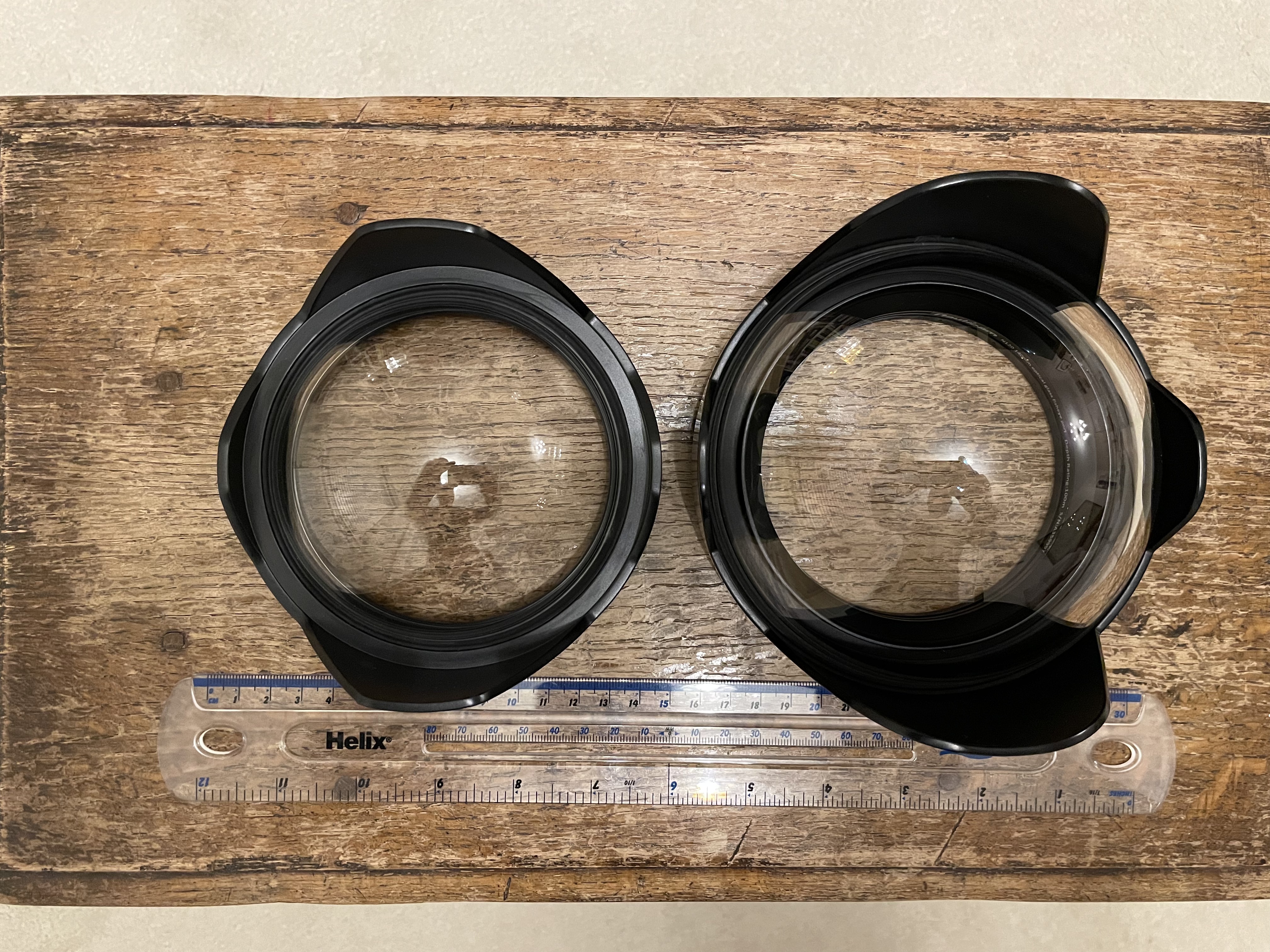
4.33″ vs 140mm

The primary benefit of this smaller dome is that it gets you closer this in turn means that things will look bigger and as consequence depth of field will drop. Depth of field depends on magnification and as you will get closer it will drop compared to other domes. So larger domes have more depth of field not because they are larger when you are at close range but simply because your camera focal plane is standing further back.

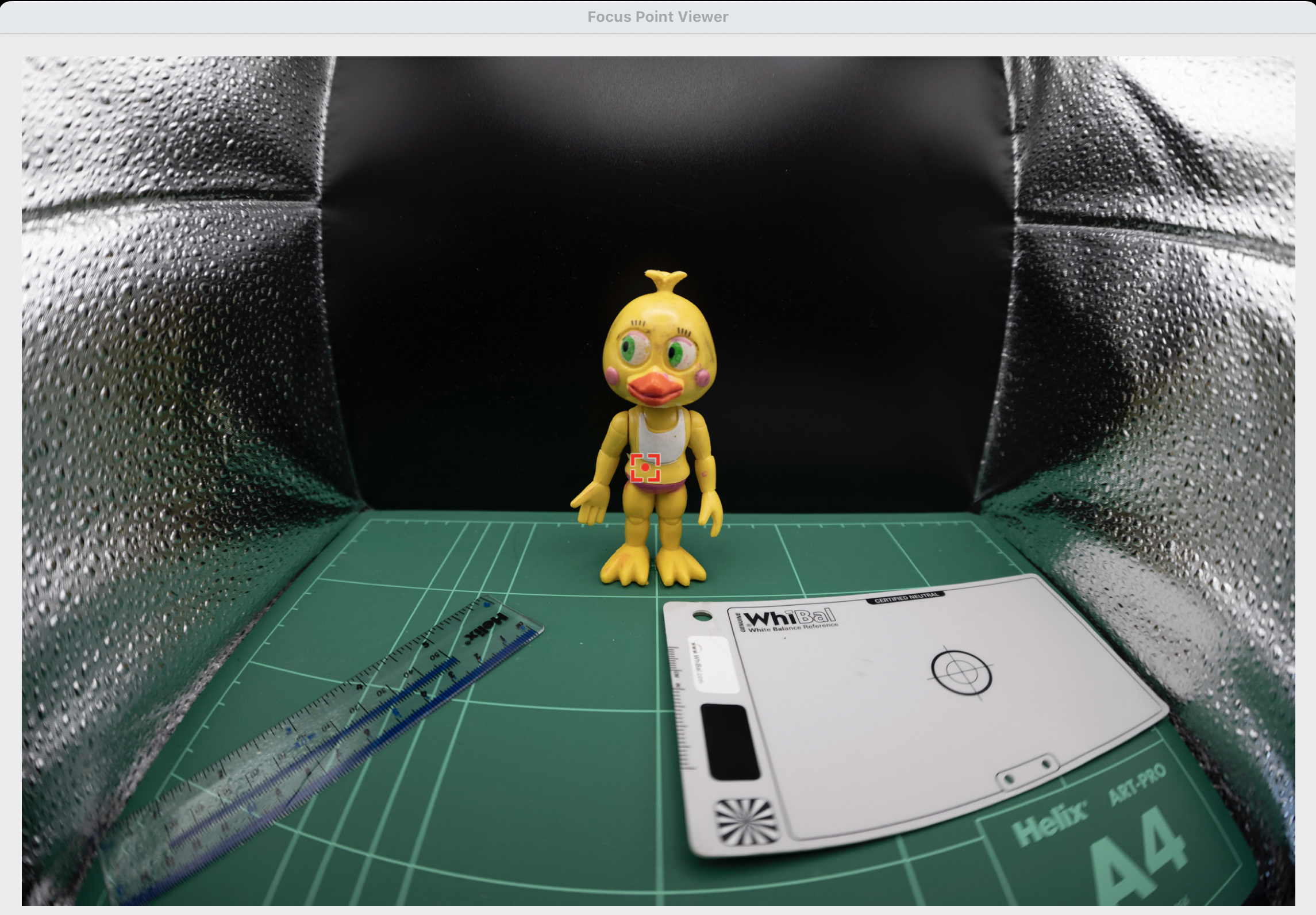
To give an idea this is a little miniature shot with the 140mm dome with the target touching the glass port.

140mm dome close up

This is the same target with the 4.33″ dome.

4.33 dome

Side by side shows the difference in magnification.

Left 4.33″ dome right 140mm dome

If we look at the same detail we can see that the 140mm dome image detail is less blurred.

4’33 dome vs 140mm dome
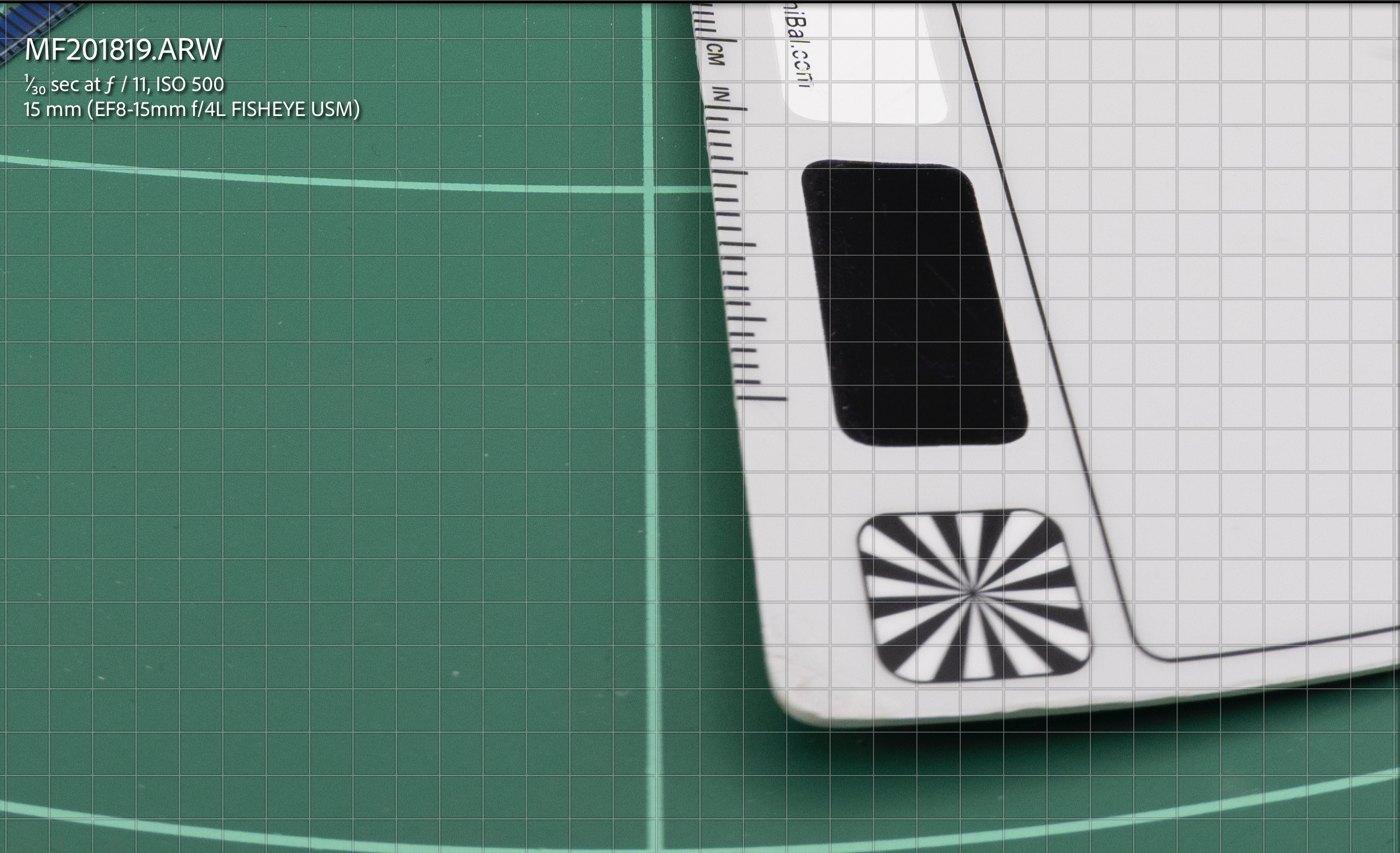
We are on land here there is no water involved and the 140mm image is sharper at the edge simply because it is smaller.

As depth of field must be compared at equal magnification we can also bust another myth of larger domes vs smaller domes there is no increased depth of field you are just standing further back if you compared the front of the port instead of the focal plane.

Building the Rig

The extension required is still 30mm as for the 140mm dome,

Acrylic dome profile

The overall size of this dome means it is flush with the extension ring.

Port details the lens hood must be removed

This is the overall rig with the amount of flotation in this image it is around 600 grams negative in fresh water.

4.33 rig

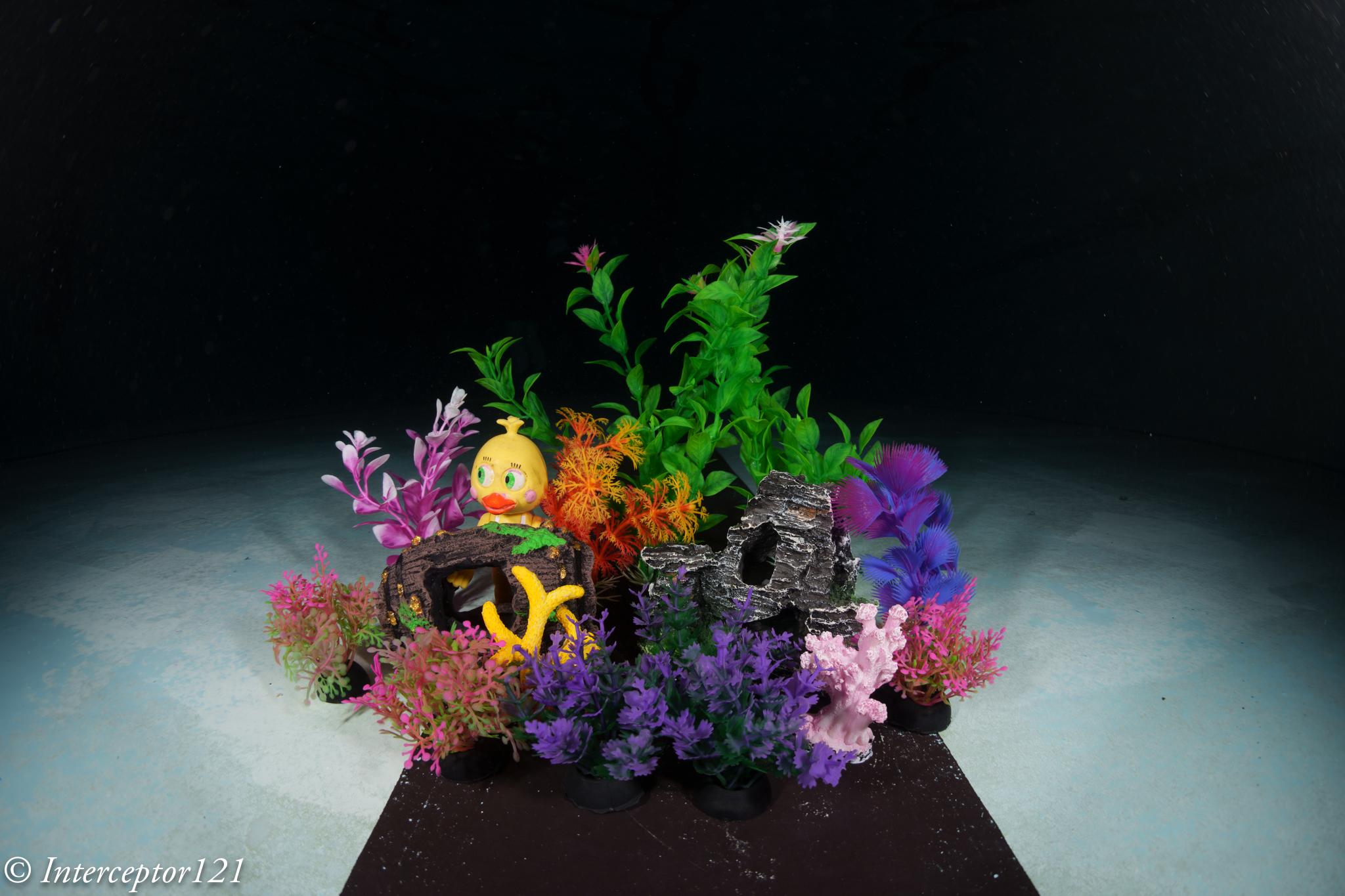
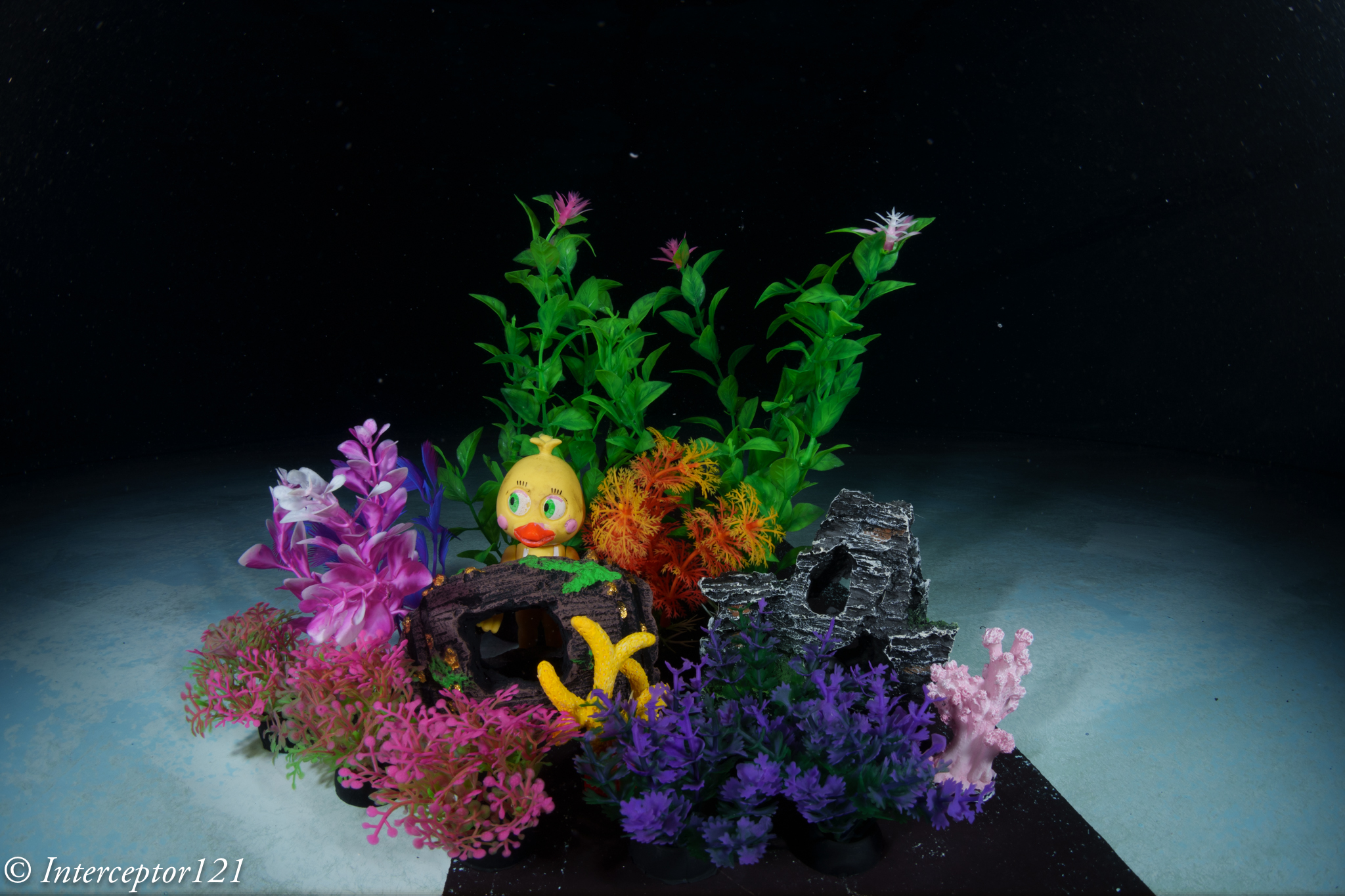
Now that we know what to expect is time to get in the pool and take some shots. I got some miniature aquarium fixtures to simulate a close focus wide angle situation.

Pool Session

Once in water I set up my artificial reef and got shooting.

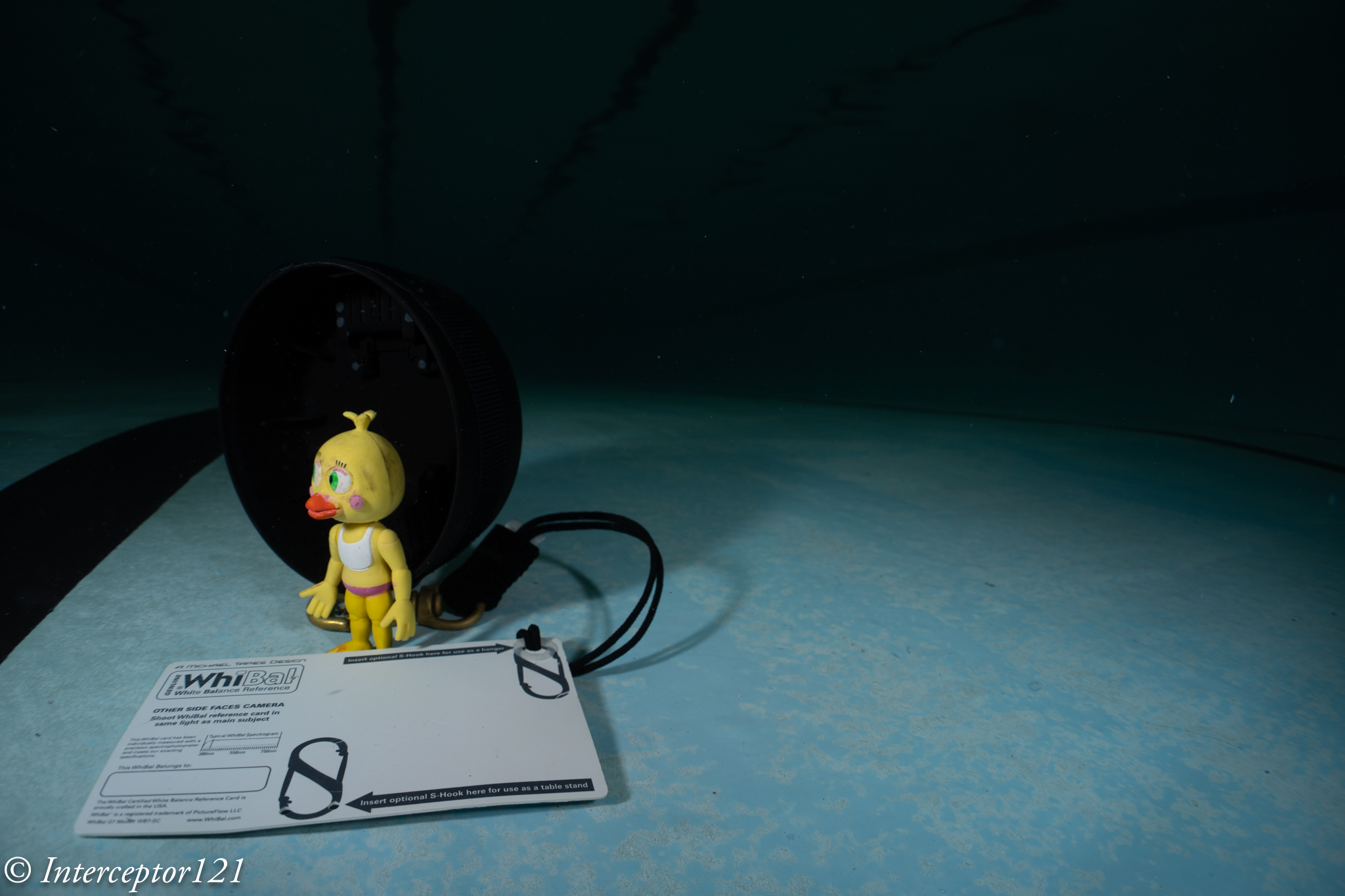
I was at the point of touching the props so I had to stand back a little. As expected the issue is depth of field.

Shots at f/11

For starter we try to get as close as possible and focus in line with the chick.

Fisheye f/11 Focus on back

Due to the extreme magnification the front details are quite soft. So from here I start moving backwards a little.

Still focussed on the chick the sharpness improves due to reduced magnification this is a simulation of a larger dome.

Fisheye f/11 Focus on chick

There still is severe blurring of the front detail at f/11. However due to the increased depth of field that the dome brings behind the focus point the rest looks pretty good.

Focussing on the middle of the frame at f/11 results in blurry details for the features in the front of the frame but much less blurry than before and the chick is still relatively sharp.

fisheye f/11 Focus on edge front

Focussing on the pink reef detail results in a better overall result in a counterintuitive way.

Shots at f/16

Stopping down the lens results in increased depth of field so more of the image is in focus however the overall sharpness drops. This is a good place to be if you don’t want to be too sophisticated with the choice of focus point and you are close.

You can get closer but the front detail is still a bit soft but acceptable.

Fisheye f/16 Focus on back

If you move your focus point a bit further in front the situation improves.

fisheye f/16 Focus on middle

At this point I decided to get into the picture with a white balance slate.

Fisheye f/16 Focus on back diver

Although the front is quite blurry due to the extreme close range the result is acceptable for the non pixel peeper.

Shots at f/22

We are here hitting diffraction limit and the image looses sharpness but we are after depth of field so be it.

fisheye f/22 Focus on duck

Now the depth of field is there although the detail in the centre is less sharp.

fisheye f/22 Focus on middle

Moving the focus point makes the image a bit better.

Time to insert the diver in the frame.

Fisheye f/22 Focus on back diver

Overall ok not amazing consider the dome is on the parts.

Conclusion

The small acrylic dome does quite well at close range, the limitations come from the depth of field and not from the water and the dome increases the depth of field behind the focus point. This is something that you can use to your advantage if you remember when you are in open water.

For shots that are further away you can shoot at f/11 and get excellent IQ there is no need to stop down further to improve the edges. Consider however that f/8 may be just too wide on full frame and introduce additional aberrations regardless of depth of field.

VideoDiver at f/11

Some numbers:

Nauticam 140mm Glass dome: £911

Nauticam 4.33″ Acrylic dome: £550

Price difference £361 or 40% however bear in mind that the primary benefit of the glass dome is to resist reflections and ghosting due to the coating and the fact you can keep the 8-15mm hood on.

Fisheye Lenses for Underwater myths vs reality

There are several myths surrounding fisheye lenses when it comes to underwater use.

A quick tour to underwater photography guide usually a good source of information.

Myth Busting

Properties of fisheye lens as per UWPG:

  • They usually focus very close
  • They are small and light
  • When shooting ultra-wide angle, you benefit from a large depth of field
  • You can get very close to large subjects, maximizing color and sharpness
  • They perform well behind dome ports with good corner sharpness, and they don’t need a diopter
  • You usually need at least 2 strobes with good angle of coverage to properly light the entire area.

Some of the above statements are correct in absolute, some are correct but not specific to fisheye lenses and some are just incorrect.

Fisheye lenses usually focus very close -> true for the most recent fisheye lenses, not true for some older models

They are small and light -> Not true. Canon 8-15mm and Nikon 8/15mm are fairly chunky lenses with lots of glass

When shooting ultra-wide angle, you benefit from a large depth of field -> not a property of the fisheye lens but of the focal lens. In fact due to the extreme field of view Fisheye lenses have issues of depth of field.

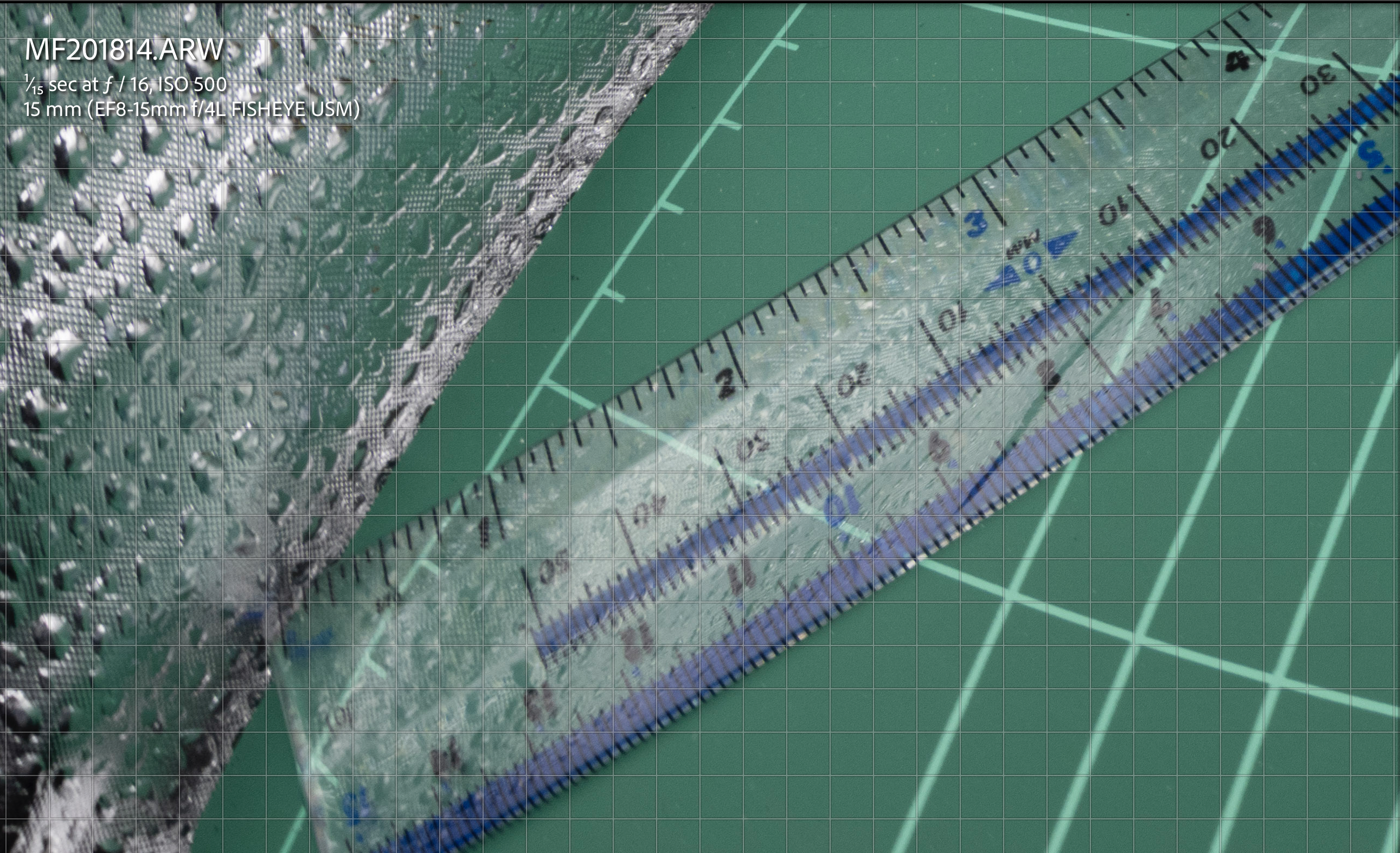
This is a tea towel shot with a rectilinear lens. Note how sharp the target is at f/5.6

Rectilinear f/5.6

This is the same target at the same distance with the Canon 8-15mm at f/5.6 note how the edges are blurry and the blur starts very near centre.

fisheye f/5.6

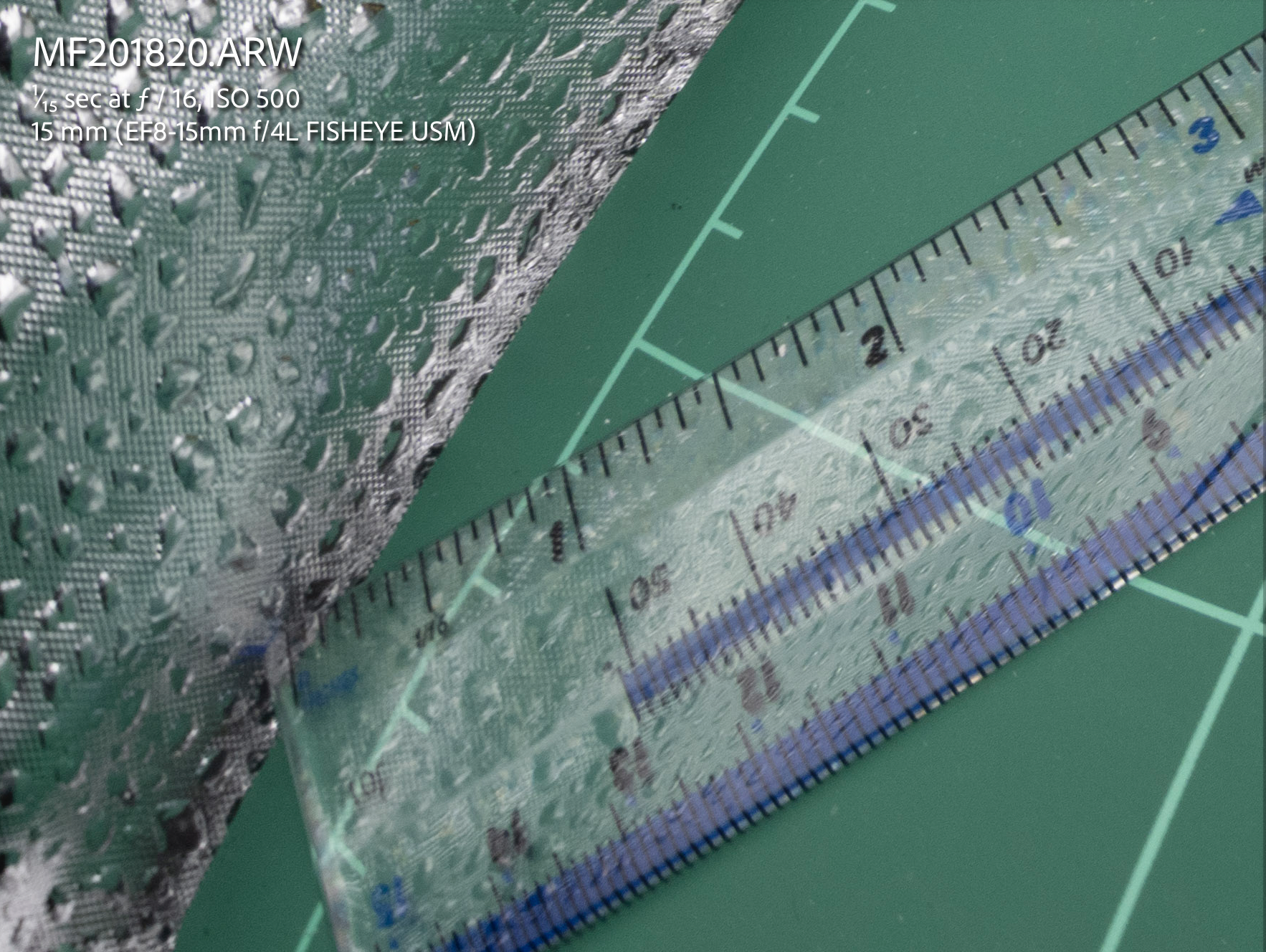
You need to stop down the lens to f/16 to start getting coverage for the edges.

fisheye f/16

You can get very close to large subjects, maximizing color and sharpness -> This is a consequence of close working distance and wide field of view however sharpness is another story

As we have seen before fisheye shots at close distance are generally not that sharp especially at the edges.

They perform well behind dome ports with good corner sharpness, and they don’t need a diopter This happens to be true in practice and it is a major benefit for the underwater shooter

We will dive in detail in this topic.

You usually need at least 2 strobes with good angle of coverage to properly light the entire area. Fisheye lenses cover an aspect ratio wider than the format aspect ratio and result in limited vertical angle of coverage. Fisheye lenses are ideal for two strobes except the very far edges.

Canon 8-15mm specifications.

Horizontal field of view: 142 degrees

Vertical field of view: 91 degrees

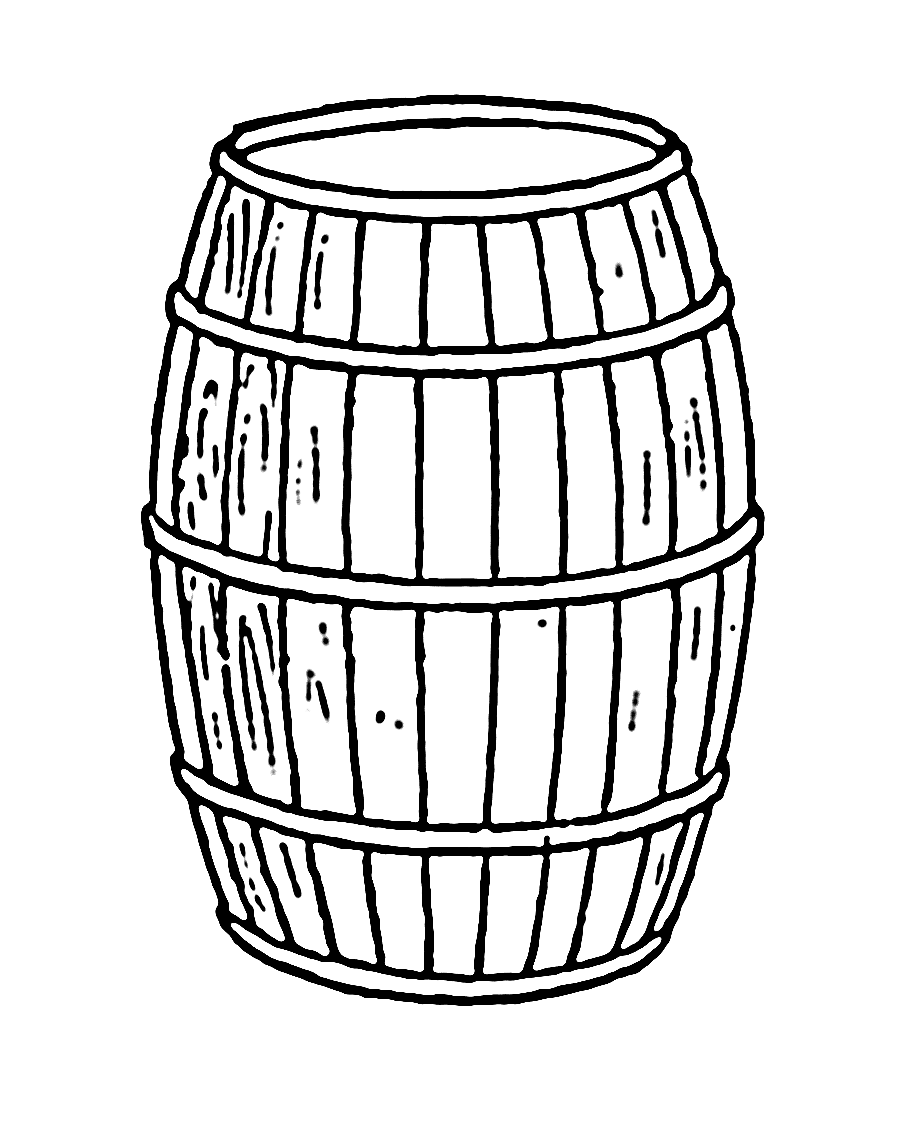
A barrel gives an idea of the fisheye lens distortion

Let’s ignore the edges and assume we are a one meter.

Horizontal field of view 2*tan(71)=5.8 meters

Vertical field of view 2*tan(45.5)=2.03

Aspect Ratio = 2.85:1

The issue with fisheye lenses is that the frame is really very wide much wider than it is tall. This means some of the edges on the horizontal axis will be normally dark unless you are very very close.

Fisheye lenses and Dome Ports

A dome is simply a lens with a single element that has the property to retain the air field of view of a lens.

A dome is a lens with a lot of field of curvature simply because it is bent.

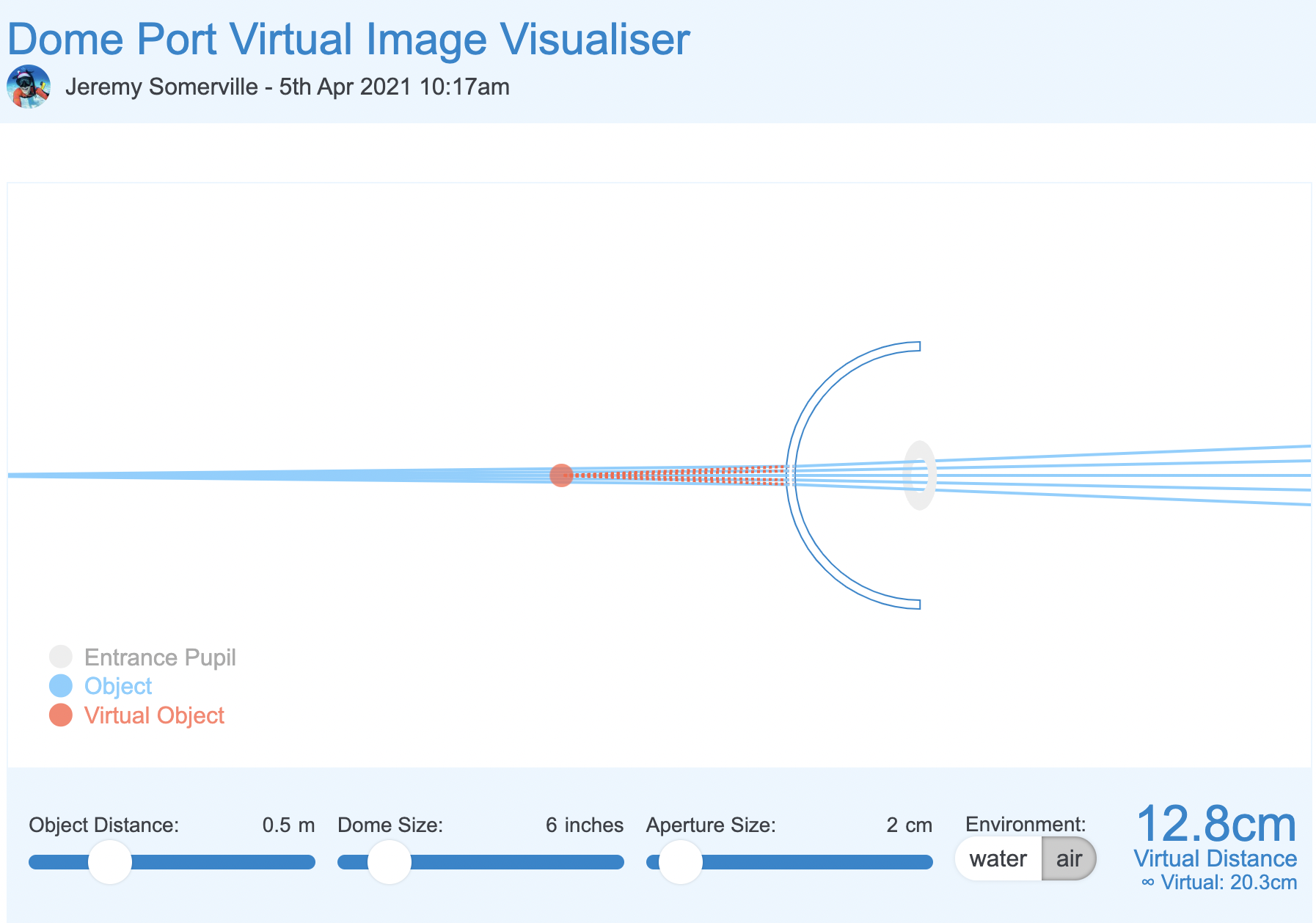
Using the dome port visualiser we can see that the effect of a dome is to bring the image closer to where it really is.

The net effect of a dome port is to increase the depth of field as infinity focus is reached much sooner.

A dome port has several side effects the main ones are:

  • Spherical aberration
  • Field of curvature

A fisheye lens works opposite to a dome. The centre of the frame is closer to the lens the edges are further away.

Domes, field of curvature and Fisheye lenses

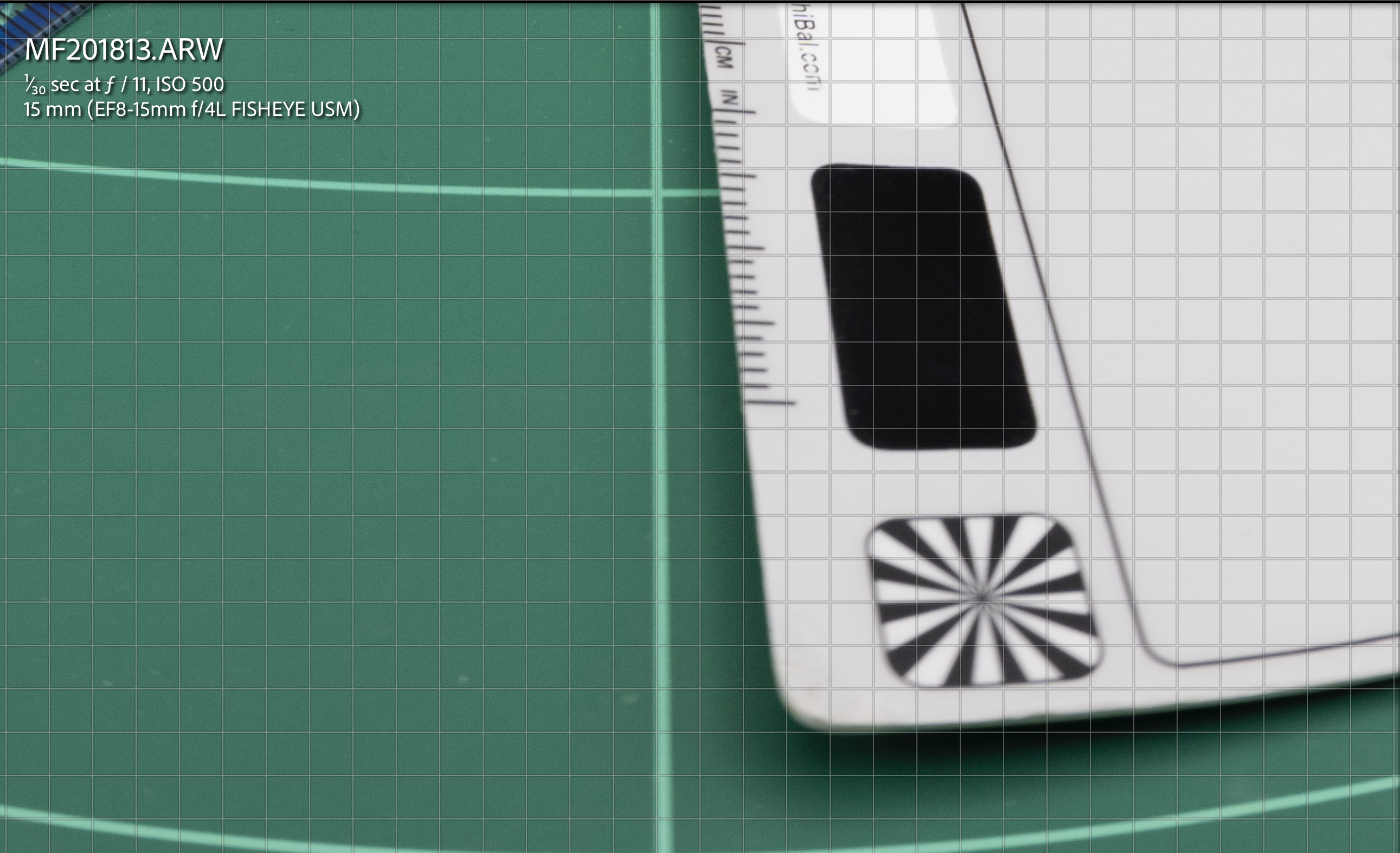
In order to understant how the barrel distortion works in combination with a dome port and a fisheye lens we can build a small simulation in a light box where the edges of the frame are closer than a flat target.

Target in a lightbox focussed head on

We can see that despite the edges are quite blurry this image is actually better than our flat target.

f/11 centre

At f/11 the image is not perfect but we can see that most details off centre are not looking bad at all.

f/11 edge
f/11 detail crop

it is definitely blurry but not as bad as the tea towel as if the way the element are laid out improves the image in the corners.

And this is exactly the point: the items as laid out emulating the curvature of a dome improve the fisheye lens performance.

By f/16 the image is almost all sharp.

f/16 centre
f/16 edge
F/16 Centre 100%

One trick is not to focus in the back of the frame but find a middle point this means we can find additional depth of field in front of the target.

Focus mid way

Let’s see how this goes. at f/11 we already get some better results.

f/11 off centre
f/11 edge off centre

f/11 off centre crop

At f/16 we get some additional improvement but is not as major as the original f/16

f/16 off centre

Looking at the other areas there are some minor improvements but generally less as we close down the aperture.

f/16 off centre
f/16 off centre 100% crop detail

In conclusion the layout of the image elements helps the fisheye lens to achieve better image quality this can be futher improve focussing off centre however closing down the aperture results in the best results regardless.

In short we can improve an image at f/11 by shooting off centre in a strategic point to improve depth of field but ultimately aperture plays a bigger role in improving performance of the fisheye lens.

A similar reasoning can be applied to dome size vs closing down the aperture.

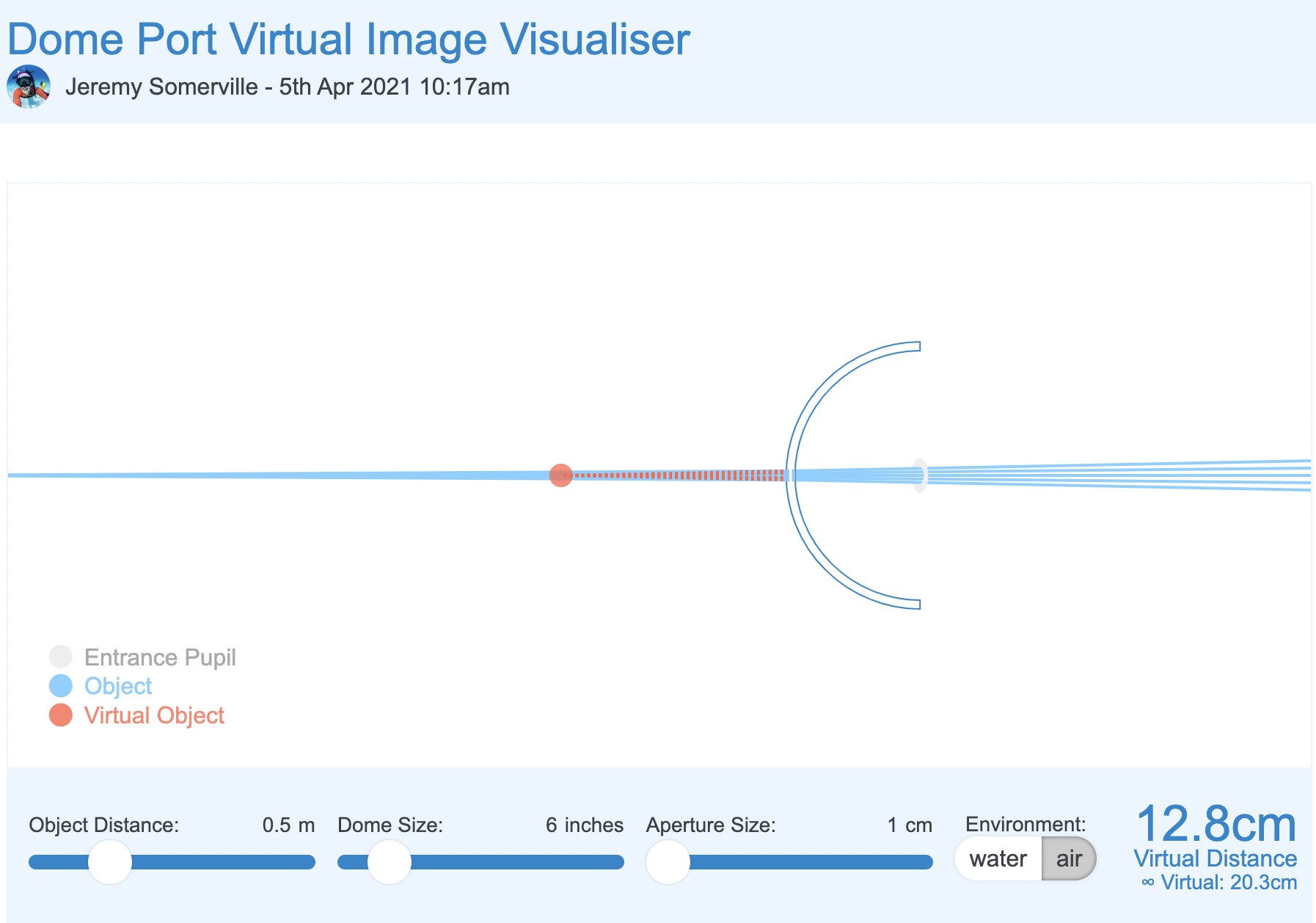
We can plot a scenario in the dome simulator tool.

In the starting example our aperture is 4cm to similate our 15mm lens at f/4.

6″ dome f/4 simulator

We now reduce the aperture to 2cm which is more or less f/8

6″ dome f/8 simulation

And finally to 1cm which is more of less f/14. In reality this is mm not cm but should make you understand that aperture matters more than anything else.

6″ dome f/14 smulation

What we can see is that by reducing the aperture the light rays passing through the dome converge and this means stray light is reduced and as consequence spherical aberrations are decreased.

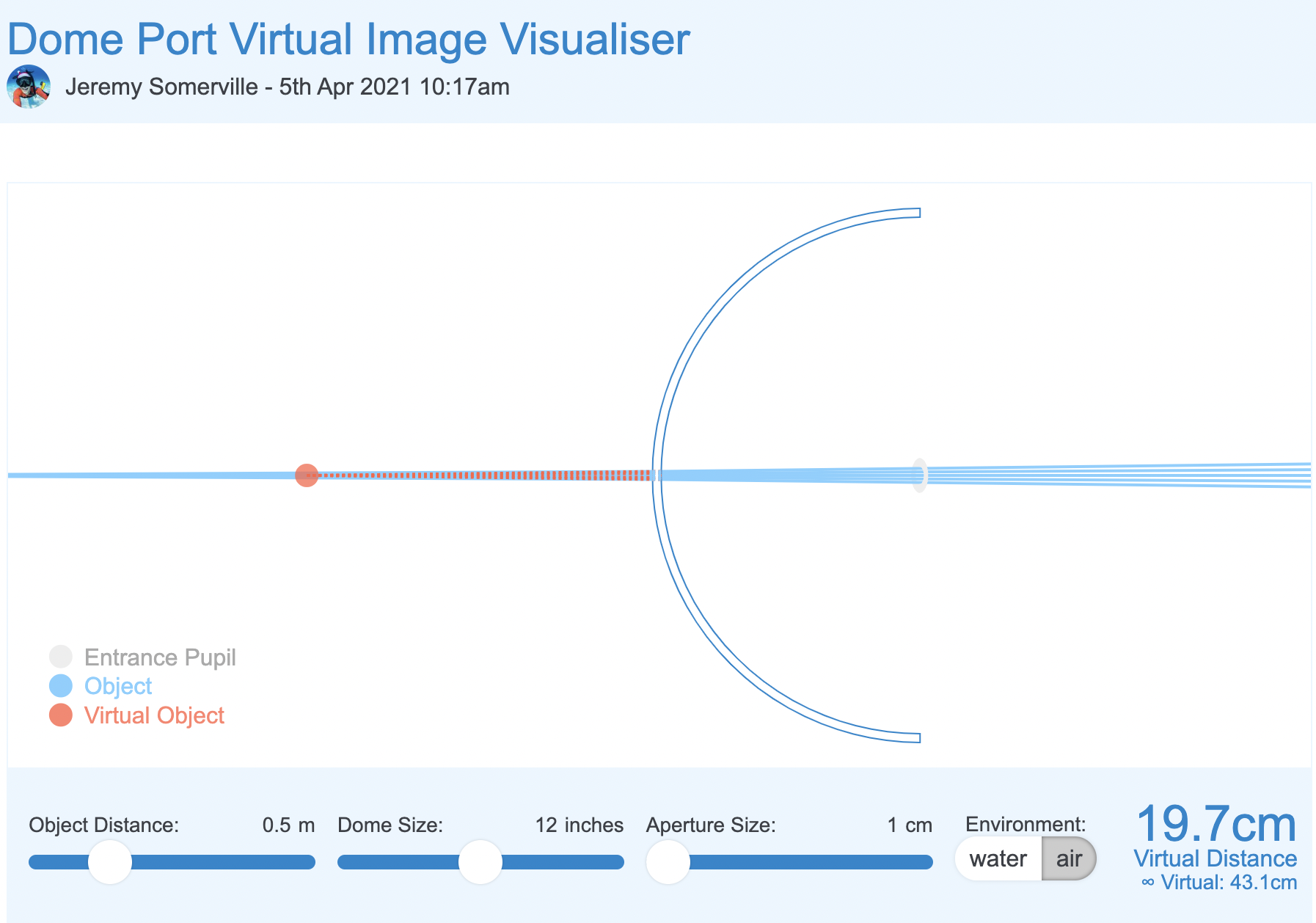
Let’s now introduce dome size which is the equivalent of depth of field in the mix in our light box shooting off centre.

12″ dome f/8 simulation

We can see that with a double size dome the converging effect on the light rays is not as significant as the aperture is already small, but nonetheless is present. This is consistent with our f/11 off centre use case.

Finally at aperture completely closed.

12″ dome f/14 simulation

Although virtual distance has increased significantly the effect of the large dome on the stray rays is not significant here aperture rules.

What does all of the above mean?

I realise this was a bit geeky.

To summarise a dome has two issues one is spherical aberration for the very shape of the dome. This is mostly cured by closing down the aperture. Dome size has limited effect here unless you shoot wide open and with apertures from f/14 we can see that large dome vs small dome does not really matter.

However when it comes to field of curvature large dome helps the situation but because fisheye lens have barrel distortion and this has a counter effect to dome shape curvature therefore dome size matters much less to a fisheye lens than it would to a rectilinear lens.

Some additional insight in this post. And the summary finding here.

The takeaway message is this: stopping down the aperture improves field curvature and astigmatism somewhat, improves coma a lot, and improves spherical aberration most of all. The sum total of these effects changes our ‘area of best focus’, which is what we photographers really mean when we say ‘field curvature’. 

We could paraphrase this by saying:

A dome port increases depth of field and a fisheye lens, due to barrel distortion, benefits from a dome port. Optical aberrations introduced by the dome are mostly addressed by stopping down the aperture. The size of the dome port does not matter too much when using a fisheye lens and the benefit on aberrations of a much larger size dome is likely to be minimal when we look at that simulator. Focussing appropriately mitigates residual issues of field of curvature of the dome for the fisheye lens.

Underwater proof of concept

I took my Sony A1 with a Canon 8-15mm first and then with a WWL-1 that behaves very much like a fisheye lens.

Let’s have a look at some images shot with Nauticam 140mm dome.

The two buddies at f/8

The image above sees two buddies in the frame almost flat with their fins going back in the frame however the result is much better than the lightbox example as result of distance and dome port increasing field of view and adding curvature to bring the fins in.

This however does not resolve all issues if you focus near like in this example focussed on the eye of the croc

Focus on the eye at f/8

Here the eye is close resulting in the tail being blurred this is an effect of close distance and lack of depth of field despite the dome.

More interesting the nose is even more blurred as the dome brings that even close and blurs away due to field of curvature as the focus point is behind.

In this other example instead of focussing on the eye the focus goes mid frame so the fins are still in decent shape even if deep in the frame at f/8.

Focus midway

In order to prove the concept even more I took some props underwater.

First let’s have a look a shot at f/8 with the WWL-1.

Close up at f/8

As we can see the image is not too bad even in the close area but it is definitely better at f/11

Close up at f/11

What happens if we position the target off centre?

Contrary to our topside example the situation does not improve by focussing on the edge to further prove the issue here is NOT depth of field.

Focus off centre f/8

Here a detail crop the image is still fuzzy despite then focus is right on the spot. Depth of field is not the issue.

Edge focus at f/8

And finally we close down the aperture to f/11.

Edge at f/11

Crop at 100%

Edge at f/11

So here we can see that the underwater interface provides already for the depth of field but moving the focus at the edges does not have such a good effect.

Why? Because this is likely to do with aberrations of the lens itself as shown in my previous post on the Sony 28-60mm.

The combined 28mm with WWL-1 at f/8 means 20/8-2.5 mm aperture when stopped down to f/11 this becomes small enough to cure aberrations (less than 1cm with reduced field of view is sufficient).

For the same reason ASPC and MFT will be able to shoot at wider aperture not because of depth of field but due to smaller lens aperture.

15mm fisheye at f/14 –> 1.07mm physical aperture

8mm MFT fisheye at f/8 –> 1mm physical aperture

Again it is not the depth of field but the aperture size to cure most aberrations.

Conclusion

All Nauticam port chart recommend the 140mm dome and not larger domes. This is aligned with the theory behind this post that dome size ultimately matters but not as much as stopping down the lens and that fisheye are naturally helped by dome port geometry.

This conclusion also extends to water contact optics which are composed by a fisheye like demagnifier and an integrated dome port.

As long as the rear element of the lens is big enough the increased size of the lens does not result in proportional improvement of performance.

To support the empirical evidence of this article you can read this review of the 140mm dome by Alex Mustard.

By coincidence Alex recommends shooting at f/14 or f/16 which means a physical aperture of 1mm which cures all sorts of aberrations.

Considering that the benefit of a much larger dome may be as small as 1/2 to 2/3 aperture stops you may consider going the opposite way and get a very small dome which will result in additional spherical aberration and will need to be stopped down more when shooting very close.

If you use the Nauticam system there are only two ports that are a full emisphere and therefore able to contain a fisheye lens field of view:

  • 140mm optical glass fisheye port
  • 4.33″ acrylic dome port

I happen to own both those ports and in a future article will compare and contrast the two. I will also revisit the topic of dome ports and rectilinear lenses which is obviously different from fisheye lenses.

The truth about v-log

There is no doubt that LOG formats in digital cameras have a halo of mystery around them mostly due to the lack of technical documentation on how they really work. In this short article I will explain how the Panasonic V-Log actually works on different cameras. Some of what you will read may be a surprise to you so I have provided the testing methods and the evidence so you can understand if LOG is something worth considering for you or not. I will aim at making this write up self-contained so you have all the information you need here without having to go and search elsewhere, it is not entirely possible to create a layman version of what is after all a technical subject.

Panasonic V-LOG/V-Gamut

A logarithmic operator is a non-linear function that processes the input signal and maps it to a different output value according to a formula. This is well documented in Panasonic V-Log/V-Gamut technical specifications. If you consider the input reflection (in) you can see how the output is related to the input using two formulas:

  1. IRE = 5.6*in+0.125 (in < cut1 ) *
  2. IRE = c*log10(in+b)+d (in >= cut1 ) 

Where cut1 = 0.01, b=0.00873, c=0.241514, d=0.598206

There are few implications of this formula that are important:

  • 0 input reflectance is mapped to 7.3% IRE
  • Dark values are not compressed until IRE=18%
  • Middle Grey (18% reflectance) is still 42% IRE as standard Rec709
  • White (90% reflectance) is 61% IRE so much lower than Rec709
  • 100% IRE needs input reflectance 4609 which is 5.5 stops headroom for overexposure.

So what we have here is a shift of the black level from 0% to 7.3% and a compression of all tones over 18% this gives the washout look to V-LOG that is mistakenly interpreted as flat but it is not flat at all. In fact the master pedestal as it is known in video or black level is shifted. Another consequence of this formula is that VLOG under 18% IRE works exactly like standard gamma corrected Rec709 so it should have exactly the same performance in the darks with a range between 7.3% and 18% instead of 0-18%.

In terms of ISO measured at 18% reflectante V-LOG should have identical ISO value to any other photo style in your camera this means at given aperture and exposure time the ISO in a standard mode must match V-LOG.

When we look at the reality of V-LOG we can see that Panasonic sets 0 at a value of 50% IRE so generally ⅔ to 1 full stop overexposed this becomes obvious when you look at the waveform. As a result blacks are actually at 10% IRE and whites at 80% once a conversion LUT is applied.

Challenges of Log implementation

LOG conversion is an excellent method to compress a high dynamic range into a smaller bit depth format. The claim is that you can pack the full sensor dynamic range into 10 bits video. Panasonic made this claim for the GH5s and for the S1H, S5.

There is however a fundamental issue. In a consumer digital camera the sensor is already equipped with a digital to analog converter on board and this operates in a linear non log mode. This means the sensor dynamic range is limited to the bit depth of the analog to digital converter and in most cases sensors do not even saturate the on board ADC. It is true that ADC can also resolve portions of bits however this does not largely change the picture.

If we look at the sensor used in the S1H, S5 this is based on a Sony IMX410 that has saturation value of 15105 bits or 13.88 stops of dynamic range. The sensor of the GH5s which is a variant of Sony IMX299 has a saturation of 3895 (at 12 bits) or 11.93 stops.

None of the S1H, S5 or GH5s actually reaches the nominal dynamic range that the ADC can provide at sensor level. The sensor used by the GH5 has more than 12 stops dynamic range and achieves 12.3 EV of engineering DR, as the camera has 12 bits ADC it will resolve an inferior number of tones.

So the starting point is 12 or 14 stops of data to be digitally and not analogically compressed into 10 bits coding. Rec709 has a contrast ratio requirement of 1000:1 which is less than 10 stops dynamic range. This has not to be confused with bit depth. With 8 bits depth you can manage 10 stops using gamma compression. If you finish your work in Rec709 the dynamic range will never exceed log2(1000)=9.97 stops. So when you read that rec709 only has 6.5 stops of DR or similar it is flawed as gamma compression squeezes the dynamic range into a smaller bit depth.

When we look at a sensor with almost 14 stops of dynamic range the standard rec709 gamma compression is insufficient to preserve the full dynamic range as it is by default limited to 10 stops. It follows that logically LOG is better suited to larger sensors and this is where it is widely used by all cinema camera manufacturers.

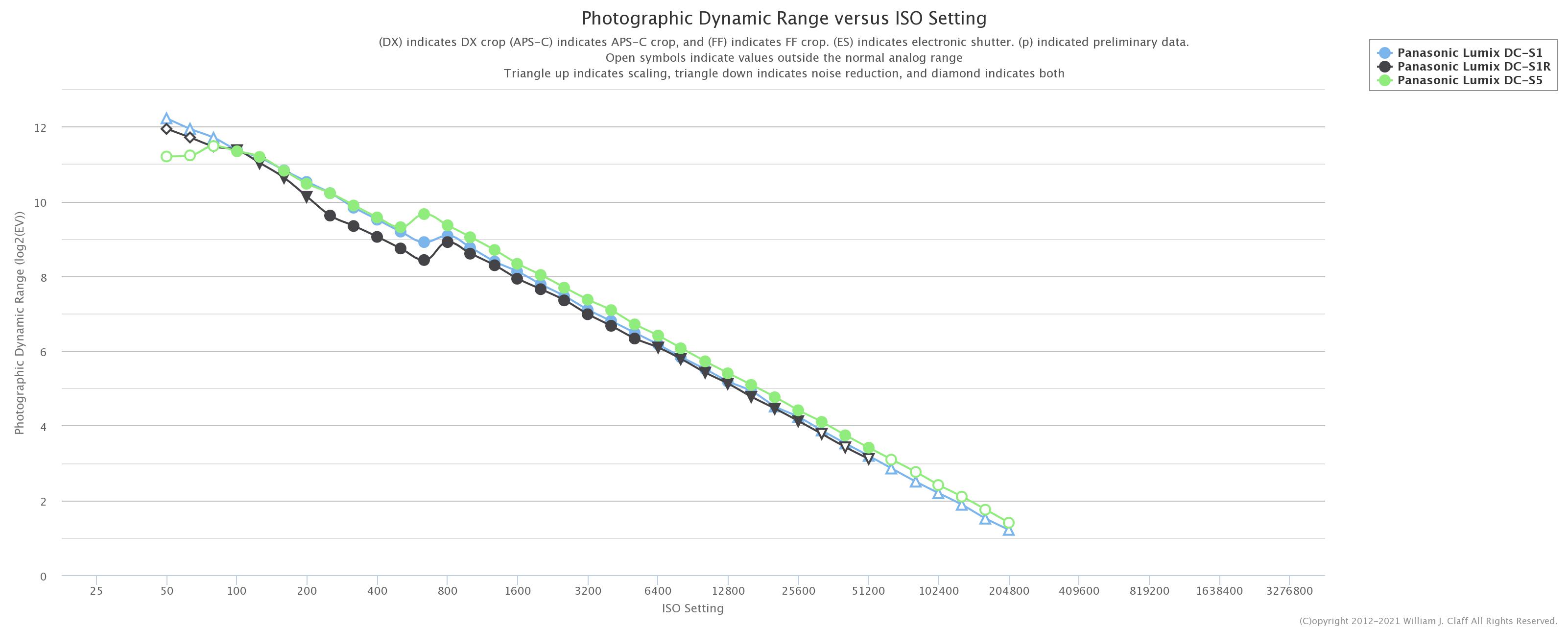
In practical terms the actual photographic dynamic range (this is defined as the dynamic range you would see on a print of 10″ on the long side at arm length), the one you can see with your eyes in an image, is less than the engineering value. The Panasonic S5 in recent tests showed around 11.5 stops while the GH5S is around 10 and the GH5 9.5 stops of dynamic range. Clearly when you look at a step chart the tool will show more than this value but practically you will not see more DR in real terms.

This means that it is possible that a standard gamma encoded video in 10 bits can be adequate in most situations and nothing more is required. There is also a further issue with noise that the log compression and decompression produces. As any conversion that is not lossless the amount of noise increases: this is especially apparent in the shadows. In a recent test performed with a S5 in low light and measured using neat-video assessment V-Log was one of the worst performed in terms of SNR. The test involved shooting a color checker at 67 lux of ambient illumination and reading noise level on the 4 shadows and darks chips. Though this test was carried out at default setting it has to be noted that even increasing the noise reduction in V-LOG does not eliminate the noise in the shadow as this depends on how V-LOG is implemented.

V-LOG Noisy Shadows

The actual V-Log implementation

How does V-LOG really work? From my analysis I have found that V-Log is not implemented equally across cameras, this is for sure a dependency on the sensor performance and construction.  I do not know how a Varicam camera is built but in order to perform the V-Log as described in the document you need a log converter before the signal is converted to digital. In a digital camera the sensor already has an on board ADC (analog to digital converter) and therefore the output is always linear on a bit scale of 12 or 14 bits. This is a fundamental difference and means that the math as illustrated by Panasonic in the V-LOG/V-Gamut documentation cannot actually be implemented in a consumer digital camera that does not have a separate analog log compressor.

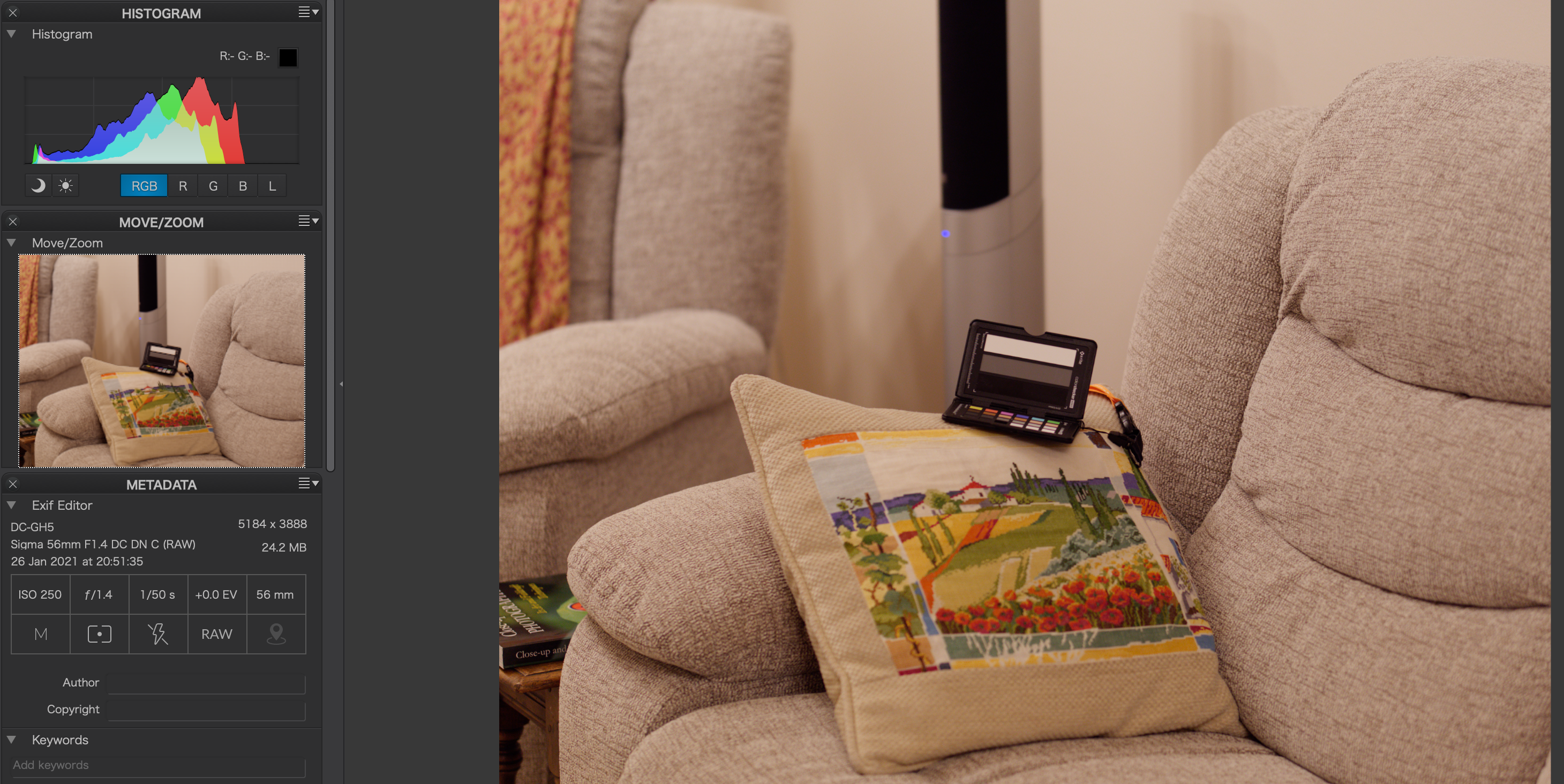
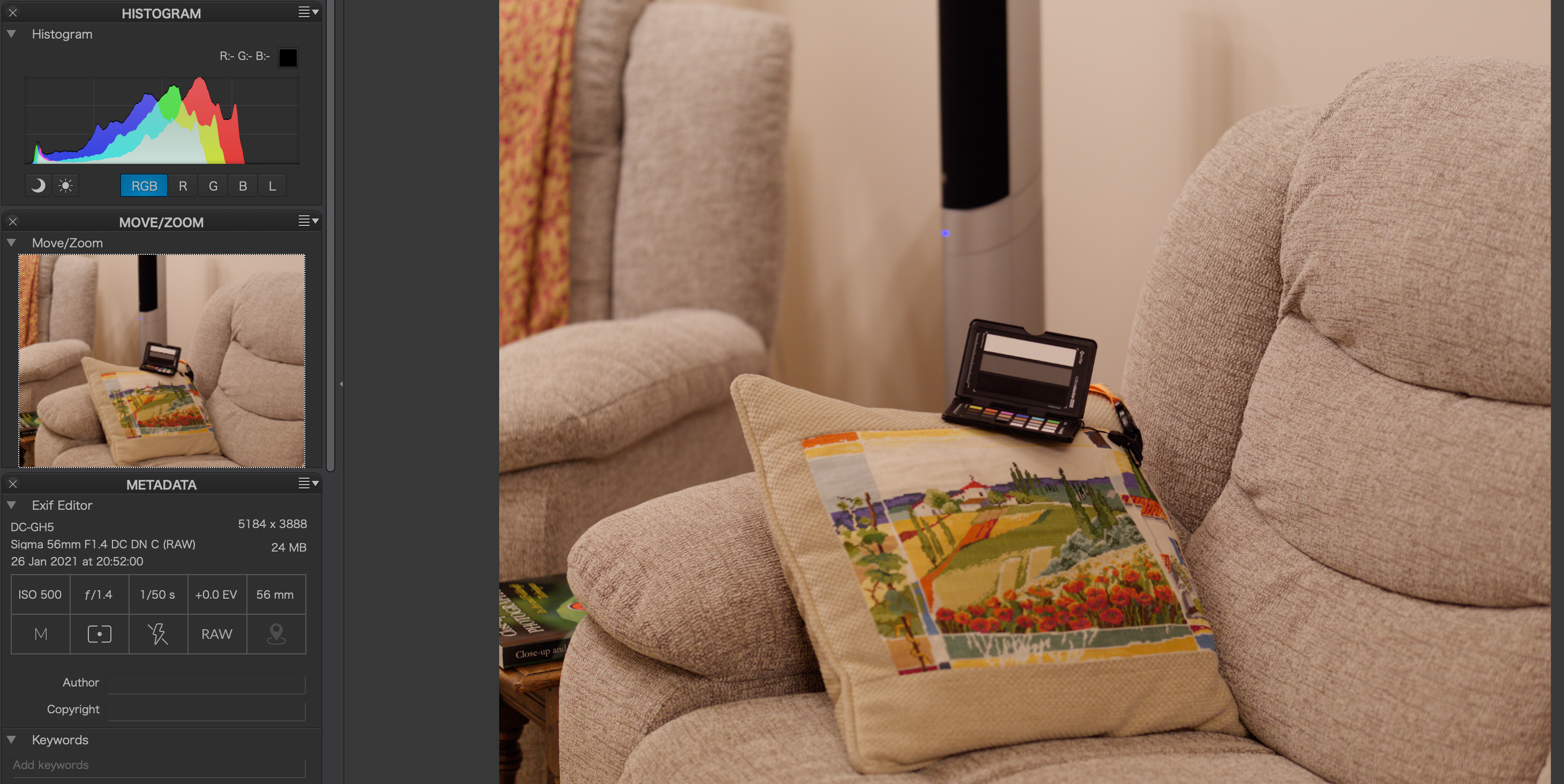
I have taken a test shot in V-LOG as well as other standard Photo Styles with my Lumix S5 those are the RAW previews. V-LOG is exactly 2 2/3 stops underexposed on a linear scale all other parameters are identical.

Image on a standard photo mode looks correctly exposed
RAW image shot in V-LOG shows 2 2/3 underexposure

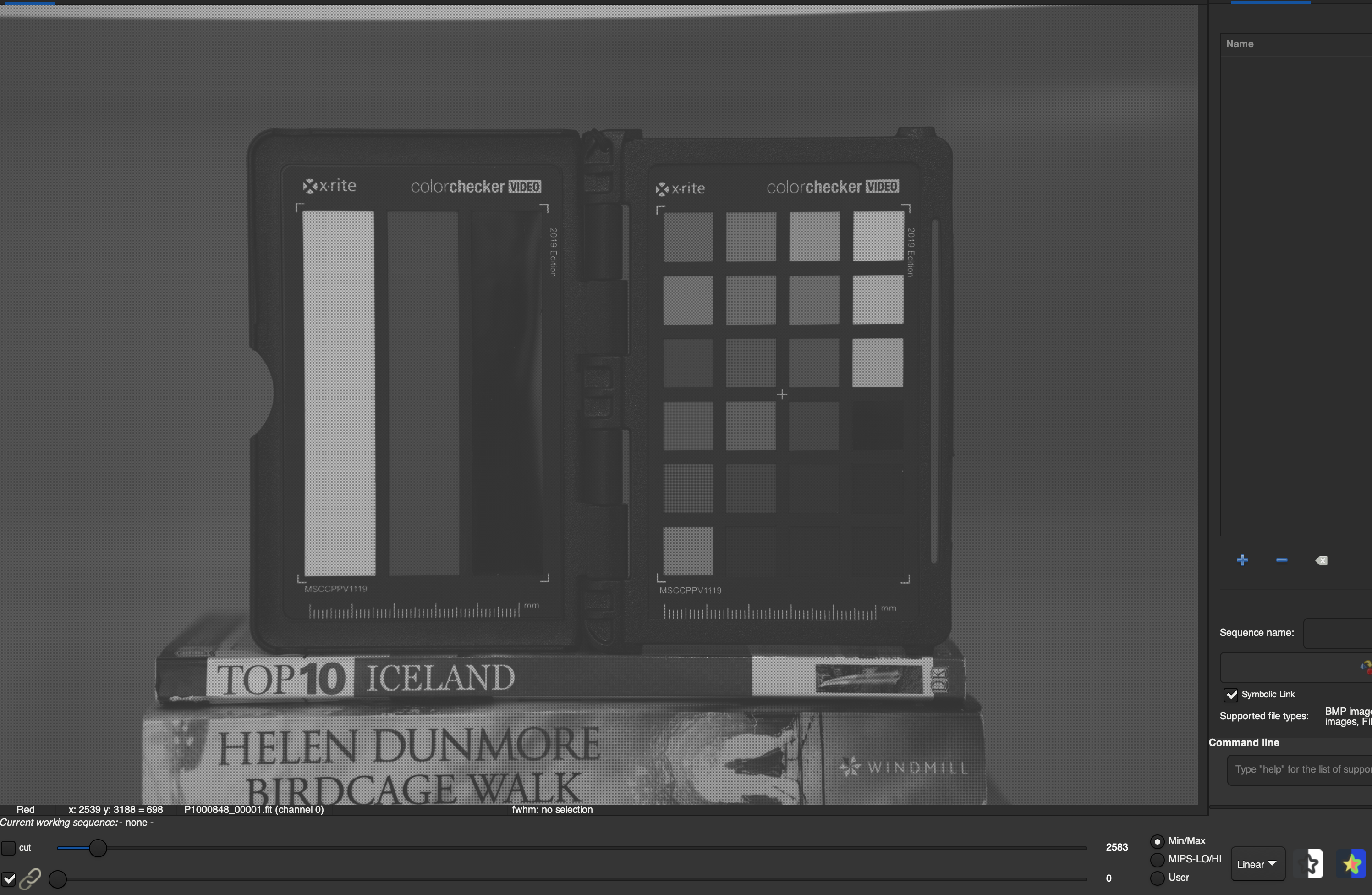
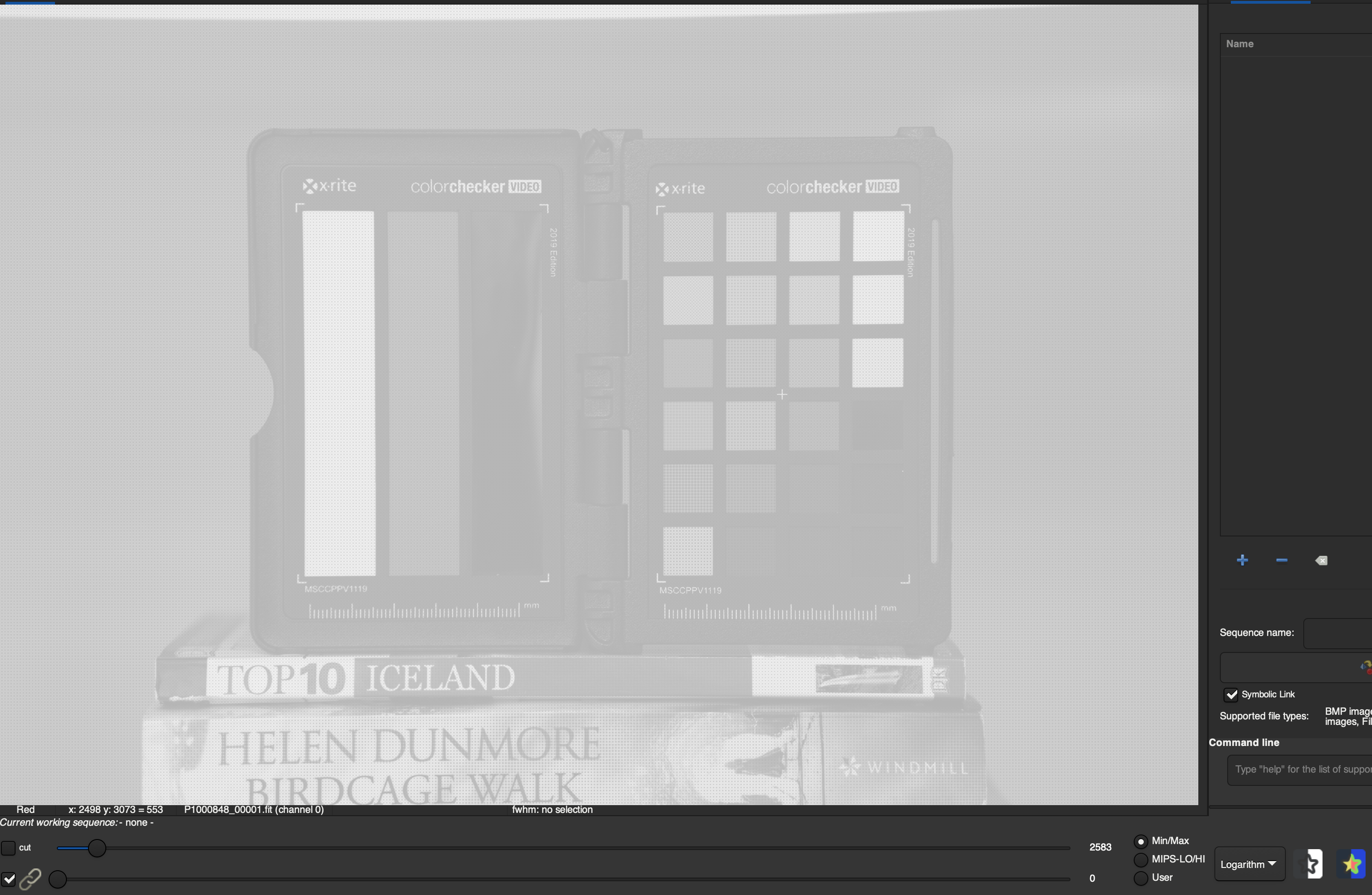
What is happening here? As we have seen ISO values have to be the same between photo styles and refer to 18% middle grey however if you apply a log conversion to a digital signal this results in a very bright image. I do some wide field astrophotography and I use a tool called Siril to extract information from very dark images this helps visualise the effect of a log compression.

The first screenshot is the RAW file as recorded a very dark black and white image as those tools process separately RGB.

Original image in linear representation

The second image shows the same RAW image with a logarithmic operator applied; this gives a very bright image.

Same image in logarithmic scale

Now if you have to keep the same middle grey value exposure has to match that linear image so what Panasonic does is to change the mapping of ISO to gain. Gain is the amplification on the sensor chip and has values typically up to 24-30 dB or 8 to 10 stops. While in a linear image the ISO would be defined as 100 at zero gain (I am simplifying here as actually even at 100 there will be some gain) in a log image zero gain corresponds to a different ISO value. So the mapping of ISO to gain is changed. When you read that the native ISO is 100 in normal mode and 640 in V-LOG this means that for the same gain of 0 dB a standard image looks like ISO 100 and a V-LOG image looks like ISO 640, this is because V-LOG needs less gain to achieve the same exposure as the log operator brightens the image. In practical terms the raw linear data of V-LOG at 640 is identical to an image taken at 100.

This is the reason why when a videographer takes occasional raw photos and leaves the camera in V-LOG the images are underexposed.

The benefit of the LOG implementation is that thanks to log data compression you can store the complete sensor information in a lower bit depth in our case this means going from 14 to 10 bits. 

There are however some drawbacks due to the fact that at linear level the image was ‘underexposed‘, I put the terms in italic as exposure only depends on time and aperture of the lens, so in effect is lack of gain for which there is no term.

The first issue is noise in the shadows as those on a linear scale are compacted, as the image is underexposed: a higher amount of noise is present and this is then amplified by the LOG conversion. It is not the case that LOG does not have noise reduction, in fact standard noise reduction expects a linear signal gamma corrected and therefore could not work properly (try setting a high value in V-LOG on a S camera to see the results), the issue is with the underexposure (lack of gain) of the linear signal.

There are also additional side effects due to what is called black level range, I recommend reading on photonstophotos a great website maintained by Bill Claff. When you look at black levels you see that cameras do not really have pure black but have a range. This range results in errors at the lower scale of the exposure; the visible effect is colour bleeding (typically blue) in the shadows when there is underexposure. As V-LOG underexposed in linear terms you will have issues of colour bleeding in the shadows: those have been experienced by several users so far with no explanation.

The other side effect is that the LUT to decompress V-LOG remains in a 10 bit color space which was insufficient to store the complete dynamic range data and this does not change. So the LUT does not fully reverse the log compression in Panasonic case this goes into the V709 CineLike Gamma which is in a Rec709 gamma. As the full signal is not decompressed means that there are likely errors of hue accuracy so V-LOG does not have a better ability to reproduce accurate colors and luminance and this is the reason why even after a LUT is applied it needs to be graded. If you instead decompress V-LOG in a log space like Rec2020 HDR you will see that it does not look washed out at all and colors are much more vibrant as the receiving space has in excess of 20 stops.

Some users overexpose their footage saying they are doing ETTR. Due to the way log is implemented this means it will reach a clipping point sooner and therefore the dynamic range is no longer preserved. This is a possible remedy to reduce the amount of noise in low light however the log compression is not fully reversed by the LUT that is expecting middle grey exposure and therefore color and luminance accuracy errors are guaranteed. If you find yourself regularly overexposing V-LOG you should consider not using it at all.

Shadow Improvement and input referred noise

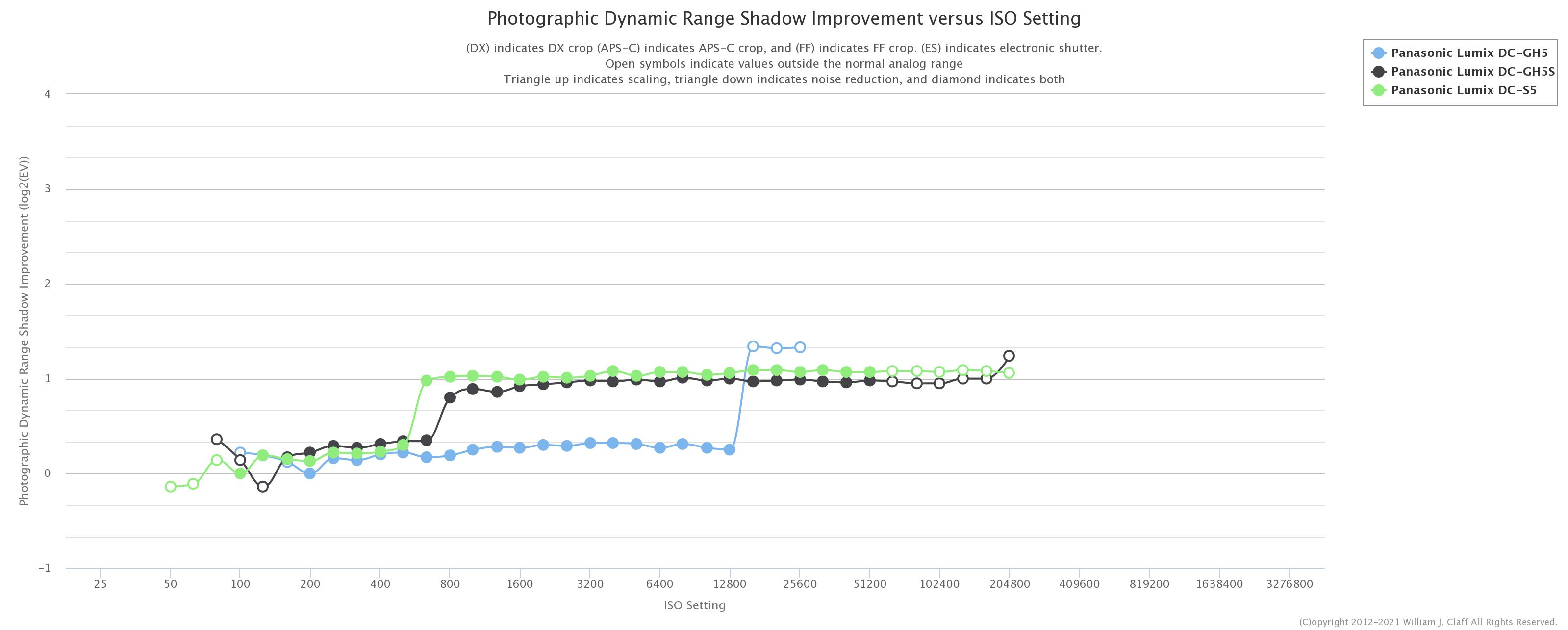
The Lumix cameras with dula gain sensor have a different behaviour to those without. This is visible in the following two graphs again from Bill Claff excellent website. 

The first is the shadow improvement by ISO here you can see that while the GH5/G9 stay flat and are essentially ISO invariant, the GH5S and S5 that have a dual gain circuit have an improvement step when they go from low to high gain. What changes here is due to the way the sensors of the GH5s and S5 are constructed, the back illumination means that when the high gain circuit is active there is a material improvement in the shadows and the camera may even have a lower read noise at this ISO (gain) point than it had before because of this.

Another benefit of dual gain implementation is easier to understand when you look at input referred noise graphs. You can see that as the sensor enters the dual gain zone the input referred noise drops. Input referred noise means the noise that you would need to feed as an input to your circuit to produce the same noise as output. So this means when that step is passed the image will look less noisy. Again you can see that while the GH5 stays relatively flat the GH5s and S5 have a step improvement. Is it is not totally clear what happens in the intermediate zone for the GH5s possibly intermediate digital gain or more noise reduction is applied.

The combination of a certain type of sensor construction and dual conversion gain can be quite useful to improve shadows performance.

Do not confuse dual gain benefit with DR preservation, while dual gain reduces read noise it does not change the fact that the highlights will clip as gain is raised. So the effective PDR reduces in any case and is not preserved. The engineering DR is preserved but that is only useful to a machine and not to our eyes.

Now we are going to look at specific implementation of V-LOG in various camera models.

Front Illuminated 12 bits Sensors

Those are traditional digital cameras for photos and include the GH5, G9 for example. On those cameras you will see that the V-Log exposure shows a higher ISO value of 1 stop compared to other photo styles at identical aperture and shutter speed setting but the actual result is the same in a raw file so your RAW at 400 in VLOG is the same of another photo style at 200. This is a direct contradiction of Panasonic own V-Log model as the meter should read the same in all photo styles so something is going on here. As there is no underexposure it follows that there is no real log compression either. Those cameras are designed in a traditional way so low ISO (gain) is good high ISO (gain) is not. This is visible in the previous graphs.

Those screenshot show how the raw data of an image taken at ISO 250 in standard mode is identical to the V-LOG image and therefore shows how there is not LOG compression at all in the GH5. V-LOGL of the GH5 is therefore just a look and does not have any increase of dynamic range compared to other photo styles.

Image in standard photo style at ISO 250
Identical image at ISO 500 showing that there is no compression at all
VLOG L look of the same raw data

Is this version of V-LOGL more effective than other photo style with a compressed gamma like CineLikeD? According to Panasonic data CineLikeD has 450% headroom so it is already capable of storing the whole dynamic range that the GH5 can produce (450% means 12.13 stops vs 12.3 theoretical maximum).

In addition noise performance of V-Log is worse because all is doing is acting on shadows and highlights and not really doing any log conversion. The business case for acquiring a V-Log key on those cameras is limited if the objective was to preserve dynamic range as the camera already has this ability with photo styles included with the camera and moreover the V-LOG is not actually anything related to LOG compression otherwise the image would have needed to have less gain and would have shown underexposed. The fact that the camera is shooting at nominal ISO 400 means most likely that some form of noise reduction is active to counter the issue that V-Log itself introduces of noise in the shadows. So in this type of camera V-LOG is only a look and does not accomplish any dynamic range compression.

Back Illuminated 12 bits readout sensors

The cameras that have this technology are the GH5s and the BGH1, the back illumination gives the sensor a better ability to convert light into signal when illumination levels are low. Those cameras have actually a sensor with an 14 bits ADC but this is not used for video.

In order to decompose the procedure I have asked a friend to provide some RAW and Jpeg images in Vlog and normal. You can see that in the GH5s there is 1 stop underexposure and therefore a light form of log compression.

Standard Photo Style GH5s
V-LOG -1 stops from standard at identical setting due to gain reduction
VLOGL in the GH5s as presented by the camera

In the GH5s implementation the camera meters zero at the same aperture shutter and ISO in LOG and other photo styles and zero is 50% IRE so actually is 1 stop overexposed.

The procedure for V-Log in this cameras is as follows:

  1. Meter the scene on middle grey + 1 stop (50%)
  2. Reduce gain of the image 1 stop behind the scenes (so your 800 is 400 and 5000 is 2500)
  3. Digital log compression and manipulation

As the underexposure is mild this means the log compression is also mild as it is only recovering 1 stop as the two effect cancels this is actually a balanced setting.

The IMX299 dual gain implementation was a bit messed up in the GH5s but has been corrected in the BGH1 with the values of 160 and 800. It is unclear what is happening to the GH5s and why Panasonic declared 400 and 2500 as the dual gain values as those do not correspond to sensor behaviour, perhaps additional on sensor noise reduction only starts at those values or just wanting to make a marketing statement.

Back Illuminated 14bits Sensors

Here we have the S1H and S5 that have identical sensors and dual gain structure. 

The metering behaviour on the S series is the same as the GH5s so all photo styles result in identical metering. The examples were at the beginning of this post so I am not going to repeat them here.

Now the gain reduction is 2 and ⅔ stops which is significant. After this is applied a strong log compression is performed. This means that when you have ISO 640 on the screen the camera is actually at gain equivalent to ISO 100 and when you have 5000 is at 640 resulting in very dark images. In the case of the S5/S1H VLOG does offer additional dynamic range not achievable with other photo styles.

Interestingly V-Log on the S series does achieve decent low light SNR despite the strong negative gain bias. Here we can see that the Log implementation can be effective however other photo styles that do not reduce gain may be a better choice in low light as gain lifts the signal and improves SNR. It is also important to note that the additional DR of VLOG compared to other photo styles is in the highlights so it only shows on scenes with bright areas together with deep darks this was noted on dpreview and other websites.

Should you use V-LOG?

It looks like Panasonic is tweaking the procedure for each sensor  or even camera as they go along. The behind the scenes gain reduction is really surprising however it is logical considering the effect of a log compression. 

Now we can also see why Panasonic calls the GH5s implementation V-LOGL as the level of log compression is small only 1 stops as opposed to VLOG in the S series where the compression is 2 ⅔ stops. We have also seen that V-LOG, at least in a digital consumer camera with sensor with integrated ADC, has potentially several drawbacks and those are due to the way a camera functions.

Looking at benefits in terms of dynamic range preservation:

  1. GH5/G9 and front illuminated sensor: None
  2. GH5s/BGH1 back illuminated MFT: 1 stop
  3. S5/S1H full frame: 2 ⅔ stops

What we need to consider is that changing the gamma curve can also store additional dynamic range in a standard video container. Dpreview is the only website that has compared the various modes when they reviewed the Panasonic S1H.

A particularly interesting comparison is with the CineLikeD photo style that according to Panasonic can store higher dynamic range and is also not affected by the issues of V-LOG in the shadows or by color accuracy problems due to log compression. The measures of dpreview show that:

  1. On the GH5s V-LOG has 0.3 stops benefits over CineLikeD
  2. On the S1H V-LOG has a benefit of 0.7 stops over CineLikeD2

Considering the potential issues of noise and color bleeding in the shadows together with hue accuracy errors due to the approximation of the V-LOG implementation I personally have decided not to use V-LOG at all for standard dynamic range but to use it for HDR footage only as the decompression of V-LOG seems to have limited to no side effects. In normal non HDR situations I have shot several clips with V-LOG but I never felt I could not control the scene to manage with other photo styles and the extra effort for a maximum benefit of 0.7 Ev is not worth my time nor the investment in noise reduction software or the extra grading effort required. As HDR is not very popular I have recently stopped using V-LOG altogether due to lack of support of HDR in browsers for online viewing.

Obviously this is a personal consideration and not a recommendation however I hope this post helps you making the right choices depending on what you shoot.

This write up is based on my analysis on Panasonic V-LOG and does not necessarily mean the implementation of other camera manufacturers is identical however the challenges in a digital camera are similar and I expect the solutions to be similar too.