Category Archives: Flat Port

Panasonic GH7 Review for Underwater Photography – Image Quality and Housing Ergonomics

This is my second post on the Lumix GH7. After discussing in detail autofocus which was for me top priority I want to cover more in detail image quality and ergonomics.

Image Quality 

The GH6 was not a step forward in terms of image quality from the GH5M2. I have owned all the models GH5, GH5M2, GH6, GH7 and from a photography point of view the pinnacle has been the GH5M2 which was a more significant step forward from the original model most people think. I have provided test data to photonstophotos for all the follow up models and this graph summarises the situation when it comes to RAW PDR.

What this tells you is that both the GH5M2 and GH7 are a step forward from the original GH5 while the GH6 was an improvement only from ISO 800. Considering that underwater on micro four thirds you will always be shooting ISO 100-200 the GH6 was not really adequate for photo performance. It is true that the GH5 has been really the target of video shooters however GH stands for Hybrid cameras and the series has been made of models that could do very good video and photos. The GH6 was really a video beast the GH7 that has the same body is back on the GH5 tradition of top performing hybrid camera.

A few key improvement over the GH5 include:

  • Increased resolution 25 Megapixels vs 20.2 
  • New RAW files with 16 bits depth
  • Dual Gain Output Circuit
  • Back illuminated sensor

The GH7 does have some interesting topside features like the ability to record pre-burst images and reach 60 fps with continuous autofocus but those are more for the bird shooter and not applicable to underwater use. Panasonic declares that image quality may drop for shutter speed slower than 1/15 at ISO 100 and therefore this should be your slowest setting also underwater. I do not see this as a limitation even for panning shots.

Many users confuse resolution and megapixels. Spatial resolution is computed on a single dimension in line per millimetre. Therefore the increase in resolution compared to the GH5 and GH5M2 is only 11.4% (5776/5184) this is not exactly life changing but more pixels are always better than less pixels bearing in mind that pixel size and image overall noise are NOT related.

With regards to the dual gain output circuit the increase in peak dynamic range compared to the GH5M2 is only 0.3 Ev (10.17 vs 9.87) and is entirely due to the fact that base sensitivity is now ISO 100 instead of 200. 

In the ISO range between 200 and 2500 the GH7 is not better than the GH5M2 and from ISO 3200 it gets better in virtue of noise reduction. Again we are never going to shoot ISO 3200 underwater so this is for us of limited interest.

Perhaps the most interesting feature of the GH7 are the new 16 bits RAW files.

A typical wide angle image has a size of 38 MB which is rather large considering the 25 Megapixels, for reference Sony A7 IV files are around 42 MB. There are several discussion about the efficiency of Panasonic compression but we are not going to go and deep dive on this. What matters to use is how much beating the raw files can take.

Modern cameras exhibit peak dynamic range when underexposed 3 stops from a grey card (I know this sounds strange but is a fact). The way to assess how much beating a file can take is to select one image where your strobe did not fire or was too weak for the situation and increase exposure three stops and see the resulting image.

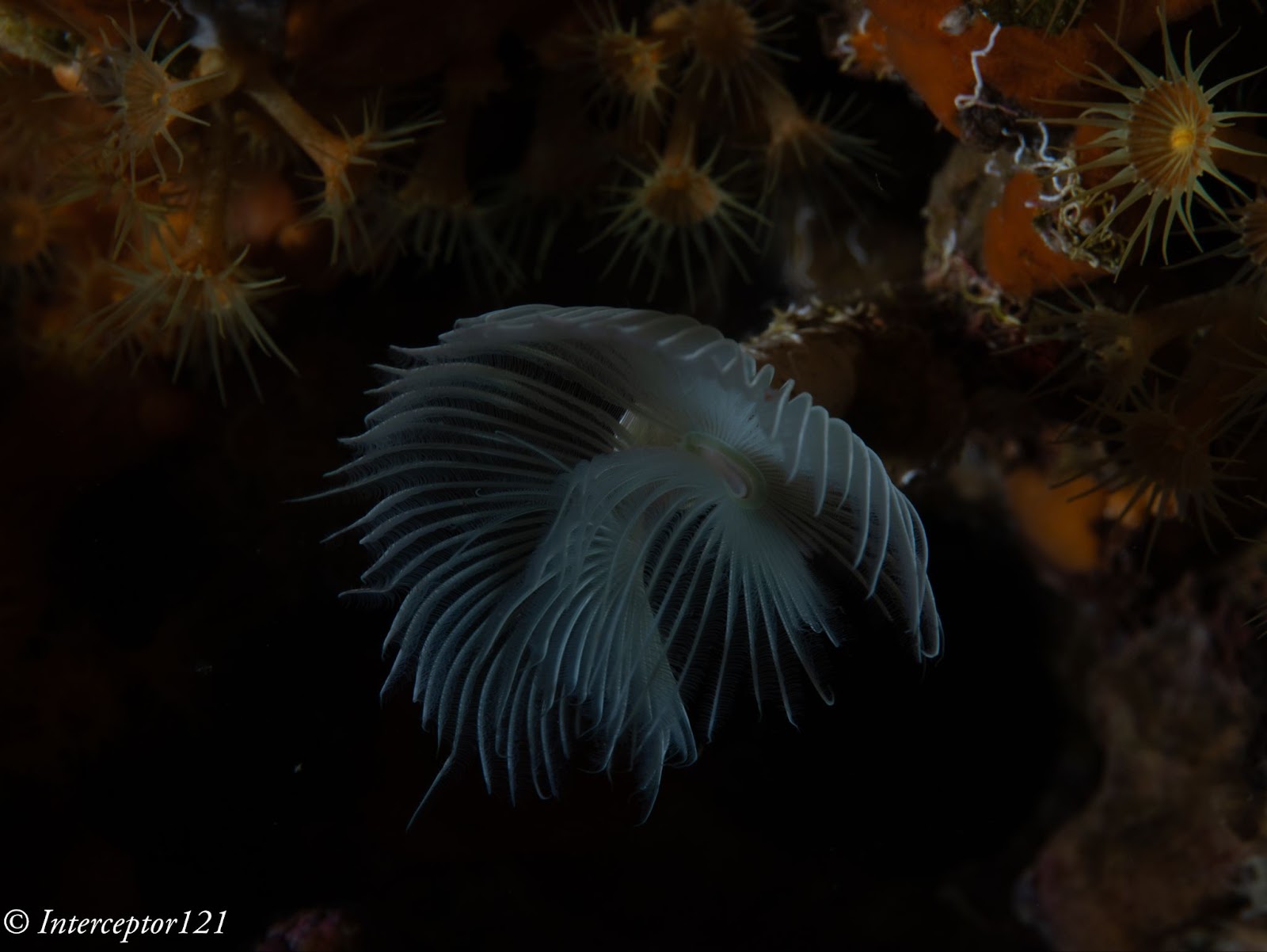
This is an underexposed image as an example where I had forgotten to turn up the strobes.
This is the image applying +3 exposure and other corrections.
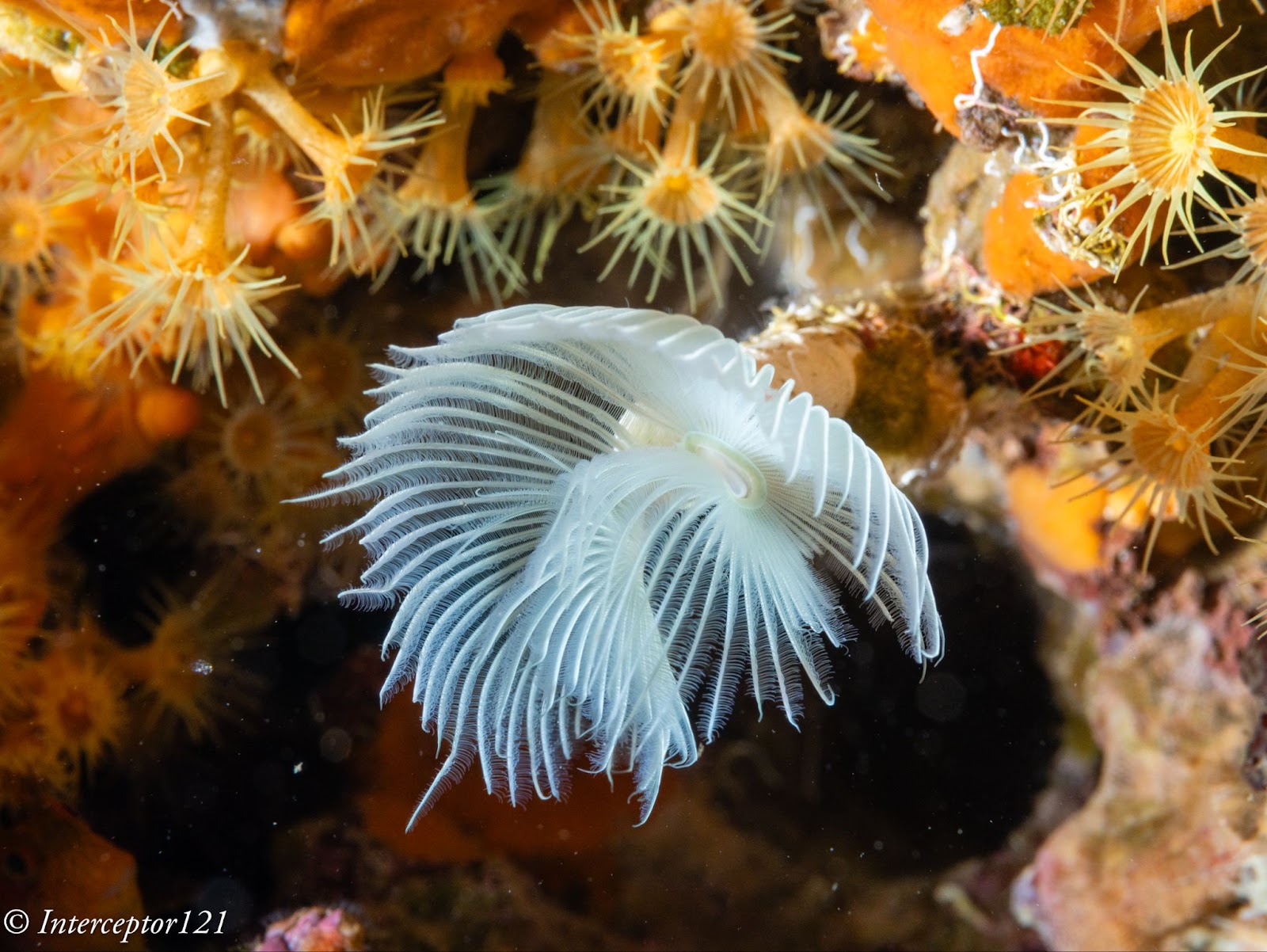
The camera can easily take +3 adjustment as well as shadows up to 100% which is an excellent result.

The other aspect of image quality is of course the lens and we can here use the excellent canon 8-15mm in the entire zoom range.

Compared with my A1 in a similar shot I can say that at the edges the GH7 is superior and in the centre the difference in actual resolution is small to non-existent despite half the pixels.
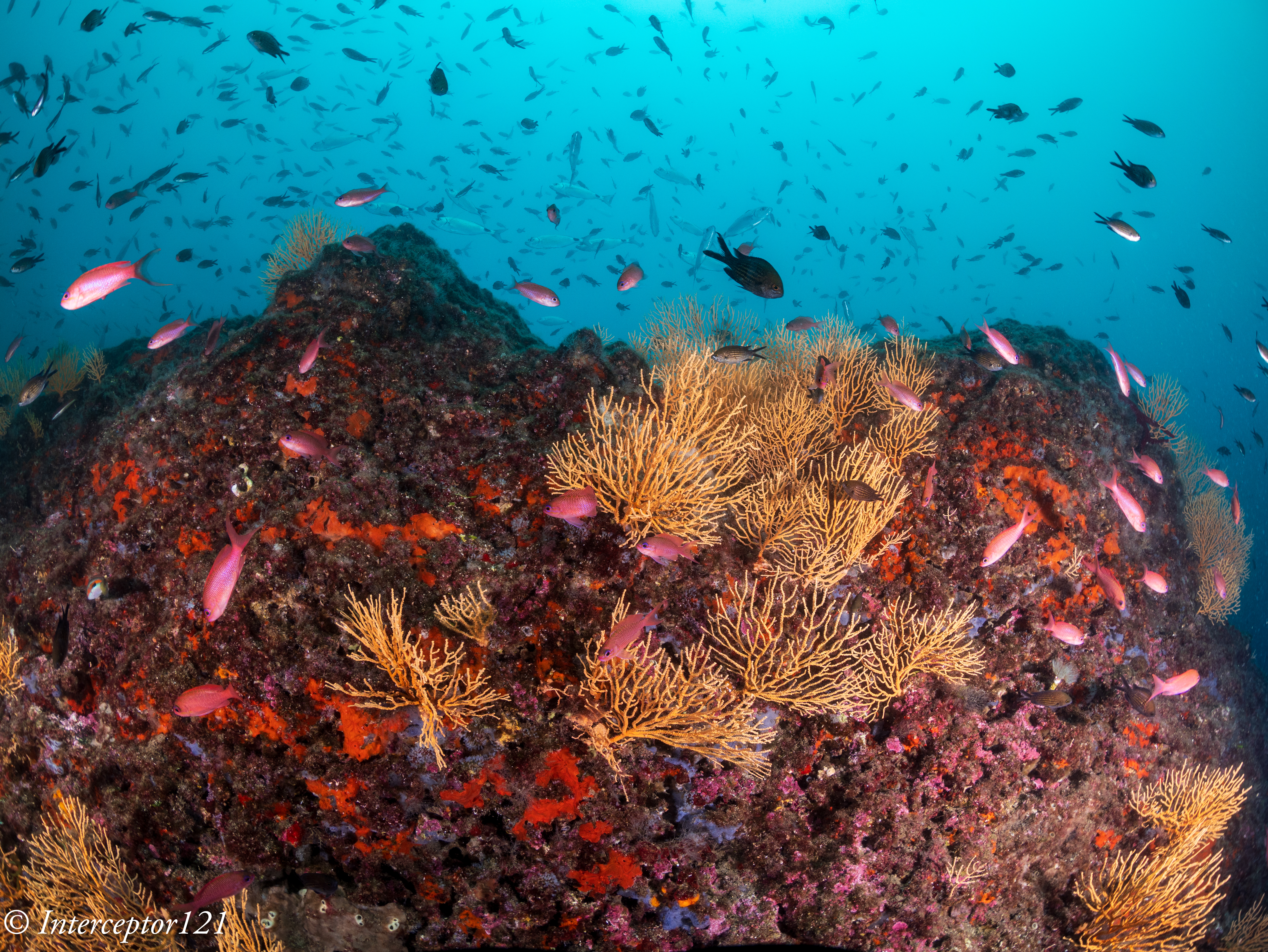
Full resolution shot GH7
Full resolution shot A1

This is because the lens shot at f/16 drops considerably in resolution compared to f/8 which are the equivalent apertures in full frame to micro four thirds. The files are full resolution I let you do the pixel peeping.

This resolution chart shows the underlying reason when the lens goes from f/8 to f/16 looses 30% of the resolution. Taking into account the smaller pixels of the GH7 this could mean an additional drop to the point the images are indeed very similar.

All in all the RAW files of the GH7 can take a lot of beating without issues as long as you do not clip the highlights like any other camera.

In general terms I feel the RAW files of the GH7 are similar in handling to my A1 and A7C II.

Dive Guide

Housing Ergonomics

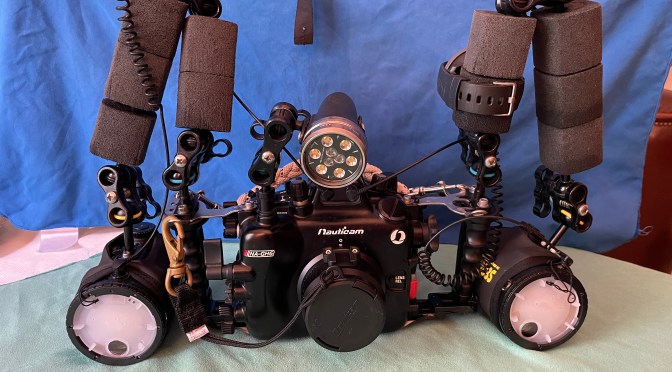
Lets’ first cover the drawbacks of the Nauticam housing.

As mentioned in the autofocus post the housing does not give you access to the joystick which is a drawback. There are other two issues with the housing, the handles are angled forward, something typical of the Nauticam GH series that I continue not to understand. Why would the GH5 be any different from other cameras?

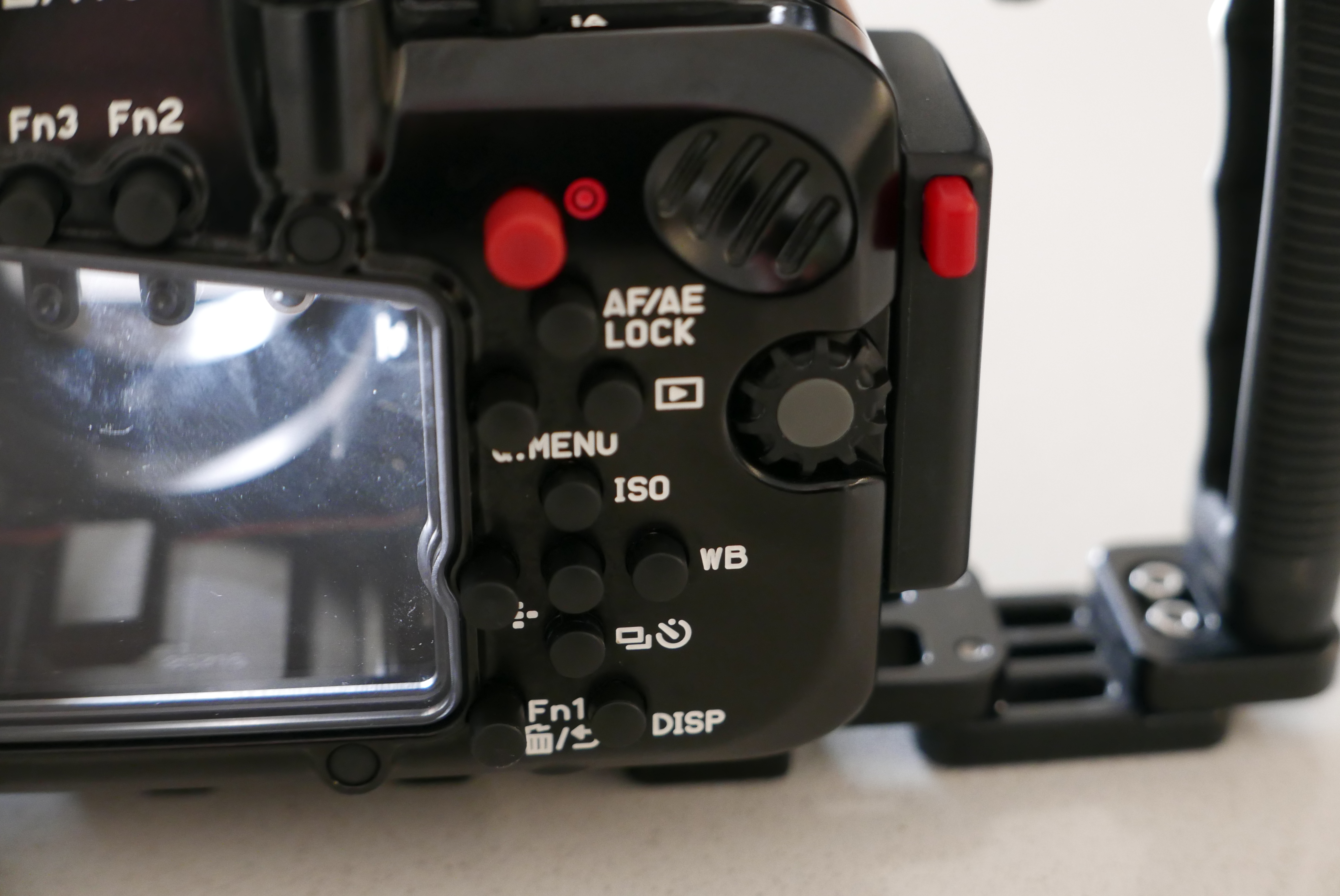
Not all function buttons are accessible in particular the two on the left side of the camera are not. Those are to be fair not the most important buttons and there is already a variety of buttons and controls available so except the joystick there will not be an issue underwater.

The lever under the front ring controls the function buttons 2 and 3 that correspond to the front two buttons of the camera.

FN2 FN3

I recommend using one for constant preview, hitting will circle through aperture simulation, shutter simulation or nothing and the other can be used to recall the focus limiter which is very important for macro shooting as explained in the previous post. The function button on the back can be your fn 9 to recall the focus area movement useful if you want to move it.

In total you have access to 3 function buttons as well as white balance, ISO, exposure compensation, focus mode, operation lock, EVF/LCD, quick button, menu and the four arrows, delete, mode, shutter mode, playback, movie, af on so there is nothing really missing. 

FN button instead of joystick control can be used to move the focus area

One very important feature is that the handles position can be adjusted, I move out the left handle so that the lens is central to the handles, on my A1 I needed to buy an extension as the port is closer to the left handle.

The housing also has an M10 accessory port as well as the ability to host M5 like the A1, and two ports for monitor and vacuum valve in addition to a cold show

While nauticam recommends the M5 accessory personally I find the cold shoe and especially the M10 port more suitable for focus light and external monitors.

One awkward thing is the N120 to N85 adapter port has the release on the bottom of the camera but that is not a housing issue yet something to bear in mind. The housing is not small at 331x176x136 with a weight of 2.8 kg is indeed similar or equal to a full frame camera.

The final consideration is that the price of the GH6 housing that is compatible with the GH7 is very high, more than a Sony A7 IV, less than Sony A1 and way more than other smaller micro four thirds body as well as other full frame (the S5II housing costs less).

Who is the GH7 for?

The Panasonic GH7 is without a doubt one of the most capable hybrid mirrorless cameras on the market however due to the housing price is unlikely to be attractive to the masses. If you are cost conscious you can get the OM-1 for less due to the smaller housing, if you want performance several full frame cameras will incur similar cost. The real strength of the micro four thirds is the lens choice. You can cover everything with the Canon 8-15 or if you prefer with the Tokina 10-17 there are many wide and macro lenses and the huge depth of field means everything will be consistently sharp across the frame. The real strength of the GH7 though is hybrid use, if you want a camera equally capable of top range photos and videos you are looking at Sony A1 or Nikon Z8 or similar or the GH7 and here it becomes interesting for the latest Panasonic. In the near future I will provide some details of how the GH7 performs as a video capture device.
Panasonic GH7 Review for Underwater Photography – Autofocus

The GH7 is the first model of the GH line to feature Phase Detection Autofocus. This is probably the single most important feature for the underwater shooter and therefore I have thought of putting together this post to give my impression from shooting the camera both at wide angle and macro.

There will be a separate post on image quality to see how the camera performs and how far the files can be strecthed.

Please note that the camera focuses differently in video than it does for photos and therefore you should not draw any conclusion for video autofocus from this post except that due to phase detection the infamous DFD pulsing no longer occurs.

The GH7 is physically identical to its now phased out predecessor GH6 therefore the housing fits both the GH6 and GH7. I sourced a second hand Nauticam GH6 housing from my friend Pietro Cremone of Fotosub Italia. The GH7 uses the same Nauticam trigger as the GH5/6 series.

General Autofocus Settings for the GH7

If you look in the menu nothing has changed from the previous Panasonic cameras.

[SELECTING AF MODE]

You have a choice of focus areas as follows:

  • Tracking
  • Full sensor
  • Vertical
  • Zone
  • Single Area + (includes anything touching the focus area)
  • Single Area (limited to subjects fully inside the focus area)
  • Pinpoint

Pinpoint is only available for single autofocus and subject detection can be enabled for any zone. The camera can recognise humans, animals, motorcycles, cars, trains and aeroplanes. The Animal setting has a body only mode in which case it will detect multiple animals and eye and body in which case it will detect one animal. This detection method works with fish and if you want to use it I recommend animal body only for wide angle and eye body for fish portraits. What has changed inside is that now for continuous autofocus the camera uses phase detection while single autofocus still relies on Panasonic DFD which is a sophisticated contrast detection method. The camera defaults to single autofocus in low light and clearly indicates this in the display so that if you need continuous you know it is time to turn on your focus light. I did not get this indicator in open water once.

One issue I have is that the joystick is not available through the housing so I needed to set a button to highlight the focus area and press the arrows to move it when I needed it. This is a considerable handicap compared to the A1 which topside does not exist as the camera has a joystick that unfortunately the Nauticam housing cannot control.Not many Nauicam housing have a joystick but Sony full size bodies, Canon and Nikon top of the range do.

To resolve this and make operations quicker you need to customise your camera for underwater use. Change the joystick to Fn and assign focus area to the joystick. This will allow you to skip one step compared to focus area select where you need to navigate to access focus area.

[Joystick Setting]

character_default[D.FOCUS Movement] / [Fn] / [MENU] / [OFF]
Sets the joystick movement on the recording screen.
[D.FOCUS Movement]: Moves the AF area and MF Assist. (character_referenceAF Area OperationsRecord Using MF)
[Fn]: Operates as Fn buttons.
[MENU]: Operates as button_menu-set. Operations that can be performed by moving the joystick are disabled.
[OFF]: Disables the joystick.

You then go to the Function Button set up and set Fn9 to Focus Area Set.

Macro lenses tend to focus hunt and take a long time to move from infinity to your focus point, this is a problem in any format unless you use a focus limiter. The challenge when using a limiter on the lens is that in most cases once the camera is inside the housing and you have made a choice you cannot change it during the dive and therefore miss photo opportunities when the subject is outside your range.

The GH7 however has a software focus limiter feature that is extremely useful. You can set the focus between a near and far point and the camera will increase the focus speed significantly afterwards. This is also very useful to make sure that you do get close to fish.

[FOCUS LIMITER]

You can assign this feature to a function button to quickly turn it on and off.

For the purpose of my tests I did not use this feature as I wanted to stress the setup and thought of using it only if I had problems but I did not. I find this feature invaluable to ensure you get really close. I have discovered when using wet diopters that all the wet lens was doing was forcing me to get closer but indeed I could have used the naked lens to get the same shot. In consideration of the limited depth of field I rarely use wet diopters with dedicated macro lenses on micro four thirds as the imaging frame is as small at 17.3×13 mm in size.

One thing that may be worth for close up is to customise the AF settings, there are 4 different sets of parameters you can use and you can also customise the AF to be near or far in addition to recalling the focus limiter with a button.

[AF SETS]

In the future I will need to check more the tracking without subject detection that can be useful in some cases where the camera does not find a subject, however using a large single area and the cursor I could cover all shooting situations with no issues.

Wide Angle with the Canon fisheye 8-15mm

Let me start by saying that I am not a fan of shooting fisheye lenses with Continuous Autofocus as the depth of field is high and the focus range is so limited that rarely it matters.

With the GH7 I use the Canon fisheye 8-15mm using a metabones adapter and this in the past only supported single autofocus. I noticed some vignetting on the bottom side of the frame that I did not experience with the GH5 series and I need to double check but otherwise the setup is identical to what you see here on this website.

Metabones released firmware V4.10 on 12 July 2024 declaring continuous autofocus compatibility with the Panasonic G9M2 which has indeed the same AF system of the GH7.

The update also improves general performance. The link in case you do not have it is here.

I updated my adapter and I can confirm continuous autofocus works correctly with the Canon 8-15mm. Like it does with the Sony camera the focus is a bit wobbly however it works fine. Yet my preference unless you shoot a fish portrait with the fisheye is to use single AF.

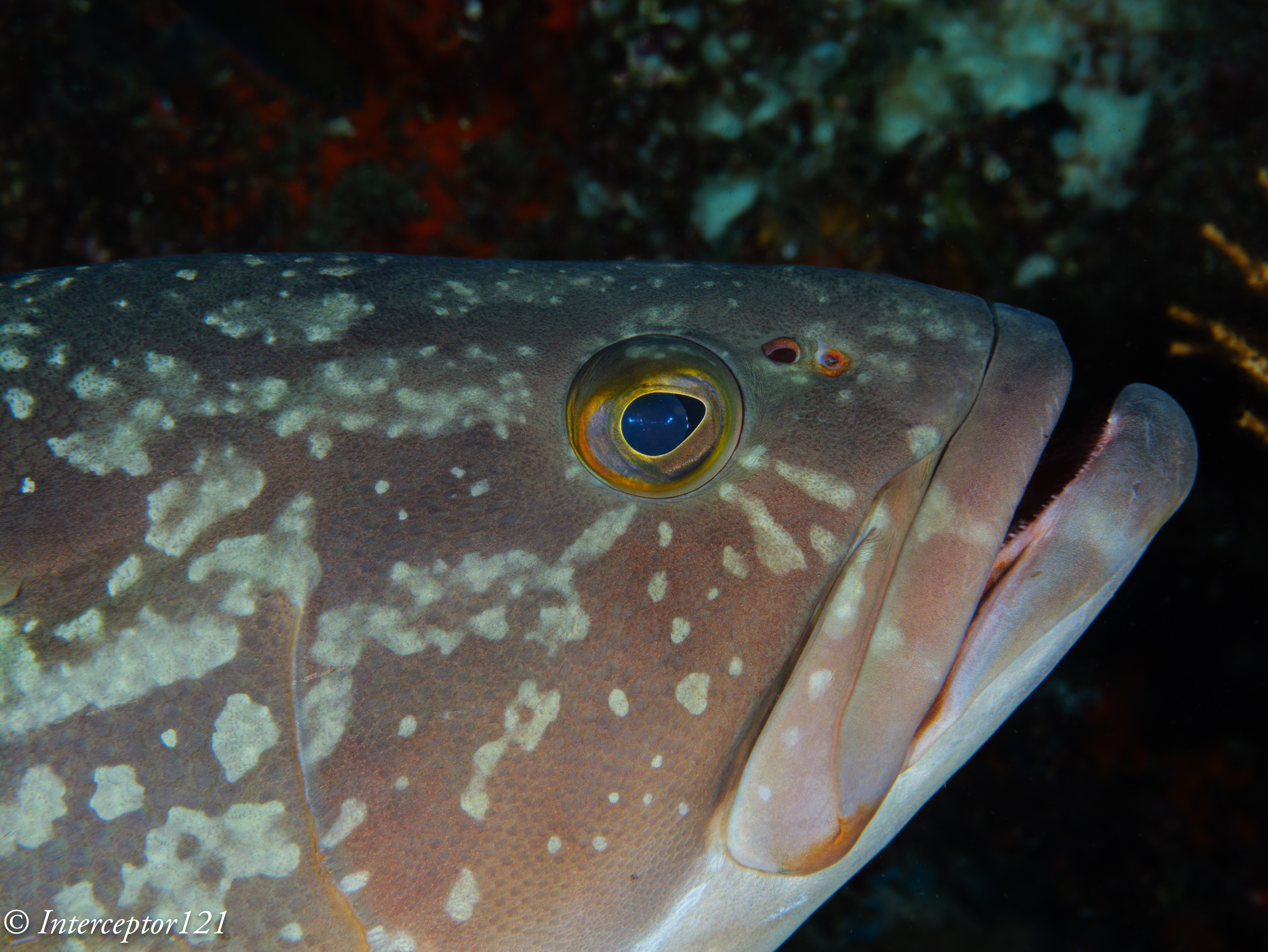
I used zone focus with subject detection, the GH7 does recognise fish and fish eyes so it did not have problem locking onto this grouper.

Fish was not always recognised, especially in those cases where only one eye was visible and the fish was on busy background, however the MFT camera combined with the 8-15 means there is always depth of field to fix any issues of focus at wide angle. A better option is to use animal detection without eye focus especially for schooling fish.

As I said before this was more academic so in the following dives I switched to single autofocus for wide angle because it is faster on the metabones, I do the same on the A1. The GH7 focussed very well. Few shots for illustration of the already known superb image quality of the Canon 8-15mm combined with the GH7.

Diver with Grouper
Sea Stars
Tube
Giant Clam

Close up work with the Panasonic 45mm Macro

For close up work I use the PL 45mm because it has the best rendering on the MFT landscape. Here I used continuous autofocus by norm using a single area or zone.

I have been advised by Panasonic not to use tracking functionality however topside tests indicate it may work ok underwater. Many people get confused between tracking and subject detection so it may be worth some explanation. Tracking works with or without subject detection and allows you to choose an area on the frame that may or not correspond to a detected subject and then the focus points follow this area. It is especially useful when the camera does NOT detect a subject. Subject detection works differently: it uses the camera live feed to scan for shapes using a deep learning algorithm when a shape is identified the location of the focus points is passed to the autofocus engine to take the shot. Strictly speaking the camera is not tracking an area of choice but detecting one or multiple targets across the frame. This has a risk when there are multiple targets as the camera may jump from one to another however in close up work this is not generally an issue. If the camera detection works there is no need to use tracking as the subject detection mechanism is quicker and more effective. 

I activated subject detection with Single Area + and the camera identified all fish with eyes, in my case groupers, gobies and blennies. For nudibranchs I got a shape around the body most times. The subject detection for fish is way more successful than my A1 but I do not know how it compares with the latest implementation of the A7R V that has more detection modes like insect that may be relevant.

I took 255 shots in a dive with the 45mm of which 5 did not have a subject in focus and of those 2 had no subject as the fish had run off the frame.

For Macro you may want to activate auto review for 0.5 seconds, now this allows you to see where exactly the camera focused.

The Panasonic PDAF system focuses like a DSLR with the lens wide open. This is different from other mirrorless systems like Sony or Nikon and it means that when you stop down the lens the camera takes longer to take the shot and can potentially have focus shift, this is mitigated by the significant depth of field of the cropped format.

The GH7 focus right on the eye of this large grouper

I had a very high success rate as mentioned and only in a few circumstances the focus was off the eye but more because the fish had moved too quickly and I was at close range.

This focus system is excellent for shots wide open and you can easily obtain nice bokeh with eyes in sharp focus.

Subjects like nudibranchs can move fast or be on little algae that is swaying in the current, the MFT system with the huge depth of field available means you can achieve the effect you want easily. Different shots at various f stop

F4
F5.6
F8

The GH7 like the GH5 and GH6 can sync with the strobes at 1/400 using the Nauticam trigger which also supports rear sync. This is a value only the A1 can match and is very useful for close up work as it easily gives you dark backgrounds in the right conditions.

Take into account that the depth of field even at f/11 on MFT equivalent to f/22 on full frame is 1 cm at close range therefore some really small critters may even need f/16 or more.

I did not have a single shot with focus on the background which for me is quite impressive.

The 45mm maintains good sharpness even at f/10 and further but I did not stress the set up in my tests.

I had a focus light but I never had to turn it on because the GH7 focuses wide open, my strobes have a pilot light but this is only useful if you aim at the subject which in most cases I actually do, again there was no need to use it.

Conclusion

The Panasonic GH7 performs very well both at wide angle with a dome port and at close range with a macro lens. Continuous autofocus is reliable and appears to work fine without a focus light even when the shooting conditions are not easy. Subject detection recognises fish and fish eyes and makes shooting easy. The only remark is the lack of joystick control on the Nauticam housing that would make it even easier to work with single area focus, the operation is still possible but requires two button presses. I would trust the GH7 as much as I trust my A1 with the reservation of very dark environments that I did not have time to test.

which macro lens to pick for your gh5 or micro four third

I see many posts on line debating which macro lens is best for your micro four third system.

If I refer to the Nauticam system we have 4 macro lenses:

  • Olympus 30mm
  • Panasonic 30mm
  • Panasonic 45mm
  • Olympus 60mm

For the purpose of this article I will skip the Olympus 30mm as the Panasonic lens is known to be sharper and will focus on the other 3 lenses.

DxOMark is a popular tool for comparison as it gives you the results on one page. I have run it for the Oly 60 and the Pana 30 and 45 on the 20 Mpix OMD E-M1 MKII

DxOMark Comparison on Olympus OMD E-M1 MKII

Surprisingly the much more expensive Leica performs worse than the other cheaper models, this is confirmed on all internet sites running other type of tests.

What we can see is that there is little difference between the Panasonic 30mm and Olympus 60mm when it comes to image quality so whichever lens you choose your subject at the same level of magnification and aperture will have more or less the same detail.

Common Misconception: Shorter focal length give more depth of field

Many people think that using a longer lens is harder because there is less depth of field this is actually incorrect conceptually.

Let see why

Using an online calculatore like Dofmaster https://www.dofmaster.com/dofjs.html

Enter for the Panasonic GH5 the following parameters

Circle of confusion: 0.015 mm

Focal length 30mm

Distance 10.5 cm (minimum distance of the 30mm Macro)

Aperture f/11

Result Total depth of field 0.3cm

Now enter

Focal Length 60mm

Distance 21 cm (as it achieves the same magnification)

Aperture f/11

Result Total depth of field 0.3cm

So depth of field is not a consideration when choosing a macro lens…

Shooting a subject close to the background

In the following 3 shots am taking an image of a widget at f/11 at 29-44-60 mm on a Leica 12-60 (it is just easier it makes no difference to the outcomes)

Shot at 60mm
Shot at 44mm
Shot at 29mm

At the same aperture you can clearly see that there are no difference whatsoever in the detail and actually overall in the picture you don’t notice anything.

Shooting a subject far from the background

For the second shot I have moved the widget away from the wall.

Shot at 60mm
Shot at 44mm
Shot at 29mm

Again there is no difference in the level of detail of the widget however looking at the background we can see that

  • The 60mm shot reveals one brick and less than one quarter
  • The 44mm shot reveals one brick and a half
  • The 29mm shot reveals two bricks

So while the subject is exactly the same as the 60mm lens has a narrower field of view we see much less of the background.

This means that if you are shooting a nudibranch on the sand or something flat on a rock you won’t notice anything however if there is space behind the subject you will capture much more of that resulting in less subject isolation.

Underwater Comparison 30 vs 60 mm

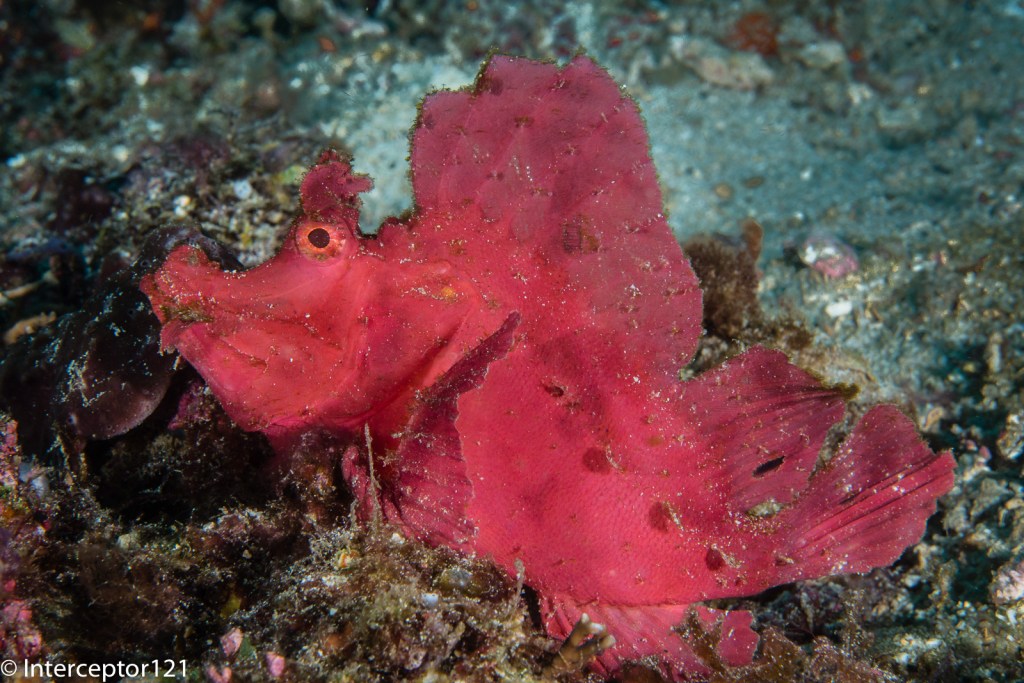
In the first shot the Rhinopia is taken with a 60mm lens

Rhinopia Olympus 60mm

In the second shot the same Rhinopia with the 30mm (in a different place to be fair)

I have marked up with red the areas that with a longer focal length would have been minimised.

Which Lens to choose?

Now that we have clarified that depth of field is not a consideration and as each macro lens will have the same magnification there are only two factors that matter:

  1. Working distance
  2. Isolation from background

The 60 mm will have a longer working distance and at the same magnification will isolate the subject better from busy backgrounds, the 60 mm is also better for skittish subject because of the longer working distance. I have this lens and I have borrowed the 30mm in couple of occasions but do not have the 30mm yet.

There are however situations where longer working distance is not a benefit, specifically when the visibility is poor and there are suspended particles or the subject is really large.

In the example below I was at one meter from the two frogfish, a 30mm would have been better however the shot came OK.

Hairy frogfish Olympus 60mm

Conclusion

I believe the Olympus 60mm is a must lens to have. To date I have not felt the need for the Panasonic 30mm that is indeed a very sharp lens because I have always managed to pull out the shots. However for someone diving in murky water and focussing on nudibranches or subject laying flat on the seabed the Panasonic 30mm could be a better choice. I also want to say that using the 14-42mm at 42mm for me is actually a better choice for portraits and with a close up lens works very well with small subject not super macro and therefore as I already own the 14-42mm and various diopter for me the 30mm is not on the shopping list.

Nauticam NA-LX100 4K Video Review

Following the previous review that was dedicated to still images we now go into the subject of 4K video with the Panasonic LX100 and related Nauticam LX-100.

Currently there are only two compact cameras that produce 4K video the Sony RX100 and the Panasonic LX100.

The housing for the Sony RX100 has a traditional M67 port whilst the LX100 uses the N50 compact port system.

This means you can use all your wet lenses with the RX100 without specific adapters. The LX100 has however a number of benefits.

This table compares the field of view of the two cameras in 4K video mode.

LX100
4K Horizontal FOV Vertical FOV Diagonal FOV Sensor width 35mm 3:2
26.00 71.90 44.40 79.50 15.80 23.86
81.00 26.20 14.90 29.90 15.80 74.40
RX100
4K Horizontal FOV Vertical FOV Diagonal FOV Sensor width 35mm 3:2
28.00 67.90 41.50 75.40 11.85 26.73
80.00 26.00 14.80 29.60 11.85 76.37

When the camera shoots in 4K mode the focal length remains the same however the camera uses a smaller part of the sensor. A normal micro four third sensor measures 17.3×12 mm whilst the 1″ sensor of the RX100 is 13.2×8.8 mm. Note that the LX100 does not use the whole sensor due to the multi aspect format that keeps the diagonal field of view unchanged regardless of the image format.

What we can see in the LX100 table is that although the focal length in 4K is 26mm the horizontal field of view is the same of a full frame camera with a lens of 23.86mm this means the field of view in 4K should be slightly wider than a picture taken by the LX100 in 4:3 format.

I put the camera on a tripod and took two sample shots, this is the first at 24mm in 4:3 format that I then cropped to 16:9.

4:3 Crop to 16:9
4:3 Crop to 16:9

This other shot is from exactly the same position taken extracting a 4K frame from a small video.

4K Photo 16:9
4K Photo 16:9

As stated the horizontal dimension is just a few mm wider in 4K 16:9.

What this means is that this is the same that any normal camera with a 24mm lens that then is cropped to movie format in terms of field of view.

The Sony RX100 does not have a multi aspect sensor and therefore the horizontal field of view drops more.

With the short port on the LX100 using a wet lens like the Inon UWL-H100 we can achieve more than 97° horizontal which is very wide and zoom all the way to 79° and if we use a wetmate or the mini dome cover the other range between 72° and 50°.

Practically the LX100 with wet lenses and wetmate or minidome gives you access to focal lengths between 15.5-21mm and again 24-35mm is like having an 8-18mm lens on a micro four third which is good for whale sharks and mantas this is even wider than the 7-14mm lens on a Panasonic GH4 in 4K and the LX100 has a (weak) optical stabiliser on the lens.

The RX100 mark IV instead can only cover between 96° and 90° before the wet lens stops working properly and we jump to 68° if using a wetmate.

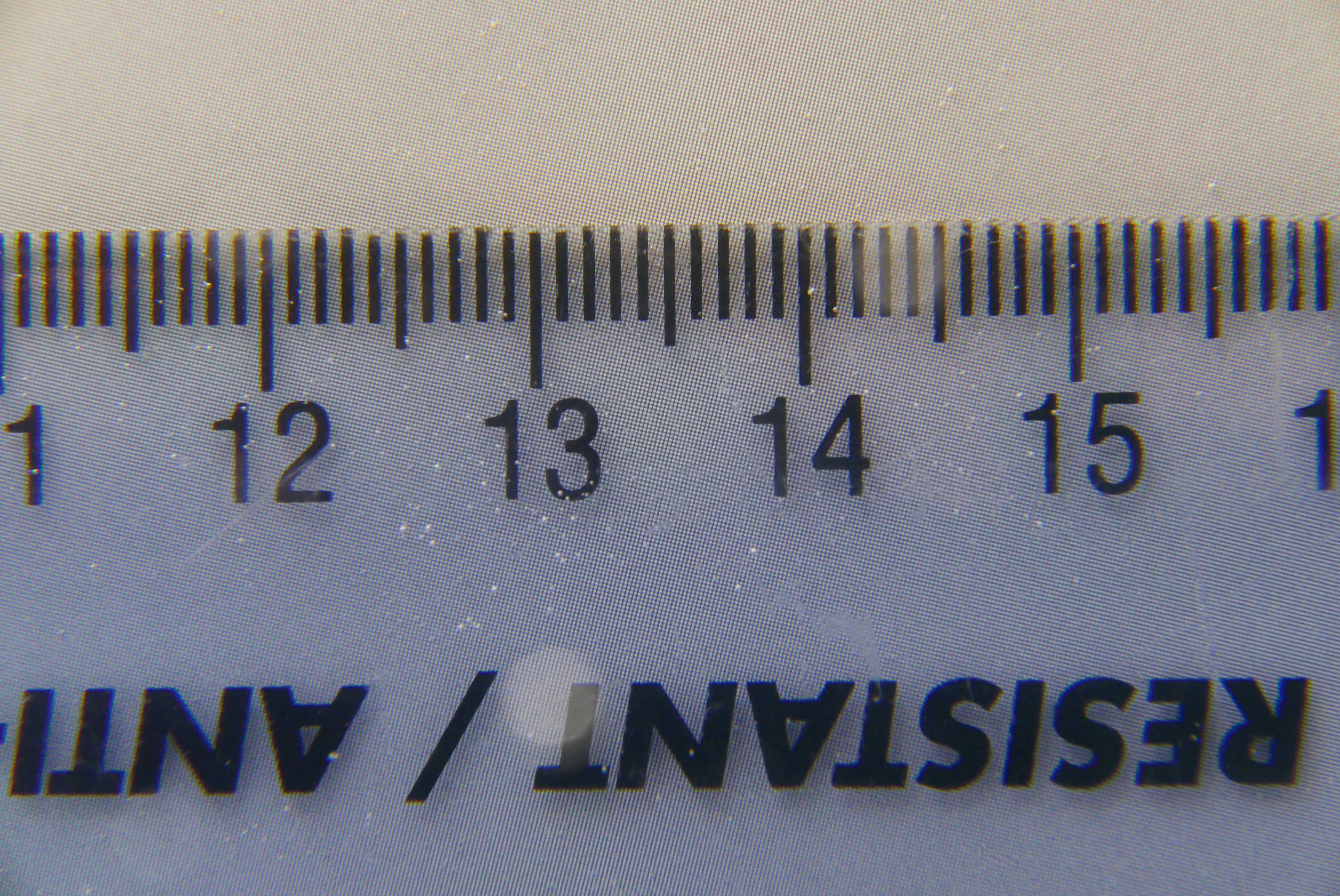
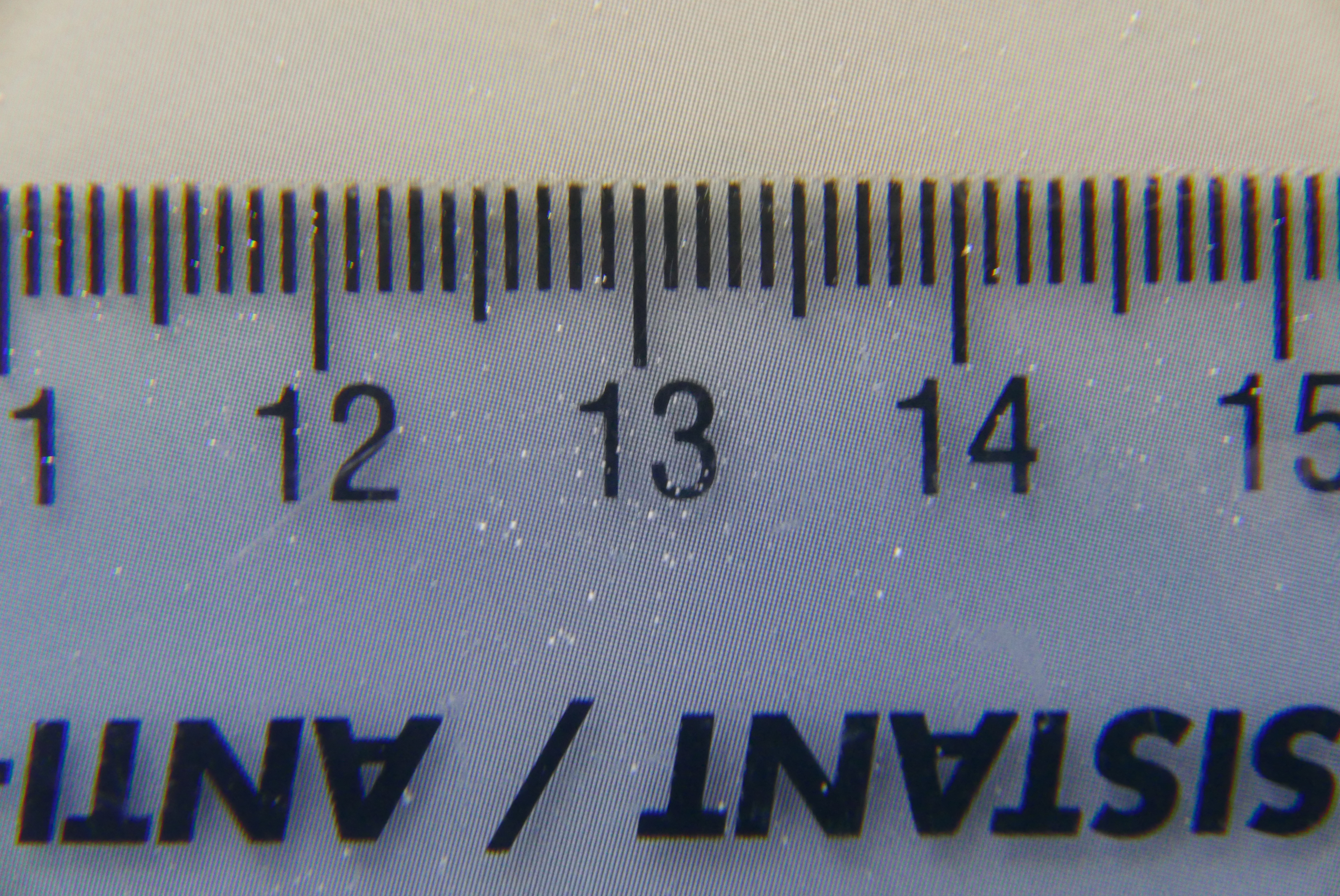
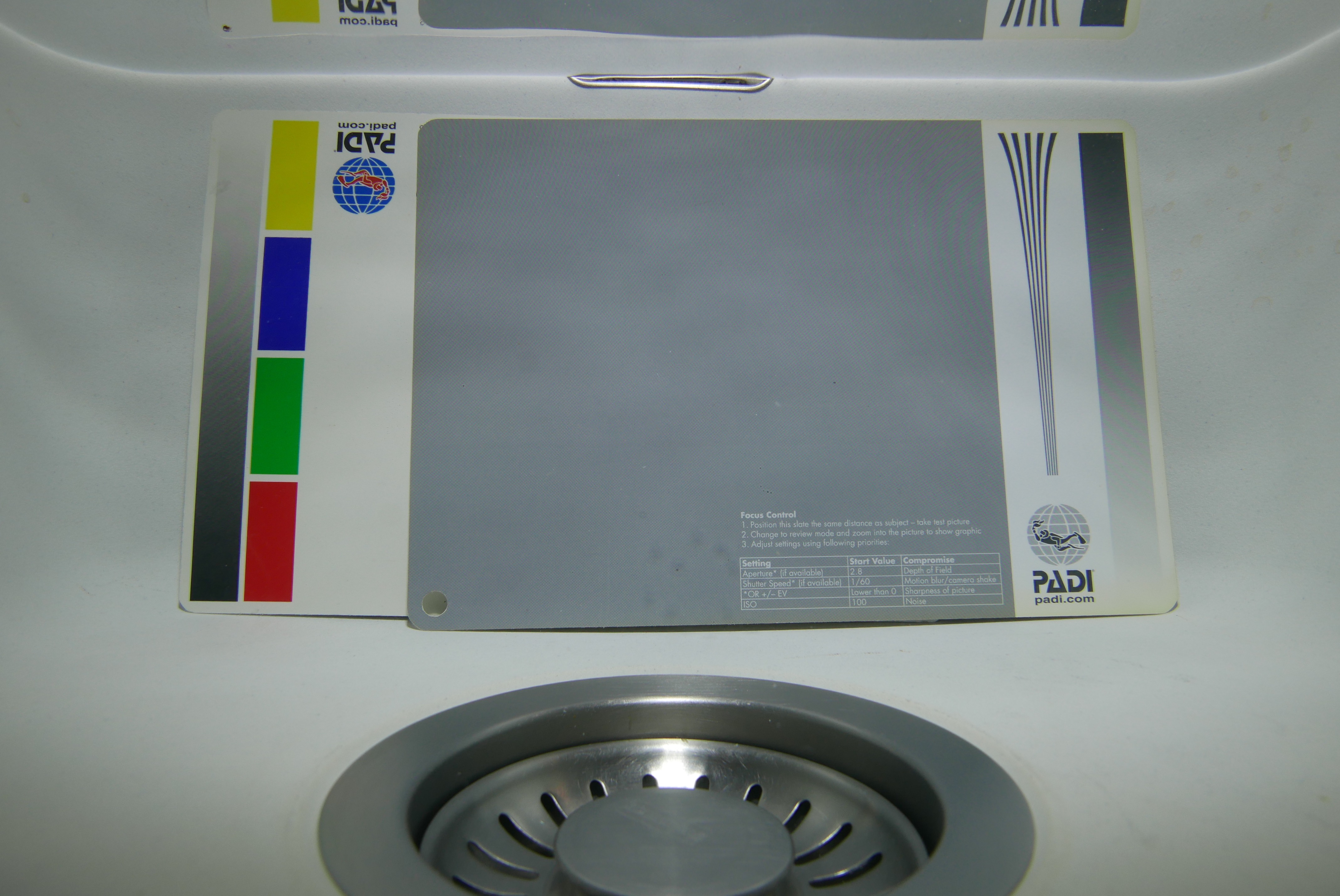
UWL-H100 Flat Test Cards

This shot taken at around 15cm shows a nearly rectilinear and very wide image.

In short if you are after some super wide angle in 4K the LX100 is definitely the way to go.

From an ergonomic point of view I shoot video in shutter priority and let the camera work out ISO and aperture, this is relatively easy to do with the LX100 although the absence of custom memory modes on a mode dial is painful.

A control that can be quite useful due to the tendency of the LX100 to go focus hunting is to set the ae/af lock button to af-on. This requires the shutter to be set in release priority with this control you can use manual focus and force the LX100 to refocus when you hit the af-lock. This is a very useful feature.

Update 28 September the method described to fight focus hunting does not work in 4K. There is going to be another post with the best settings for 4K video for the LX100.

For what concerns macro both the LX100 and RX100 present their challenges due to the short zoom lens, the LX100 more so due to the horrible rectangular port. It can be argued that you can’t shoot wide and macro with the LX100 whilst you can do that with the RX100 however the strength of the LX100 is certainly in its very wide lens and the short port that combined with a flat wide angle lens can produce an extremely wide field of view able to cover practically almost any wide angle scene.

For macro the GH4 and upcoming GX8 are probably going to be better placed due to the higher crop factor giving focal lengths in excess of 100mm using the 14-42mm lenses.

If you want to get into 4K video and your focus is primarily wide angle the LX100 is an excellent device.

The WWL-1 on a Nauticam LX100


Nauticam NA-LX100 housing and port system review

Nauticam has given me the opportunity to test the housing for the Panasonic LX100 priced at $1,200 or £922 in UK.

As anticipated some time ago this housing features the new N50 mini port system for compact.

NA-LX100 aperture and format dial

The housing comes with the rectangular port as a standard, as the LX100 has a 24mm equivalent lens and the lens extends quite a lot between the shortest and longest focal length it is not possible to use an M67 long port or there will be vignetting.

In order to install the camera you need to set the aperture to f/16 and the aspect ratio to 4:3 with focus mode in normal and lift the zoom lever. Likewise to take the camera out of the housing.

LX100 housing preparation

Unfortunately as mentioned several times on this blog pincushion distortion severely affects the image at focal lengths shorter than 35mm equivalent as our in water test shot demonstrated. If you zoom in the corners you can see also extensive blur and chromatic aberrations.

LX100 flat port at 24mm

Furthermore the lack of an M67 port means you now need the Nautical flip diopter for rectangular port that costs $220 or £170.

When you eventually get to put a diopter on the lack of zoom means that magnification with traditional lenses is quite limited.

UL-165
NA-LX100 UCL-165

The frame width is 62mm with a single Inon UCl-165 and goes to 5cm when we stack another UCL-330.

UCL-165+330
NA-LX100 UCL-165+330

Image quality is ok except some blue fringing at the borders.

A single UCL-100 gives a frame width of 42mm.

UCL-100
NA-LX100 UCL-100

Apparently the Nauticam CMC ($320 or £240) gives 32mm frame width that is adequate for macro.

So if you are into macro you need to invest $1,200+$220+$320=$1,740 to have some decent magnification.

If you possess many clamps and cold shoe ball mounts you can buy an Inon M67 lens arm and use the lenses you have saving some $$$ but the magnification is limited unless you get the CMC.

For semi-wide angle a mini dome port is available at $280 or £216.

N50 3.5
N50 3.5″ Mini Dome

This restores the field of view in air however you can only zoom to 40mm before the camera can’t focus anymore. I have even tried with dry diopters on the camera there is no improvement.

Optical quality is great.

LX100 Mini Dome 24mm

Probably the most useful port is the N50 short port that has an m67 thread and allows to use wet wide angle lenses.

N50 Short Port
N50 Short Port

I went to Swanage but got the tide wrong visibility was shocking still gives an idea of the image quality of the LX100 with the Nauticam WWL-1 wet lens.

SWANAGE (4 of 4)
Atlantic Ocean Anemones

SWANAGE (3 of 4)
Kelp?

Upside down
Upside down

SWANAGE (1 of 4)
Myst!

If you have a Nauticam wet mate you can also use it with the short port and achieve the same or better sharpness than the minidome thought with some residual chromatic aberration.

LX100 Short Port Wet Mate 24mm

The big benefit is that if you find that your wet wide angle lens is too wide for what you are shooting you can change lens without changing the port.

NA-LX100 rear buttons

For what concerns the ergonomics of the LX100 they are quite intuitive on land.

One of the characteristics is the lack of a mode dial.

You have an auto position  for shutter speed and aperture and if you leave them as such the camera shoots in program mode.

Once you move the aperture the camera goes in aperture priority mode. Probably the worst situation is the shutter dial that once touched has to come down all the way from 1/4000 to whatever you need it to be.

Also you don’t have thirds of exposure for the shutter dial and for example to get 1/50 you need to go to 1/60 and then use the rear dial.

I found the ergonomics of the camera in water particularly annoying as I was shooting with gloves. I did like the nauticam trigger system for the shutter however the amount of hardware of the nauticam tray and its weight are not really an option for me.

The Panasonic LX100 is a very interesting camera on land but in water ends up quite uncomfortable and expensive. The housing with the 3 ports comes at $1,200+$180+$280 if you add the Nauticam CMC and the WWL-1 you end with a whopping $3,195 the camera costs another $800. Total investment $4,000.

This is a lot of money in my opinion considering that with another $300 you can get a Panasonic GX7 with GX7 housing, an Olympus 60mm with 65 macro port and a Panasonic 8mm fisheye with 4.33″ dome. The LX100 and GX7 share the same sensor but there is no doubt that the macro performance of a dedicated lens as well as the fisheye of the 8mm lens have no comparison.

In conclusion the Panasonic LX100 with NA-LX100 is a bit of a flop for stills the only use that I can think of is wide angle 4K video with the short port and a wet lens but other than that I don’t see how Nauticam is going to sell many of those units.

Guide to Micro Four Third Lens and Port selection for Underwater Photography

Micro Four Thirds camera have become increasingly popular for underwater photography especially for macro and close up subjects in the last years.

The micro four thirds standard is shared between Olympus and Panasonic however in terms of underwater use Olympus is on the forefront and in fact it produces their own poly-carbonate housings for all new models.

Nauticam has their own N85 port system for micro four third that as of today has 10 different ports, two extension rings and a large number of focus and zoom gear. You can also buy cheaper 3D printed gear to save a few bucks for majority of lenses.

The other interesting characteristic of the micro four third market is that since the introduction of the 16 megapixels sensors, there have not been any substantial improvement in image quality among the various model, we will have to see what the 20 megapixels sensor of the Panasonic GX8 will bring but all in all the camera choice is mostly one of ergonomics and features.

Olympus is quickly clearing stock but you can still found the OM-D E-M10 out there for £478 with kit lens. The might Panasonic GX7 is now £433 with kit lens. In US you can find both the Panasonic GX7 and the Olympus O-MD E-M100 for $599 with kit lens.

The Panasonic LX100 sets you at £589 in UK and $698 in US really if you are into photography and want a micro four third it is a no-brainer you get a previous version GX7 or OMD EM10 (as you can’t find an EM5 new) and happy days.

Now that you have committed to the camera you are into lenses and ports for underwater use. The Olympus housing costs on average 25% less than Nauticam and has less choice of ports for me really is not appealing so let’s assume we are into Nauticam. What lens or port to choose?

Both the Olympus 14-42 EZ and the Panasonic 14-42 II fit in the Nauticam 35 port and require 3D printed gear to operate. The flat port will be OK for fish portrait and if you already have wet lenses it is definitely recommended to buy the 35 macro port first especially if you shoot video.

Nauticam Macro 35 port

Deepshot zoom gear on the GX7

Both lenses do need a wet diopter to shoot small subjects in water as the smallest frame is around 7-9 cm width otherwise.

If you come from a compact camera most likely you have wet lenses and therefore you can re-use them for close range work.

Obviously a flat port for a 28mm equivalent lens is not a solution for wide angle.

First of all at the wide end due to water magnification the angle of view is the same of a 37mm lens which gives a field of view of just 60 degrees. The other point is that you really want to shoot at the tele end to avoid cluttering the background too much and typically in water those kit lenses work only at over 25cm from the port which means they are only good for medium size fish portraits.

The sequence of shots shows that even if the size of the cup is pretty much the same it looks much better at long focal length.

Cup at 28mm
Cup at 28mm

At 28mm you can see the glass in the frame on the right side and the window in the background.

Cup at 50mm
Cup at 50mm

At 50mm with similar size of the cup the glass is half gone and the cup looks nicer less of the window is showing.

Cup at 42mm
Cup at 42mm

at 42mm the glass is nearly out of the frames and the windows in the background is gone.

If you did not have any wet diopters the first additional lens and port to get will depend on your subjects, if you shoot macro you need a macro lens, if you shoot close focus wide angle you need a fisheye lens it is as simple as that.

Olympus 60mm and Nauticam 65 Port (35 + 30 mini extension)

The Olympus macro 60mm is the preferred lens combined with the Nauticam 65 port (or 35 port plus 30 extension). This lens can focus 10cm from the port and therefore can be used also in low visibility. Really there is no reason to use the more expensive 45mm Leica lens. The 60mm is great also for portrait work of small fish.

Cup at 60mm
Cup at 60mm

The same shot of the cup at 60mm means we now say goodbye to the glass due to the reduced angle of view. The increased working distance also means a more pleasant perspective.

I hope this explains why for underwater macro we want to shoot with long focal length as this helps us to get rid of the background so a longer lens will always be better than a zoom lens with a wet diopter and it will also give more magnification in case you have really small subjects.

If macro is not your priority and you are happy with kit lens and diopter for wide angle the first option is the Panasonic 8mm fisheye, that since the introduction of the Olympus 8mm pro fisheye has also reduced in price.

Panasonic 8mm Fisheye and Nauticam 4.33
Panasonic 8mm Fisheye and Nauticam 4.33″ Dome Port

This lens works best with the Nauticam 4.33″ dome port. If you shoot in 3:2 format you can also try the Nauticam 3.5″ wide angle port that makes the set up even smaller however there are no substantial improvements on how close you can get as the strobes will fail to lit properly anything that is right on the port without risking to see the strobe lights in the frame. The 3.5″ port will vignette in 4:3 image format though some users report success.

EDIT 7 September 2015

The issue of the 3.5″ port has been put forward again with the argument that it allows you to get closer than the 4.33″ dome with the Olympus EM5. I do not have an EM5 but I do have a Panasonic GX7 the end of the dome is 9 cm away from the focus point and this means that the dome allows you to get closer than the minimum focus distance of the lens of 10cm. As the dome is shorter than the minimum focus distance on the GX7 the 3.5″ port does not bring any benefit. Furthermore as trays are in general around 30cm you need to be around 15 cm anyway to be able to illuminate the subject properly with edge lighting, in virtue of this I remain convinced that the 3.5″ port does not bring any real benefit except is a bit cheaper and may vignette.

So your starter kit if you upgrade from compacts of you own a close up lens is Macro 35 port followed by Olympus 60mm and mini extension ring 30 or Panasonic fisheye 8mm with 4.33′ dome for wide angle.

Wide angle zoom lens are less of a priority but the choice is between the Olympus 9-18mm and the Panasonic 7-14mm bearing in mind that if you had a wet wide angle lens you may not even bother getting an intermediate wide angle zoom lens.

That’s all for now hopefully this will cover most of the ground for all new micro four third underwater shooters with kit lenses!

Panasonic GX7 First Test

So time has come for my first video with a micro four third camera the Panasonic GX7. I had only 3 dives in Sharm and conditions on Naama Bay beach were not the best but still good enough to give the set up a good try, this is the resulting video.

I used the Nauticam housing with the Macro 35 port and the M67-LD adapter so that I could use the Inon UWL-H100 wet lens.

As it is not possible to fix the position of the lens I had to take the hood off and therefore I used an Ikelite UR/PRO filter for the 100mm lens. I had to use gaffer tape on the lens and inside the filter or it would be loose but it worked.

The first dive was with the URPRO filter in auto white balance, I was hoping this would give me good results but instead everything came with a strong yellow cast.

From the second dive I used custom white balance and the results were much much better.

To give an idea of the issue this is a shot of a grey card with the UR/PRO filter on land with white balance fixed.

URPRO test card
URPRO test card

You can see what kind of effect the filter bear it is orange in colour.

Other than this I was pretty happy with the GX7 especially because I could use the full zoom with the wide angle lens this is the first time I see it working. The moray eel shot towards the end of the video is an example.

Back home I was not happy at all about the UR/PRO and the inability to work with auto white balance. Probably I could have played with the tint but it did not come to mind. So I got in touch with Peter Rowlands of Magic Filters to see if they had an option that would fit on the Ikelite mount. Peter sent me two sample and they fit perfectly in the ikelite frame, though this is not commercially available I guess you can request those if you are not happy with the ikelite UR/PRO.

This is the same test card with the magic auto filter.

DSC04030

You can see that it looks less orange and also slightly colder.

I did some tests and the UR/PRO is a warmer filter with 2700K temperature whilst the magic auto is 3200K. The magic is however more red and has more magenta tint than the UR/PRO.

For me this means that the magic will work better in auto and will require less custom white balance. However those 500K difference mean you will eventually need to custom white balance once you go below 18-21 meters. I know people say filter work until 21 meters anyway but I have tried with deeproof down to 30 and on a bright day it was still good.

So if you are not happy with the yellow cast of your UR/PRO in auto white balance is definitely worth giving magic filters a go.

The GX7 confirmed all the good features including the ex tele mode

Here the shrimps are shot with a single Inon UCL-165 and then the close up of the head uses ex tele that pushes well over super macro.

Look at the incredible ability to refocus in video mode. See how focus locks on the shrimps when I press the button.

Overall the GX7 can do pretty much everything on a single dive with a wet wide angle lens and a close up lens. You can cover from 100 degrees wide to super macro. The fact you can zoom with the wide angle removes the need to take the lens off at every occasion and in fact in the red sea you barely need to have any other lens.

I was not particularly happy with the lack of hood that the ikelite filter wants removed so I experienced the occasional flare. Still pretty good result.

The clip looks much better at home than it does on youtube where the gap with the RX100 seems much smaller.

So as far as video is concerned if you don’t need 4K the GX7 gives you extremely high quality footage and reasonable cost.

A final note I shot this video in 24p at home I can’t tell the difference with 25p see if you can see it!

Panasonic Lumix G X Vario 14-42mm / F3.5 – 5.6 / Power OIS and Nauticam Macro Port 35

The Lumix G X 14-42 Power Zoom lens is designed for video with a silent motor zoom controlled by a slider that is quite effective to use.

The focal range in 4:3 format is 14-42mm which corresponds to 29-87mm in the standard 35mm format (the crop factor is 2.08 36/17.3 and not 2 how commonly thought in the classic 3:2 aspect ratio).

This lens is not exactly a best in class in terms of performance especially considering quite a bit of vignetting at wide end and distortion that anyway gets corrected nicely in camera for most. A detailed review is here http://www.photozone.de/olympus–four-thirds-lens-tests/765_pana14423556hd

You can see that this is lens is quite sharp at 2868 LW/PH to give you an idea the much more expensive Lumix 12-35mm reaches 3110 LW/PH though sharpness drops at corners to around 2100-2200.

Another interesting characteristic is that this lens performs best at f/3.5-f/5.6 which is close to the widest aperture as we will use this lens with the Nauticam flat port 35 this is all good news.

Nauticam Macro Port 35

The lens fits very nicely inside the port leaving space for small filters and close up lenses but not really a lot.

The lens does not really move much between 14 and 42 mm and reaches his longest at 14mm.

I have tried using a set of Inon diopters to see the degree of magnification you can get.

This shot is with an Inon UCL-165 +6.06 diopter.

Lumix G X 14-42 PZ @ 42mm with Inon UCL-165

The smallest frame width with this lens is 42mm however in video mode using the ex tele converter option this becomes a much smaller area achieving in fact super macro easily with the added benefit of larger depth of field.

If you are into pixel peeping you can see some chromatic aberration on the edges this is a combination of the lens and the wet diopter.

I also tried stacking an UCL-165 with the UCL-330 this achieves a capture width of 32mm so we are in super macro zone.

Lumix G X 14-42 PZ @ 42mm with Inon UCL-165+330 Stacked

Image quality does not get much worse but there are some internal reflections here on the white surface as the Inon lenses are not coated externally.

Finally I wanted to see if the Inon UCL-100 would work and it does achieving super macro without any fringing. If you want to use this lens for pygmy sea horse photography and do not want to get an Olympus 60mm this or the sub see 10 are the close up lenses to get, also the nauticam SMC is in the same range.

Lumix G X 14-42 PZ @ 42mm with Inon UCL-100

Now onto what is really good of this lens port combination and this is the versatility as you can attach the Inon UWL-H100 and get a very wide 18mm flat wide angle that is very sharp indeed as per previous images

_1000200
Nauticam 35 Port with Inon UWL-H100 on Panasonic Lumix 14-42mm

Consider that this image is taken at f/3.5 and the ruler is in the corner at ISO 1600 and you can see that sharpness is more than acceptable.

More interesting is that for some reason with this lens you can fully zoom through even down to 42mm without soft corners.

I have no idea how this is possible but it works just fine.

So if you are a video junkie you can cover the whole 100 degrees wide to super macro with this lens the Nauticam 35 Macro Port the Inon UWL-H100 and the UCL-100. For video it gets even cheaper with the UCL-165. You can of course use the flat port to do nice fish portrait in the mid-range of the zoom.

I forgot to mention the zoom gear which is actually pretty expensive because of the complex spring design.

The total cost for the Nauticam 35 with zoom gear is $510 plus of course the lens itself $290 total of $800.

Inon UWL-H100 + LD adapter = $654

Inon UCL-100 = $282

Inon UCL-165 = $205

Wet Lenses Still total = $936

Wet Lenses Video total = $859

Let’s compare to getting an Olympus 9-18mm with 4″ wide angle port and the Olympus 60mm with 30 extension ring total price $2129.

Price gap for stills $393 but you now also have a mid range lens for portraits, personally I don’t really like the Olympus 9-18 behind that port comparing side by side images taken with the 14-42 PZ and Inon lens I am not sure the Olympus is any better and definitely needs diopters due to mushy corners. For macro the 60mm Olympus lens has the advantage of increased working distance but is a very specific lens that you would only use for really small stuff.

For what concerns video you would probably look at the Panasonic 7-14 and forget the Olympus 60mm the combination is worth $1800 which is a difference of $636. Again the issue with rectilinear lenses and dome ports is there and the 7-14 does not take diopters.

So if we were to use the lenses on land no doubt you would need additional glass but in water wet lenses can be quite cost effective especially if you use a micro four third camera for video.

Peter Rowlands uses a Panasonic GX7 with Inon UWL-H100 and dome successfully and I am joining that club now.

Stay tuned for more tests next to come will be the Panasonic Fisheye 8mm with the 4.33″ dome which is another essential buy for the micro four third cameras underwater, obviously for pictures and not video.