First of all I have to thank Mike on Scubaboard to get this in motion the original post is here
When you shoot macro and operate at high magnification even the smallest movement translates into shake, let’s think about it for one moment.
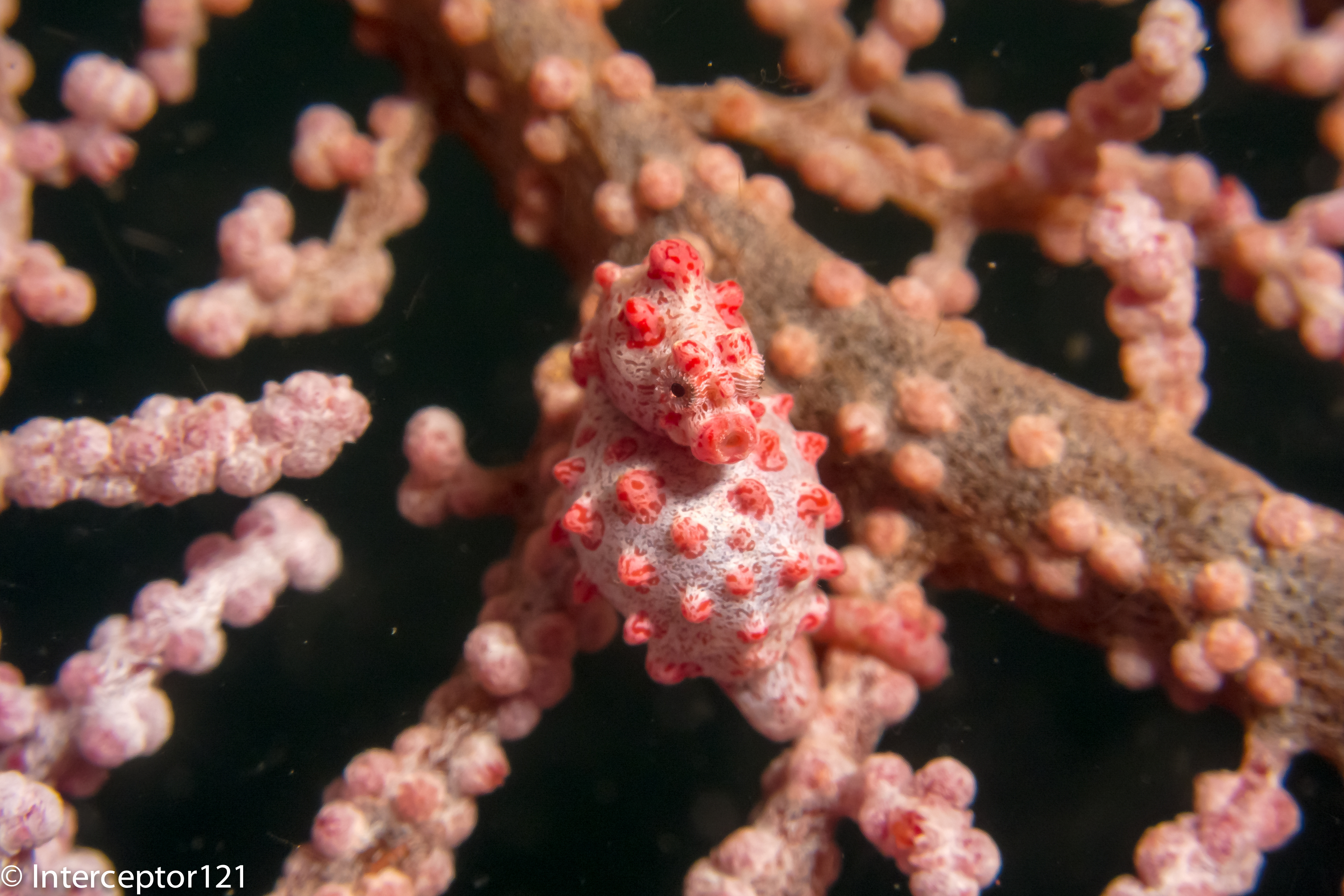
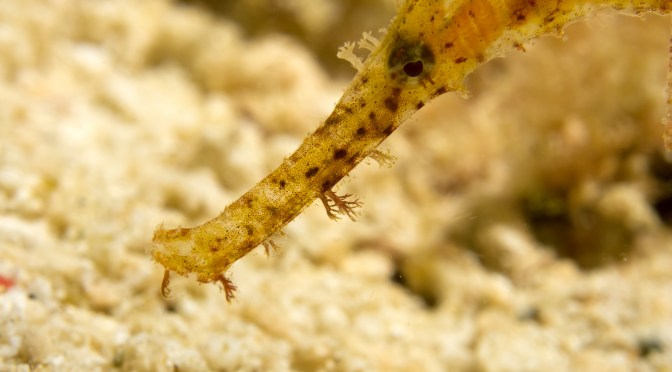
A macro image will have a frame size of 36×24 mm, this means that a move of half centimeter or 1/5 of an inch is equivalent to 20% vertical movement a considerable annoyance. When you shoot a picture this is not an issue because with a very high shutter speed you can freeze motion and there will be no blur like in this image.
Pygmy Seahorse 1.5 cm
Trying to take a video of a moving subject like this proves challenging, and you need to slow down the footage to avoid sea sickness like here
So how do we get outstanding macro footage? We need to be super stable and avoid any type of shake.
One possibility is a tripod. There are various examples of underwater tripods such those made by Ultralight example here
There are several inconveniences using a tripod first is that those are more suited to a camera than a tray that may have the tripod hole off centre, so if you use a tray for your set up and just want to occasionally put it on a tripod this gets complicated.
So that where Mike came into action and contacted ULCS to build a tripod out of a tray those are my results using the following parts:
Camera set up
TR-DM tray
TR-DUP Extention
2x TR-DH handles
2x 12 segments 12″ locline arms
2x Sola 1200
Panasonic LX7 in Nauticam housing
Tripod set up (approx $310)
3x 1420 ball base adapters
BA-FBd plate
3x clamps
3x 5″ arm segments
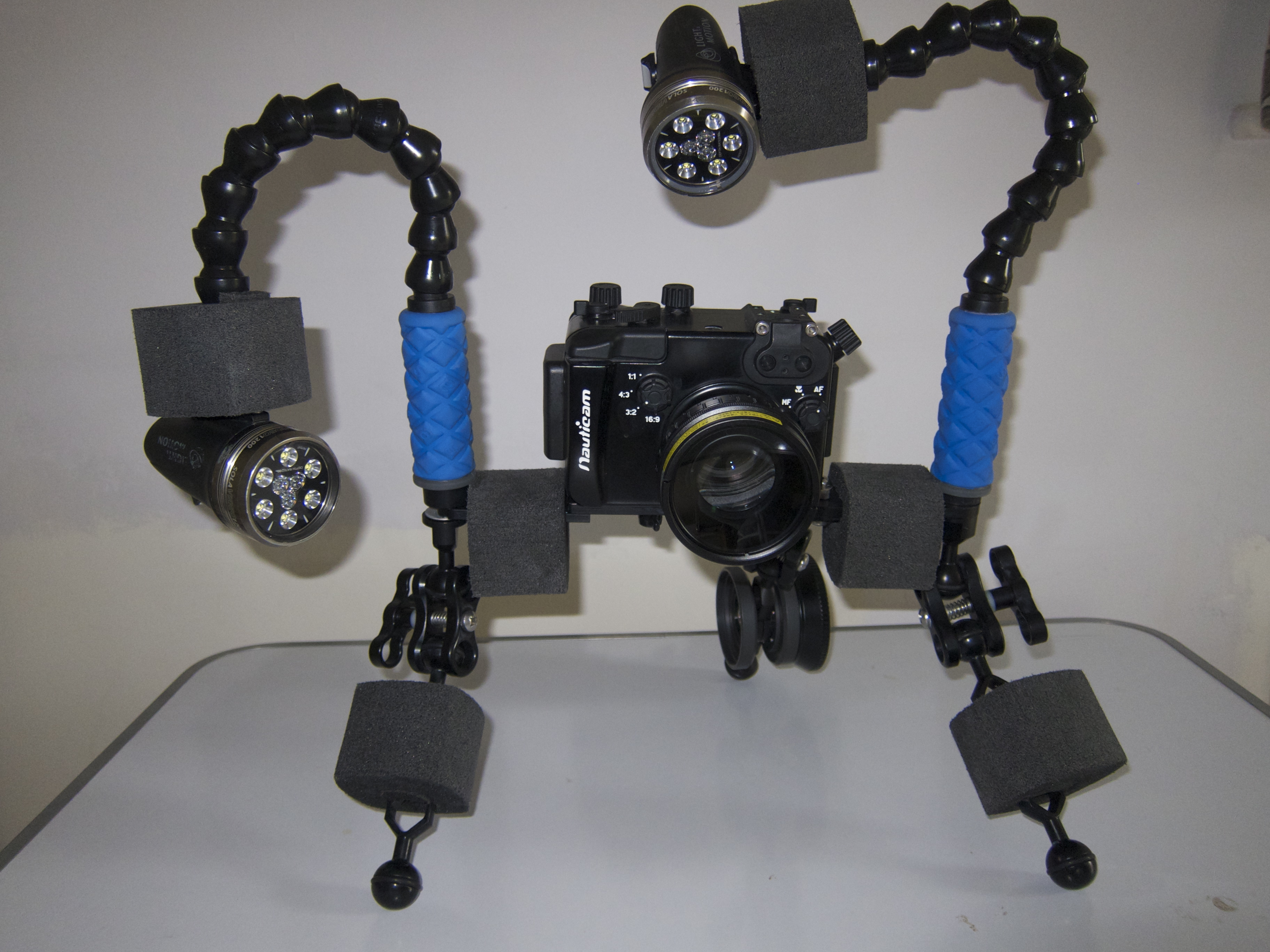
This gives something like this also called Ultimusmacro
UltimusMacro
I tried this set up and the key issue is that you are far away from the floor and end up with working distances of around 10-15 cm or 4-6″ those are suited to a +6 diopter but not more and best with camera with at least 105mm zoom.
This is a bit of an issue with my Panasonic LX7 as the max zoom is 90mm equivalent. So I came up with a mini-monopod that has several advantages:
Closer to sea floor
Less expensive
Lighter
More flexible
For the mini-monopod all you need is ($150)
3x 1420 ball adapters (two female and one with screw or bolt) – alternatively 3x 3816 2x female and 1x 1420 with bolt if you use AC-AH handles with 3/8 hole
BA-FBd plate
1 clamp
1 8″ arm segment
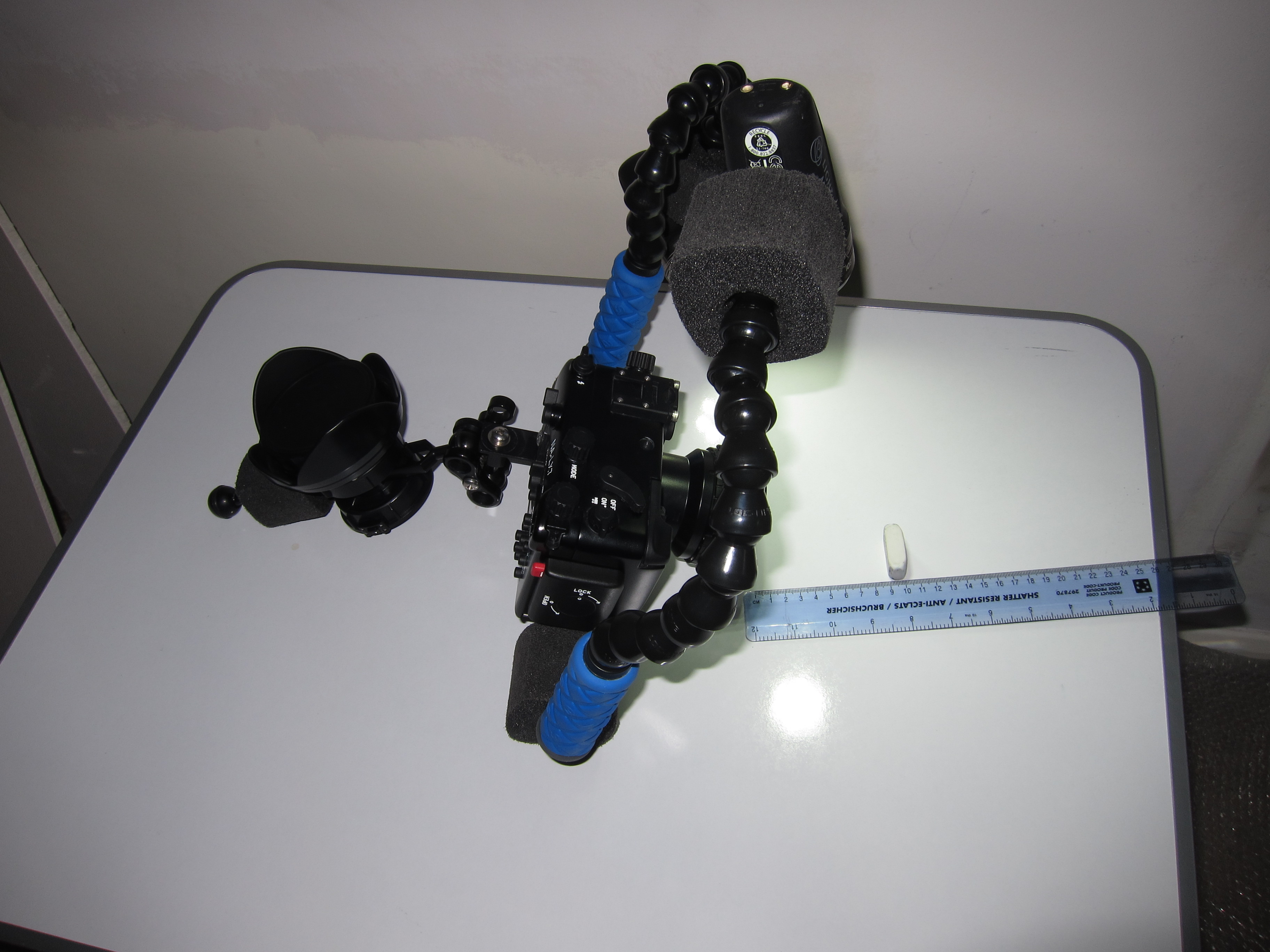
This is the mini in action also called cyclop
Monopod
In this configuration I also have a lens holder on the 8″ this gives even more stability
With a mini-monopod you can easily use +10 diopters as you are on the bottom. In my set up I have floats however the 3 1420 ball heads on the bottom are sufficient to have a stable platform that can be pointing down even more raising the arm segment.
In addition to this the monopod can be used to push the camera in remote places or approach critters in crevices or similar
I will be testing both in North Sulawesi starting next week I hope to come back with some great footage
For more pictures of the set up check the Panasonic LX7 link on the top of the page
Who has followed my initial LX7 tests is aware of the few issues I have had at wide angle with the LX7.
One was the reflections back on the lens that I have now hopefully resolved using a black marker and changing the camera from white (and silver lens ring) to black and the other was flare.
Flare is an issue at wide angle even on land. What causes flare? Stray light coming from the sides that washes out the picture and eliminates contrast in the process.
Wide angle lens tend to have an ability to catch stray light from the sides and top and this is the reason why wet wide angle lenses have to be really coated well so that this effect is diminished, however it still can happen.
And it did happen to me with the Inon UWL-H100. The general advice to eliminate or reduce flare is to have a lens hood however lens hoods are generally not an option for wet lenses with an M67 thread mount. The only lens that I know that can position the hood on a screw mount is the fix UWL28M52 or UWL04 most of the other lens do not have a hood and have a circular lens unprotected from stray light. And this usually means at some point you will get flare.
So how do you get around it? In the case of the LX7 is pretty much a forced choice as the Inon UWL-H100 is the only lens that does not vignette at 28mm equivalent focal lenght so the possible solution is to put a hood on the lens.
Inon sells a hood for the UWL-H100 but the hood is attached through 6 allen bolts and its position can’t be fine tuned so to use the hood it is a requirement to change mount from M67 to the LD bayonet. You need also to convert the lens itself into an LD bayonet. If you go to your Inon dealer there is a relatively cheap service part that allows you to convert your M67 lens into a bayonet.
LD Bayonet lens holder
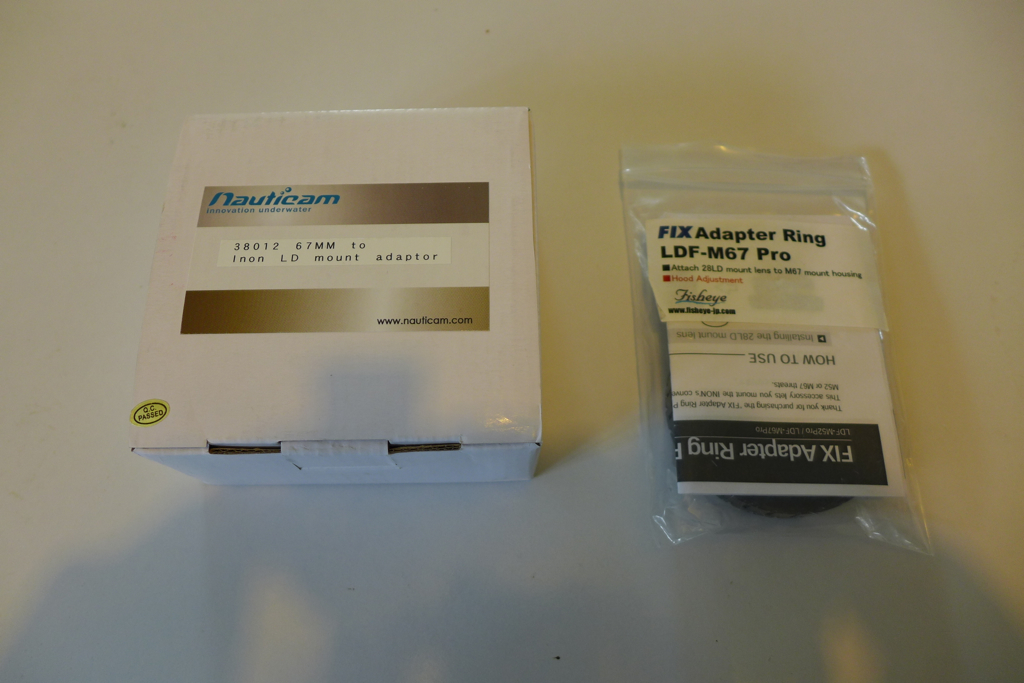
The LD bayonet is the latest incarnation of bayonet mount released by Inon. Whilst the old AD mount relied on a mechanical action to secure the lens, the new LD bayonet is much shallower and relies on a pin lock release to stay in place. There are two adapters on the market that are capable of attaching LD bayonet lenses to an M67 thread, one produced by Nauticam themselves and the other by the Japanese Fisheye Fix.
LD Adapters BoxedNauticam and Fix LD-M67 adapter
There is a price difference between the adapters with the Fix being 20% more expensive.
Nauticam LD Adapter
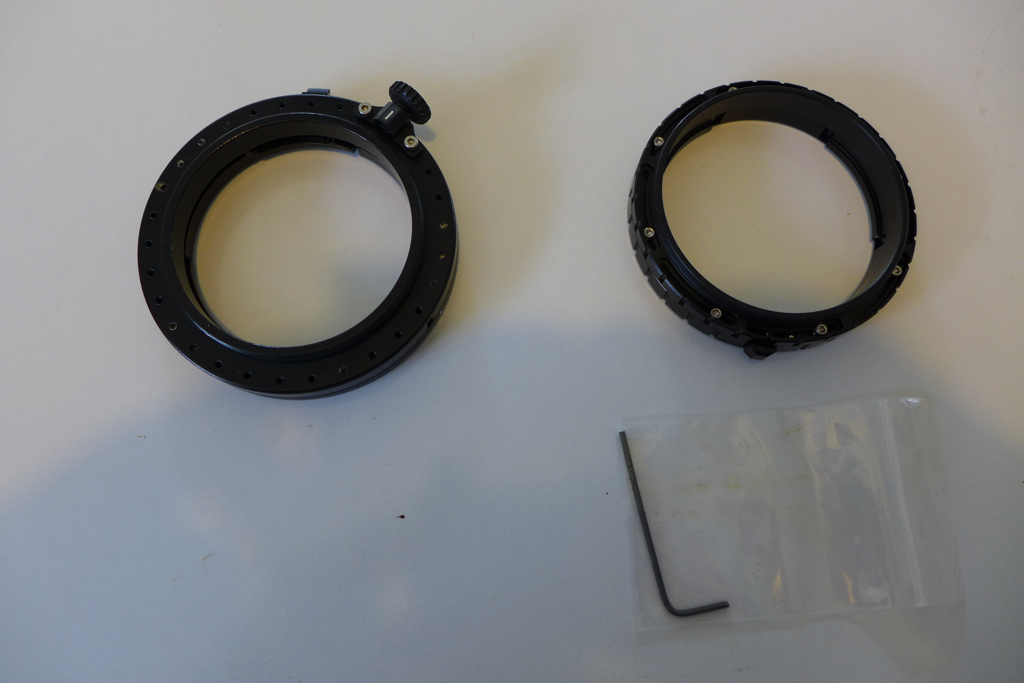
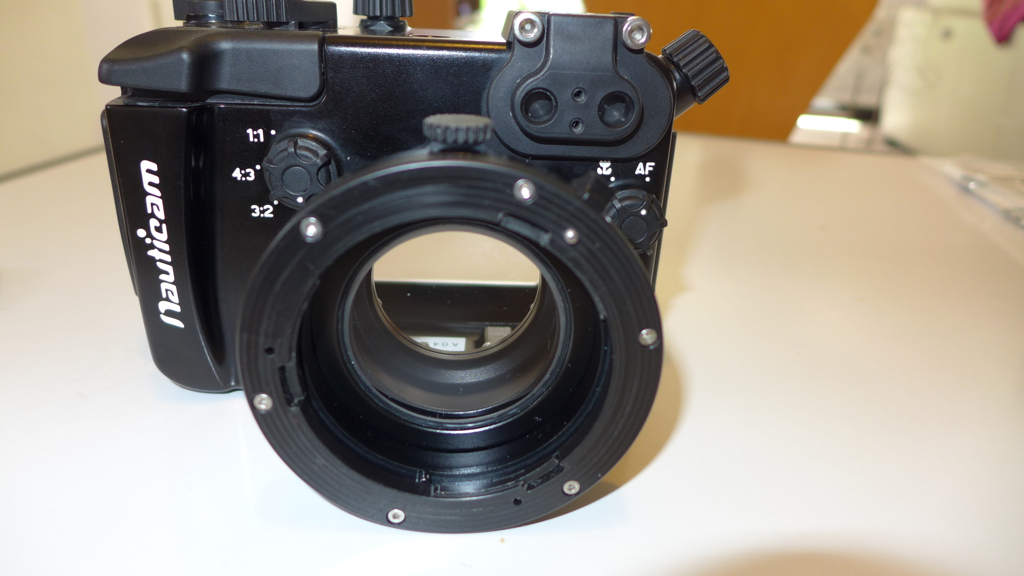
The Nauticam adapter is the largest of the two. It has 6 allen bolts on the front and a thumb screw lock on the back to fix it in position. With LD lenses there is only one position to put the lens hood in the correct place so if for some reason the thread ends in the wrong place with your housing you will need to unscrew the front of the adapter to ensure the release lock is on the upper left of the port this happens the same way on the fix adapter. Make sure the little spring does not jump off in the process…Once the release lock is in the right area the fine tuning of the hood position is done with the thumb screw. A possible weakness is that if your housing port has no room for the thumb screw then this adapter is not good for you.
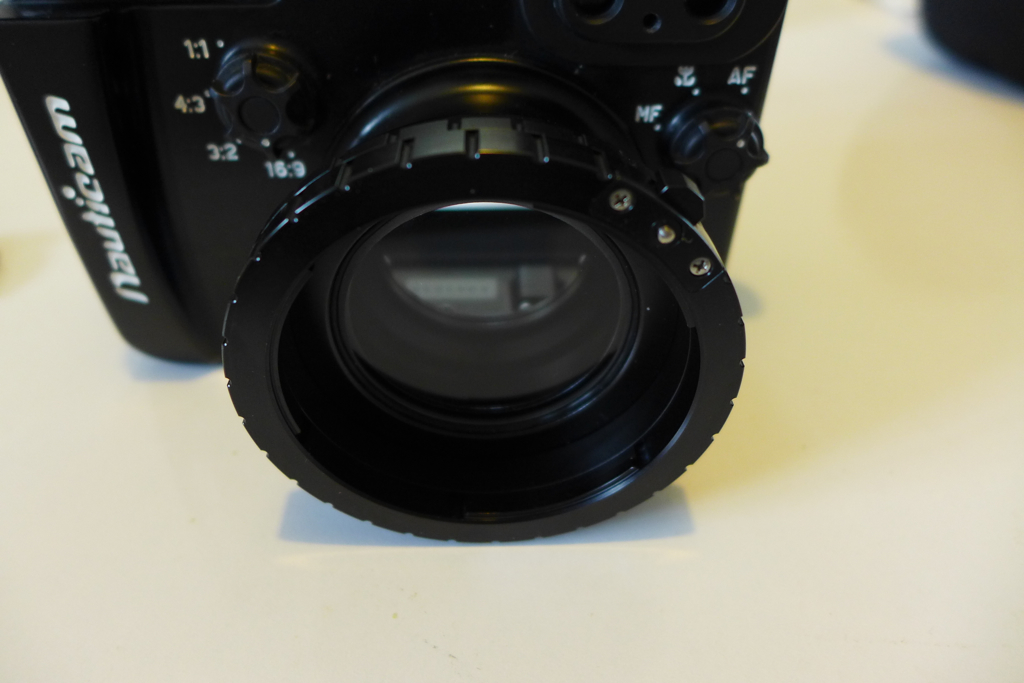
Whilst the Nauticam is made of plastic and metal the Fix seems to be 100% aluminum, this adapter looks better but does not have a mechanism to fix in place it relies on the strength of the M67 thread, however this locking system is compatible with any 67mm threaded port.
FIX LD Adapter
The fix allows to perfectly fine tune the hood position and it shows.
Nauticam Hood Alignment
The alignment mechanism of the Nauticam adapter creates an alignment issue with the hood where the lens is few degrees turned clockwise.
With the fix this does not happen.
Fix Hood Position
The hood can be properly aligned. Note that in both cases this does not mean more vignetting as the corners are not covered by the hood.
The other check I do is the position of the back of the lens, if there is a gap between the thread and the back of the lens this can create vignetting so it has to be as close as possible or even protruding as the Inon UWL-H100 mount type 2 does.
Let’s have a look at the back of those two adapters with teh UWL-H100 28LD attached.
Nauticam Rear Lens
The Nauticam thread is somewhat too long so the lens sits slightly more inside the thread line.
With the fix the situation changes sightly.
Fix Rear Lens
There seems to be little difference we will now check if there is an impact on the possible vignette in water.
Nauticam 28mm
As we can see there is a little bit of residual vignette on the bottom right corner when the lens is at 28mm equivalent focal length,
This is the same situation with the Fix
Fix 28mm
There is still a dark bottom right corner but it is less.
Inserting a 1.25mm spacer between the inner housing and the left side of the camera improves matters, this is because the lens of the LX7 is somewhat misaligned in the Nauticam housing and this corrects it.
Nauticam 28mm Spacer
With the spacer in the housing and the Nauticam adapter there is a tiny little residue of vignette but overall this is ok.
With the fix adapter this is the result.
Fix 28mm Spacer
No dark corners left.
So this is the recap:
You can change the UWL-H100 28M67 into an LD version with a cheap service part
Once the lens has an LD mount it is possible to attach the hood this will reduce flare
Vignetting is slightly increased but can be eliminated with a spacer with the Fix adapter
There is an issue of hood alignment an increased vignetting with the Nauticam LD adapter
A final note: inserting a spacer in the housing is risky, you need to know what you are doing as in theory the chance of flooding could increase so this is not for everyone.
My recommendation to those who want to improve contrast with the UWL-H100 is to convert to LD mount, attach the hood and get a Fisheye Fix LDF-M67 Pro adapter. Changing to bayonet has other advantages making lens swaps in water much faster and easier compared to the thread version especially with a lens as heavy as the UWL-H100.
There are few design issues and manufacturing errors in the Nauticam LD adapter that create issues with the LX7, most likely other cameras that are not so fussy will have no problems but if you have an LX7 avoid the Nauticam adapter entirely until a new production version is defined. I have given Nauticam the feedback and they will probably react.
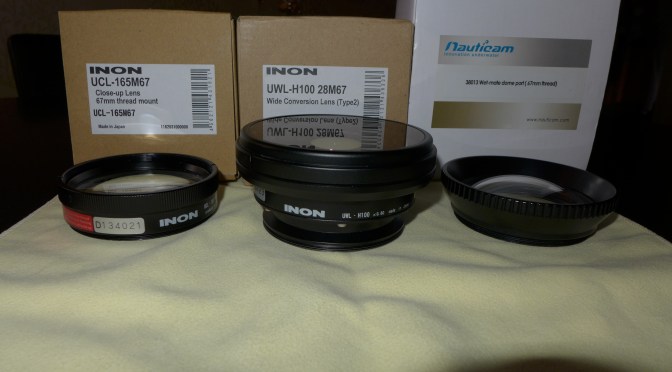
Inon introduced a new close up lens in February of this year the UCL100. So why did Inon come up with this after the very successful UCL165 series? Probably some pressure from products like Subsee that produce better quality images than the Inon lenses and more and more lenses with similar performance to the existing Inon lenses. So what is different about the UCL100? First of all this lens is heavy 243/269 grams in the LD/M67 version in air that become 130/151 grams in water double than the UCL165. The lens is made of 3 elements instead of two and is very similar to a Subsee this is more evident taking a look at the lens on land.
This shot is taken with the bare port at 50mm.
LX7 50mm
This is the same shot at the same working distance using the UCL100 note the magnification.
LX7 UCL100 50mm
The lens behaves like a magnifying glass exactly as the Subsee, Inon has made some effort to try to reduce vignetting, this picture is taken on land at 28mm.
UCL100 Fix Land 28mm
Note a little dark bottom right corner, the lens in fact vignettes at 24mm this is due to the huge size of the LX7 lens and may not happen with other cameras.
Here we can see the rear of the lens from the Fix adapter side. The lens sits very close to the glass port.
UCL100 rear lens attached to Fix LD adapter
I have opted for a bayonet version of this lens as I will use the fix as m67 adapter if I had to dive with the wet mate.
If you are a photographer I would definitely recommend the LD bayonet version over the M67 as it is easier to remove and attach in water.
There are some other very interesting characteristics of this lens. Usually a diopter works only around a certain working distance for a given zoom so the issue with such a powerful close up lens is that if we are far away from the working distance the lens is not usable.
The UCL100 instead is quite flexible and has a huge swing of working distances for a given focal length as in the table below.
Zoom Position
Min
Max
90
60
100
70
45
115
50
20
130
35
10
200
28
0
300
All values are in mm.
So the lens keeps working well far away the nominal 100mm and due to the construction also gives a magnifying effect this means that it is possible to take this lens in water as the only close up lens and there will not be too much of a limitation if for some reason we can’t get that close to the subject. A swing of 40mm at telephoto end is excellent and this becomes 70mm at 70mm zoom and 110 at 50mm.
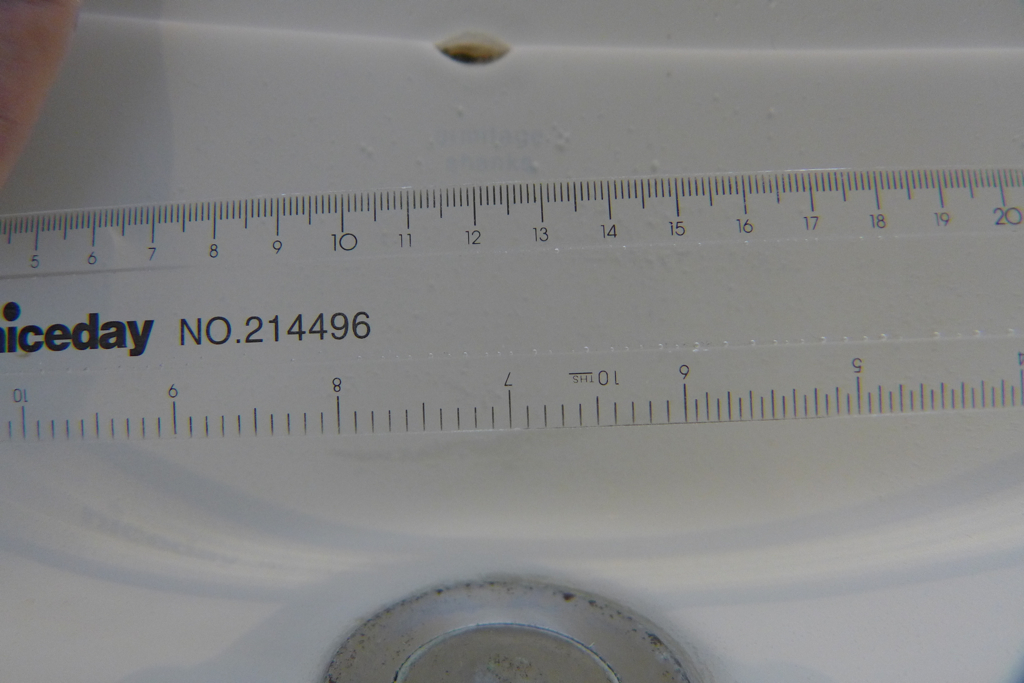
What about image quality most of you will know by now how specific I am when it comes to aberrations, this is a crop of an image taken with the UCL165
Inon UCL165 Fringing
You can see the yellow and purple halo around the zero.
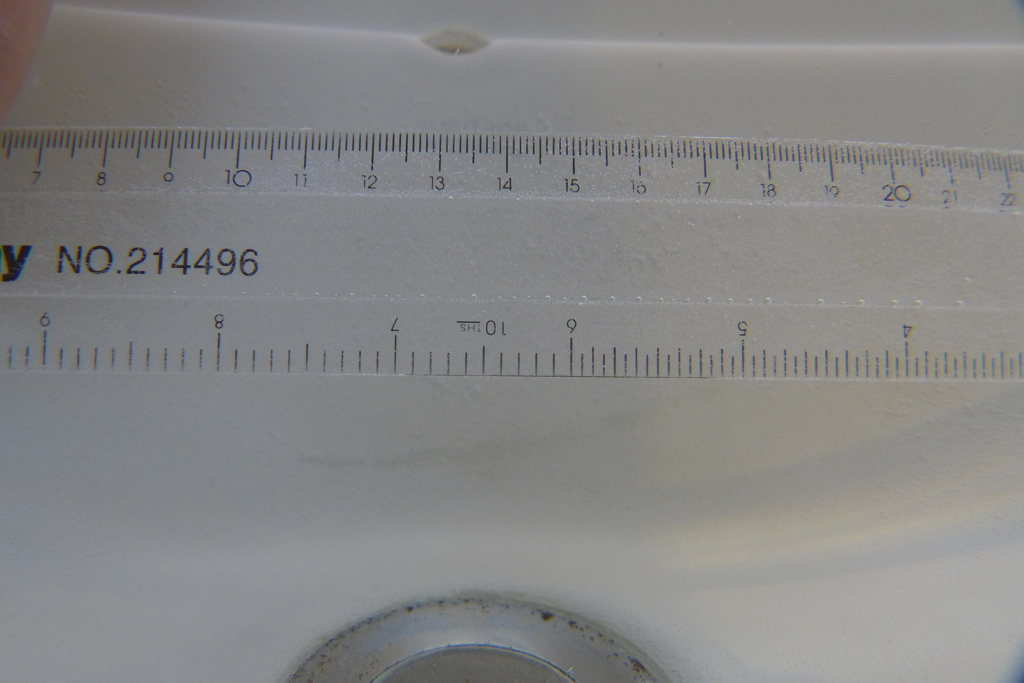
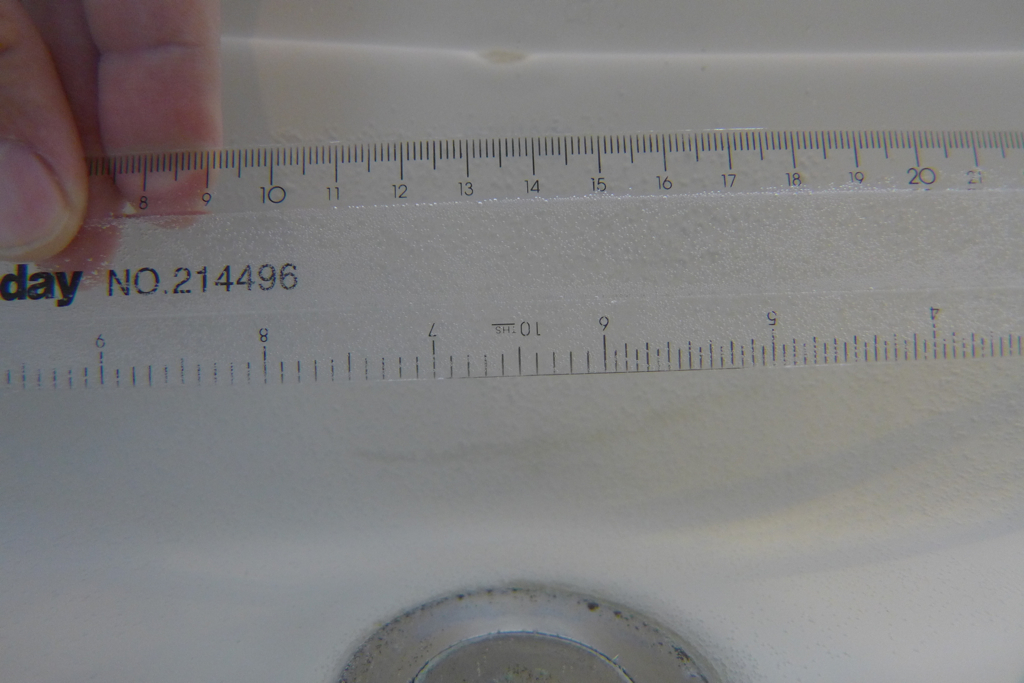
This is a detail of the same ruler in water with the UCL100
Inon UCL100 Detail
The image is a bit soft because of the aperture used but absolutely free of any fringing that is astounding for this level of magnification, the quality of the image is same as Subsee.
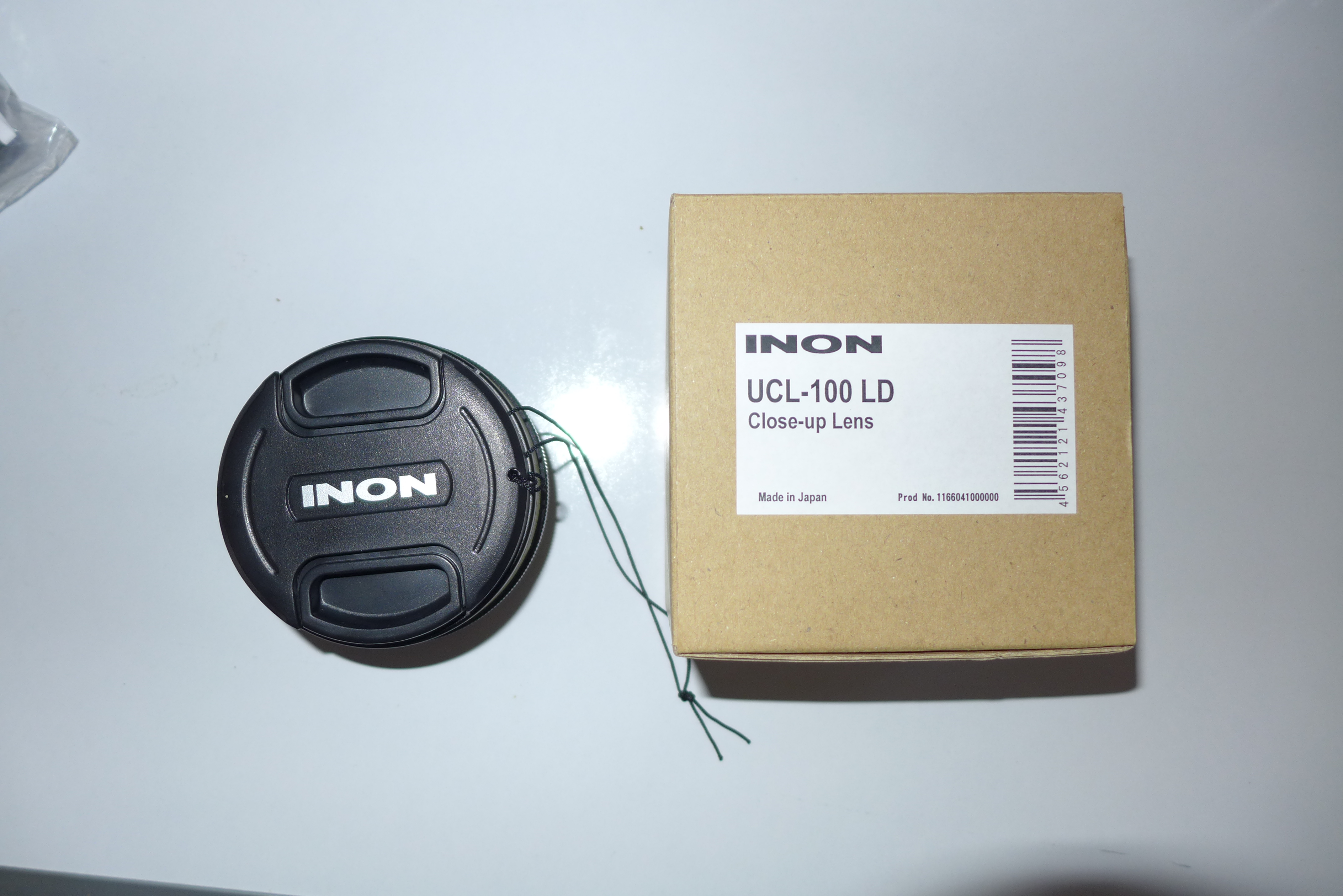
This lens comes with a lens front and back cover, the front lens is a clip with lanyard. The UCL100 can also be stacked with other M67 lenses if you need more!!!
Inon UCL100
With the LX7 the UCL100 achieves a reproduction ratio of 1.1:1 compared to the 1.4:1 of an Inon UCL165. The limitation of the zoom of the LX7 shows a bit here as even the Sony RX100 gets nearly a 1:1 with this lens but the strength of the focus of the LX7 are second to no other camera in this segment so I look forward to using this lens on some really small stuff.
The UCL100 is priced at $282 in US and £275 in UK versus $225/£210 of Subsee so why would you bother getting this lens from Inon instead? I think the main selling point of this lens in addition to the image quality and magnification power is the fact that the lens operates until wide end and has a very wide range of working distances so you are not stuck just around the 100mm nominal focal lenght. This allows use of the full zoom from wide to tele that in video is especially important. For pictures I am not so sure the additional cost is justified as stills are usually at full telephoto end.
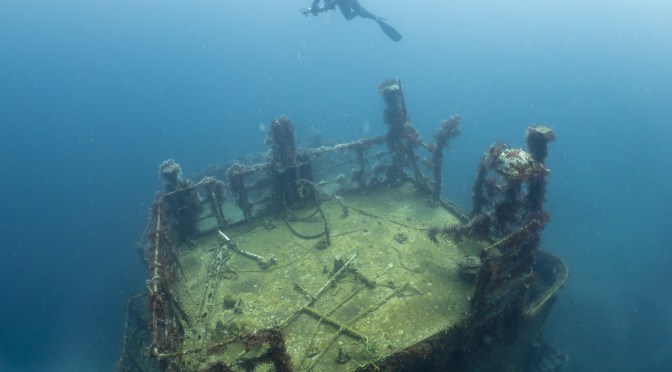
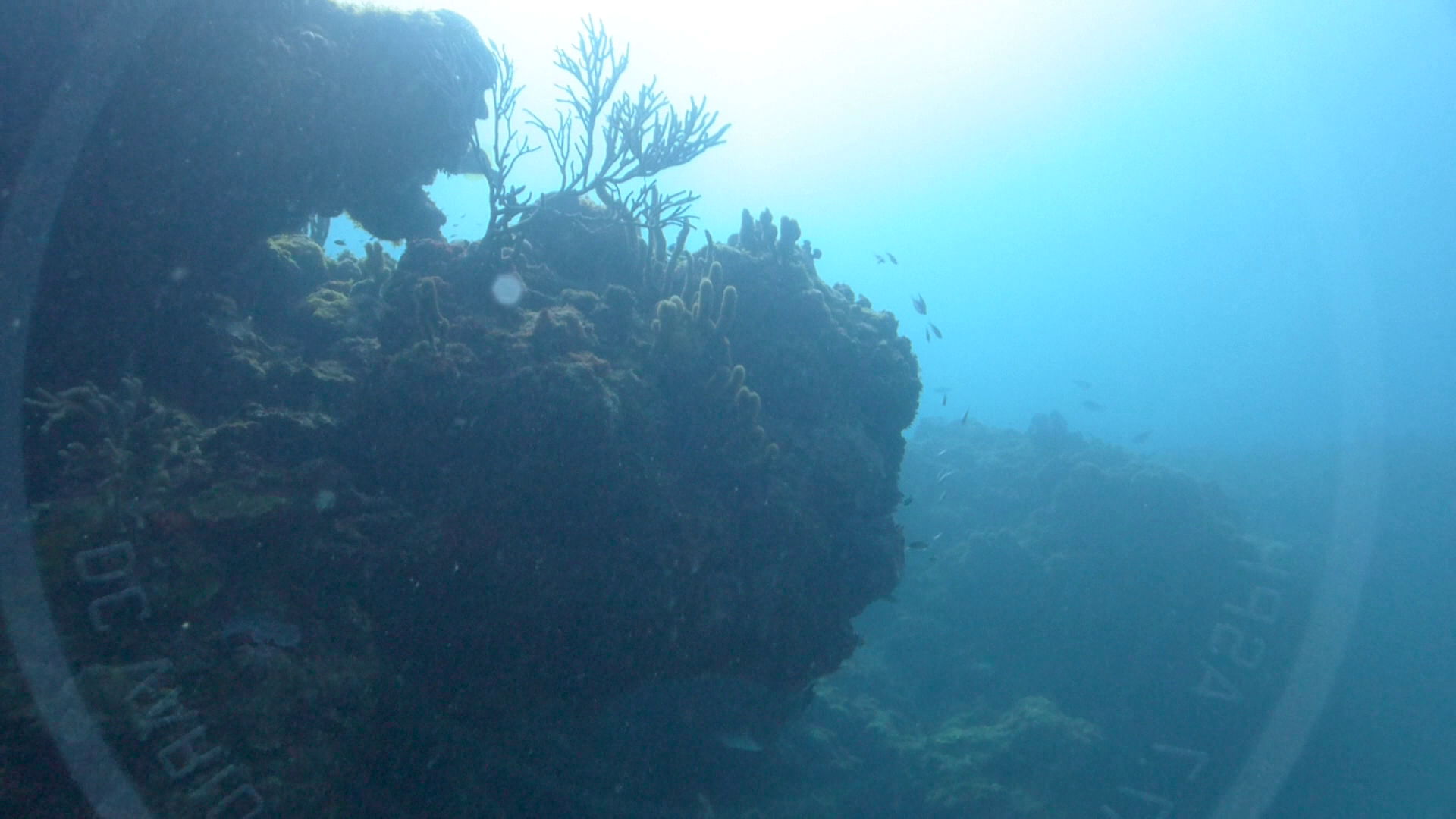
You can see in the section of the Veronica L that missing those extra degrees field of view did not allow me to take the full wreck by side even if it was not that big. On couple of reef dives I already had the Inon on the previous wreck dive so I left it you can compare performance of the two lenses in terms of sharpness and flare. Generally I feel the wet mate has less flare and is sharper however it does have an issue of reflections as covered in the previous post.
As always I have used iMovie to edit the AVCHD progressive files that I converted to normal mp4 using the workflow in a previous post. There are no dramatic alterations of colour or exposure and no stabilization has been run in any part of the video (in some parts like the snake eel moving it shows) all was done with custom white balance using the camera functionality, considering how deep were some of the wrecks this is very good I believe.
I would love your comments this was mostly an exploration trip so it is interesting to compare to the RX100 Raja Ampat videos
So I finally had the opportunity to take the LX7 on a trip after some pool tests.
After my attempts last year with the Sony RX100 I was a bit skeptical that I could actually find something better for video but I think the LX7 beats it.
I put together a sample just to give an idea of equipment used and how it works, please note this is not altered in any way http://vimeo.com/62838598
There is a picture of the rig in this blog on a specific page but let me confirm once again in detail
Panasonic LX7
Nauticam LX7 housing
Ultralight TR-DM tray with extension TR-DUP and two TR-DH handles without ball.
12 segments locline arms on 3/4″ mount base and reducer on the handles
Two sola 1200
Nauticam wet mate
Inon UCL165AD on bespoke M67 adapter
Inon UWL-H100 28M67
Inon M67 double lens holder on custom mount
In a previous post I highlighted that for most the wet mate will be the only lens needed however I had some wreck dives and the 18mm of the Inon wide angle are more appropriate.
I also gave a try to the panasonic intelligent zoom that allows for 2x digital magnification and sharpening that for me works very well and you can see it in the footage. This allows a user with just the wet mate to further zoom without need of a close up lens or a use with a single +6 diopter to achieve super macro.
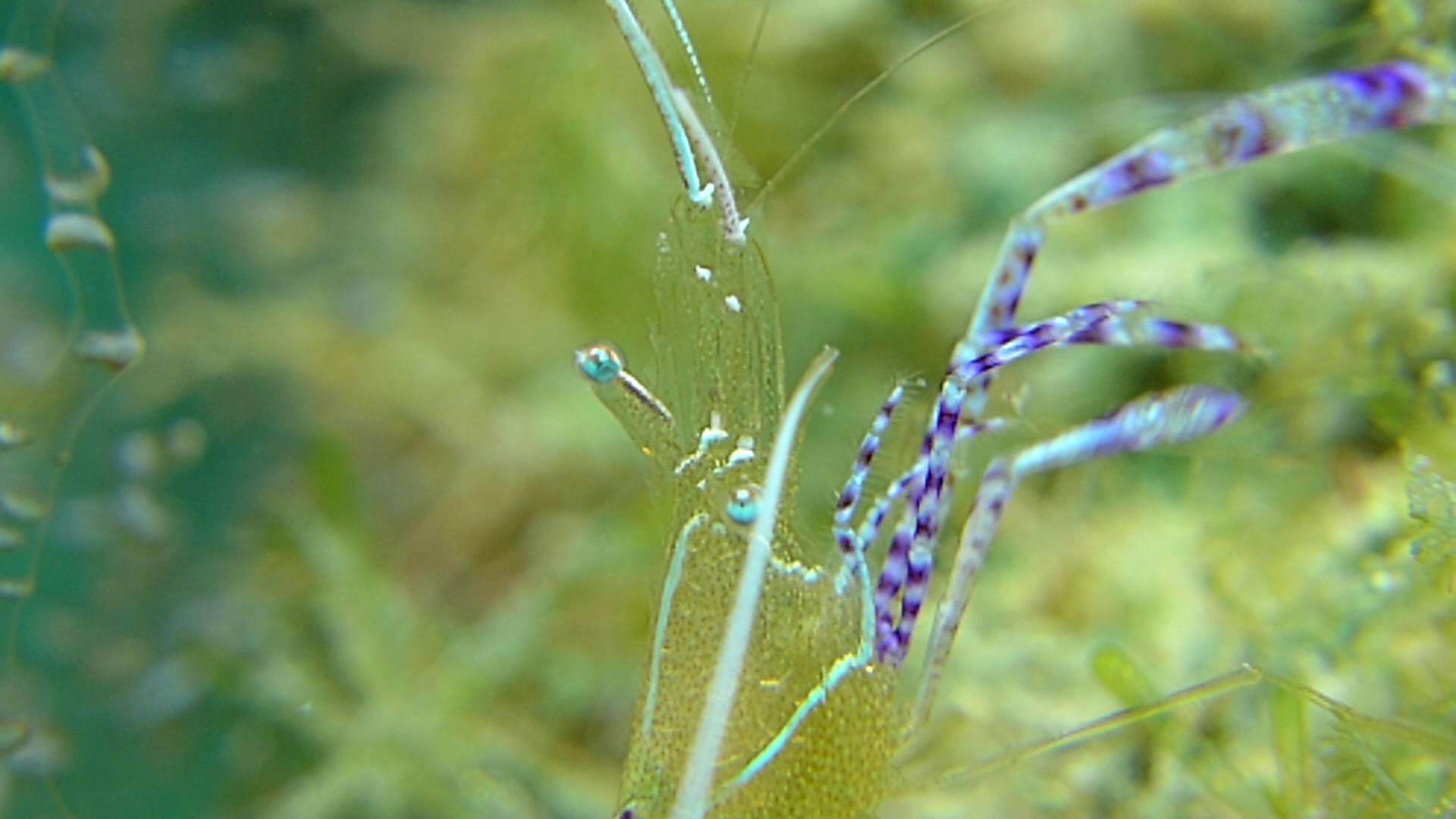
Pedersen Shrimp with two stacked UCL165AD and intelligent zoom 7.5x The frame height is less than 1cm
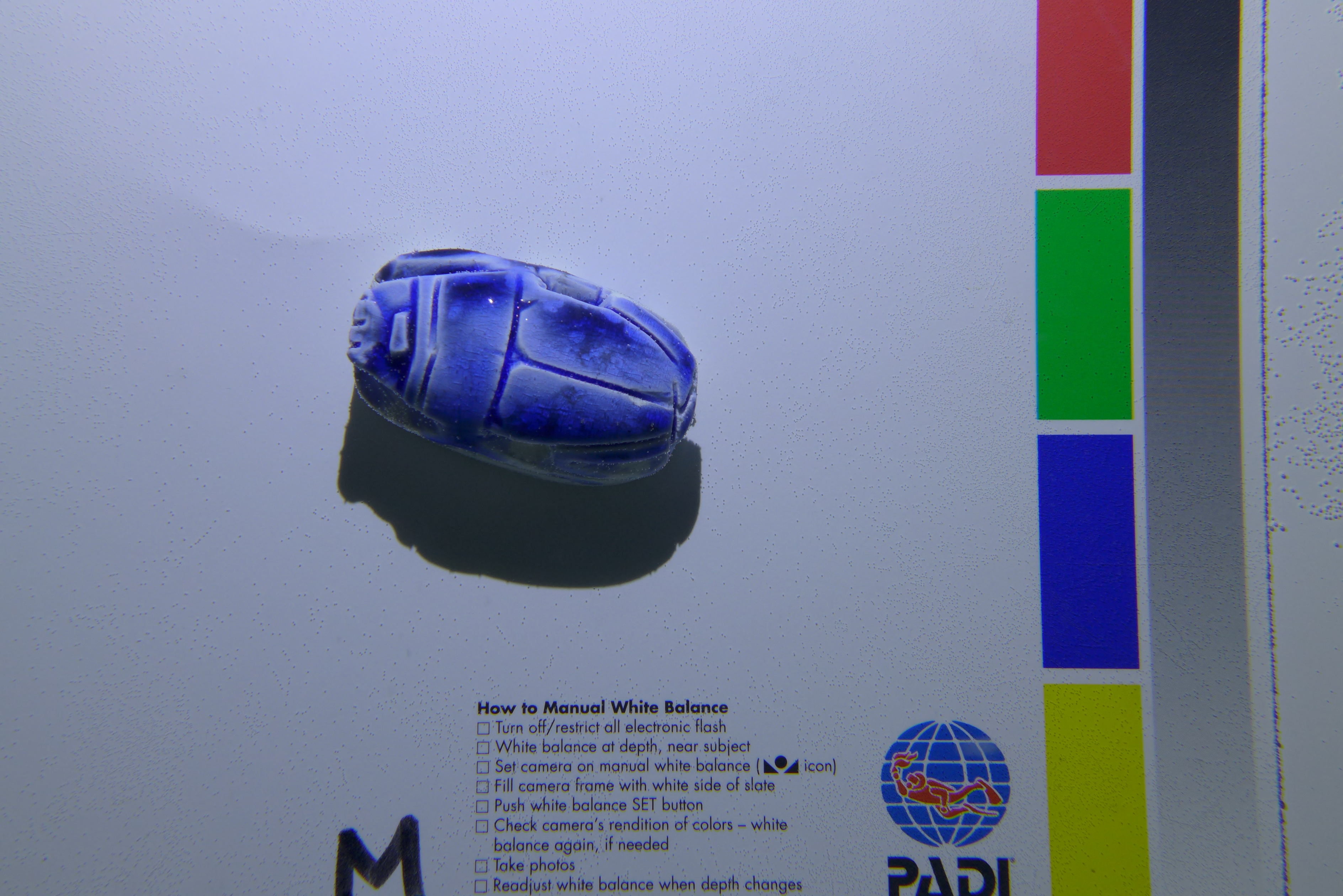
I found the white balance of the camera excellent on both my hand or sand. I had issues with my padi slate that many times returned a ‘scene too bright’ error. Maybe this is the reason why backscatter failed this camera for video?? Who knows.
You can see that even at 36 meters the colour are as good as they can be.
White Balance on Bianca C 36 meters depth
For macro shots I used the temperature setting at 6500K, I found the white balance tint fine tuning to be excellent to further enhance it.
I shot in shutter priority the whole time with shutter speed of 1/100 or 1/50 depending on conditions and type of shot. The camera autoISO and choice of aperture privilege noise reduction however as the lens of the LX7 is really sharp the relatively wide aperture did not mean soft corners.
I tried the various photo styles and at the end settled for the standard one, I found the natural really to have too little contrast.
I thought of shooting in mp4 for wide and AVCHD progressive for close up but this would have meant two different frame rates to edit, at the end I shot at the highest available setting to avoid confusion.
I had received a new port from nauticam so I had no vignette at 28mm and the full 100 degrees the inon lens can offer.
The ergonomics of the camera that have fixed commands for aperture and shutter proved to be convenient and the built in neutral density filter was very effective at shallow depth or on the surface.
In essence I think that the issues backscatter mention are non existent.
I did have a few problems with the wet lenses though.
Lens Marking reflection on Wet mate dome
The wet mate proved to be a great little tool very sharp and light however none of the sides of the glass have anti reflective coating. In bright scenes or backlit scenes I did not have many issues with flare however I could see the marking on the lens reflected back on the wet mate and in the picture. I suggest putting an inon anti ghost sticker or gaffer tape to hide those shining markers or to colour them with permanent black ink.
Other than this the wet mate performs very well in all reef scenes and close up of critter a few inches big.
The inon diopter did not cause any trouble other than the obvious vignetting until 70mm. One pleasant surprise is the LX7 autofocus. Having struggled with the poor focus of the RX100 at high magnification I was astonished that the LX7 finds focus even with two stacked diopters and keeps it!!! I never had to use manual focus that with the RX100 was the norm at macro range.
I had bought the UCL165 and UCL330 in m67 format but decided to sell them as I will actually switch to bayonet very soon for the wide angle.
The Inon UWL-H100 was probably the most disappointing find of the trip. Image was sharp in normal condition however this lens tends to flare quite a bit and this creates block noise in the water column in video, when I used my hand to shade the lens the flare went away. Inon sells a lens hood for the 28LD version of this lens but not for the M67 as there would be issues to align the hood petals to the frame.
Inon UWL-H100 Flare on top of the frame
Considering that the lens is very heavy in water at 350 grams and that screwing and unscrewing was a concern mid water I have decided to convert the lens into an LD bayonet. Inon sells a replacement service part for the 28LD that can be used to replace the M67 thread of the lens. Other than this part the two lenses M67 and 28LD are identical. I will use a nauticam m67 LD adapter I hope this will not increase the vignette. I will connect my AD mount close up with a AD->LD converter when using the wide angle and then use an AD->M67 converter when I use the wetmate. This saves me buying two different diopters and I can stack the two UCL165AD I already have. They do vignette a lot at medium but who cares when you shoot at full zoom.
I look forward to testing the UWL-H100 with the lens hood I am sure results will be better. On the other hand when the sunlight is behind the shots have incredible sharpness with this lens.
So the LX7 gets 5 stars from my side and I leave you with two recommendations:
1. Apply a form of anti ghost sticker to the LX7 lens
2. If you want to get the Inon UWL-H100 go for the LD mount so that you can put the lens hood on
When compact cameras were designed for 35mm it was quite common to shoot just with a camera and strobe; this allowed the average user to take decent close up pictures as long as the camera was capable of focusing within a couple of inches from the subject.
Years later manufacturers started introducing wider lenses first came 28mm equivalent and most recently 24mm, these cameras give an increased field of view on land of 75 and 84 degrees diagonal.
So why is it a bad idea to shoot just with the bare camera and no add-on lenses?
Two key reasons:
Once in water the 84 degrees diagonal of a 24mm equivalent camera reduce to 54 or less because of the water medium
At focal lengths shorter than 35mm pincushion distortion becomes stronger to the point the pictures are awful.
Pincushion Distortion at 24mm with flat port
So if you plan to use your wider compact camera underwater without lenses make sure you zoom to 35mm to avoid distortion.
This is the same picture at 35mm note how the image is now rectilinear.
Flat Port 35mm
At 35mm we are back were we were in the mid 2000 and all we can do is close-ups so there is no advantage having a wider lens for underwater use with a compact.
Another common misconception is that a compact camera takes great macro just with the internal flash. Firstly a macro picture has a 24mm height of the capture area, nearly no compacts on the market are capable of this: the Panasonic LX7 and the Canon G15 within the current range are the exceptions. However at 1cm distance the internal flash is completely obscured by the lens, which means there really is no macro without a strobe and a close up lens: all you can shoot are close-ups.
Flat Port Close Up
This explains the need for wet lenses in water, wide-angle lenses to increase the field of view and allow us to get closer and take advantage of artificial lighting, close up lenses that also allow us to get closer using the full zoom of the camera and shoot at increased magnification without being on top of our subject.
The needs of photography and video differ as lighting tools differ, photos require strobe to freeze motion, video instead uses fixed lights. Photos are also taken at much wider angle than videos and fisheye effect is accepted, an effect that in video is generally not welcome.
With this in mind what are the wet lens options for the Panasonic LX7?
It depends of course on the planned usage of the camera.
Underwater Photographers
The LX7 has extremely good close up capabilities out of the box, however the capture area is around 12×8 cm that is not exactly small. If we want our nudibranch of shrimp to fill more of the frame we need a close up lens.
From my tests the Inon UCL165 brings around 2.5x magnification with the LX7.
Inon UCL165
I have tried stacking two UCL165 but the amount of chromatic aberration is too much for my liking, I found that 9 diopters is the max before fringing becomes a real problem and I do not recommend stacking two of those lenses or two equivalent Dyron diopters. I think the most flexible set up is a UCL165 and UCL330, this covers all possible working distances. I do not have a UCL330 yet so I can confirm but I have taken shots with a very similar lens (Olympus PTMC-01) and the results are excellent with a capture area of 48×32 mm that is very close to real macro. The zoom of the LX7 is the real limit here as it maxes out at 90mm versus the 120 of a Canon S110 or 140 of the Canon G15.
For close focus and ambient light wide-angle the bad news is that there is no fisheye lens that works well with the LX7 this is due to the extremely large lens.
I have tested the Inon UWL-H100 and I had to wait for a new port to be delivered from Nauticam as their original one was too long and had vignetting even at 28mm. This lens yields more than 100 degrees diagonal and is my preferred choice for the LX7 for stills. There is however a good amount of blue and yellow fringing if I really have to be picky so the extended field of view comes at some price.
UWL-H100 28mm
I use Inon lenses however a possible candidate is the Epoque DCL30, this lens is reported to work with 28mm equivalent cameras however the rear lens is smaller than the Inon so I believe this needs confirmation. There is a $70 difference in US and £70 here in UK between the two lenses and considering that a dome will not worth I encourage testing this lens as the results may be acceptable. I think bluewater photo markets this lens in US under their own brand.
Underwater Videographer
If you plan to use the LX7 for video the situation is different, as the camera close up performance is extremely good and usually macro video is very hard. Most time we shoot with ambient light and if visibility is acceptable getting that close is not so important considering the LX7 ability to manipulate white balance.
The first suggestion is to get a Nauticam Wet Mate, this is a sealed air dome that gives us back the air field of view and works extremely well without any chromatic aberration and extremely sharp corners. This lens keeps the image rectilinear that is also a good thing for video.
LX7 with Nauticam Wet-Mate (do not compare with the Inon Picture this is taken from further away)
For majority of reef dives the wet mate is all is needed as this also allows the full use of the zoom without soft corners that occur if you zoom into a wet wide-angle lens. This lens is the most versatile for general video use and costs $250, great value from Nauticam.
There are however specific situations where the wet mate is not sufficient, as before close up performance with the bare port is good but not great for smaller critter, so a close up lens would be the next addition, again an Inon UCL165 or a Dyron Double Diopter would work just fine and have the same power.
When shooting at closer distance with lights, or when there is large fish or wrecks a wet lens is important as the 84 degrees diagonal of the LX7 are actually only 76 horizontal. Again the Inon UWL-H100 is my choice but would check again for the Epoque DCL-30. One characteristic of the LX7 that is interesting is that the diagonal field of view of the camera remains constant when picture format changes, this means the horizontal field of view is larger at 16:9 movie mode than it is at 3:2 for pictures.
Field of view with the LX7
Those are the maximum angles of coverage horizontal of the LX7 as I measured them at 3:2:
Bare Port 24mm: 50°
Wet mate 24mm: 71.5°
Inon UWL-H100: 88°
At 16:9 there is a wider field of view of:
Bare Port 24mm: 54°
Wet mate 24mm: 76.2°
Inon UWL-H100: 93°
In general terms with the wet mate we can cover 1.56x the horizontal field of view of the flat port and with the wide-angle 2.1x.
The wide-angle offers an additional 35% over the wet mate don’t be mislead by the apparent small difference between 84° and 100° as those are diagonal measures not horizontal and those few degrees more count.
At 1 meter distance the maximum subject size with the wet mate in movie mode is 1.56 meters and with the wide-angle this becomes 2.1, that confirms that the wet-mate is good for general use and the wide-angle is only required for close scenes of larger fish or wrecks.
Those are the three lenses I have used for those tests. A final consideration is about the lens mount. I will use the LX7 for video so my choice has been a 67mm mount, because this is the only format that the wet-mate offers.
If I was using the LX7 only for pictures I would prefer the flexibility of the Inon LD mount even if this costs a bit more as it makes it so much easier to swap lenses in water when you have a bayonet mount.
There is always a lot of confusion around macro photography and close up lenses. It is useful to set some definitions right before going into selecting the appropriate lens.
In traditional terms a macro photograph is one where the image of the subject on the sensor is the same size of the subject itself. As photography is based on 35mm film this means that a macro photograph is one where the vertical size of the frame measures 24mm. If we look at high-end compact cameras there are very few that are able to capture an area smaller than 35×24 mm, among those the Canon G15 or the Panasonic LX7. Majority of other cameras capture around 60-65mm wide and 40-42mm tall frames usually at the widest end with distances of 1-3 cm from the subject. As compact camera sensors are small strictly speaking there are no compact cameras on the market that can capture an object as small as their sensor.
So as far as we are concerned all that matters is that the height of the frame is same or smaller than 24mm as if we were shooting with a full frame DSLR.
Seems macro but it is not! 1:1.2
For an SLR user the choice of a close up lens is quite straightforward as usually there will be a 100mm lens behind a flat port. This lens gives a magnification of 1:1 usually with a closest focus distance of 12” or 30cm. To achieve more with the same lens there is the need of a close up lens that works with a similar principle of a magnifying glass.
A close up lens will have a determined focal length or maximum working distance, beyond which it will not focus. If you hold a close up lens at the focus distance and look inside it you will notice that the object will appear larger as you step back from the lens and smaller as you get closer to it. The camera lens behaves in a similar way. Once you reach the working distance of the close up lens is the zoom that moves the lens forward or back and effectively provides the magnification. The close up lens only shorten the working distance allowing you to get closer.
Close up lens are measured in diopters this is the ratio between 100cm and the lens focal length. So a lens with a focal length of 20cm is a +5 diopter. A 100mm lens at 30cm once placed at 20cm from the object would achieve a 1.5:1 magnification. So with a 100mm lens in a flat port and a +5 diopter we are able to capture images larger than life-size with a DSLR full sensor. A +10 diopter would give a magnification of 2.1:1.
So how much power do we need to shoot macro with a compact camera? Is it the same than with a DSLR? Are there other considerations that apply?
The first issue is that because compact camera have fixed lens there is no way to predict at a given focal length if we will achieve macro or not. A compact camera zoomed to 100mm equivalent is not the same as a full sensor camera with a 100mm lens: in most cases the capture area is much larger. In fact there is no way to know if our lens will or not achieve our objective of taking a macro shot just looking at the camera specs. To make matters more complicated it is not always possible to get too close to our subject, this may be because there is no physical way to get closer or because we do not want to freak out the marine life that we want to capture. In general I like to leave some breathing space to subjects, as a minimum 3 inches or 7.5cm are needed and a bit more. This means that more than a lens with more than 12 power is generally a bit too close to the subject.
So how do we work out what diopters we need for our lens? Unfortunately we will only know after we have actually tested it, this is of course not very good!
Another possible approach is to define what is the working distance that we can realistically sustain with our equipment and the conditions we dive in.
Generally it is always possible to get between 20cm and 10cm and in some cases also under 10cm. This corresponds to 5 – 10 diopters and sometimes more for example 12. Considering that plenty of marine life is actually one inch or larger to capture a frame where the subject is filling it we do not actually need real life-size macro. In practical terms this means that for a compact with zoom of 100mm a lens with 6 diopters is fine with less or more depending on the camera zoom and focus ability. So for general purpose a close up lens between 5 and 7 is perfectly fine, this corresponds to working distances between 14 and 20 cm or a bit less from the back of the close up lens so actually closer from the front of the lens itself. For very small subjects around 1.5 cm like a pygmy seahorse we would be looking at 10 to 12 diopters, more is impossible as we would be crashing into the critter. This means a working distance between 8 and 10 cm or 3 to 4 inches from the front of the lens or 3 to 5 cm or 1 to 2 inches from the close-up lens that would still allow a small space for our lights.
Macro Shot 1:1
Will we achieve real life size macro with this? It depends, to give some context my Panasonic LX7 that only has a 90mm zoom will capture a 32mm tall frame with 6 diopters power, strictly speaking this is not macro, and 20mm with two stacked 6 lenses achieving a 1,2:1 super-macro.
Super Macro 1.7:1
There are also other consideration that apply, if all we have is a +10 diopter we need to get very close to our subjects for our lens to start working, in all those situation where we cannot get close we would run into problems. If we look at a videographer with a 10x 400mm zoom camcorder they most likely only need a 2-3 diopter because with the range of zoom available they can comfortably achieve macro staying over a foot away from the subject. So the advice is to always have a 5-6 lens for general work and another 10-12 for smaller subject or if the lenses are stack-able two 5-6 this will cover all possible situations with a camera with a 90-140mm equivalent zoom.
I thought of concluding this blog with some recommendations so those are my recommended close up lenses based on personal use or looking at pictures of others:
DSLR: Reefnet Subsee both 5 and 10 with 100mm lens on full frame or 60mm on 1.5x cropped sensor. The new Inon UCL100 is also worth checking but it is more expensive.
Note that the Inon UCL165 focal length of 165mm is from the back of the lens so the power is 6.06. Dyron lens are reported as 7 diopters however they are then declared 165mm underwater which is actually 6.06 exactly as the Inon.
Optical quality of both lenses is similar so I guess it depends on price what would be the choice. Inon is available with bayonet mount that maybe a big advantage for some cameras like the Sony RX100.
Whilst the Subsee give the best optical quality they are bulky and not flexible so I would not consider those for a compact rig. Inon and Dyron are lighter and more portable and can be stacked, a single diopter will be in most cases sufficient for good close up work with two required only for the smallest critters. It has also to be considered that at least for stills chromatic aberration can be removed in the editing phase, not so for video, but there generally goes unnoticed unless is really heavy. The Dyron and Inon lenses have the level of quality that the aberration cannot be noticed. This muck diving video has plenty of macro and close up with diopters note that no chromatic aberration is visible, shot with single or double Inon UCL165
There are other brands like FIT or époque but there seems to be quite some confusion as their specs are either air values or magnification that as we appreciate depends on the lens used. From tests I have seen the FIT 16 seems less powerful than an Inon 6 and same of a Subsee 5 and they are expensive so not an option for me.
What other tips are useful for shooting with close up lenses? The first is to make sure to use small apertures to have the maximum depth of field.
Contrary to what many believe the diopter itself does not create an issue of shallow depth of field is the size of the subject and the magnification that create the problem. With diopters most times we are at the maximum possible magnification with a total depth of field of few millimeters, it is important to operate at aperture values for a compact camera of f/8 and if available smaller.
For pictures is it also advised to use very fast shutter speed to avoid motion blur that the shake of the camera could create, usually 1/250 or faster unless using a tripod or a solid base. Video is not usually shot with high shutter speed, if available use double frame rate and shutter of 1/100 or 1/125 depending on the PAL or NTSC video system. This will allow half speed slow motion in editing that could prove useful.
Lights are also very important for close up, for still cameras they allow the camera to focus and for video they are needed to actually take the shot. For still cameras a strobe is essential, as video lights do not perform well at high shutter speed.
A final advice is to use the lowest ISO or gain available to ensure the quality of the picture or footage is the best possible, as we are close and have lights this should not be an issue at all. Most macro stills are shot in manual, for video if a manual mode is not available pumping the lights up results in the camera closing the aperture and reducing the ISO. If manual mode is available it is possible to set shutter, aperture and ISO and then measure the exposure that the light give until a satisfactory value is achieved.
As hardware becomes more and more powerful video format evolve to allow higher quality capture.
AVCHD is a format that still relied on interlaced video and the classic 24p until version 2.0 where higher frame rate 1080p50 and 1080p60 have become standard with a maximum bit-rate of 28 Mbps.
To date many non linear editing programs are not capable to process such files actually most of the low cost programs are not even able to import those files at all, this is quite frustrating after spending a good amount of money on a camera.
I use iMovie for all my edits as after testing programs like Adobe Premiere I did not really find them to add many benefits to justify the price and I also find them quite slow and counter intuitive so when I got my Sony RX100 I had the issue of processing AVCHD 2.0 files 1080p50.
An AVCHD container is made of streams that have a video and an audio track plus another track of text. The video is encoded in H.264 as other formats like mp4 and the audio is AC3 usually two channels. Usually video editor like files with an H.264 video track and a stereo audio track in AAC or MP3.
So if you re-wrap the information in an mp4 or mov format there is a good chance that a program like iMovie or final cut will digest it.
After various attempts I managed to find on the internet the tools I needed, I will list them here:
LAME for Mp3 encoding (mandatory)
FAAC for AAC encoding (optional but I have it in my build)
FFMPEG
Growl
Clearpipe automator Action
Automator FFmpeg action
MTS2MP4 automator agent
For instruction on how to build your own ffmpeg (as the static builds did not work for me) look here:
This creates the option to right click on an MTS file and re-wrap it into an Mp4, note that there are also commercial programs that do this like clipwrap and iVi however our finder service is free and quick…
I have created this little video to show how it works in practice, as you can see it swallows entire folders which is great. So here I create an output folder in the iMovie events folder so that iMovie can edit the 1080p50 file later skipping the import, this means no time is wasted and after generating thumbnails you are ready to edit your original video at high frame rate, a feature ‘officially’ not supported…this is how I edit my video natively in iMovie. If you have a GoPro that saves 1080p50 or 1080p60 mp4 files you can start from the manual creation of an event folder.
From there onwards you can import your double frame rate video into iMovie projects, that will anyway be 24,25,30 frames per second by default but can also exported in 50/60p using x264 decoder that you can find here http://www003.upp.so-net.ne.jp/mycometg3/
This means that you can process with iMovie and also final cut pro 50/60p projects with no problems!
Update for those struggling this is the link where all the files including the ffmpeg build are: https://www.dropbox.com/sh/6m4527odhpw3hcc/nHODxg3_DL I have modified the ffmpeg automator action as I was getting a problem with growl
Some people will recognize the Canon PowerShot A570IS, the Canon S95 and the Panasonic LX7. The first shot VGA video, the second 720p HD and the last AVCHD 50/60p. If you look carefully you can also see how the front aperture of the lens gets progressively bigger and bigger.
Year after year compact cameras are becoming more powerful having electronics that allow higher resolution and image quality, I think the GoPro is a demonstration of what you can do pushing the limits of simple optics using ultra integrated electronics.
Compact cameras like the A570IS used to have lenses that would be equivalent to a full film camera with a 35mm lens, this has been a popular choice for long time. Some years go Olympus and afterwards Canon, Sony and others started offering plastic housing for those cameras to take them underwater this was the start of consumer underwater photography.
There are however a number of challenges using a 35mm camera for underwater photos and the most obvious is the field of view, because of the magnifying effect of water those compact had really narrow coverage that limit them to close up of macro shots. However a little time after wet wide angle lenses come into the market and offered range of coverage up to 100º some manufacturers also produced seme-fisheye lenses with coverage of 165º the most well known being the Inon UFL165AD.
All went well and compact camera photographer could take wet lenses with them and in one dive take pictures of a nudibranch as well as of a wreck thanks to removable lens in water.
Then the consumer market pushed manufacturers to increase field of view so it was the start of 28mm equivalent cameras like the Canon S90, this format is still very popular with the Canon G series and the new Sony RX100, in addition to that there was more and more demand for extended zoom so that the camera could be useful in all situations, today is not uncommon to have compact cameras with 20x zoom.
The introduction of 28mm equivalent cameras meant that the cameras would vignette with a lens designed for 35mm so wet lenses had to be readjusted and re-designed. The extensive zoom by this you mean over 4x meant that the wet lens would be so far from the camera lens that effectively no wet lens would be useful, this has been the curse of the Canon G series a great camera that never had any good wet wide angle solution until very recently with introduction of zoom wide lenses from Inon.
The other bad news is that at 28mm the flat port of the housing introduces already pincushion distortion and fringing as we can see from this photo
Bare Port RX100 wide end
We can see the effect of pincushion distortion in the deformation of the shape of the slate, it is quite apparent when you look at the lines and how skewed they are you can also see a purple tinge to it.
A wet wide angle lens not only expands field of view but also corrects pincushion distortion and chromatic aberration, this is the key reason why some form of wide angle is always required.
In the last two years manufacturers have come up with 24mm equivalent cameras, such as the Canon S100, Olympus XZ-1 and Panasonic LX5, unfortunately those camera have even more pincushion distortion, and for this reason should never be used in water at wide end to take pictures without post correction that can be quite hard to achieve so as a matter of fact many people live with ugly deformed pictures.
Those cameras make it even more difficult for wet lenses to work and to date there are very few lenses that work without vignetting, those lenses require a wide aperture on the side of the camera also to allow larger and larger image sensors that camera makers use like the LX7 in the feature image.
LX7 Flat port Wide end
To give a demonstration of why is a bad idea to take your 24mm camera in water without any wide angle lens we just have to look at the picture above. Shocking!
So with 24mm cameras we are stuck, the wet lenses with dome that work well with the 28mm cameras end up vignetting so badly that all the advantage is lost when you zoom in. In effect with a 24mm camera all we can aim is 100-110° field of view that for stills is not really that much, there are exceptions like the Canon S100 but in general terms options are limited.
Camcorders on the other hand always had a range between 30mm and 150mm if not more with extensive zoom, you would have needed a dome port atteched to the housing that would allow zoom to give the same functionality in water or diopters to zoom at close range.
A user of a Sony camcorder in a gates housing would be looking at 30mm like a very wide lens!!! Typically you need fathom lenses to reach 90° and lenses with 110° coverage cost $4,000+ so definitely not affordable to the average shooter.
Where does this leave us? Well surprise good news for all 24mm compact users that want to shoot high quality video there are plenty of options that don’t break the bank!!!
When zoom cameras like the Canon G7 come into the market some manufacturers like Fantasea, H2O tools, Ikelite started producing wet domes.
Those domes are made of two lenses with an air space and if set really close to the housing port have the effect of restoring the original field of view of the camera. Now for a 28mm equivalent like the Canon G series this is not that exciting as we are talking about 75º diagonal but for the 24mm camera users we are talking of 84° diagonal coverage, a value that a professional camcorder user would be very happy with. In addition you can also use the zoom which means that if the camera has really close focusing distance a wet dome is all you may need for 85% of shooting circumstances.
So when I got the Panasonic LX7 this is what I was planning and I got a Nauticam Wet-Mate this is the slate from before at the same distance
LX7 with Nauticam Wet-Mate
As you can see the image is not only wider but also rectilinear no barrel distortion as if we were shooting on land.
Personally I do not like barrel distortion for video, and this is the reason I don’t like videos shot with fisheye lenses so this suits me fine. Of course 84° are not really wide for large wrecks, whale sharks or similar for those situations you still need a wet-wide angle lens but the Nauticam Wet-Mate costs $250 plus taxes so you really can’t complain.
At telephoto the flat port does not have pincushion distortion but it could be painful to remove the wet mate in the water the good news is that with the wet-mate you can still make use of the full zoom so if your camera has a really short focusing distance this may be good enough for most situations.
To finish off this is the Nauticam Wet-Mate, there are as I said similar products made by other brands. It is build of Aluminum with two lenses with a sealed airspace, construction seems very similar to some fix products.
Nauticam Wet Mate
So if you have a 24mm compact camera that takes HD video and you are frustrated with still there is a whole world in front of you with those dome adapters you could be well set for underwater video at very little investment.
Those are just some cameras that have high quality HD video the list is of course longer:
Canon S100/S110
Panasonic LX5/LX7
Olympus XZ-1/2
And the good news is that you do not need an aluminum housing just something that takes a wet dome, Ikelite for example has 67MM thread on most housings for those cameras.
My previous testing of underwater video with the Sony RX100 has been quite successful I was initially pretty hard on myself but I would say the performance was as good as it could have been taking into account the conditions
Most of my videos considering the conditions look better than dedicated single chip camcorders on the market and as good as some badly shot 3-chip camcorders
It is worth noting that a decent camera in a good housing like Gates or Light and Motion costs in excess of $3,000 without any lenses or lights, whilst with the same amount of money you can get a complete set up for a high end compact camera with included two sola 1200 and various lenses.
The restrictions of a still camera though still apply at least to the Sony RX100 and those are:
No use of zoom at wide angle with wet lenses (problem of set up not specific to RX100)
Clumsy operation of functions like white balance
having to change wet lenses multiple times in the same dive because close up performance is average
So is there something else out there that at similar or lower price point can get us high quality underwater video?
I believe there is and it is the Panasonic Lumix DMC-LX7, this camera has a bright f/1.4 lens with good sharpness, a 24mm lens and more effective ergonomics than the Sony.
Obviously I am talking about video here as I do believe the RX100 is the camera to beat in terms of compact for still pictures. For video especially at wide angle we are shooting mostly with ambient light and the corner softness of the RX100 does show with wide apertures. So whilst for your photos at close focus wide angle with a strobe the camera does an outstanding job for an HD video at 1080p the image does not look that crisp.
I am glad I got the RX100 as this is going to be the next camera for stills once I abandon the Canon S95.
Ok moving on to the Panasonic LX7 I did a little stress test pointing at the fireplace in low light to see how the two cameras respond, the clips are done 1 minute after the other so have similar ambient light available. It is clear that the LX7 is a winner in virtue of the brighter lens not only that the wider 24mm lens against the 28mm of the Sony shows a clear advantage.
Now what else is good about the LX7 the major feature are definitely the ergonomics, let’s have a look at the rear controls.
Panasonic LX7 rear buttons
The first button of interest is the AF/AEL lock that you can configure to lock focus, exposure or both. Now having this with one touch means that any shot of moving fish in front of the camera or a dive into a cave will resist the camera hunting for focus or trying to change the exposure.
The other button of interest is the WB you can recall and set white balance in any non automatic mode including video, in addition there are two custom settings for white balance and you can alter the tint after setting that is great.
The ISO button is also very useful but mostly for picture and a half press will tell you what combination of aperture, shutter and ISO the camera would shoot at.
This also brings one of the weaknesses of the camera and is the camera’s video Program submode. For some reason this behaves like the still camera program mode so does not take into any account the 180 shutter rule, so be careful and never use the camera in Creative Video mode with the Program submode as results will not be good.
So how should you shoot video with your Panasonic LX7? Simple you should shoot in shutter speed priority or in specific cases in manual.
I think the shutter speed priority is the simplest starting point, so let’ assume you are in the PAL system where video is 25 frames per second you should set shutter priority and speed of 1/50 for wide angle with ISO in Auto. Depending on available light the LX7 will keep the lens at widest aperture and ISO until needed and then start closing the lens, this is fine for us as it is better to have lower noise image than huge depth of field.
If you want to influence depth of field for example in a macro situation when you are zooming in a lot you can take a half press and set the ISO manually until you have the aperture you like. The LX7 sets ISO in 1/3 of f-stop so the fine-tuning possible is incredible.
I would not trust the camera aperture priority mode as the LX7 will quite happily reduce the shutter speed all the way to 1/30 of a second before increasing the ISO and this would give blurred footage.
Shooting macro with the LX7 may require you to operate at double frame rate modes of 50 or 60 fps in that case again in shutter priority mode or manual start with a shutter of 1/100 or 1/125 and pump up your lights until you see the aperture closing. If the image is still soft increase the ISO manually to get where you want to be take into account that this camera has really a lot of corner sharpness so in general it is not needed to get to small aperture as much as it is with other cameras.
So which housing for the LX7? I have done a quick review of the Nauticam in the unboxing video here
This housing is really impressive and makes the camera actually even easier to operate when outside the housing!
Now with all those good things why is the LX7 not as good as the RX100 for still pictures:
Too wide lens: 24mm makes it difficult to get wide angle lenses and impossible to use a fisheye
Resolution is only 10MP in RAW pictures this shows, not in video though
Smaller sensor again the performance at the same ISO is better with the RX100 when you have a strobe
For video some of those drawbacks become actually plus points:
The 24mm lens when coupled with the Nauticam wet mate dome has 84° field of view in water that is good for most situations
Smaller sensor means more depth of field at same aperture
Another factor to consider with regards to the LX7 is the 1cm minimum focus distance, this means that diopters are only needed for super macro very small subjects as the capture area of the camera is incredibly small less than half the RX100.
Other plus points of the LX7
Neutral density filter, -3 f-stops means the camera will not jump to shutter speeds of 1/1000 in bright sunlight but stay at the normal speed with the lens wide open
Stabiliser: the LX7 optical stabiliser is rock solid and gives the same performance of the RX100 active stabiliser without any cropping of reduction of the field of view
A normal Mp4 1080p video mode at 20 Mb/s bitrate that is great for general purpose wide angle
In the next post we will have a look at the Nauticam Wet Mate and the diopter that I have chosen for the LX7
















 Interceptor121 Photography & Video Workshops