Tag Archives: housing

Panasonic GH7 Review for Underwater Photography – Image Quality and Housing Ergonomics

This is my second post on the Lumix GH7. After discussing in detail autofocus which was for me top priority I want to cover more in detail image quality and ergonomics.

Image Quality 

The GH6 was not a step forward in terms of image quality from the GH5M2. I have owned all the models GH5, GH5M2, GH6, GH7 and from a photography point of view the pinnacle has been the GH5M2 which was a more significant step forward from the original model most people think. I have provided test data to photonstophotos for all the follow up models and this graph summarises the situation when it comes to RAW PDR.

What this tells you is that both the GH5M2 and GH7 are a step forward from the original GH5 while the GH6 was an improvement only from ISO 800. Considering that underwater on micro four thirds you will always be shooting ISO 100-200 the GH6 was not really adequate for photo performance. It is true that the GH5 has been really the target of video shooters however GH stands for Hybrid cameras and the series has been made of models that could do very good video and photos. The GH6 was really a video beast the GH7 that has the same body is back on the GH5 tradition of top performing hybrid camera.

A few key improvement over the GH5 include:

  • Increased resolution 25 Megapixels vs 20.2 
  • New RAW files with 16 bits depth
  • Dual Gain Output Circuit
  • Back illuminated sensor

The GH7 does have some interesting topside features like the ability to record pre-burst images and reach 60 fps with continuous autofocus but those are more for the bird shooter and not applicable to underwater use. Panasonic declares that image quality may drop for shutter speed slower than 1/15 at ISO 100 and therefore this should be your slowest setting also underwater. I do not see this as a limitation even for panning shots.

Many users confuse resolution and megapixels. Spatial resolution is computed on a single dimension in line per millimetre. Therefore the increase in resolution compared to the GH5 and GH5M2 is only 11.4% (5776/5184) this is not exactly life changing but more pixels are always better than less pixels bearing in mind that pixel size and image overall noise are NOT related.

With regards to the dual gain output circuit the increase in peak dynamic range compared to the GH5M2 is only 0.3 Ev (10.17 vs 9.87) and is entirely due to the fact that base sensitivity is now ISO 100 instead of 200. 

In the ISO range between 200 and 2500 the GH7 is not better than the GH5M2 and from ISO 3200 it gets better in virtue of noise reduction. Again we are never going to shoot ISO 3200 underwater so this is for us of limited interest.

Perhaps the most interesting feature of the GH7 are the new 16 bits RAW files.

A typical wide angle image has a size of 38 MB which is rather large considering the 25 Megapixels, for reference Sony A7 IV files are around 42 MB. There are several discussion about the efficiency of Panasonic compression but we are not going to go and deep dive on this. What matters to use is how much beating the raw files can take.

Modern cameras exhibit peak dynamic range when underexposed 3 stops from a grey card (I know this sounds strange but is a fact). The way to assess how much beating a file can take is to select one image where your strobe did not fire or was too weak for the situation and increase exposure three stops and see the resulting image.

This is an underexposed image as an example where I had forgotten to turn up the strobes.
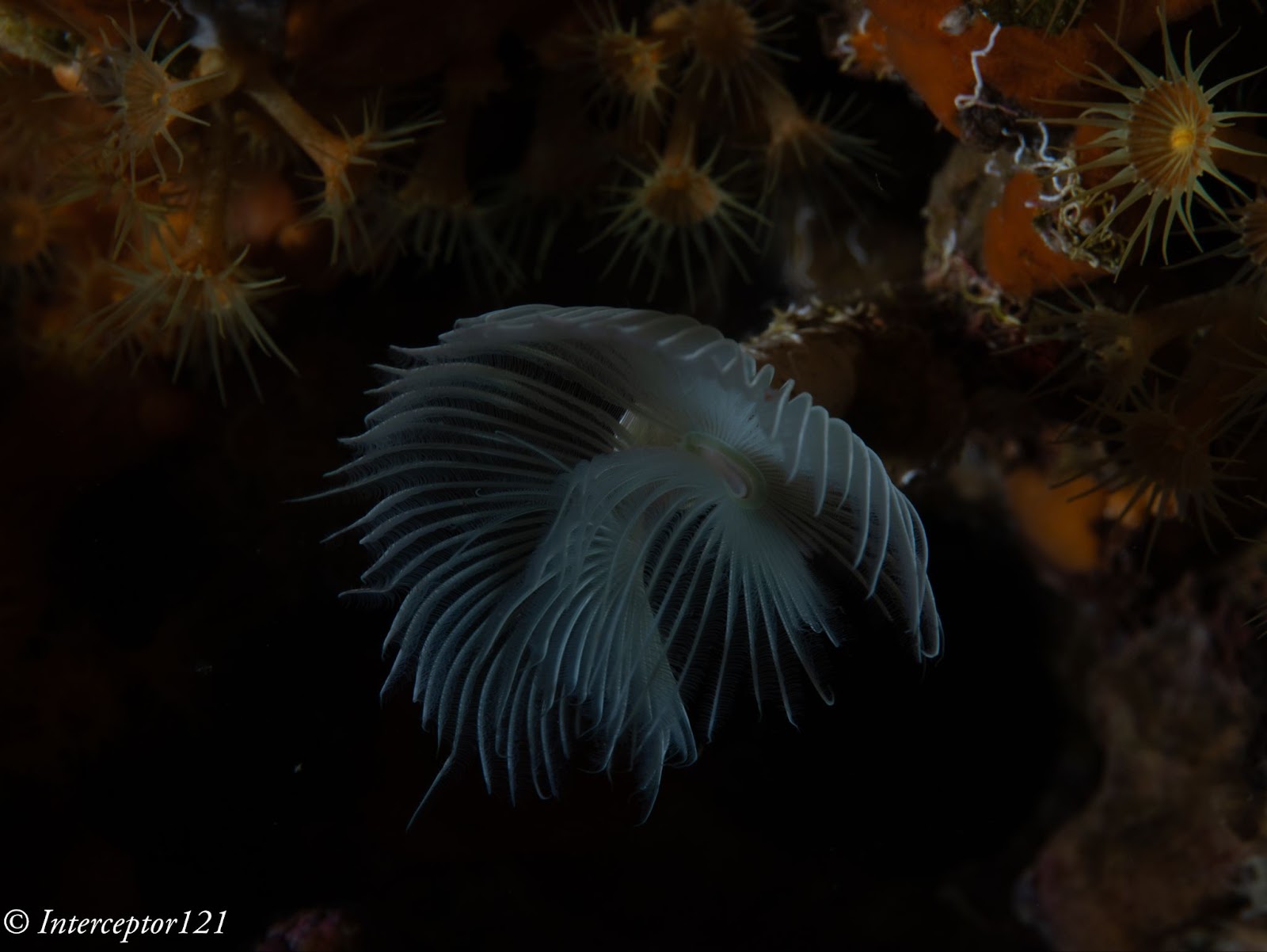
This is the image applying +3 exposure and other corrections.
The camera can easily take +3 adjustment as well as shadows up to 100% which is an excellent result.

The other aspect of image quality is of course the lens and we can here use the excellent canon 8-15mm in the entire zoom range.

Compared with my A1 in a similar shot I can say that at the edges the GH7 is superior and in the centre the difference in actual resolution is small to non-existent despite half the pixels.
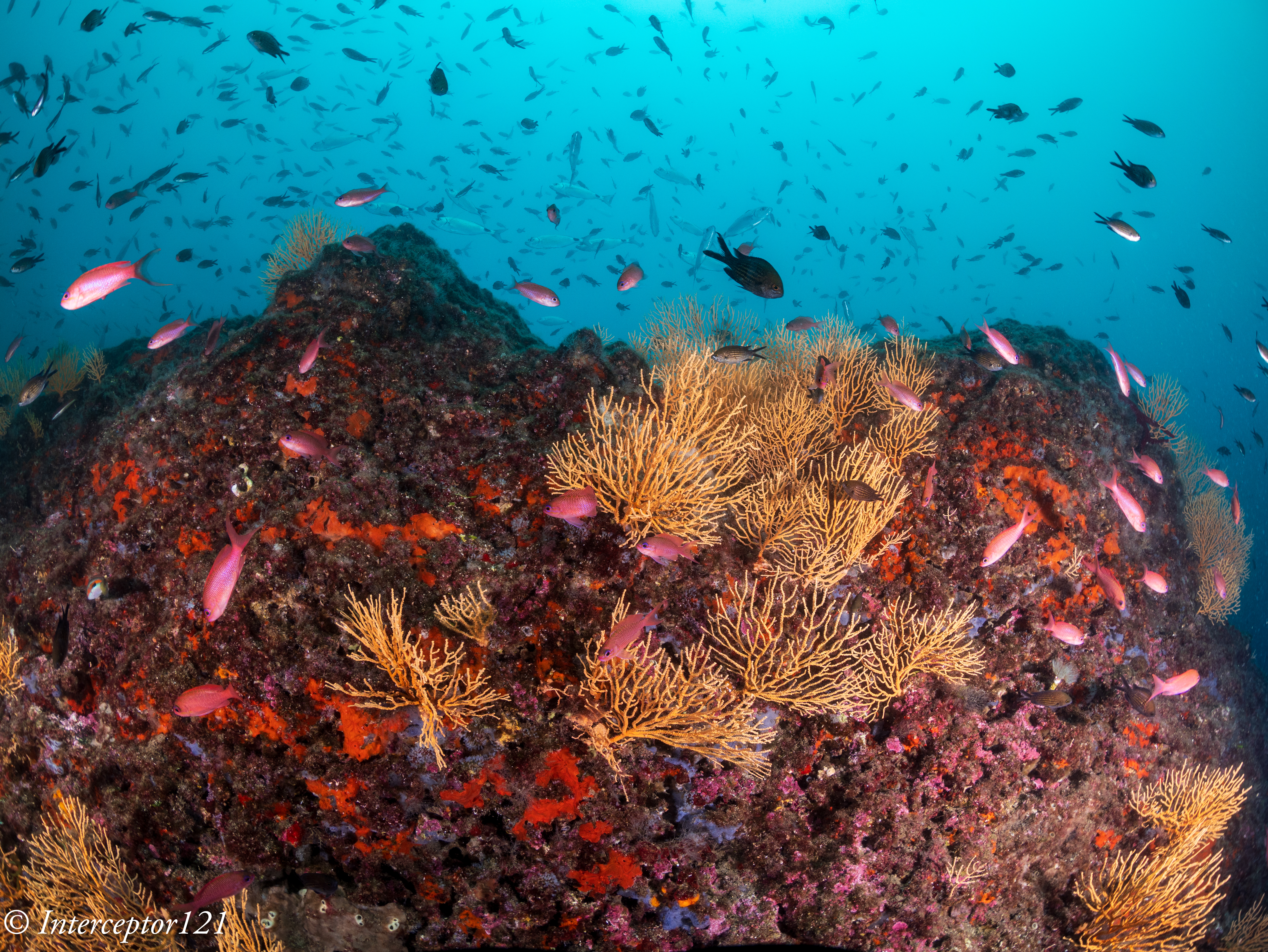
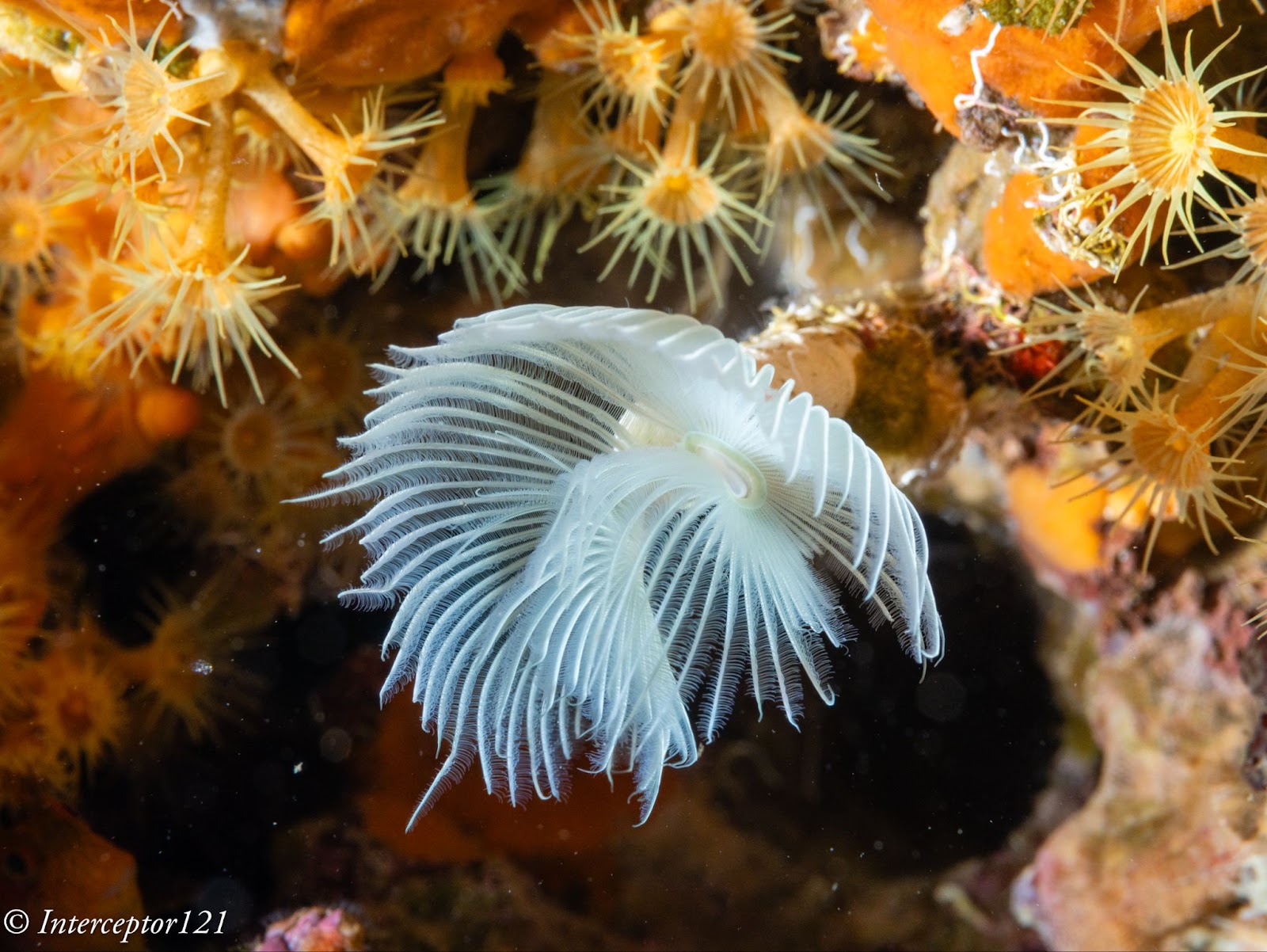
Full resolution shot GH7
Full resolution shot A1

This is because the lens shot at f/16 drops considerably in resolution compared to f/8 which are the equivalent apertures in full frame to micro four thirds. The files are full resolution I let you do the pixel peeping.

This resolution chart shows the underlying reason when the lens goes from f/8 to f/16 looses 30% of the resolution. Taking into account the smaller pixels of the GH7 this could mean an additional drop to the point the images are indeed very similar.

All in all the RAW files of the GH7 can take a lot of beating without issues as long as you do not clip the highlights like any other camera.

In general terms I feel the RAW files of the GH7 are similar in handling to my A1 and A7C II.

Dive Guide

Housing Ergonomics

Lets’ first cover the drawbacks of the Nauticam housing.

As mentioned in the autofocus post the housing does not give you access to the joystick which is a drawback. There are other two issues with the housing, the handles are angled forward, something typical of the Nauticam GH series that I continue not to understand. Why would the GH5 be any different from other cameras?

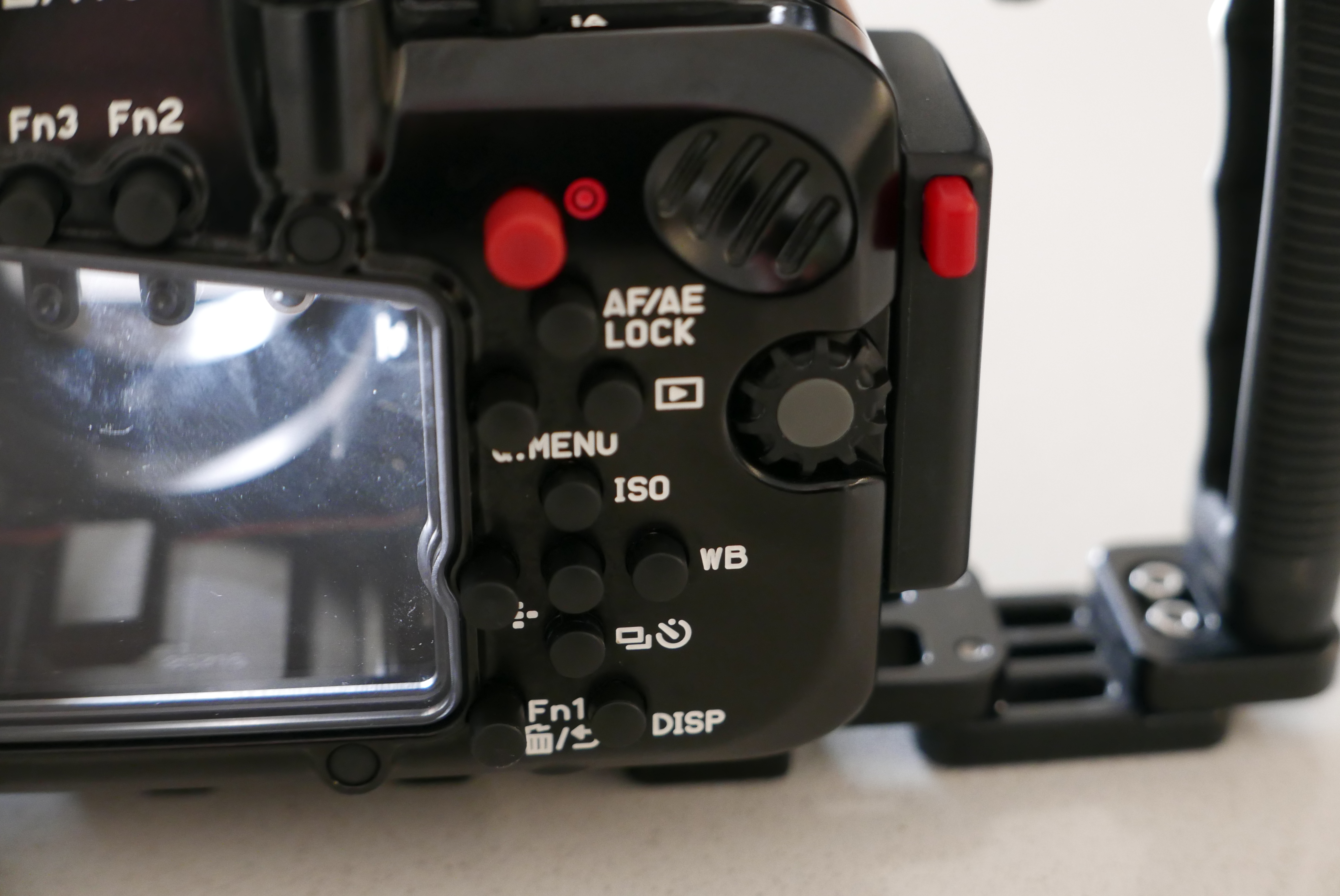
Not all function buttons are accessible in particular the two on the left side of the camera are not. Those are to be fair not the most important buttons and there is already a variety of buttons and controls available so except the joystick there will not be an issue underwater.

The lever under the front ring controls the function buttons 2 and 3 that correspond to the front two buttons of the camera.

FN2 FN3

I recommend using one for constant preview, hitting will circle through aperture simulation, shutter simulation or nothing and the other can be used to recall the focus limiter which is very important for macro shooting as explained in the previous post. The function button on the back can be your fn 9 to recall the focus area movement useful if you want to move it.

In total you have access to 3 function buttons as well as white balance, ISO, exposure compensation, focus mode, operation lock, EVF/LCD, quick button, menu and the four arrows, delete, mode, shutter mode, playback, movie, af on so there is nothing really missing. 

FN button instead of joystick control can be used to move the focus area

One very important feature is that the handles position can be adjusted, I move out the left handle so that the lens is central to the handles, on my A1 I needed to buy an extension as the port is closer to the left handle.

The housing also has an M10 accessory port as well as the ability to host M5 like the A1, and two ports for monitor and vacuum valve in addition to a cold show

While nauticam recommends the M5 accessory personally I find the cold shoe and especially the M10 port more suitable for focus light and external monitors.

One awkward thing is the N120 to N85 adapter port has the release on the bottom of the camera but that is not a housing issue yet something to bear in mind. The housing is not small at 331x176x136 with a weight of 2.8 kg is indeed similar or equal to a full frame camera.

The final consideration is that the price of the GH6 housing that is compatible with the GH7 is very high, more than a Sony A7 IV, less than Sony A1 and way more than other smaller micro four thirds body as well as other full frame (the S5II housing costs less).

Who is the GH7 for?

The Panasonic GH7 is without a doubt one of the most capable hybrid mirrorless cameras on the market however due to the housing price is unlikely to be attractive to the masses. If you are cost conscious you can get the OM-1 for less due to the smaller housing, if you want performance several full frame cameras will incur similar cost. The real strength of the micro four thirds is the lens choice. You can cover everything with the Canon 8-15 or if you prefer with the Tokina 10-17 there are many wide and macro lenses and the huge depth of field means everything will be consistently sharp across the frame. The real strength of the GH7 though is hybrid use, if you want a camera equally capable of top range photos and videos you are looking at Sony A1 or Nikon Z8 or similar or the GH7 and here it becomes interesting for the latest Panasonic. In the near future I will provide some details of how the GH7 performs as a video capture device.
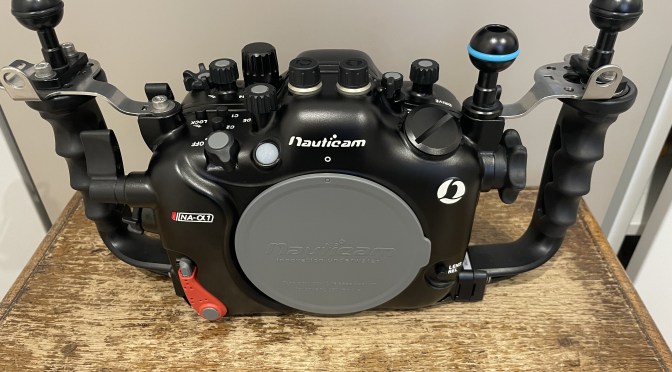
Fine Tuning your Nauticam A1 Housing

What does my housing have that your does not?

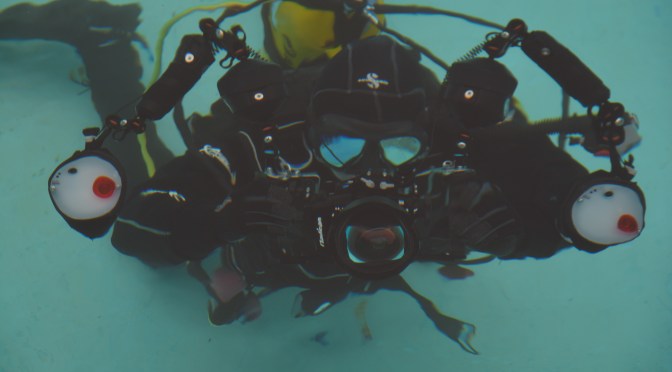
I guess lookig at the title image you may spot two small differences.

Those parts are installed.

Required Parts

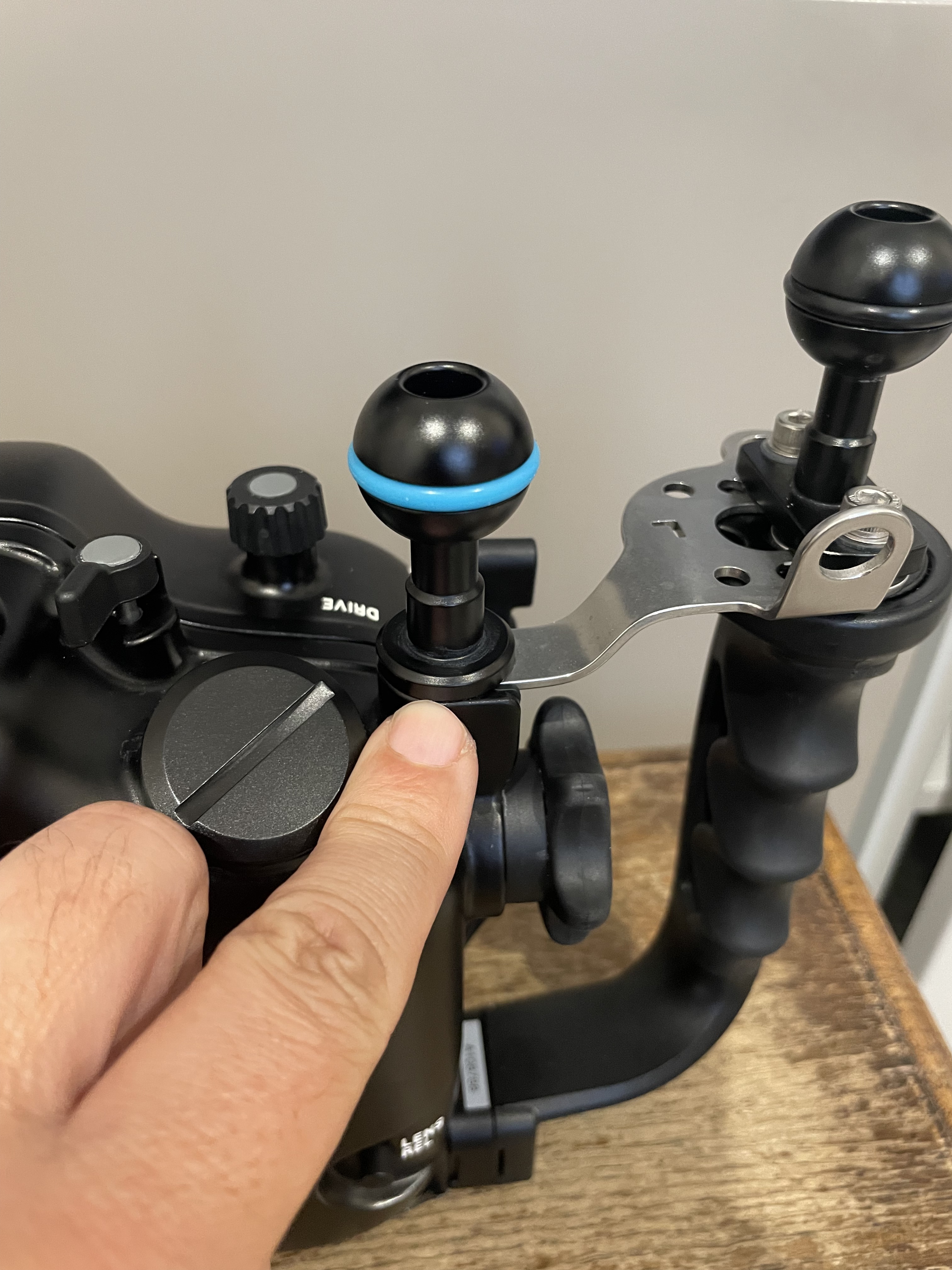
You will have noticed that your housing does not have a screw hole to mount a ball to put your monitor or focus light.

What you need to do is to remove one of those from the handle plates.

Allen bolt to be removed

You can then install the M5 ball so that you can use it to put the accessory you need.

M5 Ball installed

I am left eye dominant so I want to have free space in front of my right eye while my left is on the viewfinder so I put my ball on the left however you can do as you see fit.

You can also take the rubber assembly out of the socket and put an M10 ball mount which is more sturdy however you will be screwing metal on metal and I do not recommend that.

The other thing that you have noticed is that my housing has almost equal distance between the handle ball mounts and the centre.

Overview

However the housing as it comes out of the factory has a shorter distance between the left handle and the center than the right handle as consequence of the camera lens mount being on the left.

This is ok for topside but for underwater as soon as you are taking very close images with two strobes you will realise you have lights uneven and more shadow on your side.

Installing a single spacer into the handles give you this.

Spacer installed

Now your strobes or lights are simmetric however the housing fits a bit more snug into the travel case if you use that. You may need to remove it for travel if you pack case in case as I do.

Hopefully this was useful subscribe to my channels on for more tips and/or to this blog to get updates. And feel free to donate using the button on the left hand of the menu.

https://www.youtube.com/interceptor121

Getting the best underwater colours for your 4K Sony RX100 Mark IV

It is not a mystery that even the new Mark IV version has issues with custom white balance.

The ergonomics have not changed and you need to go into photo mode to set custom white balance but generally underwater results are poor. Using filters is therefore a necessity also on the new 4K version.

RX100 Mark IV Video Behavior

The RX100 offers now a 4K 100 mbps mode and can use picture profiles.

I have used a modified version of PP6 that use the cine2 gamma curve, I have however changed the colour to the Pro mode and changed a number of other settings in my last video in Puerto Galera.

The water was green and murky but this gives you an idea of what you can get.

Filter Options and Wide Angle

Although the Nauticam WWL-1 is the best lens for the RX100 it does not take filters and therefore is not adequate for video.

In this review clip you can see the options available on the market.

In terms of wide angle you have two options for 4K:

  1. Inon UWL-H100
  2. Inon UWL-100

Both lenses work fine in 4K however the older UWL-100 achromat does vignette in photo mode.

The UWL-H100 offers a very wide field of view also in HD mode with no vignette and accepts the mangrove/deeproof filter.

This filters is loaded with magenta so I suggest adjusting the tint in the auto white balance mode to +2 green.

The UWL-100 works fine in 4K and is wider than the UWL-H100 however has only the M67 mount. If you have one of those lenses you can use the Ikelite 6442 filter. This filter required you to remove the rubber ring on the lens and does work quite well except has a yellow cast to it you can reduce by changing the tint to +2 blue and increasing also magenta to +1.

For flexibility purposes probably the UWL-H100 is better as it takes the bayonet but the UWL-100 is really wide and has a little less fringing. Some people do like the UR/PRO filters better.

I hope you find this post useful and good luck with getting the best colours from your Sony RX100 Mark IV

Leak Sentinel V4 and Vivid Housing Vacuum Valves

A few weeks ago I was trying to buy a second hand Nauticam GH4 housing with the camera and I thought I could have recycled the valve on the GX7 housing. However I did not manage to take it off, even using the tool provided the valve would not come off.

Bare Vacuum Valve

The prospect of buying another valve did not sound particularly appealing so I tried to work out if there were some basic options out there and got in touch with vivid housings.

P1020804
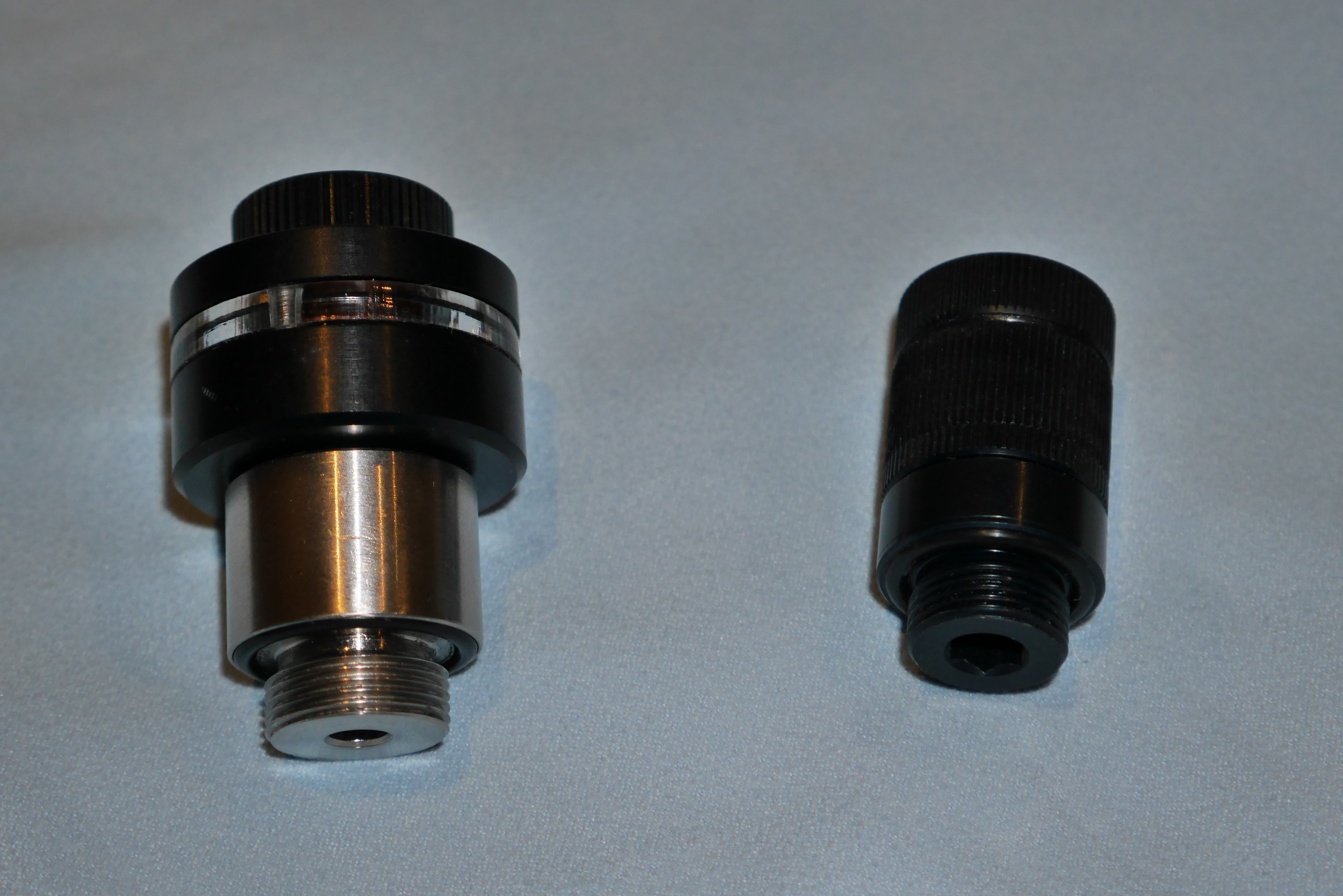
Left Leak Sentinel V4 Right M14 Vacuum Valve


I wanted to find out if it was possible to use the leak sentinel that I still had as a dumb valve. I was also told that is possible to order the v4 circuit board for your leak sentinel v3 for €50. But I also noticed that there was a valve only option for €75. After a few discussions it turns out that is possible to order the vacuum valve (without circuit board) and the pump for €95 including shipping. This sounded quite appealing.

Unfortunately the valve was stopped at customs and it was dented disassembled and put back together damaging the o’ring plus my prospective seller for the GH4 rig had gone away. So in order to test if the valve was still working I used it with the M16 adapter that came with the leak sentinel v3 on the LX100 housing I have on loan that thankfully I have yet to return.

It works a treat! I posted a quick video review on my channel

Leak Sentinel v4 Updated Review

Vivid housing have taken on board my suggestions and the Leak Sentinel V4 comes with temperature compensation and also a very useful overnight mode. You an pressurize the housing and switch off the circuit if you prepare the rig overnight and then put it back on again. This is a clear advantage over other systems where the switch can only be accessed opening the housing. Another benefit is that if you have to change a port you also don’t need to fully open the housing.

I tested the leak sentinel v4 in parallel with the Nauticam system and generally worked well but there still some sensitivity having the sensor outside the housing so I suggest giving an extra stroke once vacuum is reached for safety otherwise the indicator may start blinking. Another useful feature is the battery warning indicator.

Frankly if you have a housing already equipped with a circuit and an indicator like the nauticam system it is likely you will only get the valve, after all the system in the housing has also a moisture sensor with an audible alarm. But if you have a housing without electronics the leak sentinel is a very cost effective option.

A word of warning as the circuit board is inside the valve care must be taken to have completely dry hands and dry environment when the valve is depressurised otherwise humidity can get into the PCB and make it fail.

The leak sentinel v4 costs €200 including shipping worldwide.

Both products are sold by vivid housings http://www.vividhousings.com

For clarity I received no benefit or commission on any of my review and I remain vendor independent!

Nauticam NA-LX100 4K Video Review

Following the previous review that was dedicated to still images we now go into the subject of 4K video with the Panasonic LX100 and related Nauticam LX-100.

Currently there are only two compact cameras that produce 4K video the Sony RX100 and the Panasonic LX100.

The housing for the Sony RX100 has a traditional M67 port whilst the LX100 uses the N50 compact port system.

This means you can use all your wet lenses with the RX100 without specific adapters. The LX100 has however a number of benefits.

This table compares the field of view of the two cameras in 4K video mode.

LX100
4K Horizontal FOV Vertical FOV Diagonal FOV Sensor width 35mm 3:2
26.00 71.90 44.40 79.50 15.80 23.86
81.00 26.20 14.90 29.90 15.80 74.40
RX100
4K Horizontal FOV Vertical FOV Diagonal FOV Sensor width 35mm 3:2
28.00 67.90 41.50 75.40 11.85 26.73
80.00 26.00 14.80 29.60 11.85 76.37

When the camera shoots in 4K mode the focal length remains the same however the camera uses a smaller part of the sensor. A normal micro four third sensor measures 17.3×12 mm whilst the 1″ sensor of the RX100 is 13.2×8.8 mm. Note that the LX100 does not use the whole sensor due to the multi aspect format that keeps the diagonal field of view unchanged regardless of the image format.

What we can see in the LX100 table is that although the focal length in 4K is 26mm the horizontal field of view is the same of a full frame camera with a lens of 23.86mm this means the field of view in 4K should be slightly wider than a picture taken by the LX100 in 4:3 format.

I put the camera on a tripod and took two sample shots, this is the first at 24mm in 4:3 format that I then cropped to 16:9.

4:3 Crop to 16:9
4:3 Crop to 16:9

This other shot is from exactly the same position taken extracting a 4K frame from a small video.

4K Photo 16:9
4K Photo 16:9

As stated the horizontal dimension is just a few mm wider in 4K 16:9.

What this means is that this is the same that any normal camera with a 24mm lens that then is cropped to movie format in terms of field of view.

The Sony RX100 does not have a multi aspect sensor and therefore the horizontal field of view drops more.

With the short port on the LX100 using a wet lens like the Inon UWL-H100 we can achieve more than 97° horizontal which is very wide and zoom all the way to 79° and if we use a wetmate or the mini dome cover the other range between 72° and 50°.

Practically the LX100 with wet lenses and wetmate or minidome gives you access to focal lengths between 15.5-21mm and again 24-35mm is like having an 8-18mm lens on a micro four third which is good for whale sharks and mantas this is even wider than the 7-14mm lens on a Panasonic GH4 in 4K and the LX100 has a (weak) optical stabiliser on the lens.

The RX100 mark IV instead can only cover between 96° and 90° before the wet lens stops working properly and we jump to 68° if using a wetmate.

UWL-H100 Flat Test Cards

This shot taken at around 15cm shows a nearly rectilinear and very wide image.

In short if you are after some super wide angle in 4K the LX100 is definitely the way to go.

From an ergonomic point of view I shoot video in shutter priority and let the camera work out ISO and aperture, this is relatively easy to do with the LX100 although the absence of custom memory modes on a mode dial is painful.

A control that can be quite useful due to the tendency of the LX100 to go focus hunting is to set the ae/af lock button to af-on. This requires the shutter to be set in release priority with this control you can use manual focus and force the LX100 to refocus when you hit the af-lock. This is a very useful feature.

Update 28 September the method described to fight focus hunting does not work in 4K. There is going to be another post with the best settings for 4K video for the LX100.

For what concerns macro both the LX100 and RX100 present their challenges due to the short zoom lens, the LX100 more so due to the horrible rectangular port. It can be argued that you can’t shoot wide and macro with the LX100 whilst you can do that with the RX100 however the strength of the LX100 is certainly in its very wide lens and the short port that combined with a flat wide angle lens can produce an extremely wide field of view able to cover practically almost any wide angle scene.

For macro the GH4 and upcoming GX8 are probably going to be better placed due to the higher crop factor giving focal lengths in excess of 100mm using the 14-42mm lenses.

If you want to get into 4K video and your focus is primarily wide angle the LX100 is an excellent device.

The WWL-1 on a Nauticam LX100


Nauticam NA-LX100 housing and port system review

Nauticam has given me the opportunity to test the housing for the Panasonic LX100 priced at $1,200 or £922 in UK.

As anticipated some time ago this housing features the new N50 mini port system for compact.

NA-LX100 aperture and format dial

The housing comes with the rectangular port as a standard, as the LX100 has a 24mm equivalent lens and the lens extends quite a lot between the shortest and longest focal length it is not possible to use an M67 long port or there will be vignetting.

In order to install the camera you need to set the aperture to f/16 and the aspect ratio to 4:3 with focus mode in normal and lift the zoom lever. Likewise to take the camera out of the housing.

LX100 housing preparation

Unfortunately as mentioned several times on this blog pincushion distortion severely affects the image at focal lengths shorter than 35mm equivalent as our in water test shot demonstrated. If you zoom in the corners you can see also extensive blur and chromatic aberrations.

LX100 flat port at 24mm

Furthermore the lack of an M67 port means you now need the Nautical flip diopter for rectangular port that costs $220 or £170.

When you eventually get to put a diopter on the lack of zoom means that magnification with traditional lenses is quite limited.

UL-165
NA-LX100 UCL-165

The frame width is 62mm with a single Inon UCl-165 and goes to 5cm when we stack another UCL-330.

UCL-165+330
NA-LX100 UCL-165+330

Image quality is ok except some blue fringing at the borders.

A single UCL-100 gives a frame width of 42mm.

UCL-100
NA-LX100 UCL-100

Apparently the Nauticam CMC ($320 or £240) gives 32mm frame width that is adequate for macro.

So if you are into macro you need to invest $1,200+$220+$320=$1,740 to have some decent magnification.

If you possess many clamps and cold shoe ball mounts you can buy an Inon M67 lens arm and use the lenses you have saving some $$$ but the magnification is limited unless you get the CMC.

For semi-wide angle a mini dome port is available at $280 or £216.

N50 3.5
N50 3.5″ Mini Dome

This restores the field of view in air however you can only zoom to 40mm before the camera can’t focus anymore. I have even tried with dry diopters on the camera there is no improvement.

Optical quality is great.

LX100 Mini Dome 24mm

Probably the most useful port is the N50 short port that has an m67 thread and allows to use wet wide angle lenses.

N50 Short Port
N50 Short Port

I went to Swanage but got the tide wrong visibility was shocking still gives an idea of the image quality of the LX100 with the Nauticam WWL-1 wet lens.

SWANAGE (4 of 4)
Atlantic Ocean Anemones

SWANAGE (3 of 4)
Kelp?

Upside down
Upside down

SWANAGE (1 of 4)
Myst!

If you have a Nauticam wet mate you can also use it with the short port and achieve the same or better sharpness than the minidome thought with some residual chromatic aberration.

LX100 Short Port Wet Mate 24mm

The big benefit is that if you find that your wet wide angle lens is too wide for what you are shooting you can change lens without changing the port.

NA-LX100 rear buttons

For what concerns the ergonomics of the LX100 they are quite intuitive on land.

One of the characteristics is the lack of a mode dial.

You have an auto position  for shutter speed and aperture and if you leave them as such the camera shoots in program mode.

Once you move the aperture the camera goes in aperture priority mode. Probably the worst situation is the shutter dial that once touched has to come down all the way from 1/4000 to whatever you need it to be.

Also you don’t have thirds of exposure for the shutter dial and for example to get 1/50 you need to go to 1/60 and then use the rear dial.

I found the ergonomics of the camera in water particularly annoying as I was shooting with gloves. I did like the nauticam trigger system for the shutter however the amount of hardware of the nauticam tray and its weight are not really an option for me.

The Panasonic LX100 is a very interesting camera on land but in water ends up quite uncomfortable and expensive. The housing with the 3 ports comes at $1,200+$180+$280 if you add the Nauticam CMC and the WWL-1 you end with a whopping $3,195 the camera costs another $800. Total investment $4,000.

This is a lot of money in my opinion considering that with another $300 you can get a Panasonic GX7 with GX7 housing, an Olympus 60mm with 65 macro port and a Panasonic 8mm fisheye with 4.33″ dome. The LX100 and GX7 share the same sensor but there is no doubt that the macro performance of a dedicated lens as well as the fisheye of the 8mm lens have no comparison.

In conclusion the Panasonic LX100 with NA-LX100 is a bit of a flop for stills the only use that I can think of is wide angle 4K video with the short port and a wet lens but other than that I don’t see how Nauticam is going to sell many of those units.

The end of advanced compact cameras for underwater photography

With the arrival of the new Nauticam N50 port system for advanced compacts I believe we say goodbye to using a large sensor compact underwater.

We already saw some signs when Sony released the RX100 Mark III with a 24-70mm equivalent lens, this effectively killed any use of the camera for macro. The new Panasonic LX100 has a similar problem with a 24-75mm lens but on top it has the new N50 port system in the nauticam housing or a severely limited functionality in the Ikelite version. It is obvious that the Panasonic LX100 will have similar sever limitations for macro but also with only 10 Megapixels really not be a strong competitor.

The last kid on the block is the Canon G7X, this camera looks very similar to the Sony RX100 Mark II and has a 24-100 zoom range that on land is very useful with an aperture of f/2.8 at tele end that is really interesting for land use. However this camera in the Nauticam version has the same port system N50.

So why has Nauticam introduced this? Both the Canon G7X and the Panasonic LX100 have fairly long lenses in terms of physical size and the zoom mechanism is such that the lens is retracted at wide end. This means that there is quite a gap between the lens and the port and wet lenses in those conditions have issues of both corner softness and chromatic aberrations. So Nauticam has introduced a short port with zoom blocked so that wet lenses can be used.

Effectively this is like diving with a fixed 18mm lens on your camera behind a dome with no zoom capability, taking the wet lens off results in horrible pincushion distortion so not really appealing.

Pincushion Distortion at 24mm with flat port

The dome port does not allow the use of the full zoom at least without a diopter, so this is of limited use too for video.

Cost wise the new housing with the port system are around $1,200 in the US with additional $350 for the dome and $180 for the flat wide port. We are approaching the low end of Micro 4/3 Nauticam housing prices and are more expensive than Olympus OEM options but without the same flexibility and quality in terms of lenses.

It is clear that the Sony RX100 Mark I and II will remain one of a kind and this is the reason why they remain popular few years after launch.

Sony RX100 Mark II Rig June 2014 Front


Nauticam NA-LX100 Pricing Confirmed

It is official now the prices of the NA-LX100 are confirmed

in US $1,200 for the housing with flat port, $180 for the wide short port and $350 for the 3.5″ acrylic dome.

In UK £920 for the housing and flat port, £150 for the wide short port and most likely £290 for the dome.

Which means we can now update the GH4 comparisons for 4K

Super Wide

Panasonic LX100  $899 NA-LX100 $1,200 with Short Port $180 and Wet lens Inon UWL-H100 $522

Panasonic GH4 with 7-14mm and 6″ dome $2750 housing and port only plus camera and lens $2,399

The max field of view of the two options is almost the same however you can’t zoom the LX100 due to the zoom lock on the housing.

LX100 $2,801

GH4 $5,149

Price Difference $2,348

Mid range

Panasonic LX100 $899 housing $1,200  3.5″ dome circa $350

Panasonic GH4 with 12-35mm and 6″ dome $2750 housing and port Camera and Lens $2,399

The LX100 is wider in 4K at 26-81mm vs 28-81mm of the GH4

LX100 $2,449

GH4 $5,149

Price Difference $2,700

Close Up

Panasonic LX100 with NA-LX100 rectangular port $2,099

Panasonic GH4 with 14-42 and 35 macro port $1,815 housing and port $2,680

The GH4 will have more magnification due to the longer focal length with the same diopter.

LX100 $2,099

GH4 $4,495

Price Difference $2,396

The gap is still significant even with the price increase ranging between $2348 and $2700.

I still have some concerns on the 3.5″ acrylic dome for the LX100 as I am not sure about focus distance. If this port works with the full zoom it is definitely the most appealing for video but we will need to check this out.


Nauticam NA-LX100 Released

On Christmas day Nauticam has released the NA-LX100 housing for the Panasonic DMC-LX100. It is priced at ¥168,000 which is 50,000 more expensive than the last NA-RX100 III.

If this translates correctly in $ and UK prices it means $1,399 plus tax or £895 including VAT for UK.

Here is the original link in Japanese on the fisheye homepage

http://www.fisheye-jp.com/products/compact/na_lx100.html

NA-LX100 with flat rectangular port

NA-LX100 Rear View


Prices for the short port for wet lenses and the dome port have not yet been announced but we know that the dome can use the camera at full zoom and that the short port. The US price of the flip diopter for the rectangular port is known and is $220.

Which means we can now update the GH4 comparisons for 4K

Super Wide

Panasonic LX100  $899 NA-LX100 with Short Port and Wet lens $2,000 circa

Panasonic GH4 with 7-14mm and 6″ dome $2750 housing and port only plus camera and lens $2,399

The max field of view of the two options is almost the same however you can’t zoom the LX100 due to the zoom lock on the housing.

LX100 $2,899

GH4 $5,149

Price Difference $2,250

Mid range

Panasonic LX100 $899 with 3.5″ dome circa $1,699

Panasonic GH4 with 12-35mm and 6″ dome $2750 housing and port Camera and Lens $2,399

The LX100 is wider in 4K at 26-81mm vs 28-81mm of the GH4

LX100 $2,599

GH4 $5,149

Price Difference $2,550

Close Up

Panasonic LX100 with NA-LX100 rectangular port $2,299

Panasonic GH4 with 14-42 and 35 macro port $1,815 housing and port $2,680

The GH4 will have more magnification due to the longer focal length with the same diopter.

LX100 $2,299

GH4 $4,495

Price Difference $2,195

The gap is still significant even with the price increase ranging between $2200 and $2500.

There is still an option to use the GH4 with wet lenses although this has only been tried with diopters to date it is technically possible to use a wet wide angle lens.


Panasonic DMC-LX100 Nauticam 4K Underwater video becomes affordable

This week I have been in contact with Nauticam that have given me some final details with regards to the NA-LX100 housing that will be released in the next weeks and is already available for pre-order in Hong Kong.

The housing is confirmed to have a changeable port system the default is the rectangular flat port as in the image below.

When shooting 4K the Panasonic LX100 focal length is 26-81mm which means that in water the default port will give a range of 35-108mm due to water magnification. This is however negated by the increased working distance so don’t get too excited about macro.

Panasonic LX100 Flat Port

There will be a flip diopter for the rectangular port as a separate accessory. Due to the limited zoom of the LX100 a strong diopter with power of at least +10 in water is required for macro.

The other option displayed was a mini dome port.

Nauticam LX100 Mini Dome Port

Nauticam has confirmed that this dome is 3.5″ wide and unfortunately there is no provision currently for a flip diopter for this port.

The 3.5″ acrylic port is probably the most versatile option for the Panasonic LX100 and I am a bit puzzled of why the flat port is offered as a default. The mini dome seems perfect for all round reef use when there are no really small critters and medium size fish.


Nauticam has also a super wide option that utilizes a short port with a 67mm thread. This takes the Inon UWL-H100 from what we have heard and also a new lens Nauticam has designed.

The zoom will be  locked so the lens will stay at 24mm limited to circa 50mm which means with the wet lens this is a 16-32mm wide lens in water, I am not sure however that zoom in will be a possibility with the Inon lens but will be possible with the Nauticam lens as far as I understand.

Nauticam LX100 Wide wet lens

So what is the strategy for Nauticam and this housing?

It is quite clear for me that the Panasonic LX100 has the same 4K capabilities of the GH4 the same IPB codec and processor. It falls short of cinema options but costs half of the GH4 body.

So for your perusal those are the equivalent options

Super Wide

Panasonic LX100  $899 NA-LX100 with Short Port and Wet lens $1,700 circa

Panasonic GH4 with 7-14mm and 6″ dome $2750 housing and port only plus camera and lens $2,399

The max field of view of the two options is almost the same however you can’t zoom the LX100 due to the zoom lock on the housing.

LX100 $2,599

GH4 $5,149

Price Difference $2,550

Mid range

Panasonic LX100 $899 with 3.5″ dome circa $1,300

Panasonic GH4 with 12-35mm and 6″ dome $2750 housing and port Camera and Lens $2,399

The LX100 is wider in 4K at 26-81mm vs 28-81mm of the GH4

LX100 $2,200

GH4 $5,149

Price Difference $2,950

Close Up

Panasonic LX100 with rectangular port $2,000

Panasonic GH4 with 14-42 and 35 macro port $1,815 housing and port $2,540

The GH4 will have more magnification due to the longer focal length with the same diopter.

LX100 $2,000

GH4 $4,355

Price Difference $2,355

So the performance may be better but the price difference is very high.

The total cost of the Panasonic GH4 plus lenses housing and port is around $6,640 but the LX100 stops at a much more modest $2,400 without the wet wide angle lens. This still does not include flip diopters adapters and lens worth another $800+ but gives an idea that the total will be around $3,200 for the whole set.

You can get a complete 4K underwater video rig around $4,500-4,700 including tray, video lights and all the rest which few years ago would have been unthinkable.